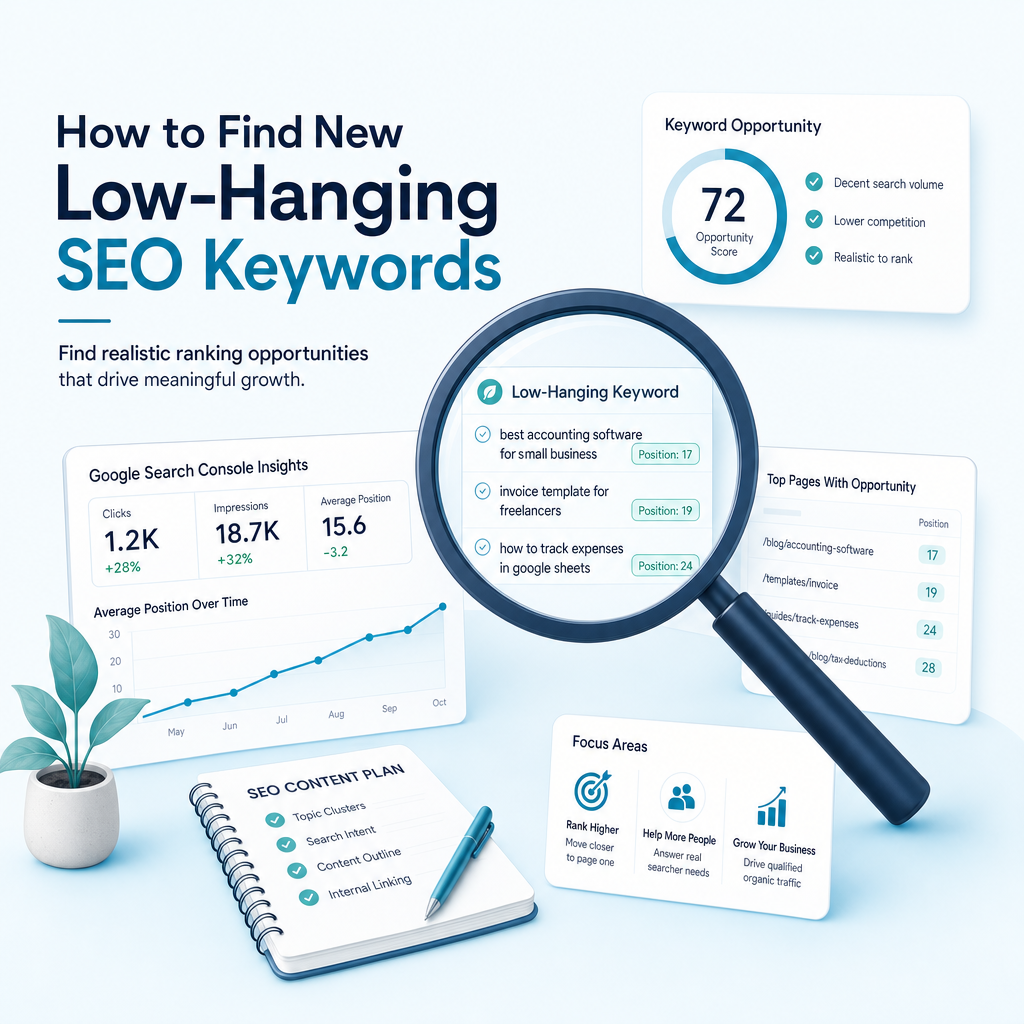
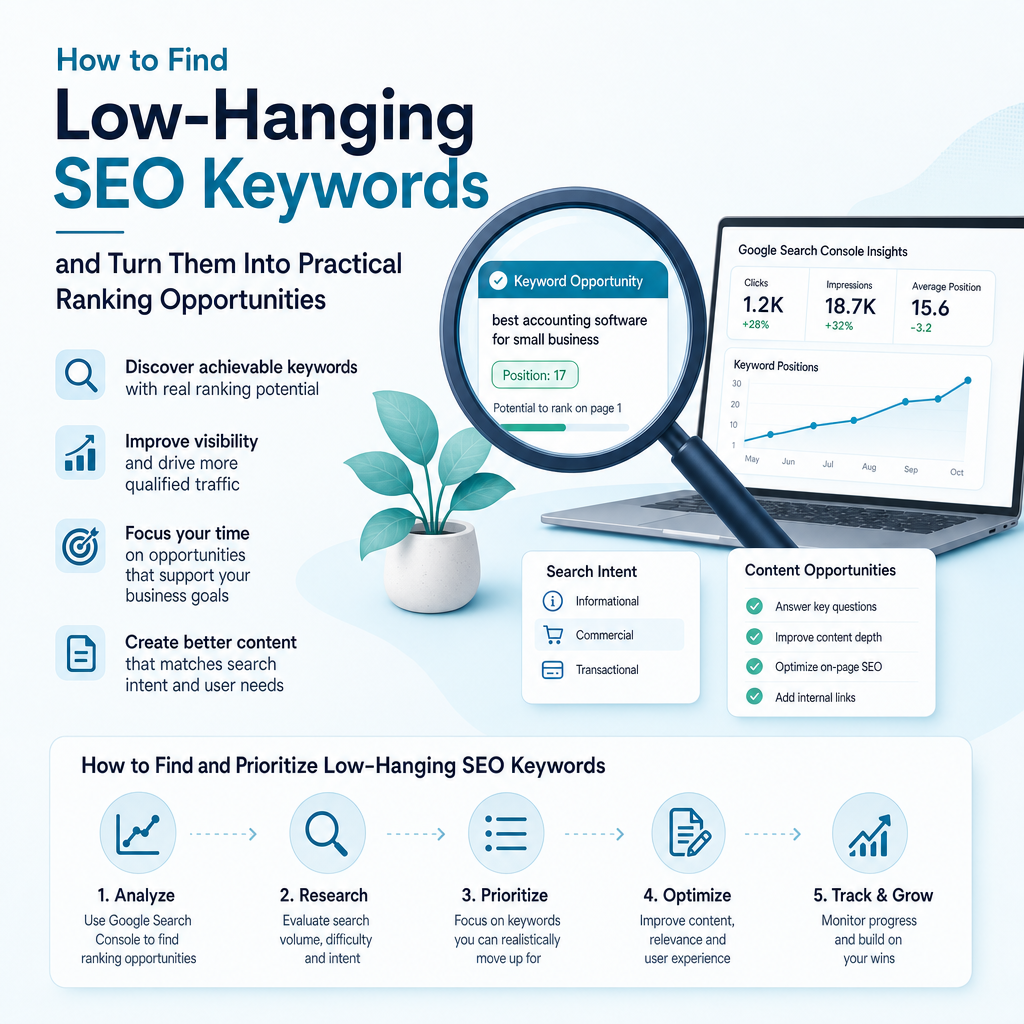
Striking Distance Keywords: How to Find and Win Them in Google Search Console

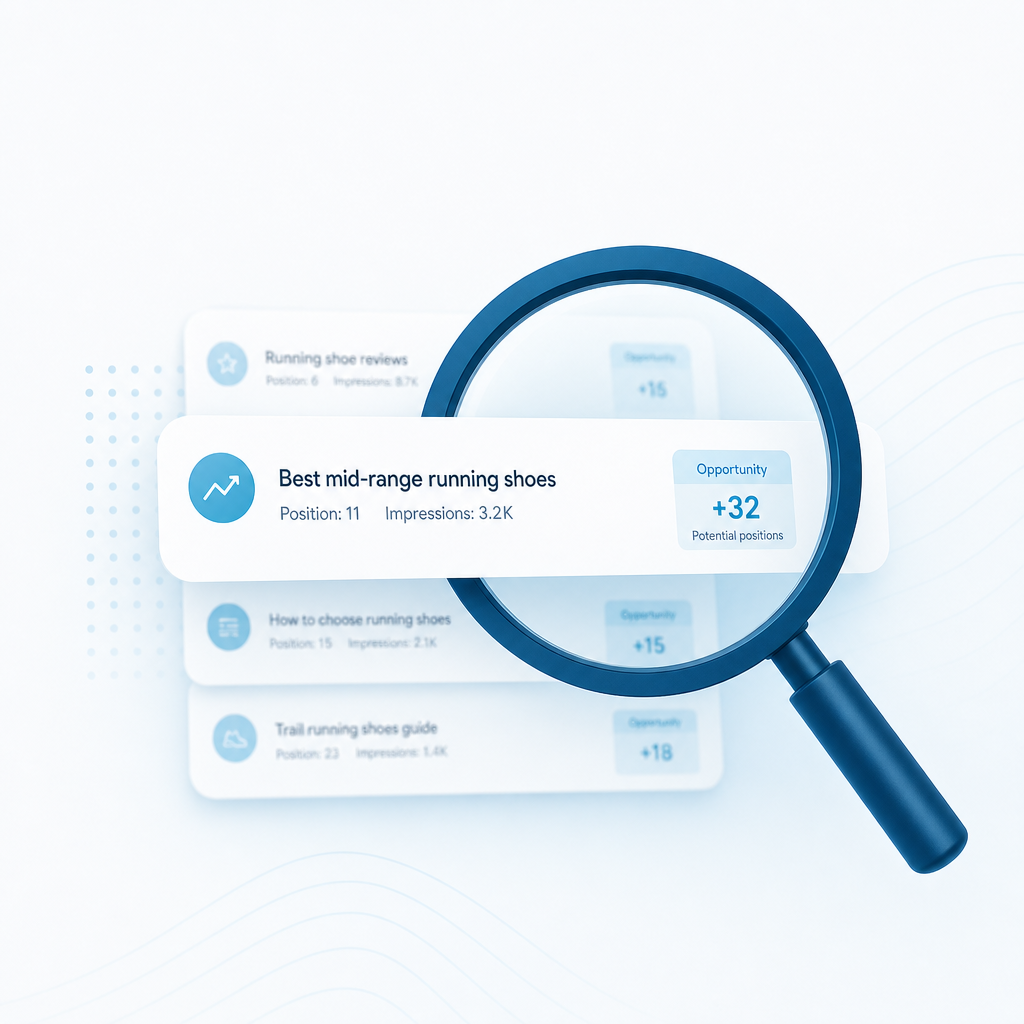
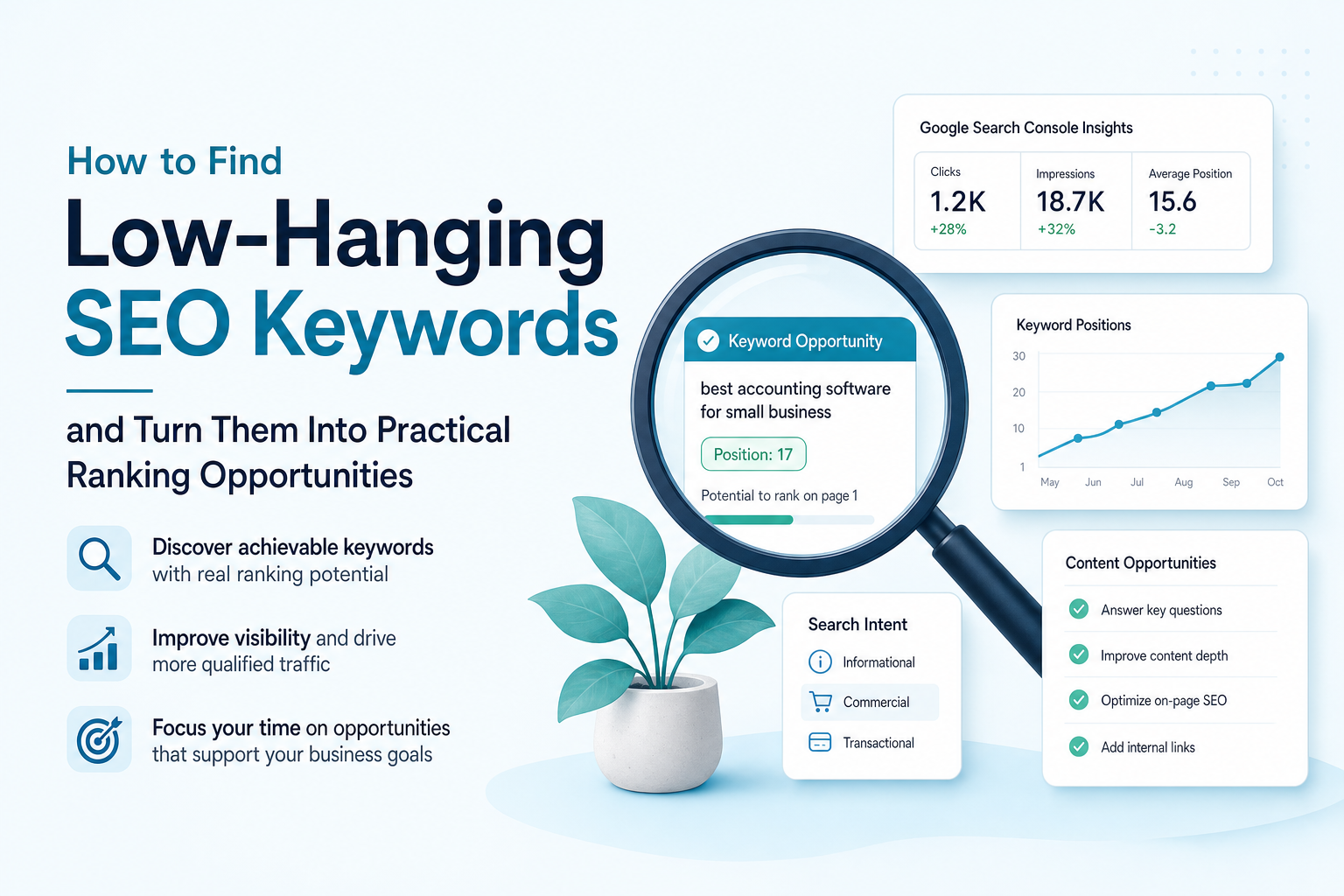
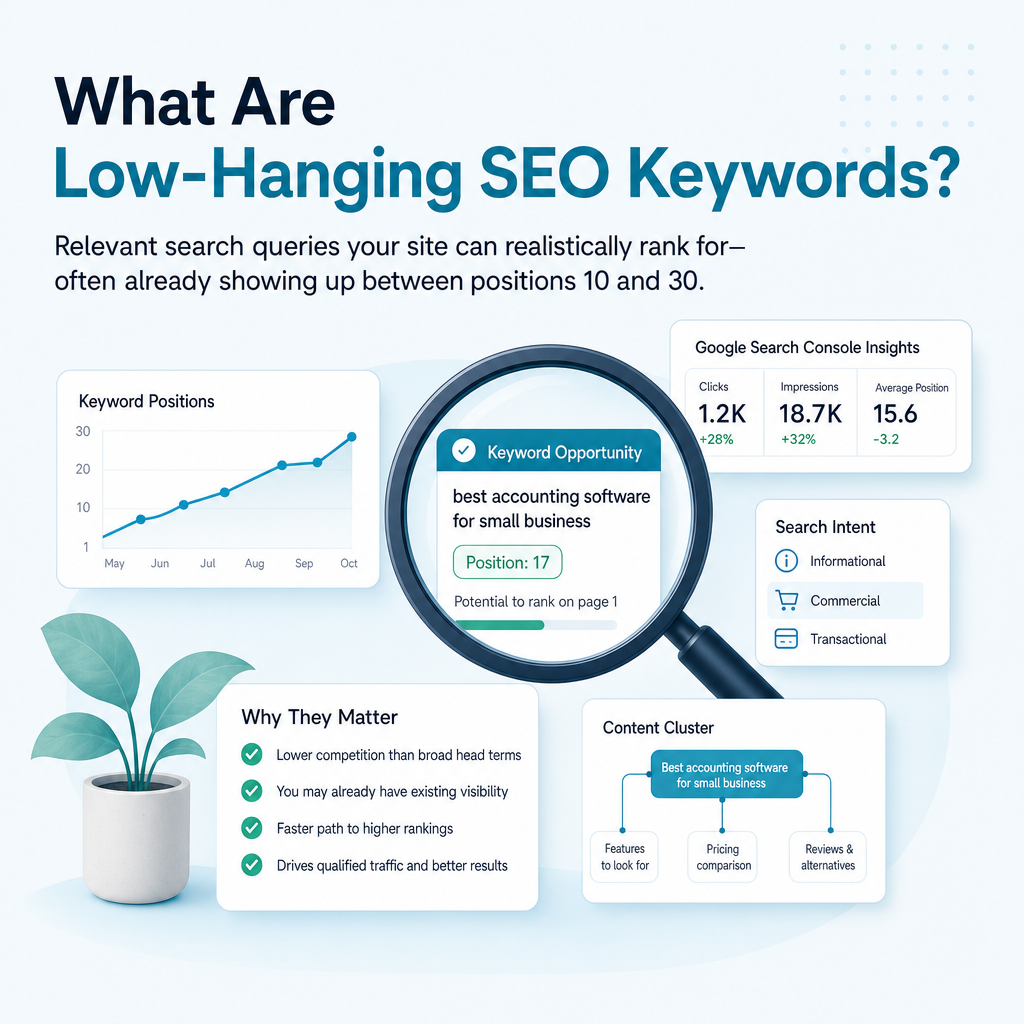
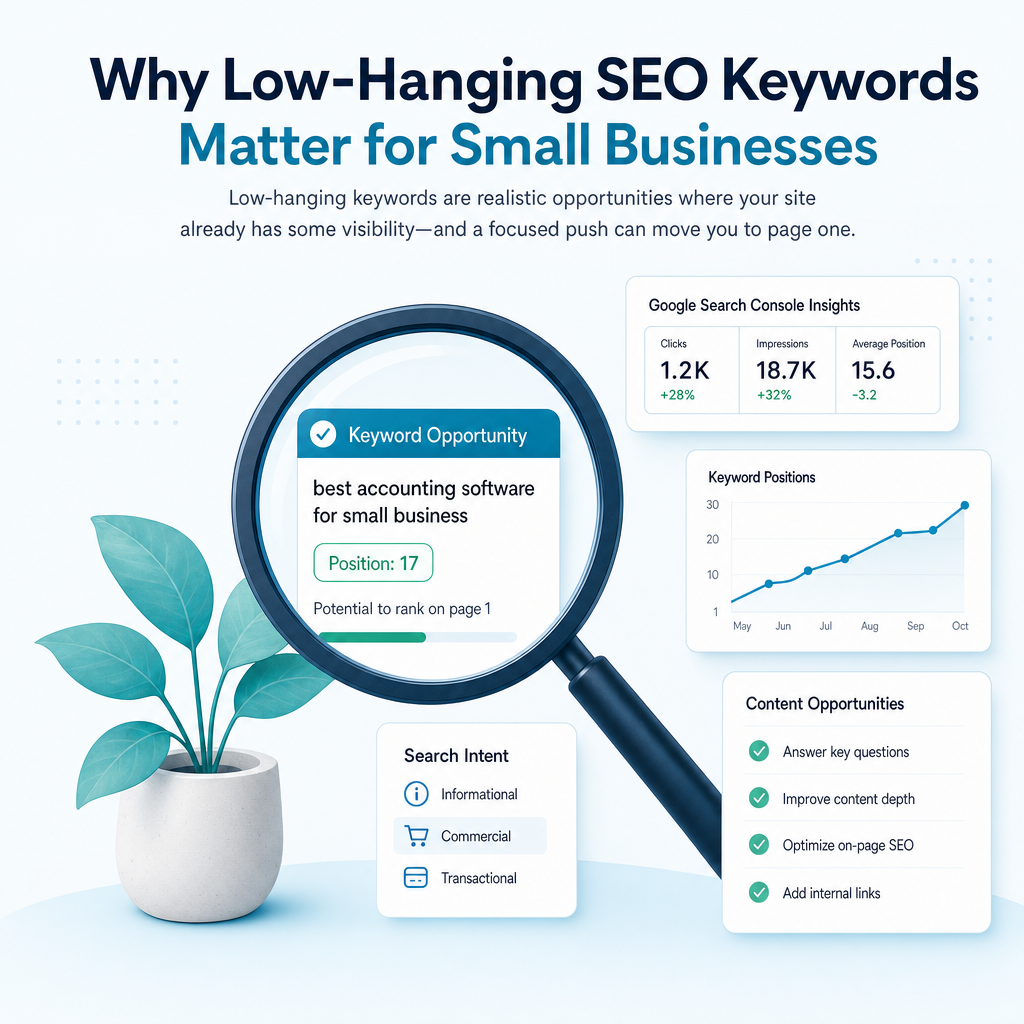
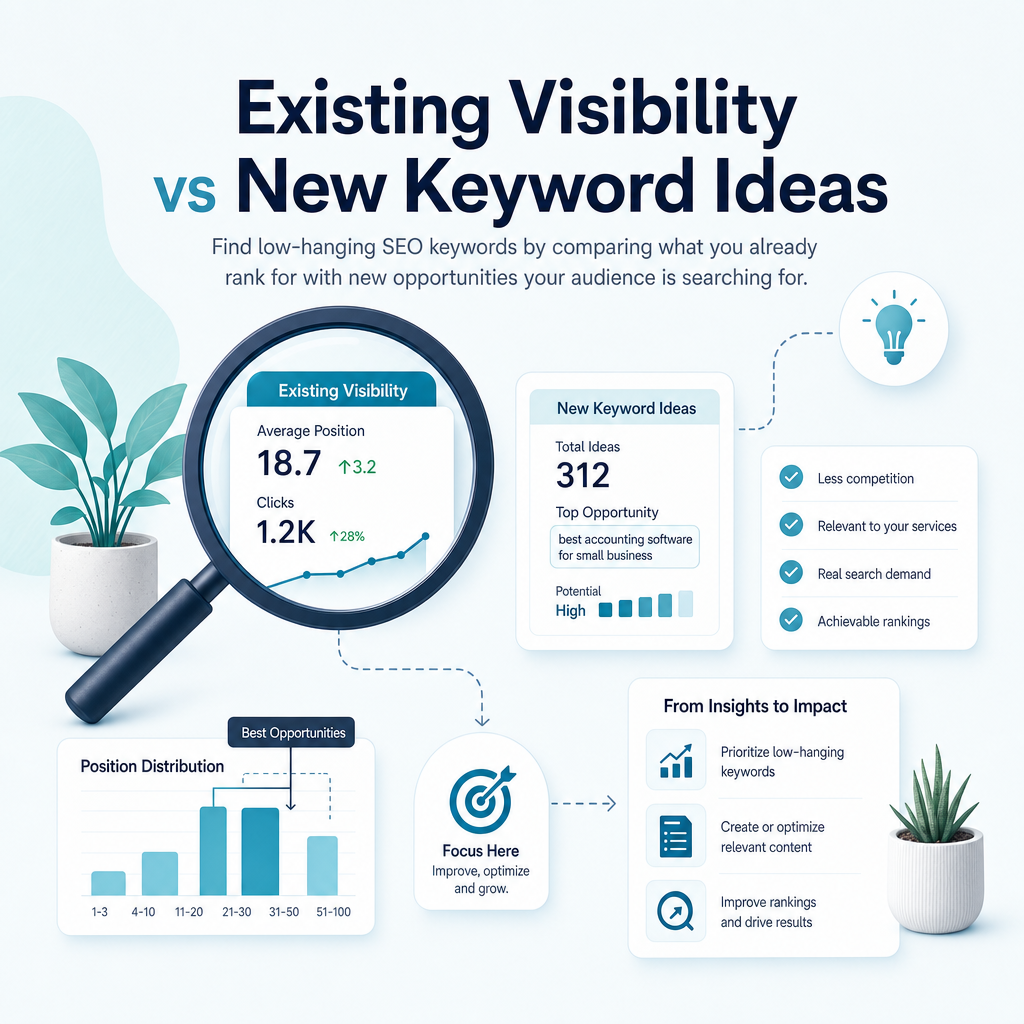
A striking distance keyword is a search your page already ranks for in positions 11 to 30: the bottom of page one, or page two and three. Google already thinks the page is relevant. It just isn’t ranking high enough for anyone to click.

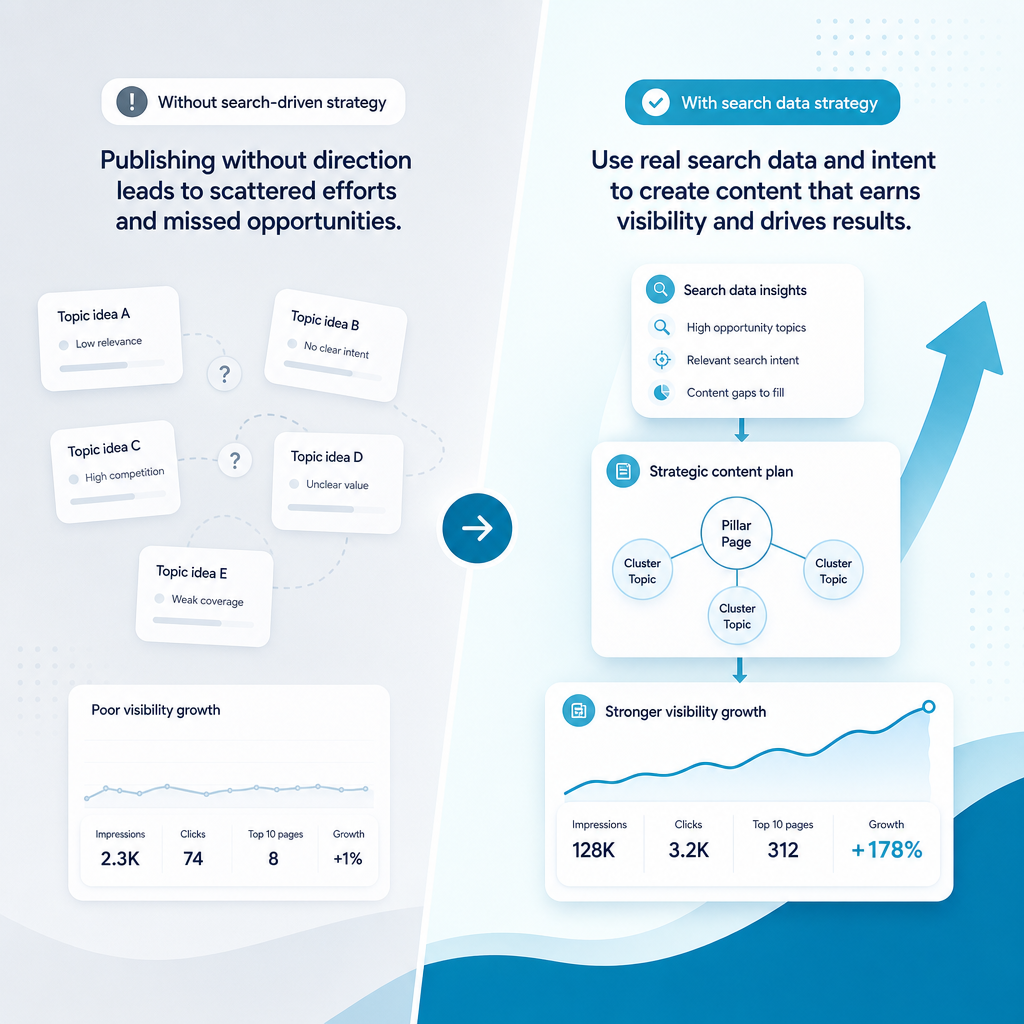
These are usually the quickest rankings a small site can win, because you are improving a page Google already shows rather than starting from nothing. This guide shows how to find them in Google Search Console, how to decide which ones to work on, and what to change on the page. The worked example uses ammpli.com’s own Search Console data.

Why positions 11 to 30 matter

Almost all clicks go to the first page of results. A page in position 15 can collect hundreds of impressions a month and still get no clicks, because hardly anyone scrolls to page two.

That makes position 11 to 30 a useful filter. It removes the searches you already win (positions 1 to 10) and the ones you are nowhere near (position 50 and beyond). What is left is a short list of searches where Google has tested your page and shown it, but other pages still answer the question better.

Some people use a narrower range, such as 11 to 20. On a new or small site, 11 to 30 gives you enough rows to work with. Our guide to low-hanging SEO keywords covers the wider idea; this guide is the step-by-step Search Console method.

How to find striking distance keywords in Google Search Console

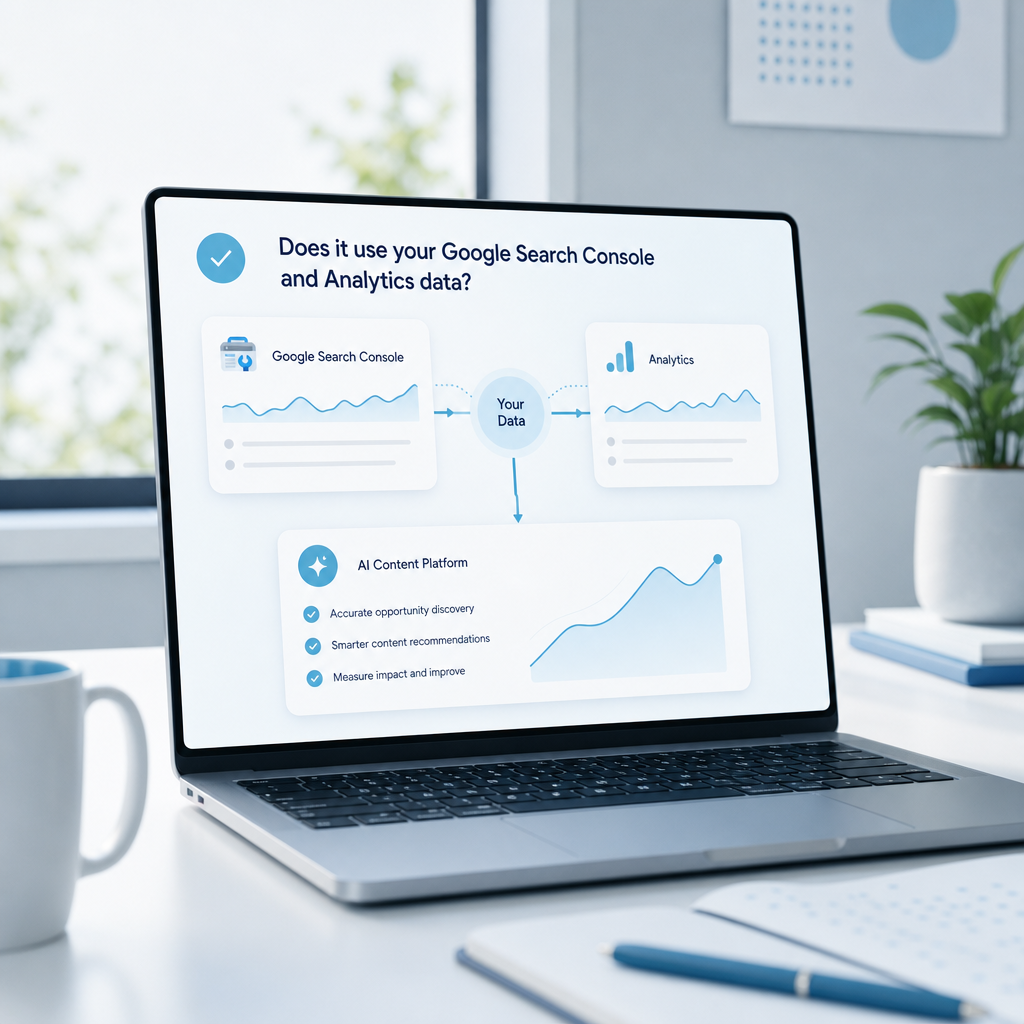
You need a verified Search Console property with at least a few weeks of data. The steps below use the standard Performance report, so no extra tools are needed.

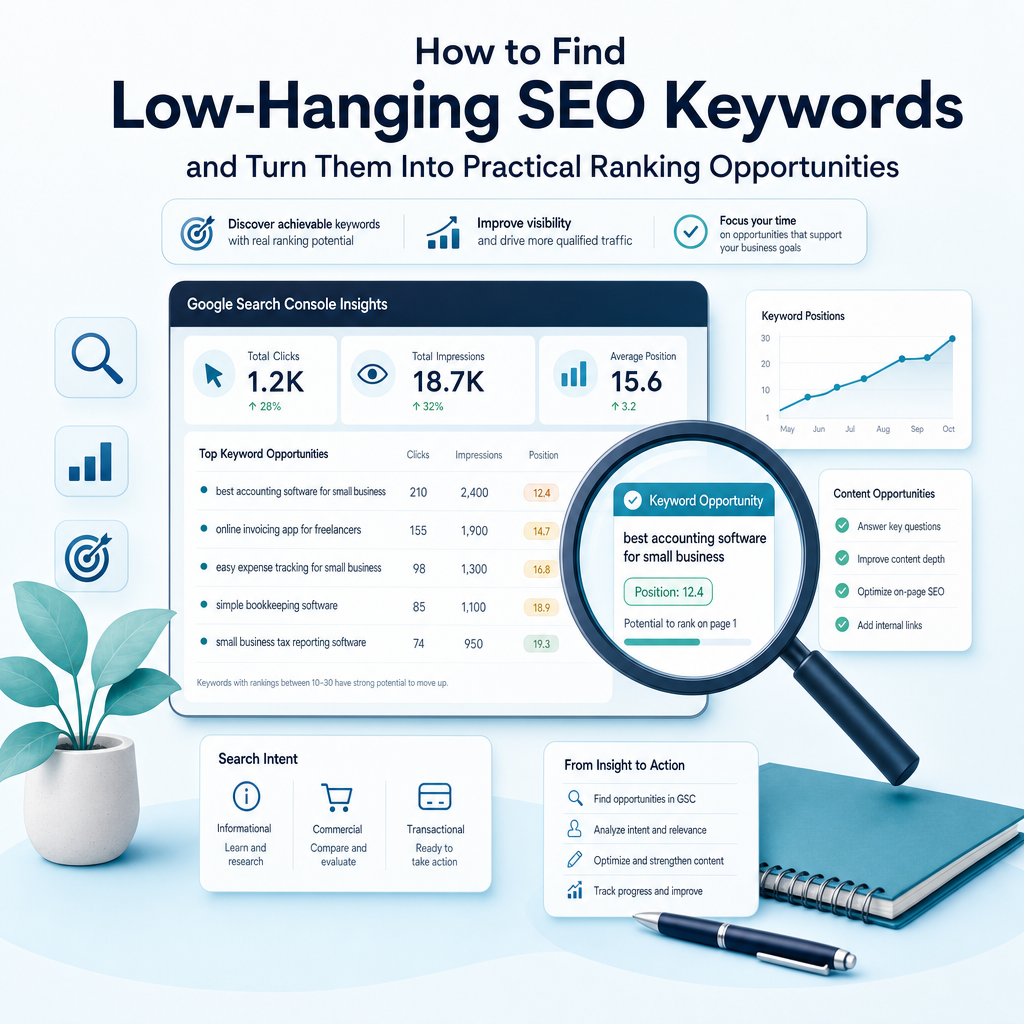
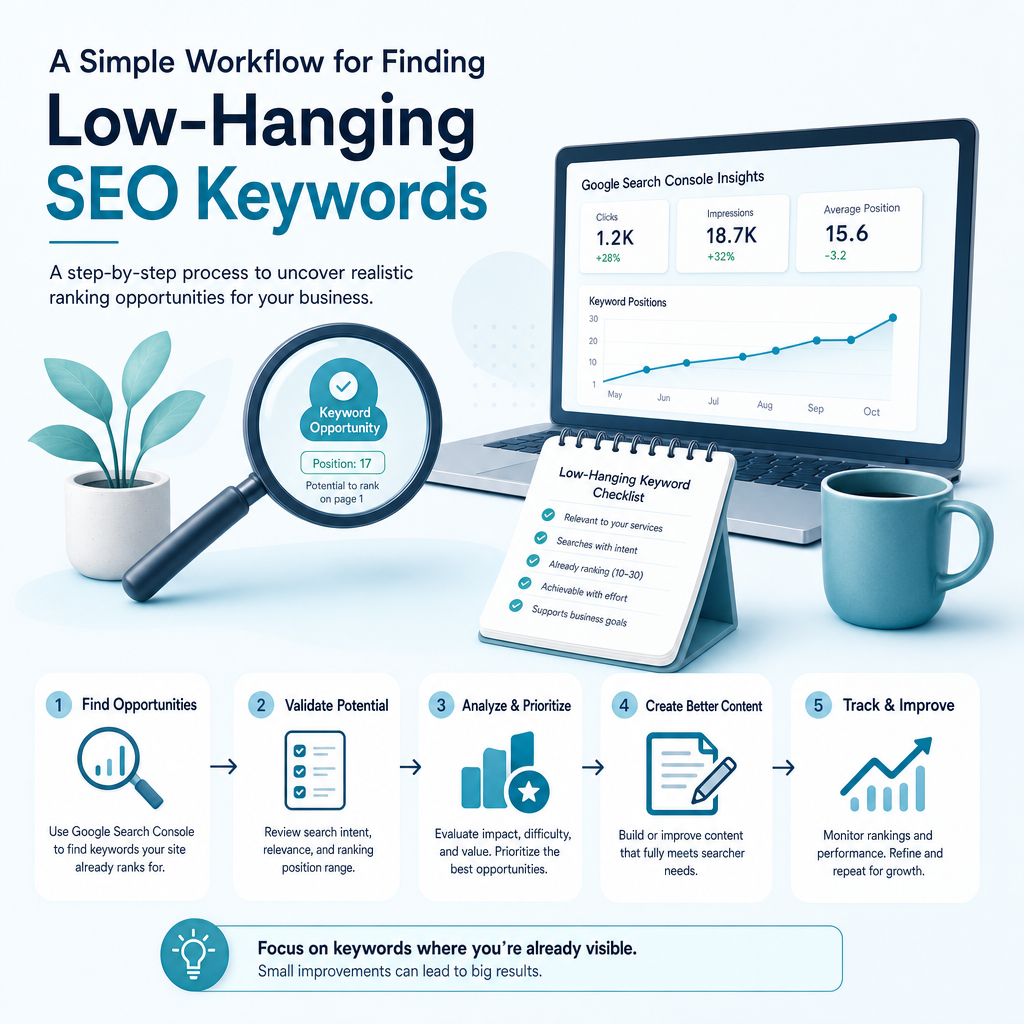
  1. Open Performance > Search results and set the date range to the last 3 months. Shorter ranges give too few impressions on a small site.
  2. Tick Average position and Impressions above the chart so both columns show in the table.
  3. In the Queries tab, add a filter: Position greater than 10. Add a second one: smaller than 31.
  4. Sort by Impressions, highest first.
  5. Click a query, then open the Pages tab to see which URL is ranking for it. Note it down: you will improve that page, not write a new one.
  6. Export the list (top right) to Google Sheets so you can add notes and a priority.

Average position in Search Console is an average across every time your page was shown, so treat it as a rough guide. A query at 14.2 might be ranking 9th on some days and 25th on others.

A worked example from our own Search Console

Here are four rows from ammpli.com’s Search Console for the 90 days to 9 November 2026, filtered to positions 8 to 30 and sorted by impressions.

Striking distance queries on ammpli.com, 90 days to 9 November 2026
Query Ranking page Impressions Clicks Avg. position
e-commerce semantic keyword mapping Semantic keyword mapping guide 219 0 16.5
rankpill RankPill review 138 1 11.1
rankpill review RankPill review 76 0 10.1
rankpill review RankPill alternative article 38 0 28.2

Three things stand out.

The RankPill review is one step from page one. At positions 10 to 11 for both “rankpill” and “rankpill review”, it gets impressions but almost no clicks. A small improvement could move it onto page one, so this is the first page to work on.

Two of our pages compete for the same search. The RankPill alternative article also ranks for “rankpill review”, at position 28. When two pages on one site target the same search, Google often ranks neither of them well. The fix is to make each page’s job clear: the review answers “is RankPill any good”, and the alternative article answers “what else could I use”. Each should link to the other with clear anchor text.

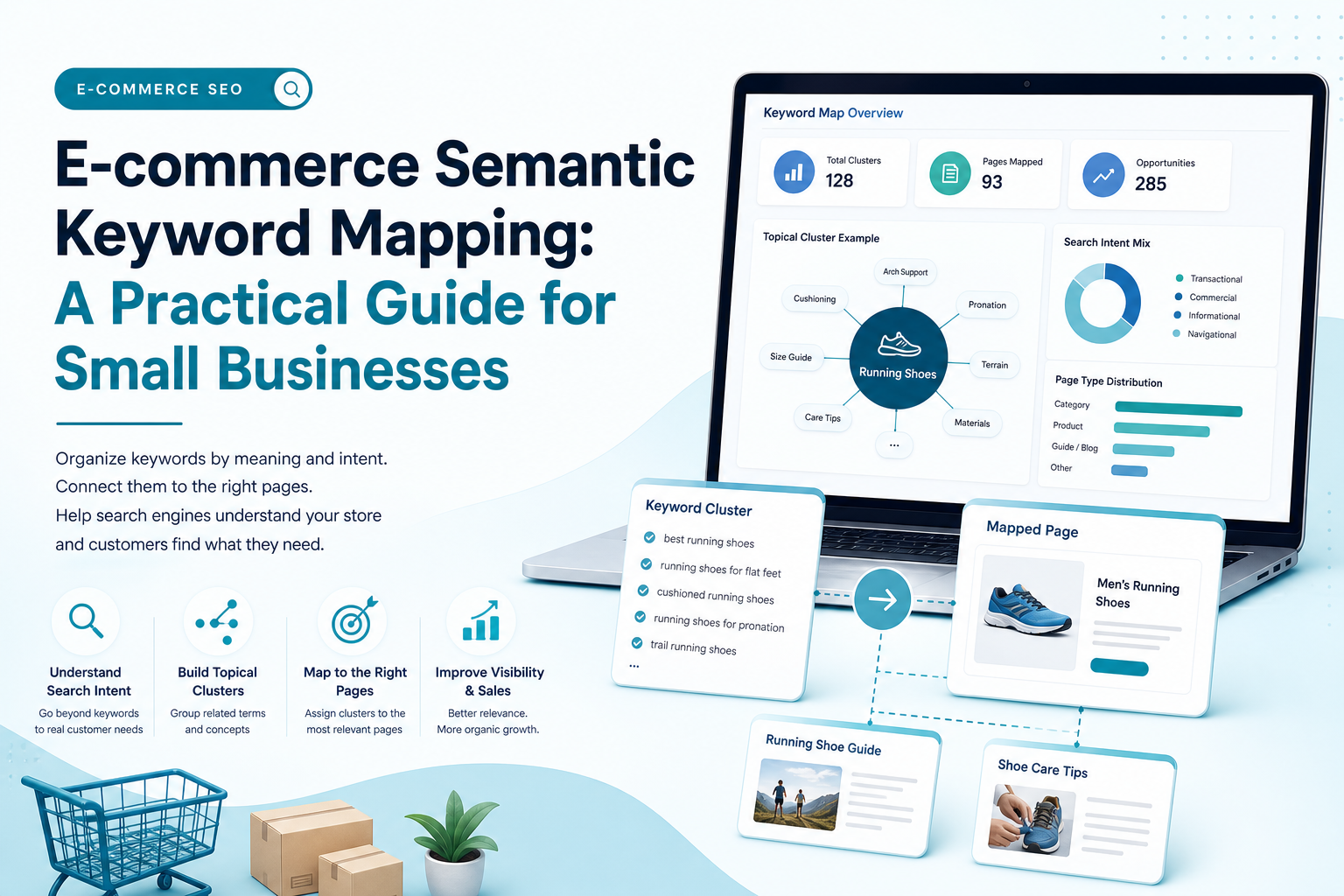
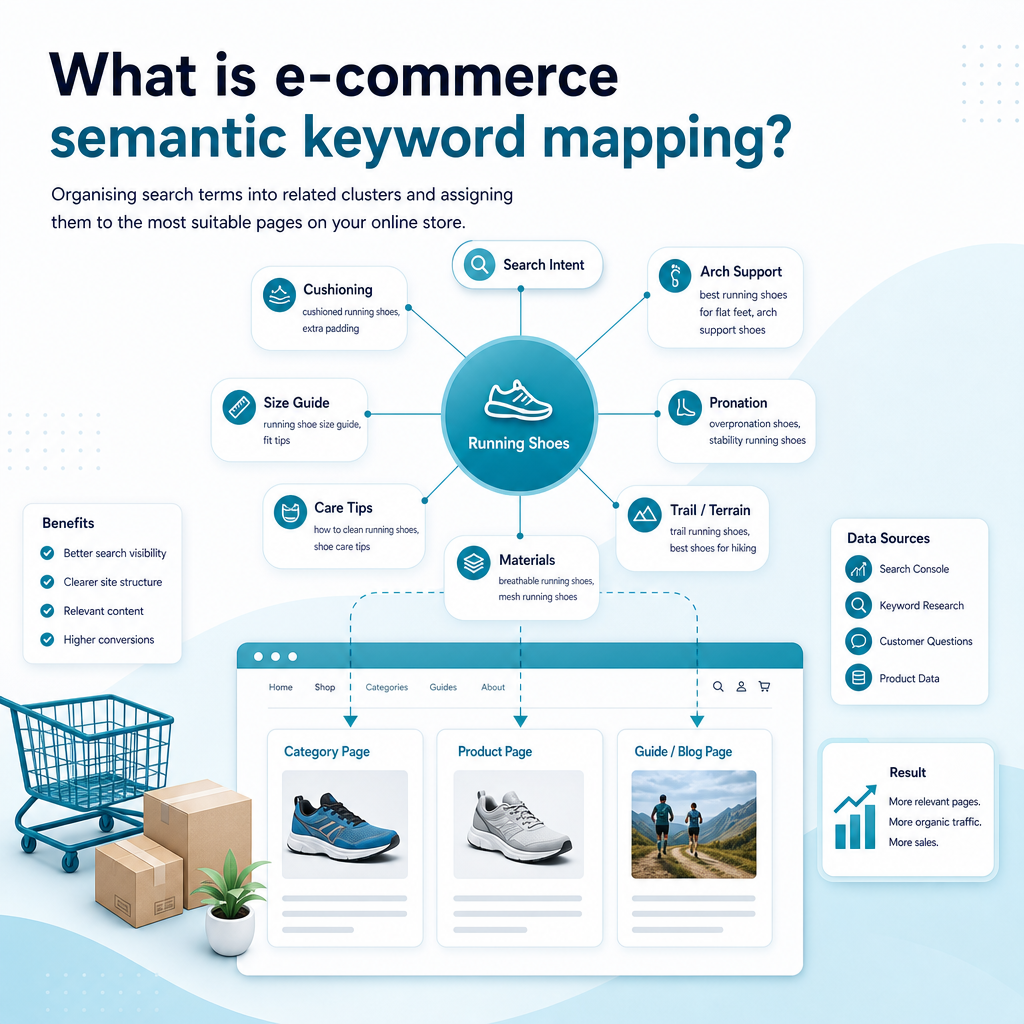
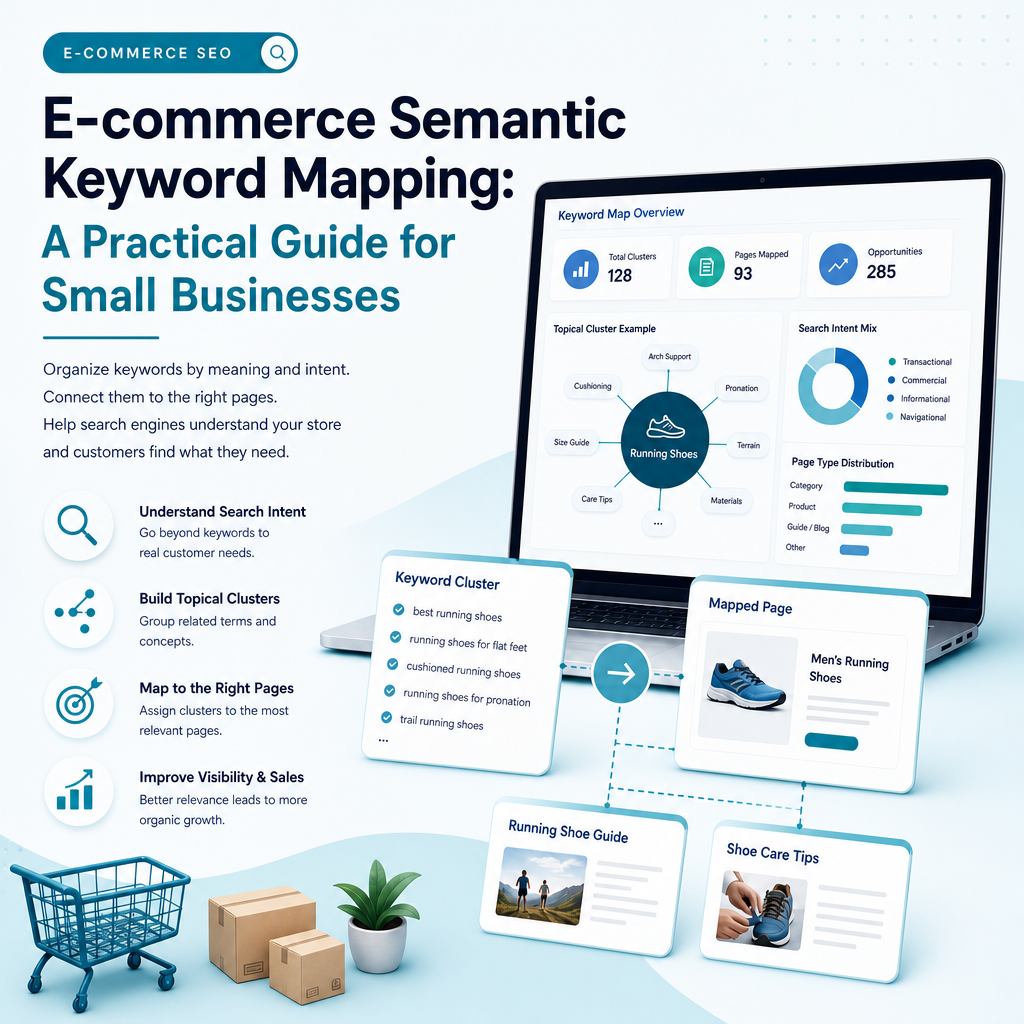
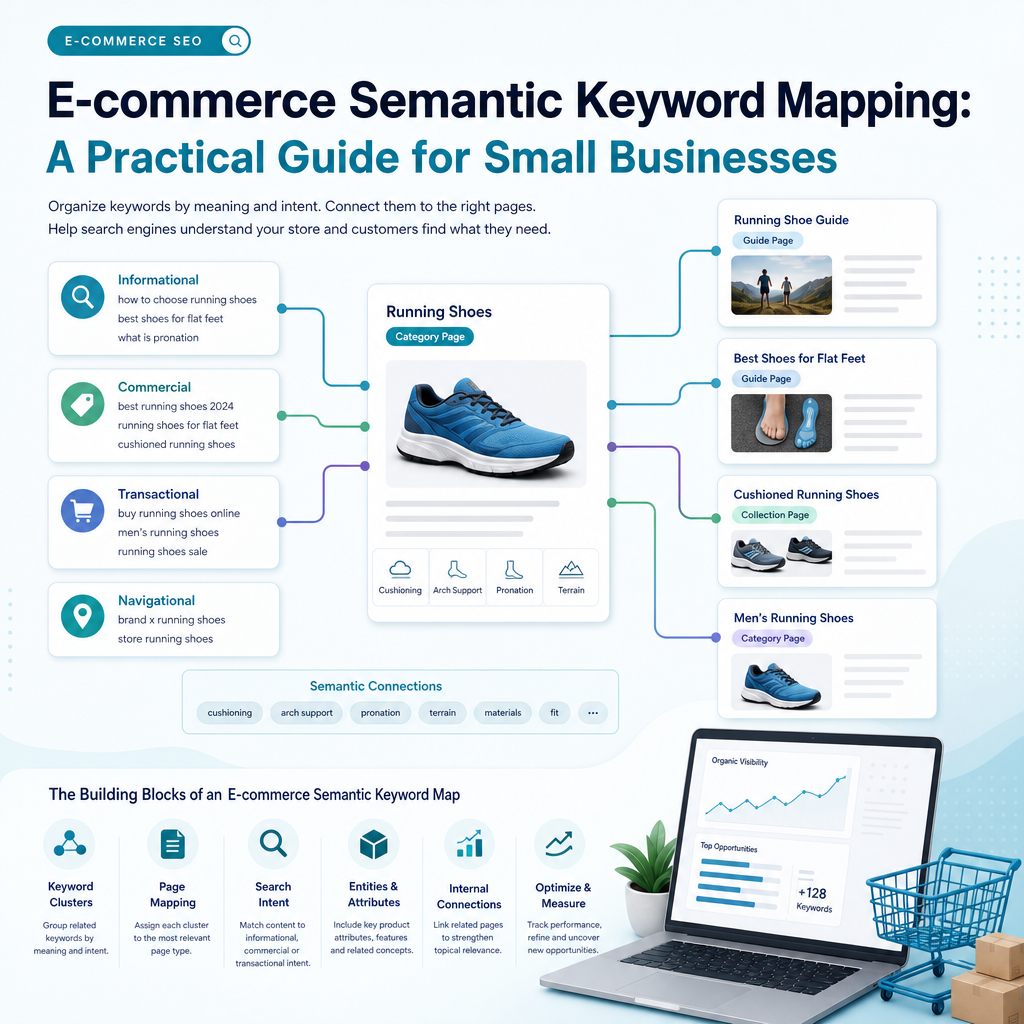
A page with 219 impressions and no clicks. “E-commerce semantic keyword mapping” was being picked up by a general guide at position 16. In our case we already had a dedicated e-commerce semantic keyword mapping article, so the general guide was merged into our keyword mapping guide and redirected, leaving the dedicated article as the page for that search. If you see the same pattern, check which page should rank before you edit anything.

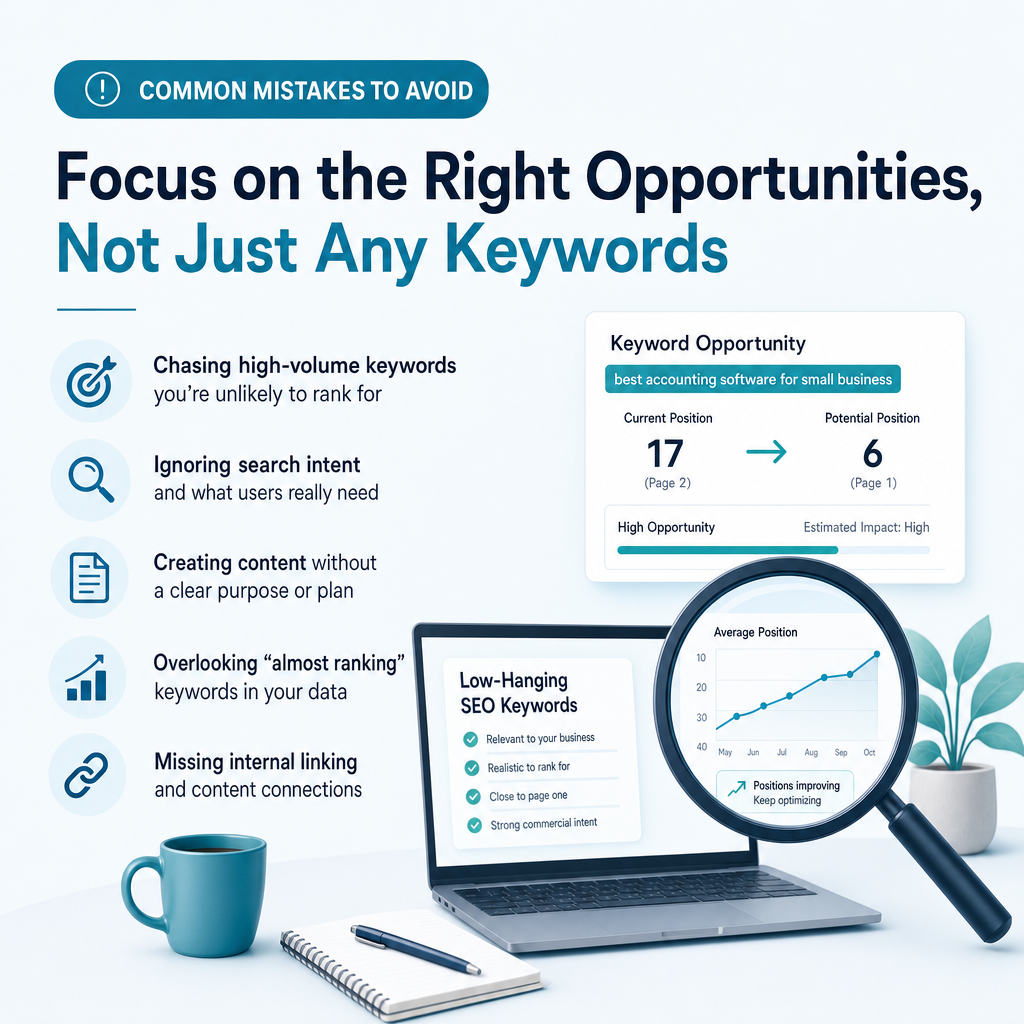
Which striking distance keywords to work on first

You will rarely have time for every row. Score each one on four things:

  • Position. 11 to 15 first, then 16 to 20, then 21 to 30. The closer to page one, the smaller the change needed.
  • Impressions. More impressions means more clicks once the page reaches page one.
  • Relevance to what you sell. A query that matches a service or product beats one that only brings in readers.
  • Intent match. Search the query yourself. If the top results are product pages and yours is a blog post, or the other way round, an edit won’t fix it. You need a different page type.

Ignore queries with only a handful of impressions over 3 months, and branded searches for other companies unless you have a page that genuinely serves them, like a fair review or comparison.

What to change on the page

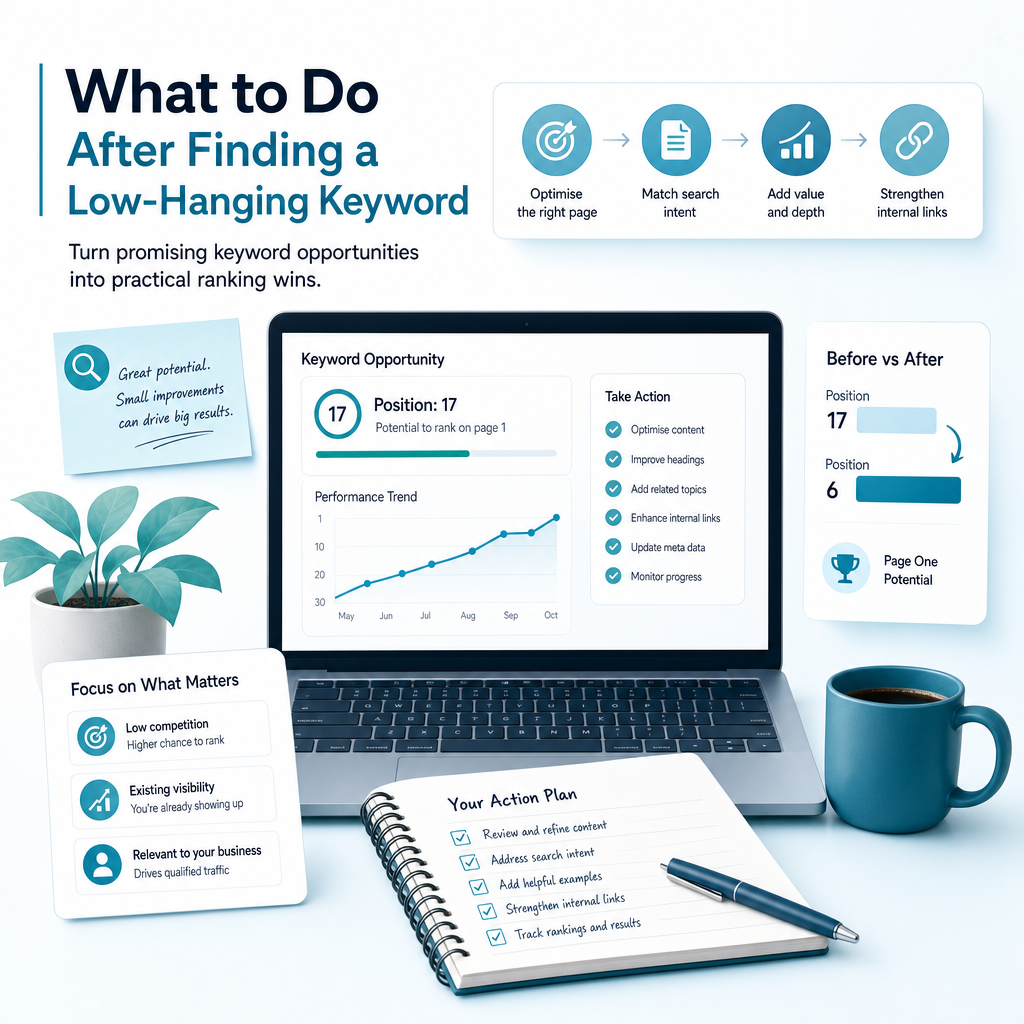
Work through these in order and stop when the page clearly answers the query better than the pages above it.

  1. Answer the query near the top. If someone searched “rankpill review”, the first paragraph should say what you think of RankPill, not explain what AI SEO is.
  2. Use the query’s wording in the title, H1 and one subheading, written naturally. Search Console shows you the exact phrases people use.
  3. Cover what the top results cover. Open the three pages ranking above you and list the questions they answer that yours doesn’t. Add the ones that are genuinely useful.
  4. Add internal links from your related pages, using anchor text close to the query. Our internal linking guide shows how to find the pages to link from.
  5. Rewrite the title tag and meta description if the page already sits near position 10. A clearer title can lift clicks before the position moves.
  6. Check for competing pages. If two of your URLs rank for the query, pick one, sharpen the other’s focus, or merge them with a 301 redirect.

Record each change and its date in your keyword map, so you can tell later what made a difference.

How long until you see a change?

Ask Google to recrawl the page with the URL Inspection tool in Search Console, then leave it alone. Rankings usually take a few weeks to settle after an edit, so check again after 4 to 6 weeks rather than every few days. Compare the same query and page against the period before the change.

If impressions rise but clicks don’t, the page is ranking but people aren’t choosing it. Work on the title and meta description. If nothing moves after 6 weeks, look again at intent and at the pages ranking above you.

How Ammpli does this for you

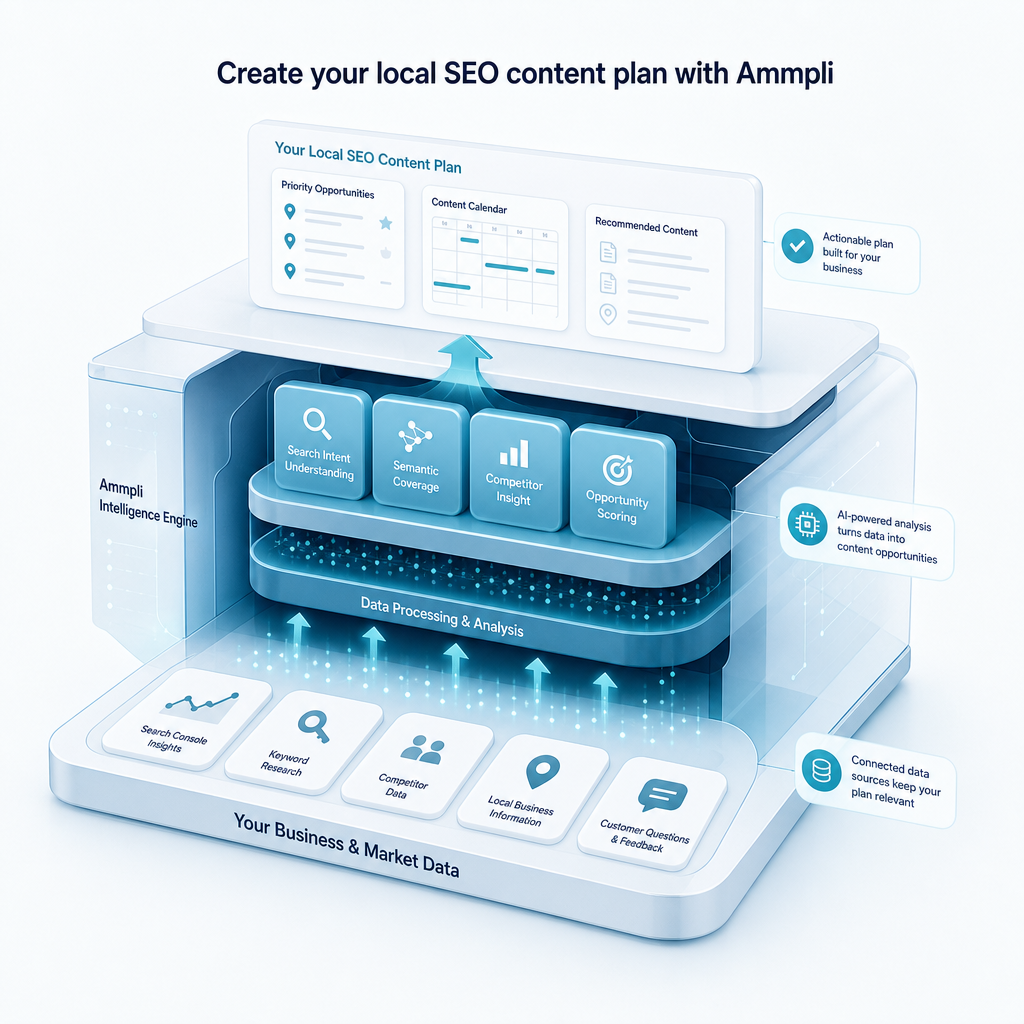
Ammpli connects to your Search Console and runs this filter automatically: it picks out the searches where your site ranks just off page one and builds a keyword plan around them, alongside your services, audience and location. It then drafts articles aimed at those searches for you to review, edit and publish to WordPress or Shopify. You can try it free for 14 days without a credit card: start your free trial.

Frequently asked questions

What is a striking distance keyword?

A search your page already ranks for just outside the top results, usually in positions 11 to 30 in Google Search Console. Google already shows the page, so improving it is often quicker than ranking a new page.

Are striking distance keywords the same as low-hanging fruit?

They overlap. Low-hanging fruit is a wider term for any easy SEO win, including technical fixes and low-competition keywords. Striking distance keywords are specifically searches you already rank for in positions 11 to 30.

Should I write a new page for a striking distance keyword?

Usually not. Improve the page that already ranks. Write a new page only when the query needs a different type of page, for example a comparison where you only have a product page.

Can I find striking distance keywords without paid tools?

Yes. Google Search Console is free and shows your own positions and impressions, which is more accurate for your site than any third-party estimate.

Backlinks and External Mentions: How Links, Brand Mentions and AI Visibility Work Together

Backlinks and External Mentions: How Links, Brand Mentions and AI Visibility Work Together

If your small business publishes useful content but still struggles to appear in Google results or AI-generated answers, the problem may not be the quality of your writing alone. Search visibility is shaped by how your website connects to other sources and how often trusted websites discuss your brand.

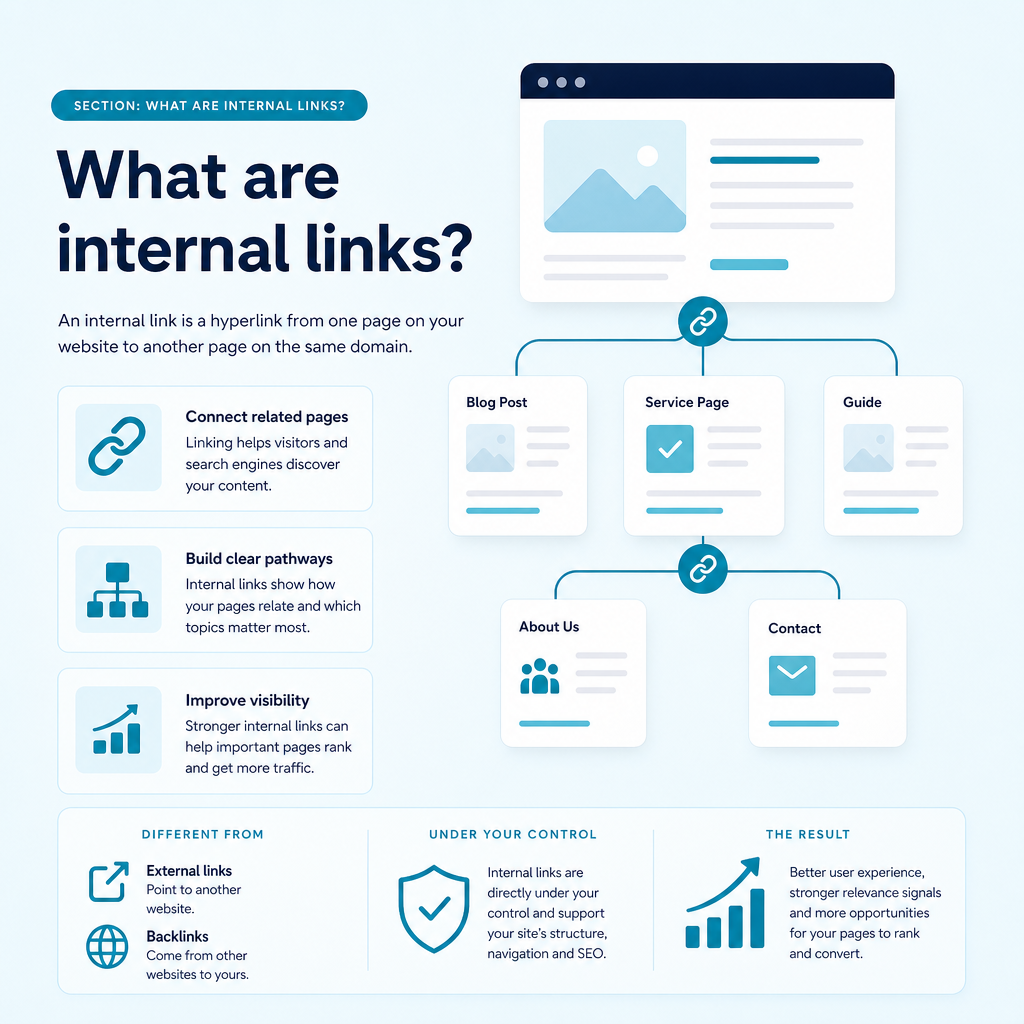
This is where backlinks and external mentions become relevant. A backlink is a clickable link from another website to yours. An external mention is a reference to your brand, product, service or expertise on another website, even when no hyperlink is included. External links are different again: they are links from your website to another domain.

These terms are often mixed together, but each has a separate role. Internal links organise your own content, external links support claims with useful references, backlinks strengthen authority and external mentions help search systems understand your reputation and subject relevance. A practical SEO strategy uses all four deliberately rather than chasing link volume.

What Are Backlinks, External Links and Brand Mentions?

What Are Backlinks, External Links and Brand Mentions?

Backlinks, external links and brand mentions describe relationships between your website and the wider web. Understanding the direction and purpose of each link makes it easier to choose suitable SEO actions and avoid wasting time on low-value tactics.

A backlink points from another domain to your website. An external link, also called an outbound link, points from your website to another domain. A brand mention is a textual or visual reference to your business that may or may not contain a link.

  • Internal link: connects two pages on the same website.
  • External link: sends visitors from your website to another domain.
  • Backlink: brings visitors from another domain to your website.
  • Brand mention: references your business, product or expertise without requiring a hyperlink.

A linked brand mention counts as both a mention and a backlink. An unlinked mention does not pass link equity in the same way, but it can still provide context about what your business does and how it relates to a particular topic.

How the Different Link Types Compare

How internal links, external links, backlinks and brand mentions support visibility
Type Direction Main purpose
Internal link Page to page on your site Structure, navigation and topic relationships
External link Your site to another domain Evidence, citations and useful resources
Backlink Another domain to your site Authority, discovery and referral traffic
Brand mention Another source references you Recognition, context and reputation

Why Backlinks Still Matter for SEO

Why Backlinks Still Matter for SEO

Backlinks remain an important part of traditional SEO because they provide a connection between websites. When a relevant publication links to a useful page on your site, it gives search engines a reason to examine that page and understand its place within a wider topic.

A backlink can support several outcomes. It may help crawlers discover a page, send referral visitors, strengthen the authority of the target URL and improve the likelihood that the page competes for relevant searches. The value depends on the source, context and editorial purpose of the link, not simply on the number of links pointing to your domain.

For example, a United Kingdom accounting practice may benefit from a relevant link in a respected small-business finance publication. A software company may gain more from a link in a specialist technology review than from dozens of unrelated directories. Relevance and genuine editorial value provide stronger signals than a large but disconnected backlink count.

What Makes a Backlink Useful?

Useful backlinks tend to come from pages that are relevant to your subject, accessible to real readers and published by organisations with credible editorial standards. A link placed naturally within an explanation is usually more meaningful than one hidden in a footer, sidebar or generic directory.

  • Topical relevance: the referring page discusses a related subject.
  • Source quality: the website has a credible purpose and a real audience.
  • Editorial context: the link helps readers understand or explore a point.
  • Natural anchor text: the clickable words describe the destination without forced repetition.
  • Referring-domain diversity: links come from several suitable websites rather than one network.

Do not treat third-party authority scores as absolute truth. They can help compare prospects, but they should be reviewed alongside relevance, traffic quality, content standards, history and the reason the website is linking.

What External Links Add to Your Content

What External Links Add to Your Content

External links are links from your website to another domain. They are useful when they help readers verify a claim, find primary information or explore a subject that your page cannot cover fully.

A service business might link to official government guidance, a professional body, a recognised research organisation or a primary technical resource. A technology company could cite Google Search Console documentation when explaining search data. A healthcare practice may reference an appropriate public health authority rather than an anonymous article repeating unsupported claims.

Good outbound linking shows that your content is researched and connected to reliable information. It can also help search engines interpret the subject of a page. However, adding links merely to appear authoritative can weaken the reading experience. Each external link should have a clear reason to exist.

Choosing Reliable External Sources

Review the destination before linking to it. Check who publishes the information, whether the page is current, whether the content supports your statement and whether the website has a clear purpose. A polished design alone does not prove that a source is reliable.

Use the most direct source available when making factual claims. If a report, regulator, university or government department published the original information, link to that source instead of a page that summarises it without adding value.

Keep outbound links focused. A few well-chosen references can support a page effectively; a long list of loosely related links may distract readers and make the content feel assembled rather than written for a specific question.

How Brand Mentions Support SEO and AI Visibility

How Brand Mentions Support SEO and AI Visibility

Brand mentions help search systems connect your business with topics, services, locations and customer needs. They can appear in industry articles, local publications, reviews, podcasts, community discussions, event pages, comparison content and social platforms.

An unlinked mention does not work like a standard backlink. It does not create the same clickable path or pass link equity through the link graph. Even so, repeated references from relevant, independent sources can reinforce entity recognition and help systems interpret what your business is known for.

This matters as people use conversational tools and AI search features to ask for recommendations. These systems need to identify businesses and associate them with categories and problems. A consistent description of your company across credible sources can support that understanding.

Context Matters More Than Name Repetition

A bare company name provides limited information. A useful mention explains what the business does, who it serves or why its expertise is relevant. For example, a reference to an AI SEO content platform for small businesses is more informative than a name appearing in an unrelated list.

Consistency also matters. If your website describes the business as an SEO content platform, while directory listings describe it as an unrelated marketing agency, search systems may receive mixed signals. Keep your business category, service descriptions, location and brand name reasonably consistent across profiles and third-party pages.

Positive and neutral mentions can support reputation, but negative coverage should not be ignored. Respond professionally, correct inaccurate information where appropriate and improve the underlying customer experience. External mentions are part of a wider reputation picture, not a shortcut around service quality.

Backlinks Versus Mentions: When Should You Prioritise Each?

Backlinks Versus Mentions: When Should You Prioritise Each?

The right priority depends on your current website, market and business objective. A new domain competing for difficult commercial searches usually needs strong technical foundations and relevant backlinks, while an established business trying to appear in AI recommendations may need broader third-party recognition.

Backlinks are generally the stronger focus when you need to improve traditional organic rankings, support important commercial pages or help search engines discover newer content. Mentions become especially useful when your brand is rarely named in relevant discussions, reviews and publications despite having useful content on its own website.

Most small businesses should not treat this as an either-or decision. A useful research report, practical guide or original business insight can earn both a backlink and a mention. A local event, partnership or expert contribution may produce a mention even when no link is added.

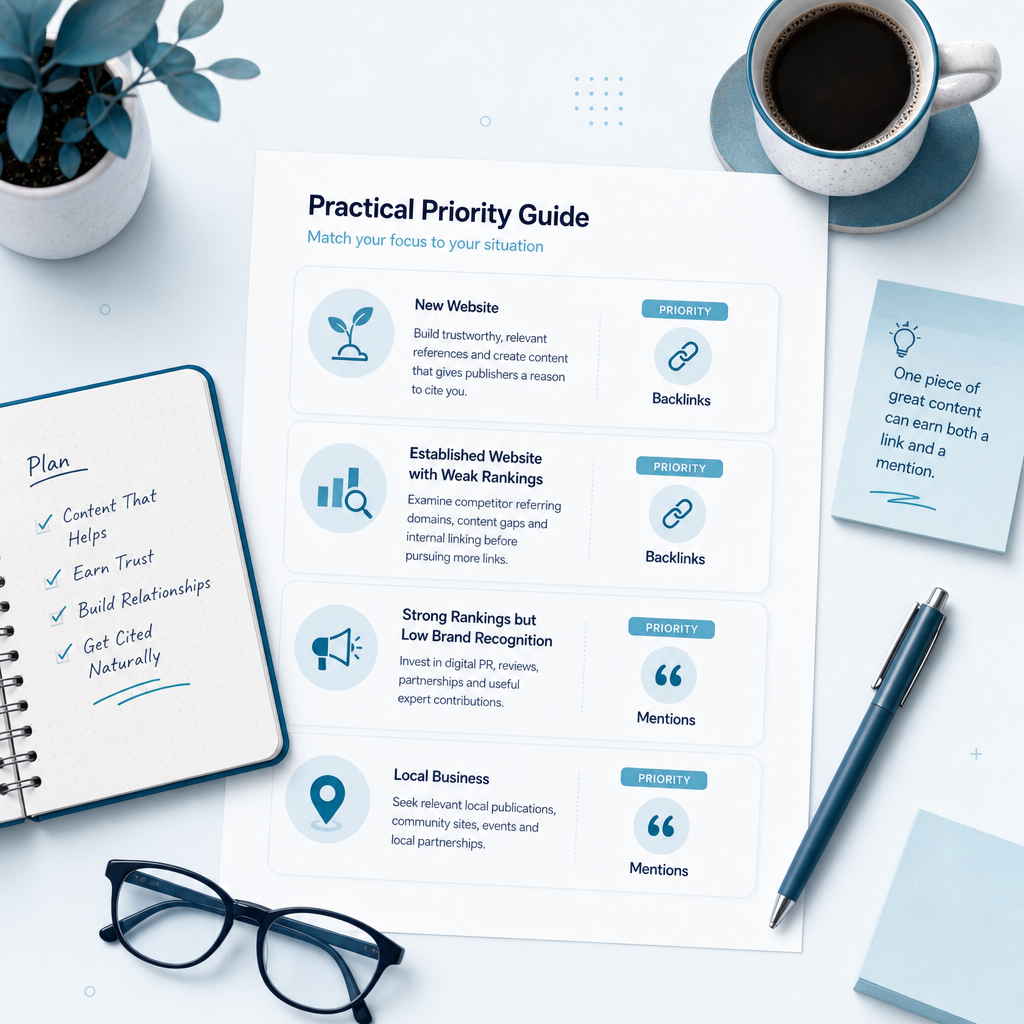
Practical Priority Guide

  • New website: build trustworthy, relevant references and create content that gives publishers a reason to cite you.
  • Established website with weak rankings: examine competitor referring domains, content gaps and internal linking before pursuing more links.
  • Strong rankings but low brand recognition: invest in digital PR, reviews, partnerships and useful expert contributions.
  • Local business: seek relevant local publications, community organisations, professional directories and customer reviews.
  • B2B technology company: publish original research, explain specialist topics clearly and build relationships with industry publishers.

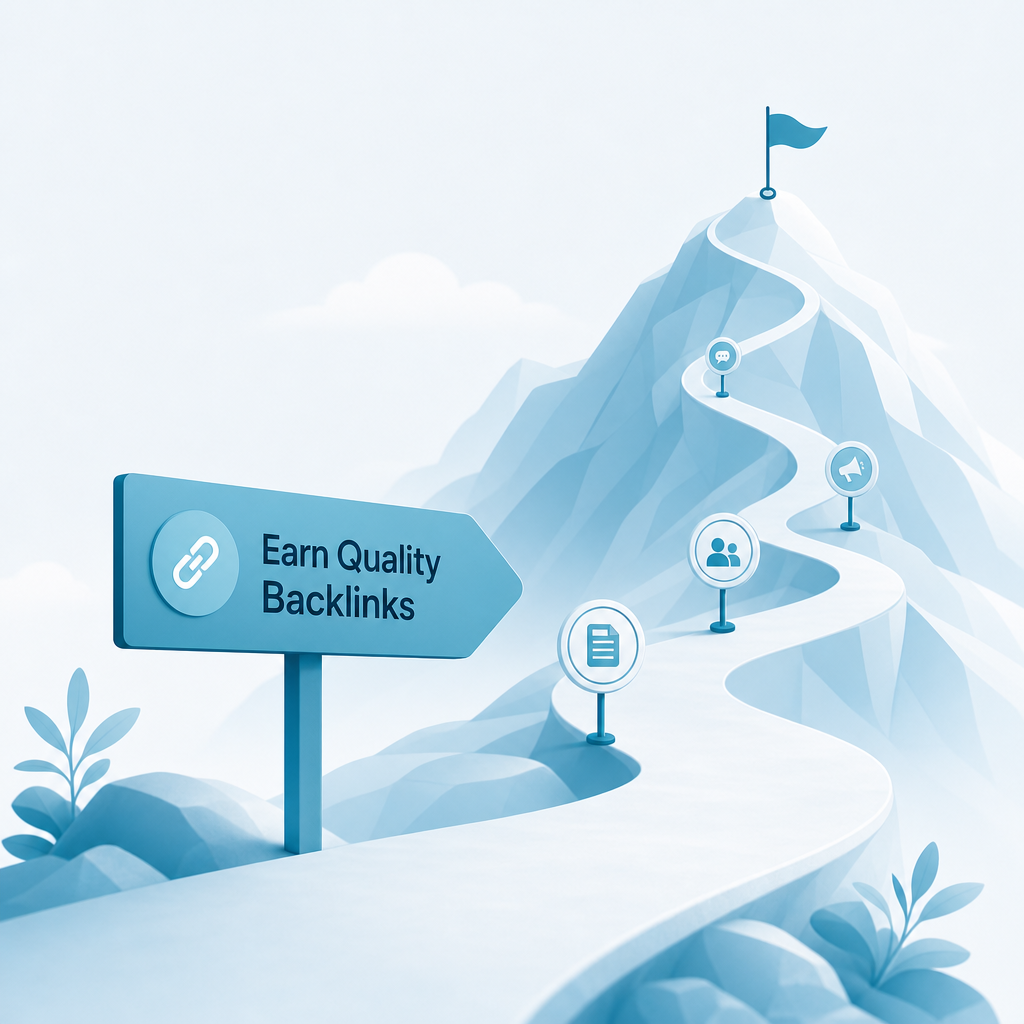
How to Earn Quality Backlinks and External Mentions

How to Earn Quality Backlinks and External Mentions

Backlinks and external mentions are earned more reliably when your business creates something genuinely useful and makes the right people aware of it. Publishing a page and waiting passively can work occasionally, but consistent visibility normally requires distribution, relationships and follow-up.

Start with content that solves a specific problem. Original research, clear benchmark reports, practical templates, calculators, expert commentary, detailed comparisons and well-supported guides are more likely to be referenced than generic summaries. A small business does not need a large campaign if the asset answers a question that publishers and customers already have.

Practical Outreach Ideas for Small Businesses

  • Offer a subject specialist for a relevant journalist request.
  • Share original findings from customer or website data without exposing private information.
  • Contribute a genuinely useful expert explanation to a professional publication.
  • Collaborate with a partner on a webinar, report or educational resource.
  • Ask satisfied customers to leave honest reviews on suitable platforms.
  • Find existing unlinked mentions and politely suggest the most relevant page.
  • Promote useful content through newsletters, professional communities and social channels.

When requesting a link, focus on reader benefit rather than link value. Identify the exact mention, explain which resource supports it and make the request easy to act on. One concise, personalised message is more appropriate than repeated mass emails.

Common Mistakes With Backlinks and External Mentions

Common Mistakes With Backlinks and External Mentions

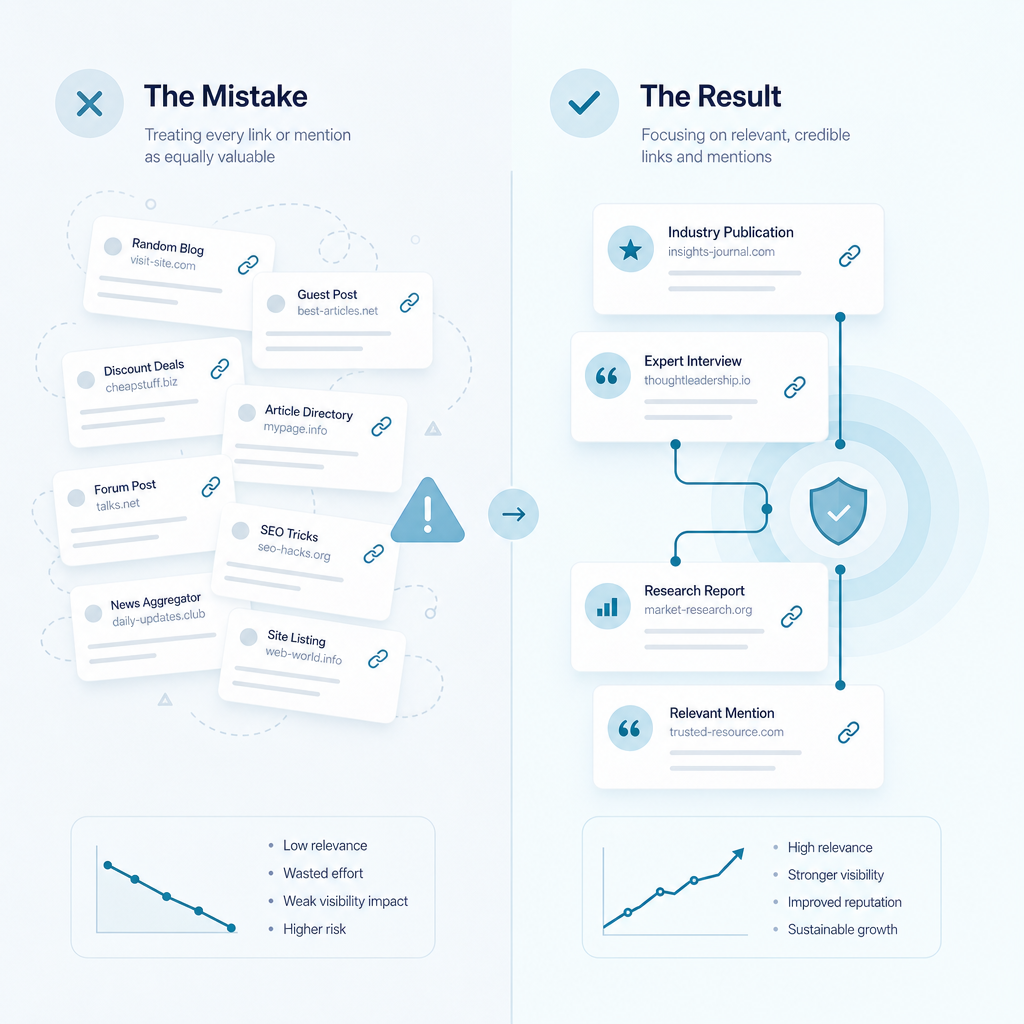
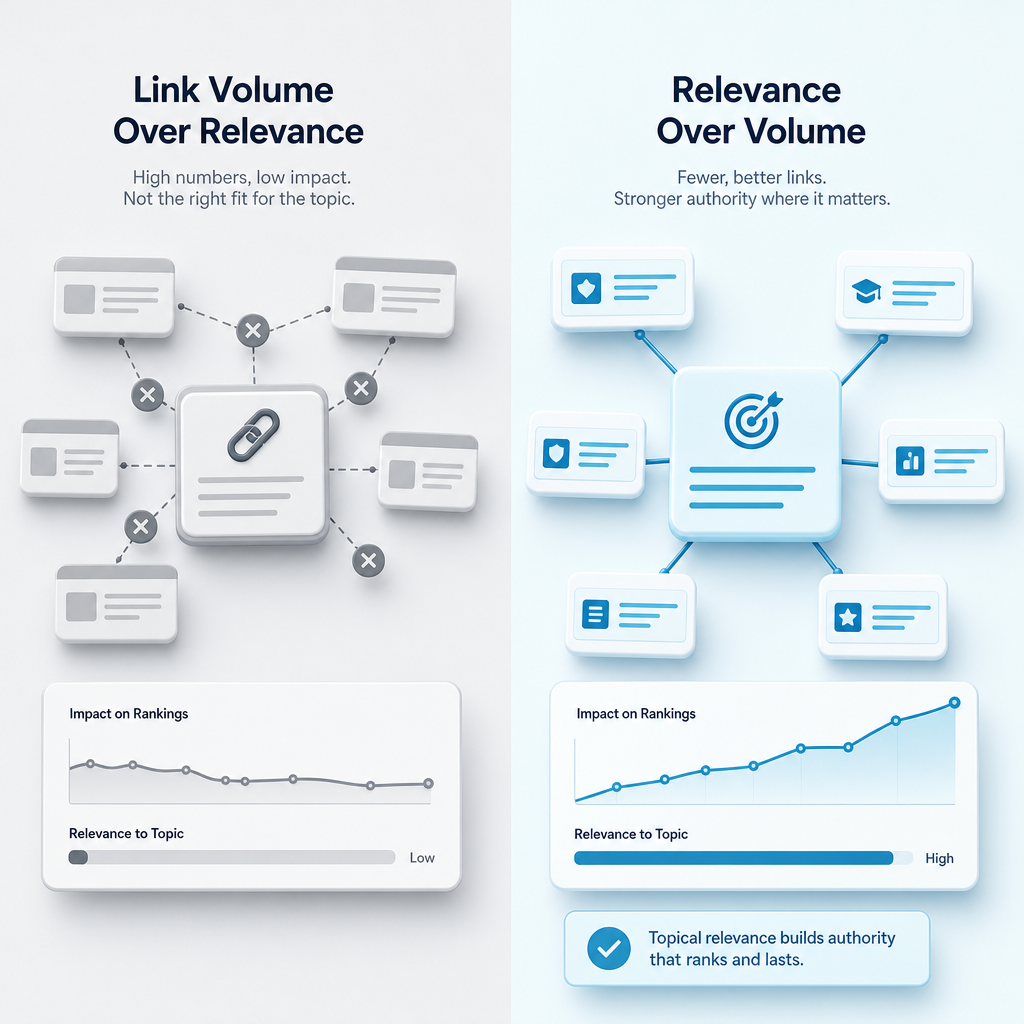
The biggest mistake is treating every link or mention as equally valuable. A large number of irrelevant, low-quality placements can create operational work without improving visibility, while a smaller number of credible references may support both discovery and reputation.

Another mistake is using the same commercial anchor text repeatedly. Natural backlink profiles contain brand names, page titles, descriptive phrases, URLs and varied wording. You cannot fully control how independent publishers link to you, and trying to force identical anchors can make a profile look artificial.

  • Do not buy bulk link packages or participate in automated link schemes.
  • Do not place links on irrelevant websites solely because a metric looks high.
  • Do not add external links that fail to support the surrounding sentence.
  • Do not assume a nofollow, sponsored or user-generated link has no audience value.
  • Do not ignore broken links, changed destinations or outdated references.
  • Do not measure success only through link counts or domain scores.

Paid placements should be identified with the appropriate link attributes, such as sponsored, where relevant. User-generated contributions may require a user-generated content attribute. These labels help search engines understand the relationship and protect editorial clarity.

How to Measure Backlinks, Mentions and Results

How to Measure Backlinks, Mentions and Results

Measurement should connect activity to business outcomes. Track whether useful pages are discovered, whether relevant queries gain impressions, whether referral visitors engage and whether enquiries or sales come from the visibility you are building.

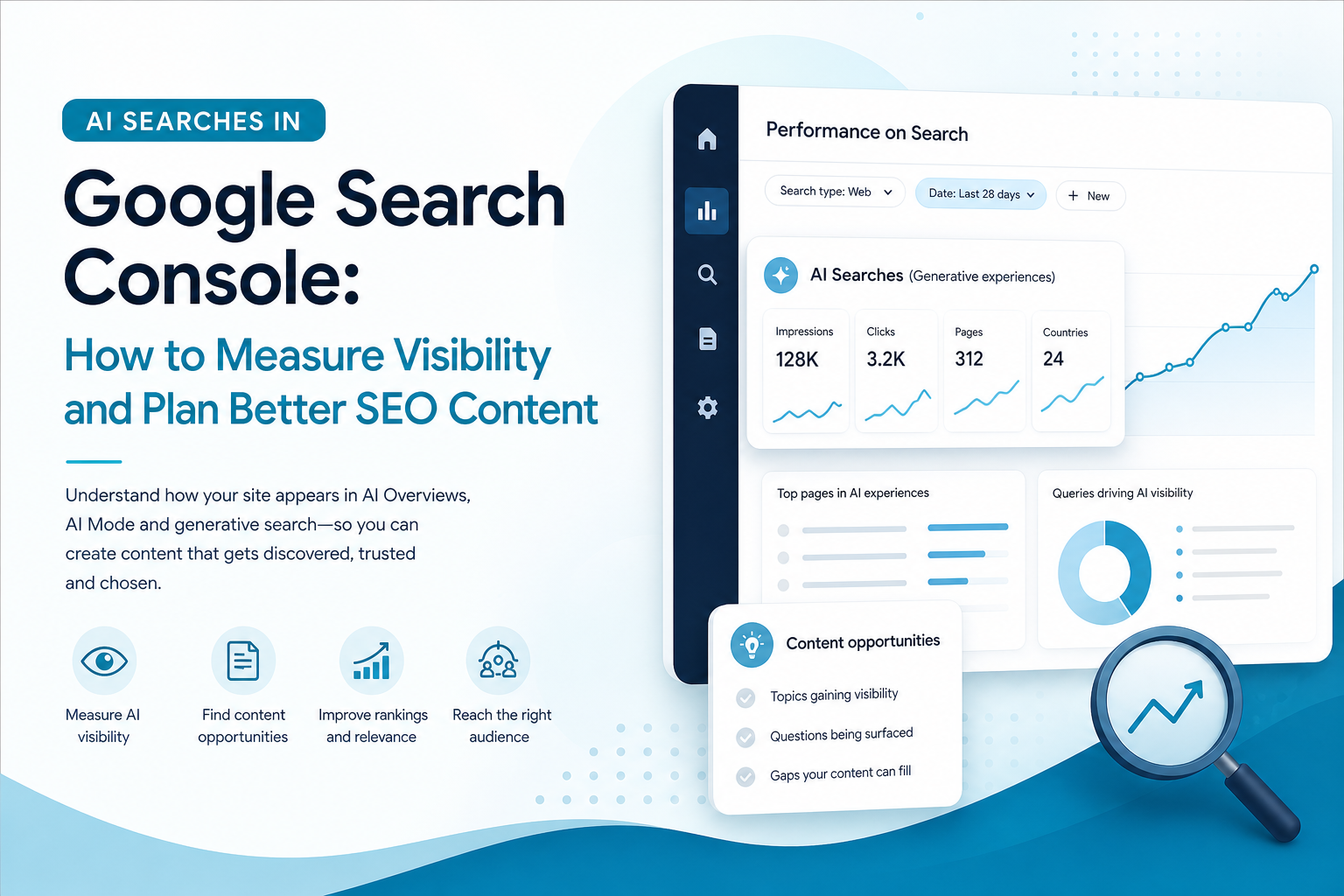
Google Search Console can show impressions, clicks, queries and page positions. Analytics data can help identify referral traffic and conversions. A backlink tool can reveal referring domains, destination pages, anchor text and new or lost links. Mention monitoring can identify where your brand appears, which subjects surround it and whether the tone is positive, neutral or negative.

For AI visibility, test a consistent set of relevant prompts over time rather than relying on one isolated answer. Record whether your business appears, how it is described, which sources are cited and which competitors are included. AI outputs can change, so treat this as directional evidence rather than a guaranteed ranking report.

Using Data to Plan Better Content

Small teams often struggle because they do not know which content is realistic to create or promote. Google Search Console data can reveal queries where a website already receives impressions but has not yet earned a strong position. Competitor research can show subjects and formats that are attracting links and mentions in the same market.

Combining those findings with search-intent analysis and semantic keyword mapping creates a more practical content plan. Instead of publishing broad articles with no clear audience, you can prioritise pages that answer a defined question, support a service and have a plausible path to visibility.

Ammpli helps small and growing businesses analyse search performance, identify content opportunities, study competitor gaps and turn those findings into SEO content plans and articles. As an AI SEO content platform, it is designed to reduce manual research while keeping content connected to real business and search data.

When Professional SEO Support Makes Sense

When Professional SEO Support Makes Sense

Professional support can help when link activity is inconsistent, competitors are earning visibility faster or your team cannot connect content production with measurable search opportunities. You may also benefit from specialist input if your backlink profile contains suspicious patterns, important pages are not being supported or your brand appears inconsistently across external sources.

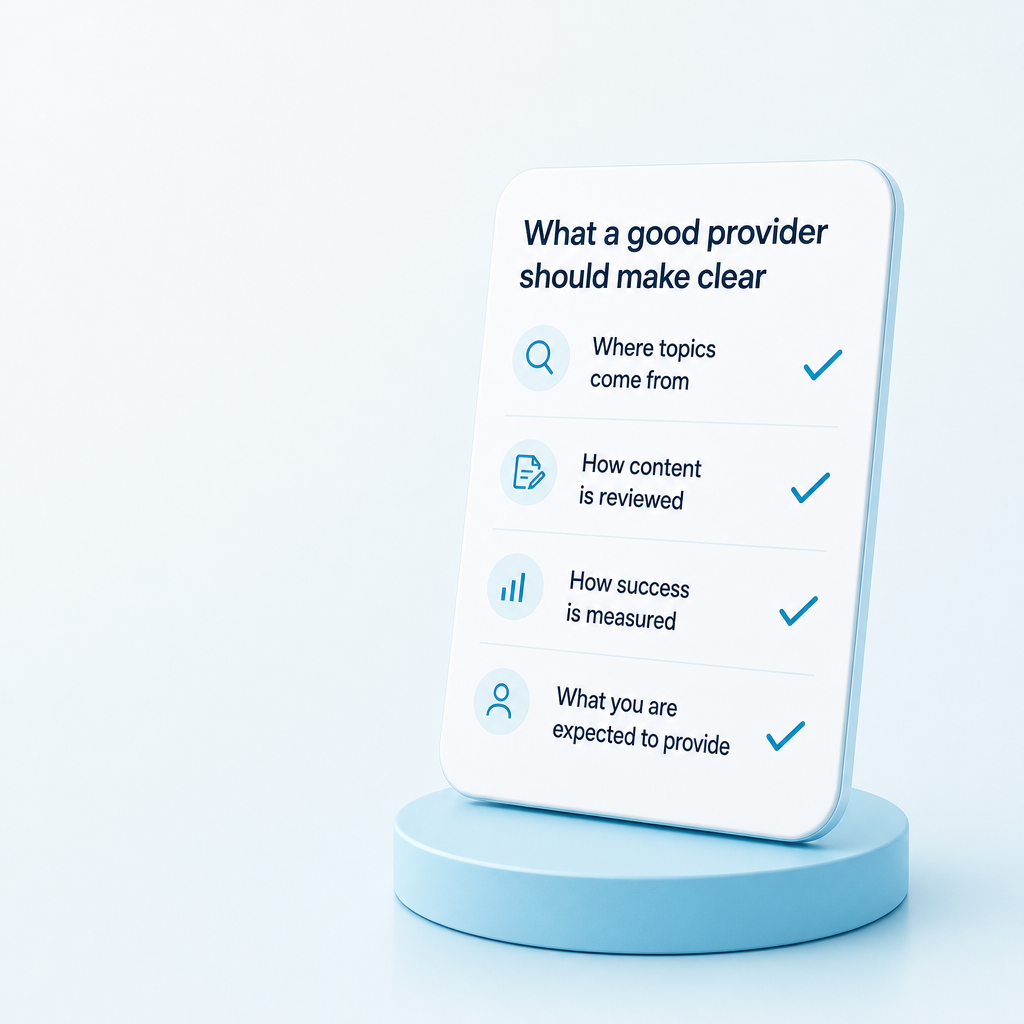
A suitable provider should explain the process clearly, show how opportunities are selected and distinguish earned authority from paid or artificial placements. Ask how they evaluate relevance, how they handle sponsored relationships, what they measure and what work remains under your control.

For a small business in the United Kingdom or an English-speaking international market, the best approach may combine local SEO content creation with broader industry content. Local publications and professional communities can support regional recognition, while specialist publications and useful research can build authority beyond one location.

Ammpli can support this process through SEO opportunity analysis, Google Search Console data analysis, competitor content-gap analysis, semantic keyword mapping, topical authority planning, SEO content calendars, local SEO content creation and SEO performance reporting. It is not a substitute for genuine expertise or relationships, but it can help a small team decide where to focus limited time and budget.

Frequently Asked Questions

Frequently Asked Questions

What is the difference between a backlink and an external link?

A backlink points from another website to your website. An external link points from your website to another domain. The same hyperlink can be described differently depending on which website’s perspective you use, so direction is the easiest way to tell them apart.

Do unlinked brand mentions help SEO?

Unlinked mentions do not pass link equity like hyperlinks, but they can support brand recognition, topical context and reputation. Their value is stronger when relevant, independent sources describe what your business does clearly. They should complement, not replace, useful content and relevant backlinks.

How can a small business earn quality backlinks?

Create resources worth citing, such as original research, practical guides, tools, expert commentary or useful comparisons. Promote them to relevant publishers, partners and professional communities. Personalised outreach and genuine relationships are more sustainable than large-scale requests or low-quality placement packages.

Should I focus on backlinks or brand mentions first?

Focus on backlinks when you need stronger traditional rankings, discovery or support for competitive pages. Focus on mentions when your business lacks recognition in relevant conversations, reviews or publications. Most established businesses should combine both, using useful content and digital PR to earn links and credible references together.

Build a More Reliable Visibility Strategy

Build a More Reliable Visibility Strategy

Backlinks and external mentions serve different purposes, but they work best as part of one clear content strategy. Backlinks support discovery and traditional authority, external links strengthen research and usefulness, internal links organise your site, and brand mentions build recognition across the wider web.

Start by reviewing your existing search data, important pages, competitor content gaps and current references. Then create a small number of useful assets that answer real customer questions and give relevant publishers a reason to discuss your business. Start your 14-day free trial with Ammpli and turn your search data into a practical content plan. No credit card is required.

SEO Content Calendars: How to Plan Data-Driven Content That Supports Growth

SEO Content Calendars: How to Plan Data-Driven Content That Supports Growth

Many small businesses know they need to publish useful content, but deciding what to write next can be difficult. Ideas may sit across spreadsheets, emails and documents, while writers work without clear priorities or deadlines. SEO content calendars bring those decisions into one practical plan, connecting business goals with search demand, audience needs and a realistic publishing workflow.

What Is an SEO Content Calendar?

What Is an SEO Content Calendar?

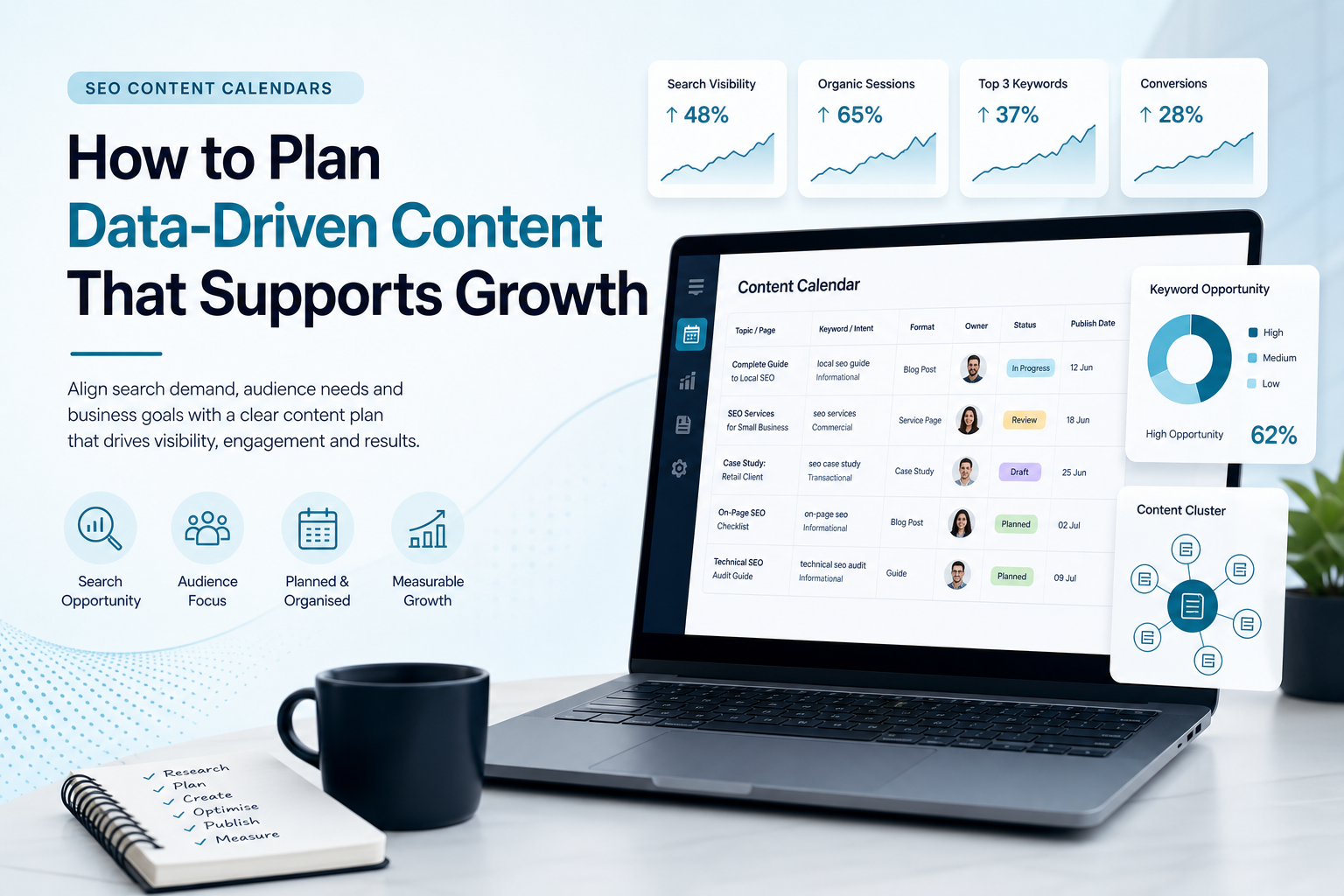
An SEO content calendar is a planning system for the content your business intends to research, create, optimise and publish. It can cover blog posts, service pages, landing pages, case studies, videos, email campaigns and social promotion.

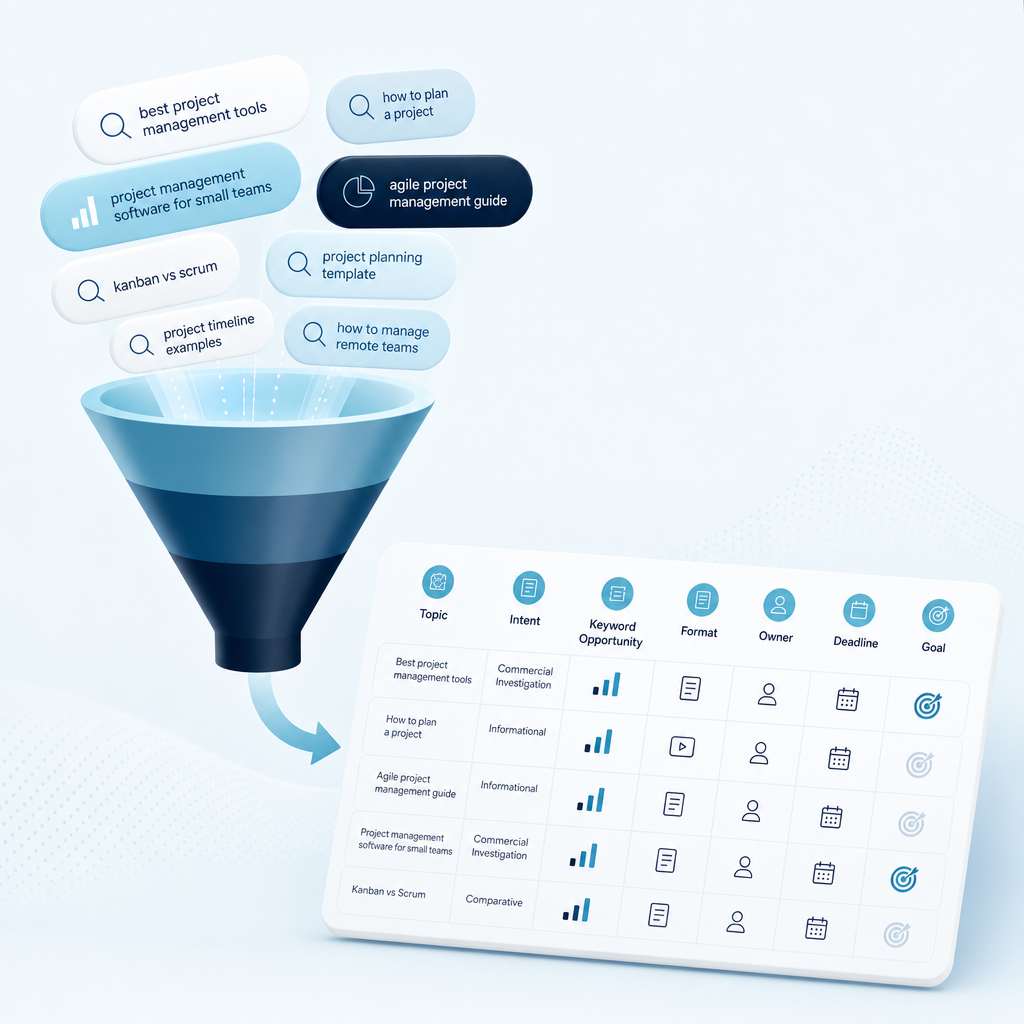
Unlike a basic editorial schedule, an SEO content calendar records the reasoning behind each item. It links a topic to a target audience, search intent, keyword opportunity, content format, owner, deadline and performance goal. This creates a clear path from a search query to a useful page and, where appropriate, an enquiry.

The calendar does not need to be complicated. A shared spreadsheet may be enough for a small team, while a dedicated SEO content planning tool can reduce manual research and keep briefs, statuses and reporting together.

Why SEO Content Calendars Matter for Small Businesses

Why SEO Content Calendars Matter for Small Businesses

Publishing consistently is easier when everyone can see what is planned, what is being written and what requires approval. A calendar also helps prevent two common problems: repeatedly targeting the same subject and ignoring valuable topics that could strengthen topical authority.

It gives owners and marketing managers a better basis for decisions. Instead of choosing topics because they sound interesting, they can prioritise realistic ranking opportunities, questions customers ask, content gaps competitors have covered and pages that support commercial services.

A useful calendar also leaves room for improvement. Published content can be reviewed against Google Search Console and Analytics data, then refreshed when impressions grow, search intent changes or a page attracts visitors without supporting enquiries.

Key fields in an SEO content calendar
Field Purpose Example
Topic and intent Defines the reader’s need Informational or commercial
Keyword opportunity Guides optimisation Primary and related terms
Owner and status Keeps work moving Brief, draft, review, published
Publish and review dates Supports consistency Monthly publishing cycle
Performance notes Informs updates Clicks, impressions, enquiries

How to Build an Effective SEO Content Calendar

How to Build an Effective SEO Content Calendar

Start with the business outcome rather than a list of random keywords. Decide whether the next period should support organic visibility, lead generation, a service launch, local discovery or stronger coverage of an important subject.

1. Review your current position

Use Google Search Console and Analytics to identify pages receiving impressions, clicks and engagement. Existing visibility can reveal realistic opportunities, including relevant searches where a page is close to stronger positions. Review older content as well: an update may be more useful than another new article.

2. Research topics and competitors

Group related searches into themes, then examine the search results to understand intent. Competitor content-gap analysis can reveal questions or subtopics your site does not yet address. Do not copy competitors; use the findings to identify a distinct, more useful angle based on your expertise.

3. Map keywords and related concepts

Assign one primary search focus to each page and add closely related terms, questions and entities. Semantic keyword mapping helps a writer cover a subject naturally without forcing repeated phrases. It can also show where several planned pages overlap and may compete with one another.

4. Set a realistic workflow

Record the working title, content type, target reader, brief, owner, internal deadline, publication date, URL slug, metadata, internal links and promotion notes. Include stages such as research, writing, review, optimisation, approval and publication. A smaller team should choose a cadence it can maintain without reducing quality.

5. Review performance and adjust

Track impressions, clicks, rankings, engagement and relevant conversions at a sensible interval. Use the findings to refresh weak pages, expand successful themes, improve links to service pages or change the format when the current result does not match search intent.

Choosing the Right Planning Approach and Support

Choosing the Right Planning Approach and Support

A spreadsheet is flexible and inexpensive, but it relies on manual research and consistent upkeep. Project management tools can improve task ownership and deadlines, while specialist SEO content software can connect opportunity analysis, keyword research, semantic mapping, content creation and reporting.

Generic AI writing tools may produce a draft quickly, but they do not automatically understand a business’s existing search performance or realistic opportunities. Traditional agencies can provide strategic support, yet their cost and process may not suit every growing business. The right option depends on internal capacity, the complexity of the website and how much research and production you want to handle.

Ammpli is an AI SEO content platform for small and growing businesses in the United Kingdom and English-speaking international markets. It combines Google Search Console and Analytics data with competitor research, search-intent analysis and semantic keyword mapping, helping teams turn evidence into SEO content calendars and search-optimised articles. It also supports local SEO content creation, performance reporting and direct CMS publishing.

Frequently Asked Questions

Frequently Asked Questions

How often should I update an SEO content calendar?

Review the calendar whenever priorities or search data change, with a scheduled monthly or quarterly planning session. Check active tasks more frequently so deadlines remain realistic. Published content should be reviewed separately based on performance, freshness, business changes and whether the page still matches the search intent.

What should a small business prioritise first?

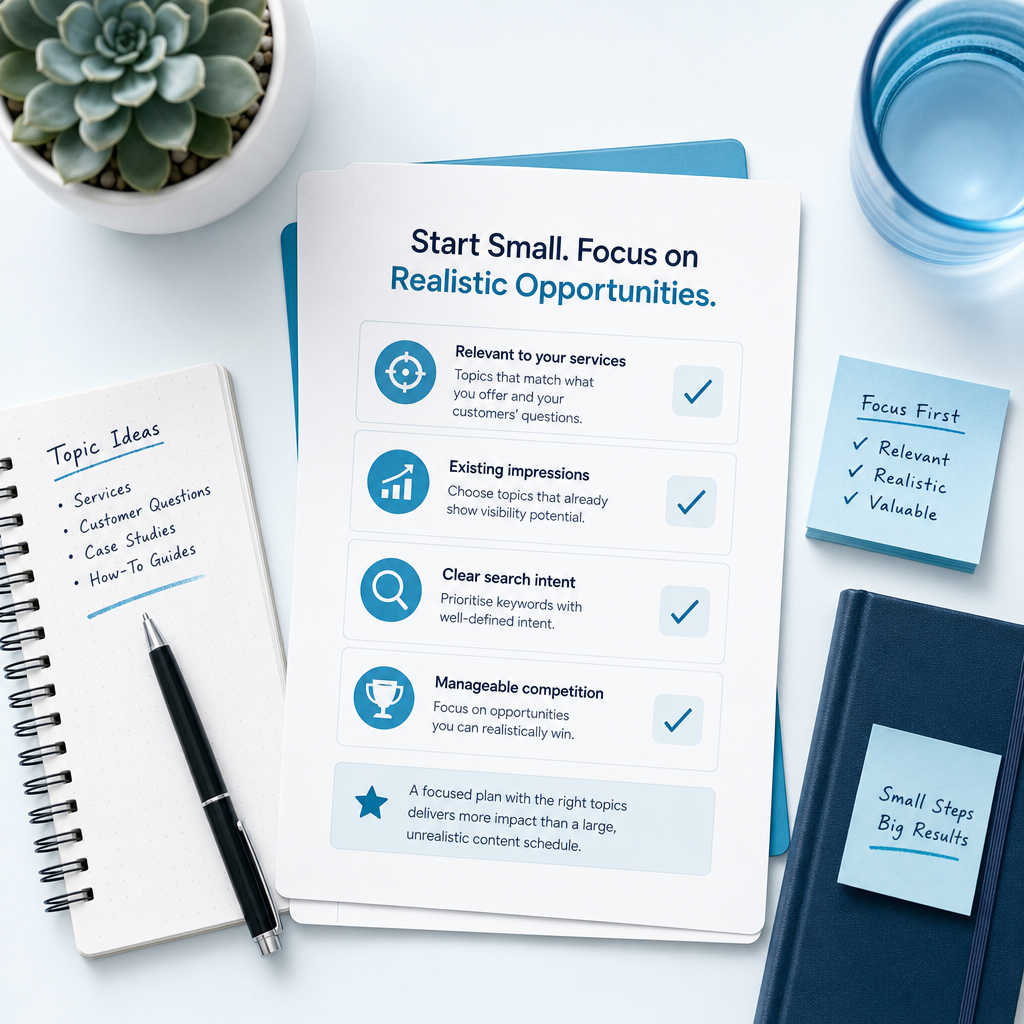
Begin with topics closely connected to your services and customers’ questions. Prioritise realistic opportunities shown by existing impressions, clear search intent and manageable competition. A focused set of useful pages is usually more practical than a large schedule filled with unrelated keywords or publishing targets your team cannot maintain.

Can AI create an SEO content calendar?

AI can help generate ideas, group topics and draft content, but quality depends on the data behind those decisions. A stronger process combines AI with Google Search Console performance, Analytics, competitor research and search-intent analysis. Human review is still needed to confirm accuracy, relevance, tone and commercial usefulness.

How do I know whether my calendar is working?

Measure progress against the purpose of each page. Review impressions and clicks for visibility, engagement for usefulness and relevant enquiries or conversions for business value. Also check whether content is published on schedule, supports service pages and develops stronger coverage around the subjects your audience searches.

Turn Search Data Into Your Next Content Plan

Turn Search Data Into Your Next Content Plan

Effective SEO content calendars replace guesswork with priorities, ownership and measurable next steps. If your website already receives Google impressions but your team lacks time for research and production, Ammpli can help identify opportunities and turn them into a practical publishing plan. Start your 14-day free trial with no credit card required.

Topical Authority and Topic Clusters: A Practical Plan for Small Businesses

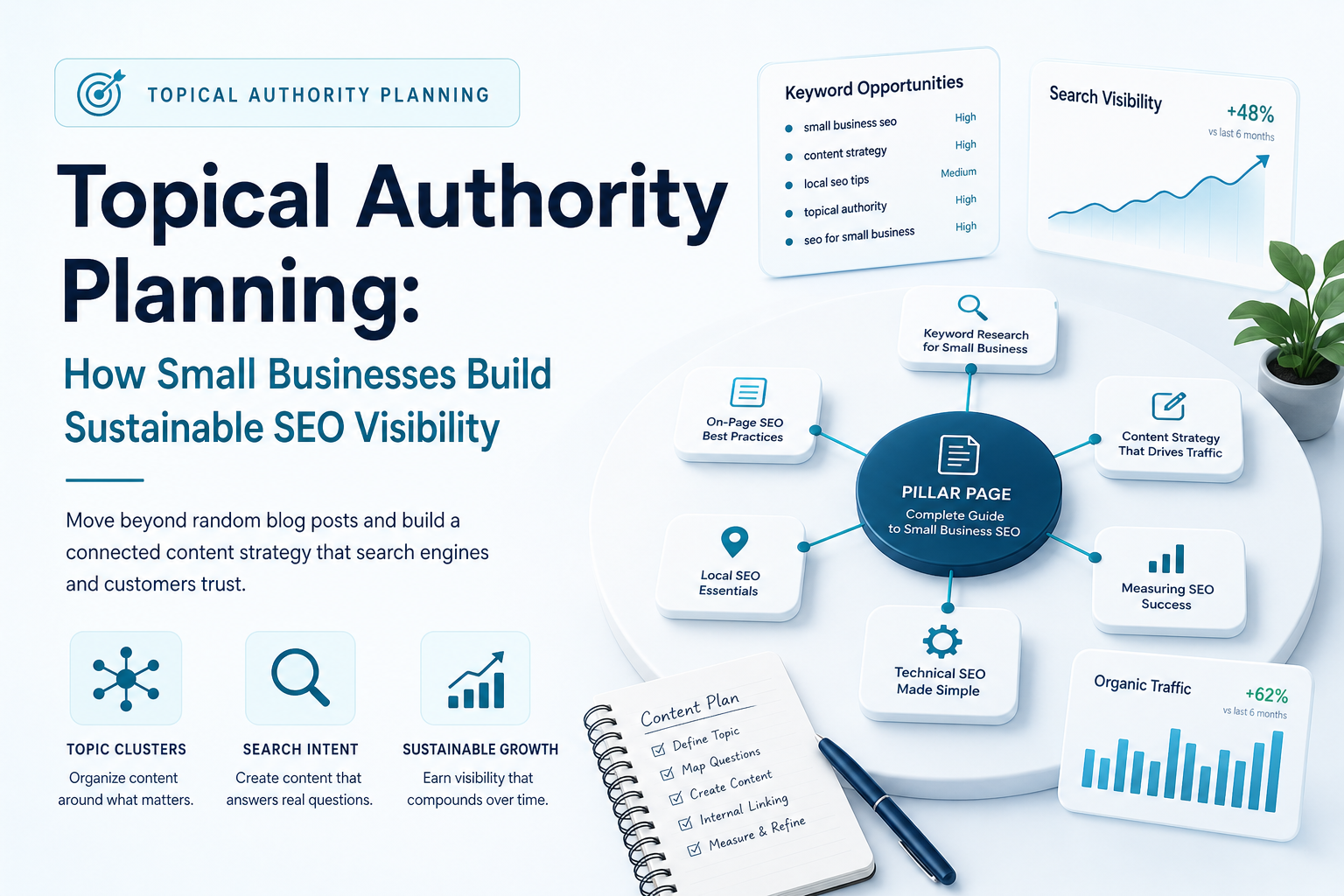
Topical Authority Planning: How Small Businesses Build Sustainable SEO VisibilityPublishing regular blog posts is not enough if every article targets a different subject, repeats an existing page or reflects a keyword chosen without evidence. Small businesses often have useful expertise, yet struggle to turn it into organic visibility because they lack a clear plan for what to publish, how each page should connect and which opportunities are realistic.

Topical authority planning provides that structure. It helps you choose a focused subject, map related questions, group keywords by intent and create content that works as a connected system rather than a collection of isolated posts. The aim is not to publish the most articles or promise a position at the top of Google. The aim is to become a consistently useful source on topics that matter to your customers and your business.

This guide explains what topical authority means, how topic clusters and semantic keyword mapping work, which approaches are available and how to decide whether software, internal work or professional support is the right fit.

What topical authority planning actually means

What topical authority planning actually means

Topical authority describes the level of confidence search engines such as google and readers can develop in a website’s knowledge of a defined subject. A site builds that confidence by covering a topic thoroughly, answering related questions and connecting its pages in a logical way.

Topical authority planning is the process behind that outcome. It turns a broad business subject into a practical content framework containing pillar pages, supporting articles, comparison pages, local content and decision-stage resources. Each page has a defined role, audience and search intent.

For example, a small software company might focus on SEO content planning. Its map could include introductory guides, Google Search Console content strategy, semantic keyword mapping, content gap analysis, content calendars, tool comparisons and implementation advice. These subjects overlap naturally and help readers move from understanding a problem to choosing a solution.

Authority is not the same as publishing volume, domain strength or a claim of expertise. A newer website with focused, useful coverage can compete for relevant searches against a larger site that only touches a subject briefly. External references and links may support credibility, but they cannot replace clear, relevant content.

Why topical authority matters for small businesses

Why topical authority matters for small businesses

Large companies can often publish across many categories because they have specialist teams, established brands and substantial resources. A small business usually needs a narrower approach. Concentrating on a commercially relevant topic makes limited time and budget work harder.

When your pages cover connected questions, they can rank for a wider range of related searches without creating a separate article for every minor keyword variation. Search engines can understand the subject more clearly, while readers can move from a basic explanation to a practical guide or service page.

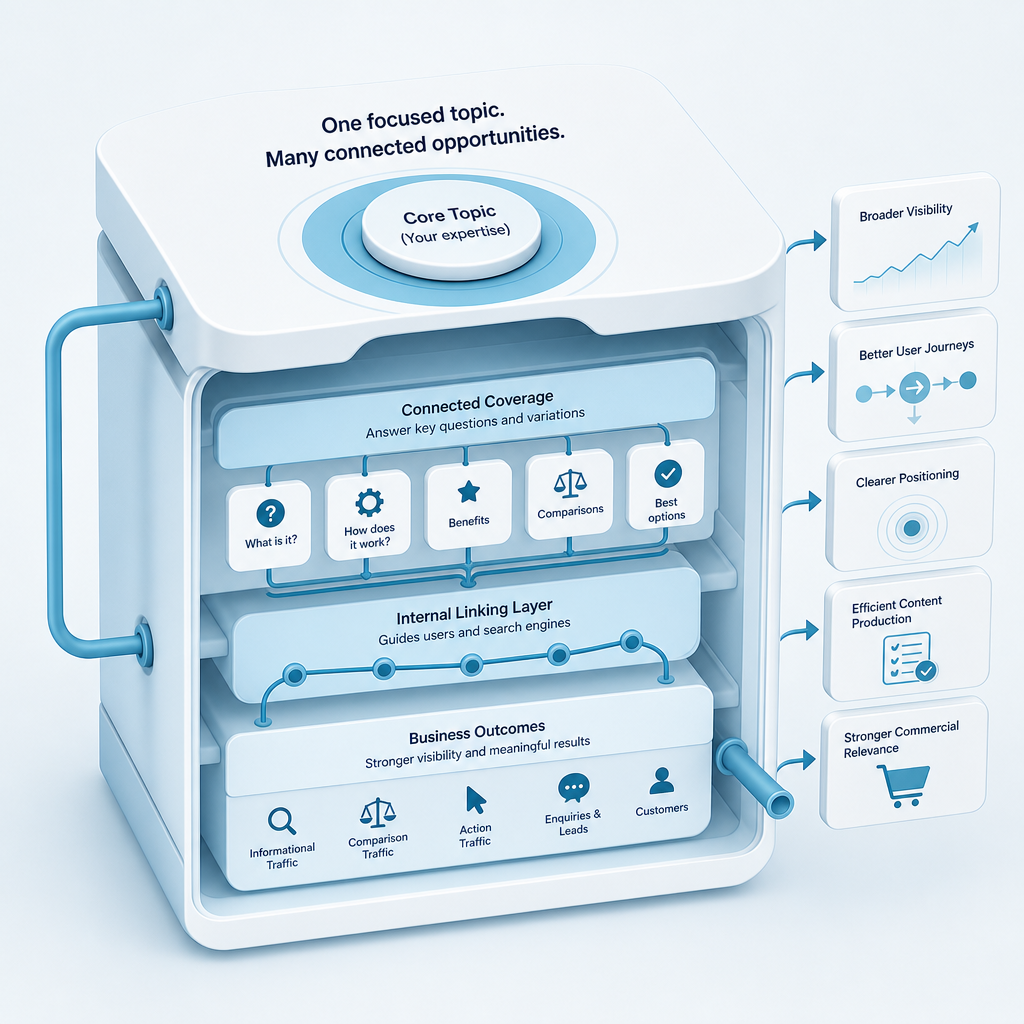
A well-planned cluster can support several business outcomes:

  • Broader visibility: One connected subject can attract informational, comparison and action-focused searches.
  • Better user journeys: Internal links help visitors find the next relevant answer instead of returning to search results.
  • Clearer brand positioning: Consistent coverage shows what your business knows and where it can help.
  • More efficient production: A content plan reduces repeated research and random publishing.
  • Stronger commercial relevance: Educational content can lead naturally to service, product or enquiry pages.

These benefits do not appear automatically. A cluster can underperform if its articles overlap, fail to match intent or provide little original value. Planning must connect audience needs with business expertise and evidence from actual search performance.

Topical authority versus domain authority and backlinks

Topical authority versus domain authority and backlinks

Domain authority is a third-party measurement of a website’s overall strength, usually influenced by factors such as links and site history. It can help when comparing websites, but it is not a direct Google metric and does not show whether a site is the best source for a particular subject.

Topical authority is narrower. It asks whether a website demonstrates meaningful knowledge in one area. A focused service business may have fewer links than a national publisher but still offer a more relevant answer for a specific customer problem.

Backlinks and external mentions remain useful when they are relevant and editorially earned. A reference from a respected industry publication can support credibility and referral traffic. However, buying links, chasing volume or publishing on unrelated websites does not create genuine authority. Content quality, relevance and a sound site structure should come first.

How common SEO approaches differ for a small business
Approach Strength Best fit
Independent blog posts Simple to start Testing isolated questions
Topical clusters Builds connected subject depth Long-term organic visibility
SEO agency programme Access to strategy and specialists Limited internal capacity
AI SEO content platform Combines data, planning and production Lean teams needing repeatable workflows

The right choice depends on your resources, the complexity of your market and how much control you want over research and production. Many businesses combine internal expertise with software rather than choosing between purely manual work and a traditional agency.

How topic clusters and topical maps work

How topic clusters and topical maps work

A topical map is a structured view of the subjects, subtopics and questions your website could cover. It begins with a central theme and branches into related areas. The map can include search terms, audience problems, content formats, funnel stages and links between pages.

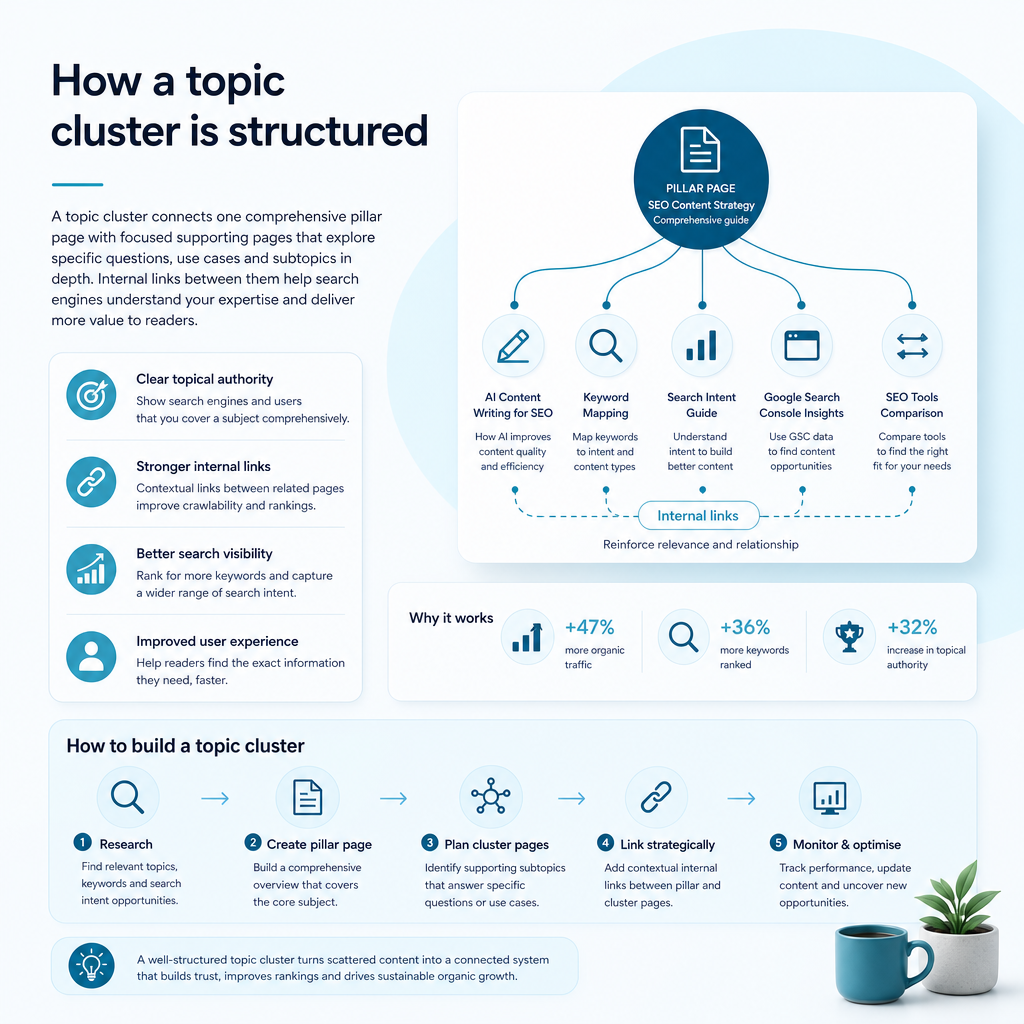
A topic cluster is the published version of part of that map. It normally contains a broad pillar page supported by more focused cluster pages. The pillar introduces the subject and connects to detailed articles. Supporting pages answer narrower questions and link back to the pillar where useful.

Consider a local technology consultancy planning content about cloud security. Its pillar page could explain the subject for small businesses. Supporting pages might cover security risks, compliance questions, cloud backup, employee access and choosing a provider. Each article serves a distinct intent while reinforcing the wider theme.

Internal links should be natural and descriptive. The pillar can link to its supporting pages, while supporting pages can link back to the pillar and to closely related articles. This structure helps readers and search engines understand relationships without forcing links into every paragraph.

A topical map should not become a rigid list of keywords. It needs room for new customer questions, product developments, seasonal needs and changes in search behaviour. Review it when performance data shows a page gaining impressions, when competitors cover an overlooked question or when an existing article needs a separate, more focused resource.

How a topic cluster is structured

How a topic cluster is structured

A useful cluster has three core components: a clear pillar topic, focused supporting content and intentional internal linking. Each part has a different job, but the value comes from how they work together.

Key parts of an SEO topic cluster
Component Purpose Example
Pillar page Explains the main topic broadly and links to relevant supporting pages. SEO content strategy for small businesses
Cluster page Answers a focused question or addresses a specific search intent. How to use Google Search Console for content planning
Internal links Connect pages and clarify their relationship. Descriptive links between the pillar and supporting articles

Every cluster page should link back to the pillar page where it is relevant. The pillar should link to its main supporting pages, and related cluster pages can link to one another when the connection helps the reader. Links should be natural and use descriptive wording rather than repetitive, forced phrases.

Researching keywords, intent and content gaps

Researching keywords, intent and content gaps

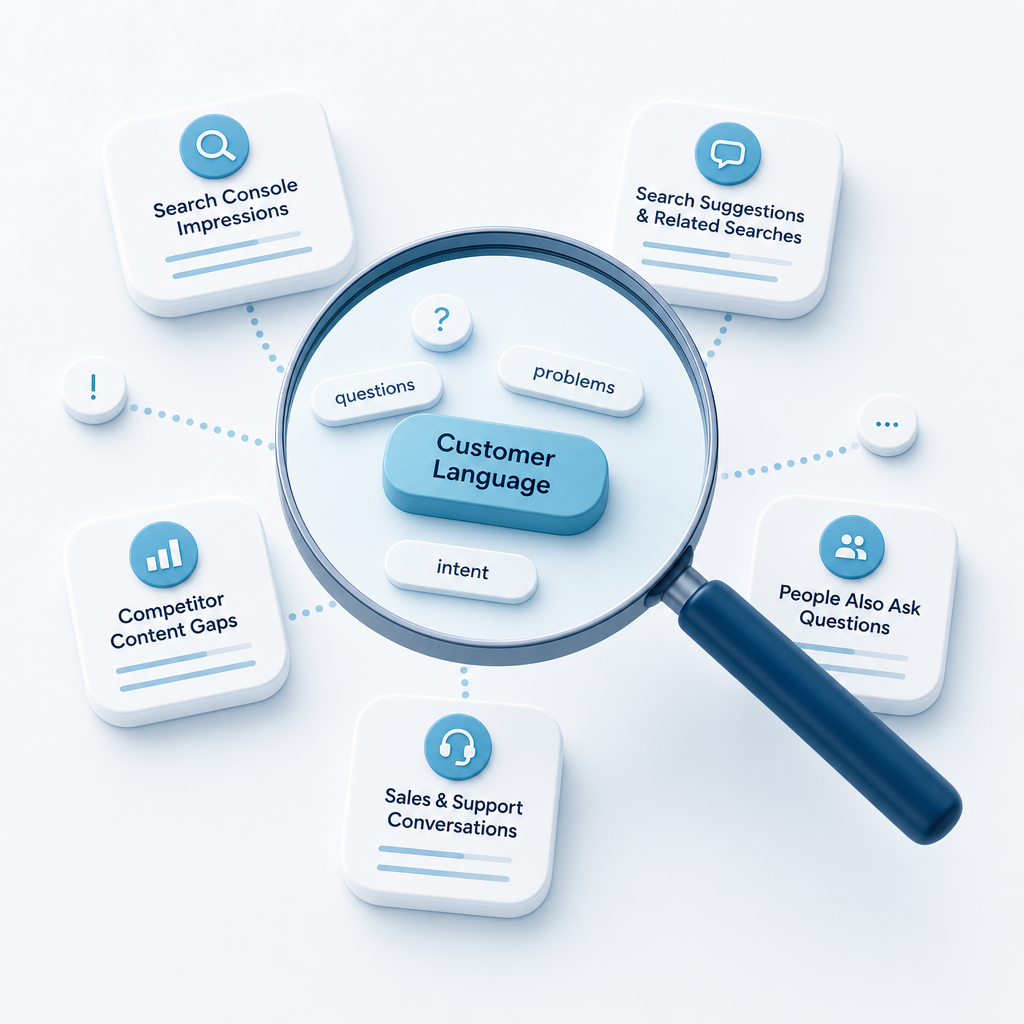
Keyword research remains useful, but topical authority planning uses it as evidence rather than as the entire strategy. The first task is to identify the language customers use, the problems behind those searches and the level of knowledge implied by each query.

Start with a few seed subjects that match your services. Review Google Search Console for queries already generating impressions, especially terms where your pages appear but do not receive many clicks. These searches can reveal realistic opportunities because Google already associates your website with the subject.

Then expand the research using search suggestions, related searches, People Also Ask results, competitor content-gap analysis and questions from sales or support conversations. Group similar terms by meaning and intent. A cluster might contain:

  • Informational intent: “What is semantic keyword mapping?”
  • Practical intent: “How to create an SEO content calendar.”
  • Comparison intent: “SEO software versus an agency.”
  • Commercial intent: “AI SEO content platform for small businesses.”
  • Local intent: “SEO content creation for businesses in Manchester.”

Semantic keyword mapping connects related concepts that may not share the same wording. A page about local SEO content could naturally discuss location pages, service-area searches, Google Business Profile support and local customer intent. It does not need to repeat one phrase unnaturally.

Content-gap analysis should examine more than missing keywords. Ask whether competitors answer a customer question better, whether their content reflects a different intent and whether your business can add experience, examples or clearer guidance. Some valuable topics have modest measurable demand but help complete the subject and support commercial decisions.

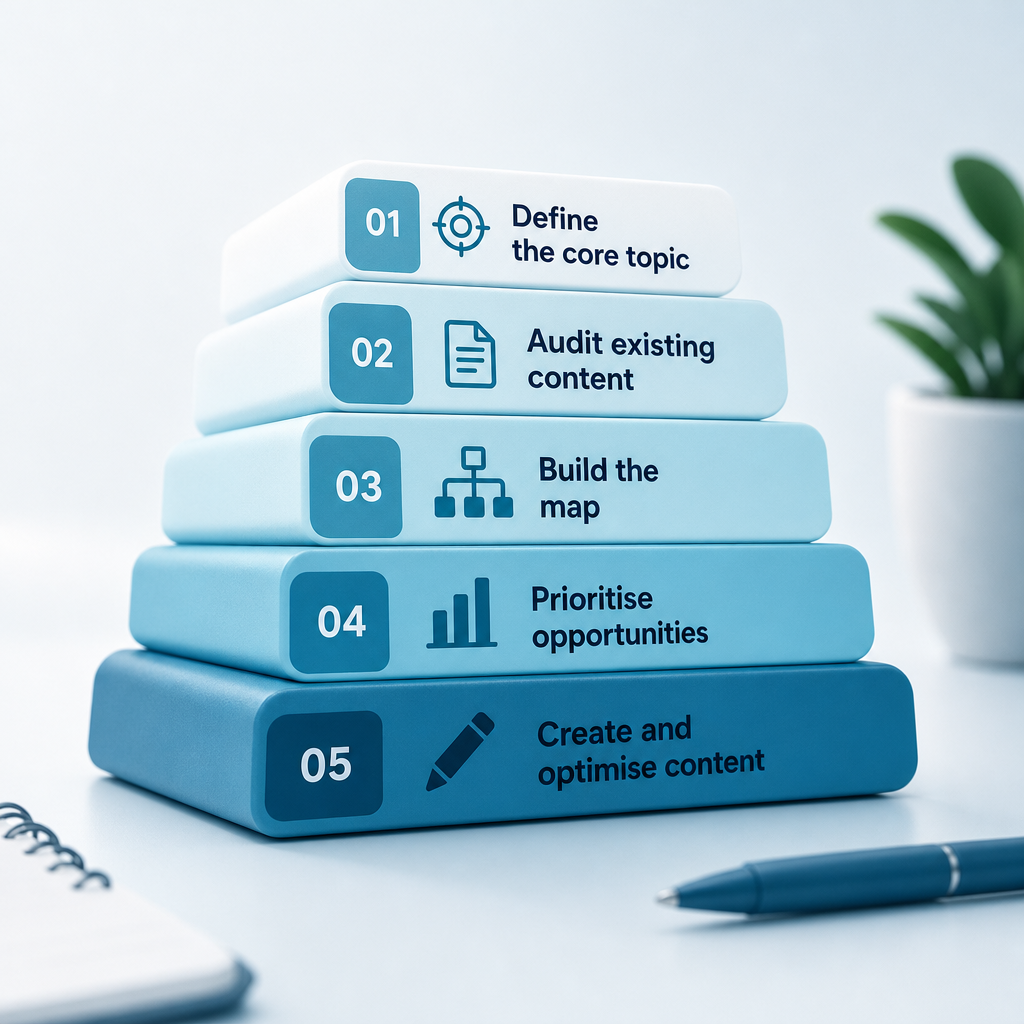
How to create a topical authority plan step by step

How to create a topical authority plan step by step

A practical plan begins with business relevance. Choose subjects where your organisation has genuine knowledge, where customers have recurring questions and where the content can support a service or commercial outcome.

1. Define the core topic

Choose a subject that is narrow enough to cover properly but broad enough to support several useful pages. “SEO” is too broad for most small businesses. “SEO content planning for growing service businesses” offers a clearer boundary and stronger connection to a real audience.

2. Audit existing content

List your current pages, their main intent, related queries, performance and internal links. Identify articles that overlap, pages with impressions but weak click-through rates and important customer questions that have no suitable page.

3. Build the map

Group topics into pillars and supporting pages. Record the intended keyword group, search intent, audience stage, content format and proposed internal links. Assign one primary purpose to each URL so two pages do not compete for the same need.

4. Prioritise opportunities

Do not publish in search-volume order alone. Prioritise pages where you have credible expertise, realistic competition, existing impressions, strong commercial relevance or an obvious gap in competitor coverage. A page close to page-one visibility may deserve attention before a highly competitive head term.

5. Create and connect the content

Write for the reader’s question first. Use clear headings, practical examples, trustworthy sources and a consistent point of view. Add internal links when they help someone continue their research, not simply to increase link counts.

6. Review the cluster

Track impressions, clicks, ranking groups, conversions and engagement over time. Refresh pages when the information changes or performance reveals a better way to answer the intent. Consolidate overlapping pages rather than allowing several weak URLs to compete.

Choosing the right solution for your business

Choosing the right solution for your business

Small businesses usually compare three routes: managing topical authority planning manually, using general-purpose AI writing tools or working with an agency or specialist provider. Each can be suitable, but the differences are found in research quality, strategic context, review requirements and ongoing cost.

Manual planning gives you maximum control and can work well when the team has SEO experience and enough time. The challenge is consistency. Researching queries, checking competitors, mapping terms, writing briefs, producing articles and monitoring results can become a substantial weekly task.

Generic AI writing tools can speed up drafting, but they may produce text without understanding your existing rankings, customer priorities or competitive position. They are most useful when guided by a clear brief and reviewed by someone who understands the business. More words do not automatically create more authority.

A traditional SEO or content agency can provide strategic input and specialist capacity, but the cost and communication process may not suit every growing company. An AI SEO content platform sits between these options by combining automation with a data-led workflow. It should help identify opportunities, organise content and reduce repetitive work while leaving room for human judgement and brand review.

Ammpli is designed for small and growing businesses in the United Kingdom and English-speaking international markets. Its AI-powered SEO content platform combines Google Search Console and Analytics data with competitor research, search-intent analysis and semantic keyword mapping. This supports SEO opportunity analysis, content-gap analysis, topical authority planning, SEO content calendars and AI-powered SEO content creation.

The practical value is the connection between evidence and execution. Rather than starting with a blank prompt, a team can investigate where its website already has visibility, identify realistic opportunities and turn those findings into planned content. Features such as local SEO content creation, blog and brand analysis, direct CMS publishing and SEO performance reporting can reduce manual steps for teams that lack dedicated SEO staff.

That does not remove the need for review. Business owners and marketing managers should check accuracy, positioning, claims and customer relevance before publication. The strongest process combines real business knowledge with reliable search data and efficient production.

Common topical authority planning mistakes

Common topical authority planning mistakes

Many content programmes fail because the plan is built around activity rather than a defined audience problem. Publishing every week can create the appearance of progress while leaving important intent gaps unresolved.

  • Covering unrelated subjects: A mixed blog makes it harder to establish a clear area of expertise.
  • Creating several pages for one intent: Similar articles can compete with each other and dilute internal links.
  • Writing only for high-volume terms: Specific, commercially relevant questions may offer more realistic opportunities.
  • Ignoring existing performance: Search Console data can reveal pages that need improvement before new content is created.
  • Using weak internal links: Orphaned pages are harder for users and crawlers to discover.
  • Confusing length with depth: A long article is not useful if it avoids the reader’s real question.
  • Publishing without review: Automated drafts can contain errors, generic claims or an unsuitable brand voice.
  • Never updating the map: Customer language, competitors and search results change over time.

Avoid treating topical authority as a quick campaign with a fixed outcome. Search visibility develops through consistent relevance, useful content and ongoing refinement. Measure patterns across a cluster instead of judging the whole strategy by one ranking.

Measuring progress and deciding when to get help

Measuring progress and deciding when to get help

Measurement should connect content activity with meaningful business signals. Track impressions and clicks for topic groups, the number of pages gaining visibility, movement for priority queries, engagement and enquiries or sales influenced by organic search.

Google Search Console can show which queries bring impressions, which URLs receive clicks and where a page may need a stronger title or better alignment with intent. Analytics data can add information about engagement and conversions. Look at trends over a sensible period rather than reacting to daily movement.

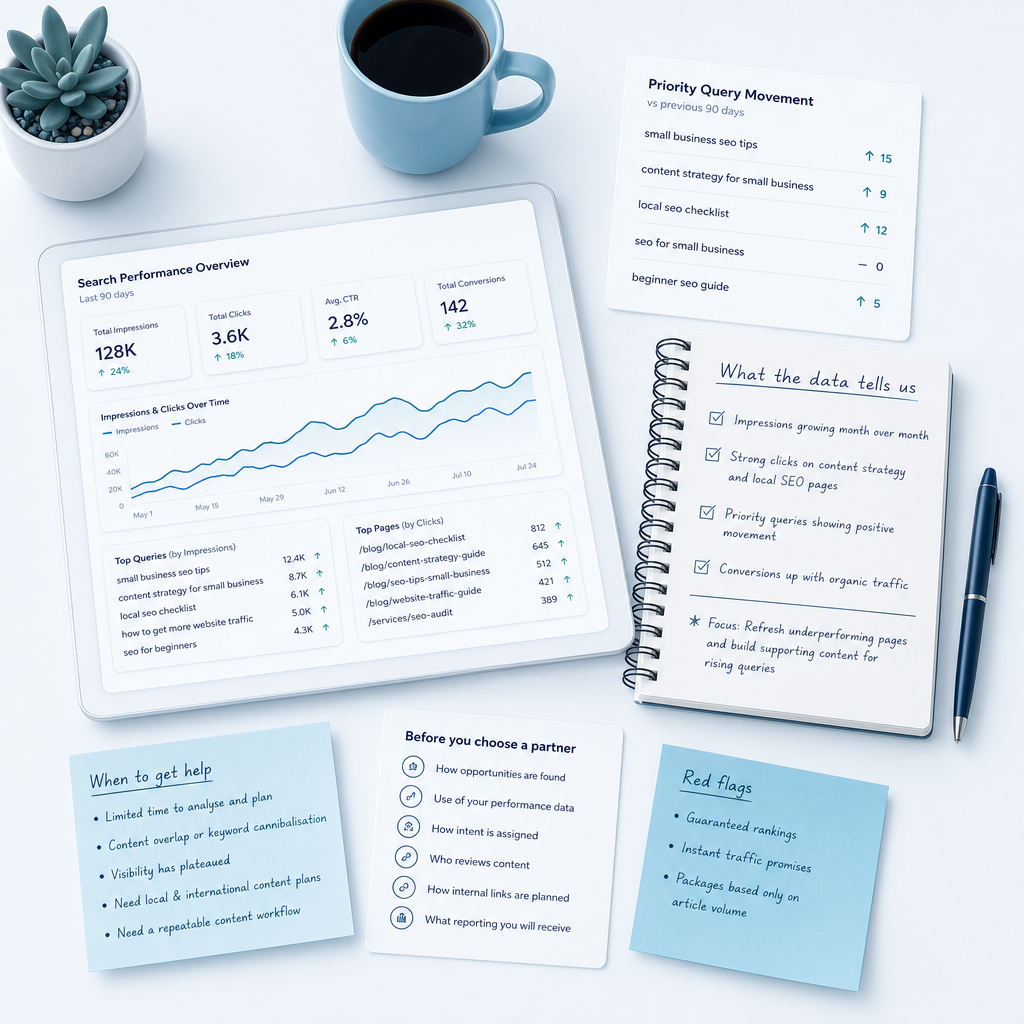
Professional support makes sense when your team has an established website but lacks time to interpret data, map topics or publish consistently. It can also help when several articles overlap, organic visibility has plateaued or local and international audiences require different content plans.

Before selecting a provider or platform, ask how opportunities are found, whether recommendations use your own performance data, how intent is assigned, who reviews content, how internal links are planned and what reporting you will receive. Be cautious of guaranteed rankings, instant traffic promises or packages based only on article volume.

Ammpli helps teams turn search data into a repeatable content workflow without the cost or time commitment associated with a traditional agency. It is a practical option for founders, marketing managers and small teams that want a clearer way to plan and produce SEO content while retaining oversight of the final result.

Frequently Asked Questions

Frequently Asked Questions

How long does topical authority planning take to show progress?

Progress varies by competition, website history, content quality and publishing consistency. Early signals may include more impressions, additional queries and improved visibility for existing pages. Treat topical authority as an ongoing programme rather than a fixed campaign, and review performance across the whole cluster instead of expecting every page to improve at once.

How many articles should a topical cluster contain?

There is no universal number. A small subject may need a pillar page and several supporting articles, while a complex market may require many more. Stop adding pages when the main customer questions are covered, new content adds little value or existing pages would be better improved and connected.

Can a small website compete with larger competitors?

Yes, a small website can compete by focusing on a defined subject, serving a specific audience and providing more relevant answers than broader competitors. It may not compete immediately for the widest terms, but focused topic coverage, strong internal links, practical experience and consistent improvement can create realistic opportunities.

Is an AI SEO content platform suitable for every business?

It suits teams that need help with research, opportunity discovery, planning and consistent production but still want control over accuracy and brand quality. Businesses with highly specialist, regulated or sensitive content may need additional expert review. Compare the platform’s data sources, workflow, reporting and publishing controls before choosing it.

Should every cluster page link to every other page?

No. Cluster pages should link to the pillar and to related pages when the connection is useful. Excessive or forced linking can make content harder to read. Relevance and context should guide the linking decisions.

How does Google Search Console help with topic clusters?

Google Search Console shows the queries and pages already generating impressions and clicks. This data can reveal content gaps, emerging themes and pages that may benefit from stronger supporting content or internal links.

Build a clearer path to organic visibility

Build a clearer path to organic visibility

Topical authority planning gives small businesses a practical alternative to random blogging and isolated keyword targeting. By focusing on relevant subjects, mapping search intent, connecting pages and reviewing real performance data, you can create a content system that becomes more useful over time.

The right approach may be manual, supported by specialists or streamlined through an AI SEO content platform. What matters is that the process reflects your customers, your expertise and realistic opportunities. Start by reviewing your existing search data and identifying the topic where better coverage could support your next business goal.

Start your 14-day free trial with Ammpli and turn your search data into better content. No credit card required.

SEO Content Platform Free Trial: How to Choose the Right AI SEO Tool

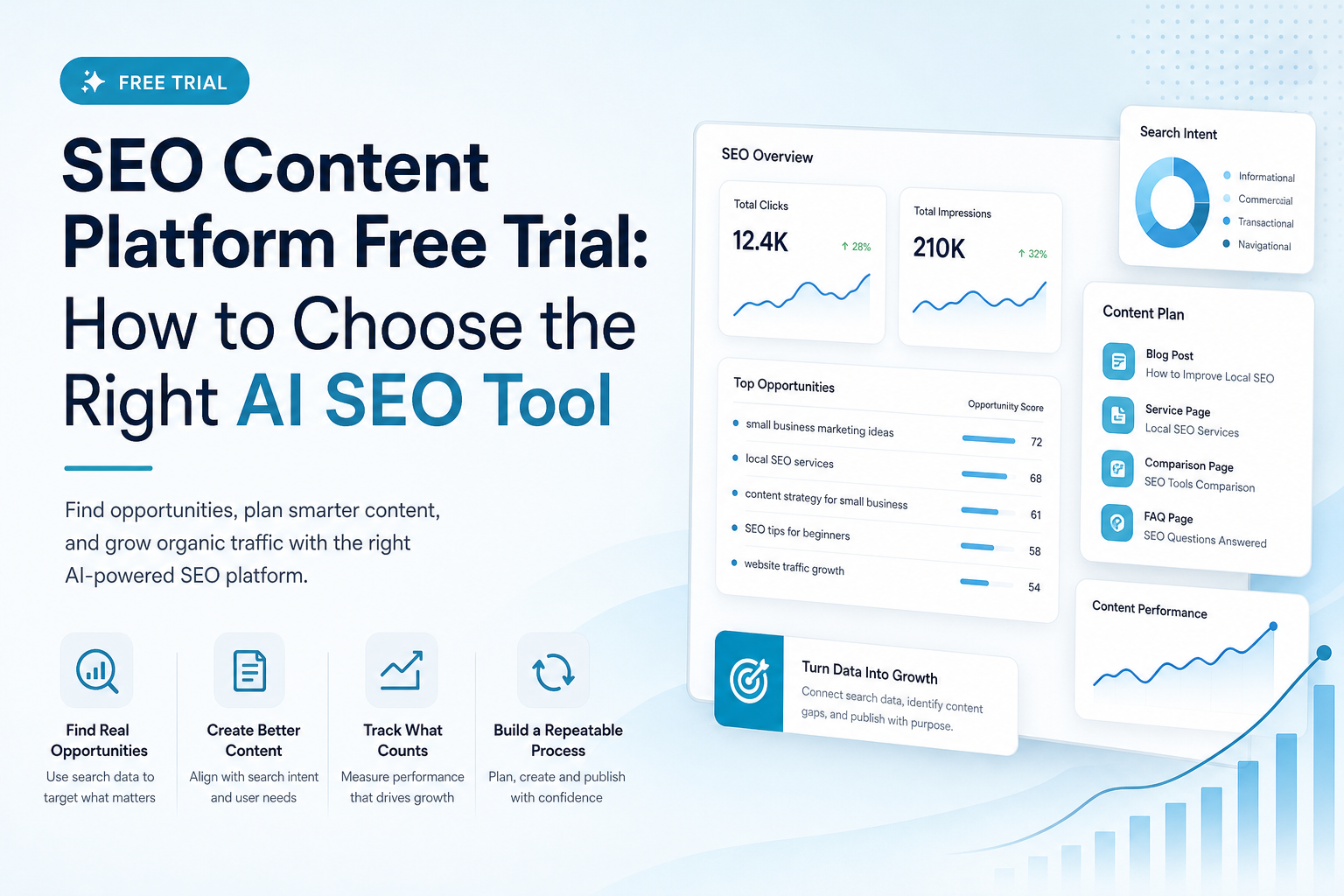
SEO Content Platform Free Trial: How to Choose the Right AI SEO ToolFinding an SEO content platform free trial can seem simple until you compare tools that do very different jobs. Some generate polished articles from a prompt, while others connect content decisions to Google Search Console data, competitor research and search intent. For a small business, the right trial should show whether a platform can identify realistic opportunities, create useful content and support a repeatable publishing process without the cost of a traditional SEO agency.

What Should an SEO Content Platform Free Trial Include?

What Should an SEO Content Platform Free Trial Include?

A useful trial should give you more than a sample article. It should help you understand what your website can realistically compete for and turn that insight into a practical content plan. This matters because publishing content around broad, highly competitive phrases can consume time without producing meaningful visibility.

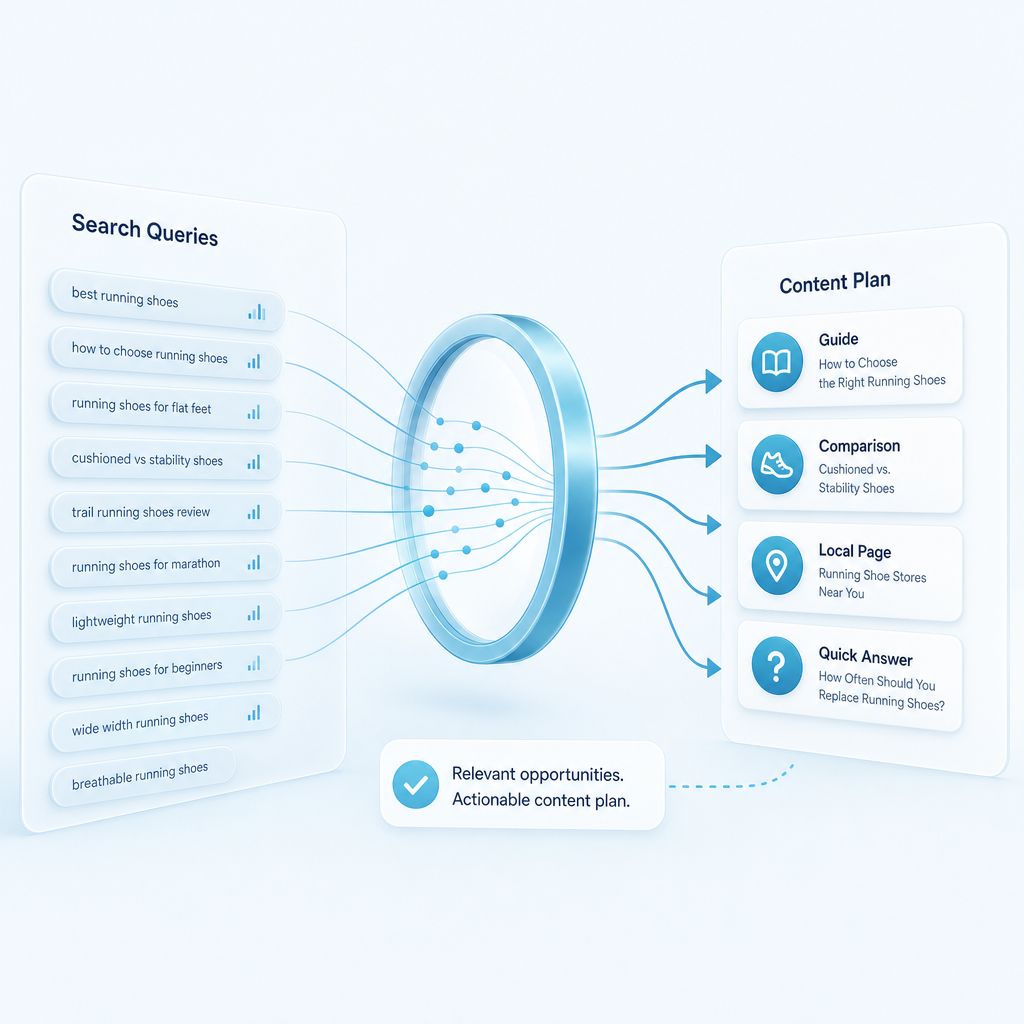
Look for a platform that combines data analysis with content creation. Google Search Console can reveal queries where your site already receives impressions or ranks on the second page. Competitor content-gap analysis can show subjects they cover that your audience may also be searching for. Search-intent research then helps determine whether the right response is a guide, service page, comparison, local landing page or brief answer.

Features to compare during an SEO platform trial
Feature Why it matters What to test
Search data analysis Finds existing visibility and realistic opportunities Connect Google Search Console
Content planning Turns keywords into a focused publishing schedule Build a small topic cluster
AI content creation Reduces drafting time while keeping intent clear Create and review one article
Semantic mapping Connects related subjects and supports topical authority Review supporting terms and questions

Generic AI Writing Tools Versus Data-Driven SEO Content

Generic AI writing tools can produce a fast outline, rewrite a paragraph or suggest headline ideas. They are useful for drafting, but they usually do not know which searches already bring your business impressions, which pages need support or how competitors address the same intent. Their output may sound professional while still targeting the wrong opportunity.

An AI SEO content platform adds a planning layer. It can use Google Search Console and Analytics data, competitor research and semantic keyword mapping to connect content with your existing performance. This is especially useful for small businesses, B2B SaaS companies, healthcare practices, education providers, property businesses and e-commerce brands that have an established website but limited internal SEO time.

Questions to ask before choosing

  • Does the platform use your own search-performance data?
  • Can it separate informational, commercial and local search intent?
  • Does it identify content gaps without recommending every competitor topic?
  • Can you review, edit and publish content through your existing CMS?
  • Does reporting show useful progress rather than only content volume?

How to Test an SEO Content Platform Free Trial

How to Test an SEO Content Platform Free Trial

A short trial works best when you test a real business goal rather than exploring every menu. Choose one service, product category or location that matters commercially. Then use the platform to find related queries, group them by intent and select a small number of topics that fit your expertise and customers.

Next, compare the proposed recommendations with your own knowledge. A good platform should help you spot opportunities, not remove human judgement. Check whether suggested topics match your services, whether the language reflects your brand and whether the article answers a genuine customer question. Review facts, claims, examples and calls to action before publishing.

  1. Connect available Google Search Console and Analytics data.
  2. Choose one priority service or audience.
  3. Review opportunity keywords, related searches and competitor gaps.
  4. Create one article or content brief.
  5. Edit for experience, accuracy, brand voice and customer relevance.
  6. Publish through your CMS and monitor impressions, clicks and enquiries.

What Makes Ammpli Different for Small Businesses?

What Makes Ammpli Different for Small Businesses?

Ammpli is an AI SEO content platform built for small and growing businesses in the United Kingdom and English-speaking international markets. It combines SEO opportunity analysis, Google Search Console data analysis, search-intent research, competitor content-gap analysis and semantic keyword mapping, helping teams replace guesswork with a focused plan.

During an SEO content platform free trial, you can see how those insights become SEO content calendars, topical authority plans, local SEO content and search-optimised articles. Ammpli also supports direct CMS publishing and SEO performance reporting, giving a small team a more connected process than using separate writing, keyword and reporting tools.

Frequently Asked Questions

What is an SEO content platform free trial?

It is a limited opportunity to test software that supports SEO research, content planning and article creation before subscribing. The strongest trials let you work with your own website data, review realistic keyword opportunities and judge the quality of the resulting content rather than simply generating a generic sample.

Can AI SEO tools replace a traditional SEO agency?

They can reduce research, planning and drafting work, but they do not remove the need for business knowledge and editorial review. A platform is most helpful when your team has limited time or budget and needs a structured way to prioritise opportunities, create content and monitor performance.

Why should an SEO platform use Google Search Console data?

Search Console shows the queries, pages, impressions, clicks and average positions already associated with your website. Using that evidence can reveal realistic improvements, including relevant searches where you have visibility but need stronger content. It also helps your content plan reflect your website rather than a generic keyword list.

What should I publish after completing a free trial?

Start with content that supports a clear business goal and matches a defined search intent. That may be a service guide, local page, comparison, FAQ or educational article. Review the draft for accuracy, expertise and customer usefulness, then track impressions, clicks, engagement and enquiries before expanding your publishing plan.

Choose a Trial That Leads to Better Decisions

The best SEO content platform free trial does not promise guaranteed rankings. It shows whether the software can connect real search data with sensible content decisions and a manageable publishing workflow. Start your 14-day free trial with Ammpli, with no credit card required, and find your next ranking opportunity.

How to Create Local SEO Content for Your Services

How to Create Local SEO Content for Your Services

How to Create Local SEO Content for Your Services

If your service business is not appearing when nearby customers search for help, the problem may not be your service or your website. You may simply be creating content without a clear local SEO strategy behind it.

Learning how to create local SEO content for my services starts with understanding what your customers search for, where they are located, what they want to do next and which pages already perform well. The goal is not to add a town name to every heading. It is to create useful pages that match local search intent and give potential customers enough confidence to enquire.

This guide explains how small-business owners, founders and marketing managers can plan and create local SEO content for service areas across the United Kingdom and English-speaking international markets. It also explains how Ammpli uses Google Search Console and Analytics data, competitor research and semantic keyword mapping to help identify realistic content opportunities.

What is local SEO content?

What is local SEO content?

Local SEO content is website content created to attract people searching for a service in a particular geographic area. It can include service pages, location pages, FAQs, guides, case studies, comparison articles and blog posts that answer questions relevant to a local audience.

For example, a healthcare practice might publish a guide to choosing a private physiotherapist in Manchester. An education provider might create a page about tutoring options in Birmingham. A B2B SaaS company serving UK businesses could publish content about software requirements for small companies in London and surrounding areas.

Local SEO content supports two related search experiences. The first is the local pack and map results, which rely heavily on accurate business information, relevance and reputation. The second is the standard organic results, where helpful, well-structured service content can attract visitors before they are ready to contact you.

Why local SEO content matters for service businesses

Why local SEO content matters for service businesses

People searching for a service in a particular location often have a clear problem to solve. A query such as “IT support for small business Leeds”, “private dentist near me” or “property management company Bristol” reveals more intent than a broad search for “IT support”, “dentist” or “property management”.

Local content helps your business appear for these more specific searches. It also allows you to explain your process, service area, expertise, pricing factors and next steps before a prospect makes contact.

For small businesses, this matters because local SEO can create a more focused route to qualified enquiries. You do not need to compete for every broad industry term. You can build visibility around the services, locations and customer questions that are commercially relevant to your business.

Local content can support several business goals

  • Attract customers searching for a specific service in a defined area.
  • Explain what your service includes and who it is suitable for.
  • Answer common questions before a sales conversation.
  • Build topical authority around your services and industry.
  • Support Google Business Profile visibility with relevant website content.
  • Help potential customers compare providers with greater confidence.

How to create local SEO content for my services step by step

How to create local SEO content for my services step by step

A reliable local content process begins with evidence rather than assumptions. Instead of publishing a large number of generic articles, identify the searches your audience makes, map them to the right pages and measure what happens after publication.

The steps below provide a practical framework for service businesses with limited time and marketing resources. You can use the process manually, or use an AI SEO content platform such as Ammpli to reduce research and planning work.

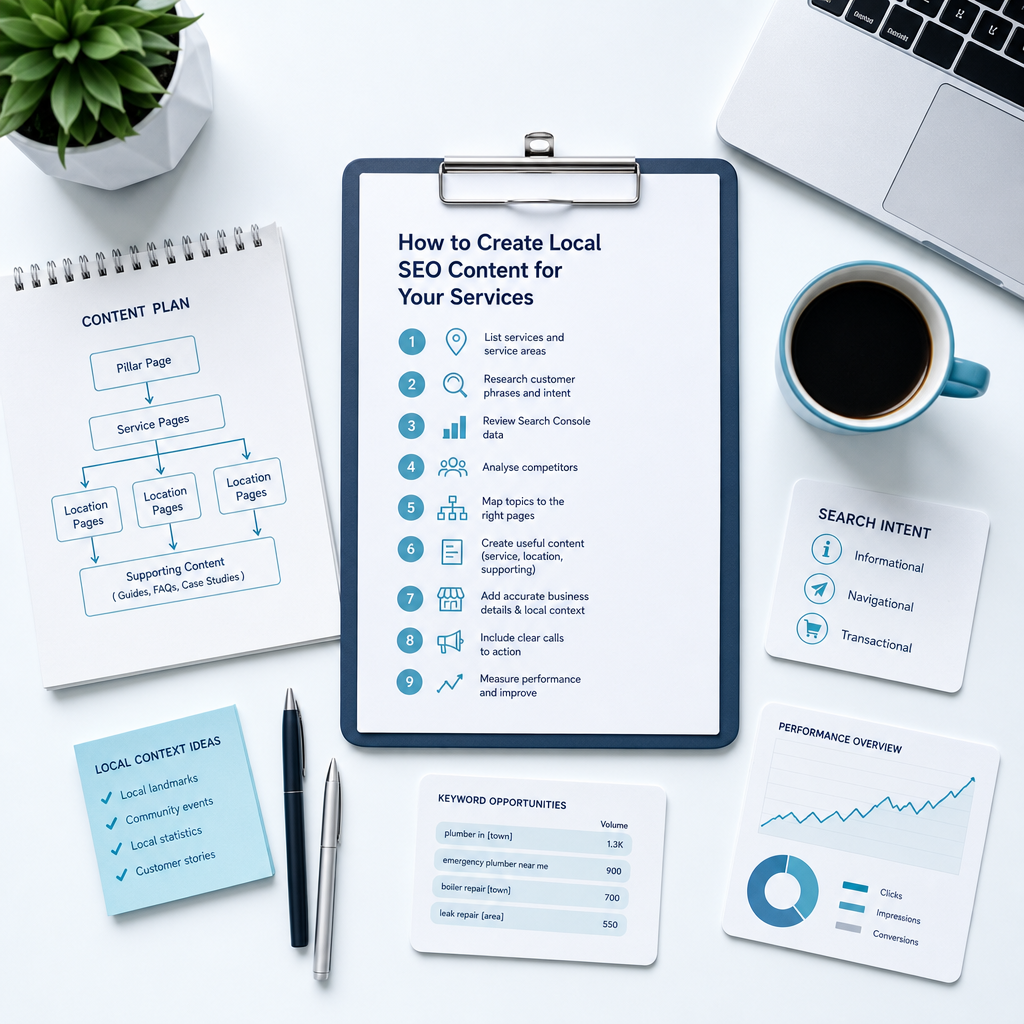
1. Define your services and service areas

Start with a clear list of the services you actually provide. Avoid grouping everything into one broad page if customers search for distinct services with different needs. A business offering web development, technical support and cybersecurity services may need separate service pages for each area.

Then list the locations you serve. This may include one town, several cities, a region, the whole of the United Kingdom or international English-speaking markets. Separate physical locations from service areas. A business can serve customers across a region without having an office in every town.

Your initial planning document should include:

  • Core services and specialist services.
  • Primary customer types.
  • Physical locations, if applicable.
  • Areas served remotely or through on-site visits.
  • Industries or customer segments served.
  • Commercial priorities, such as services with the strongest margins or capacity.

2. Research local keywords and search intent

Keyword research is not just about finding phrases with high search volume. It is about understanding the language customers use when they need your service and identifying which searches have local intent.

Begin with service-led phrases. A cleaning company might research “end of tenancy cleaning”, “commercial cleaning” and “deep cleaning”. A marketing provider might research “SEO content for small business”, “local SEO content creation” and “SEO content software”. Add locations only where they make sense, such as “commercial cleaning Birmingham” or “local SEO content creation for UK service businesses”.

Search intent describes what the person wants to accomplish. Common local service intents include:

  • Service intent: the searcher wants to hire a provider.
  • Location intent: the searcher wants a provider in a specific area.
  • Problem intent: the searcher wants help with a problem.
  • Comparison intent: the searcher is comparing services, providers or approaches.
  • Information intent: the searcher wants to understand a service before taking action.

Google Search Console is particularly useful because it shows the queries for which your website already receives impressions and clicks. Some of these searches may sit just outside the strongest positions. Improving or expanding the relevant page may be more realistic than starting with an entirely new topic.

3. Find realistic ranking opportunities

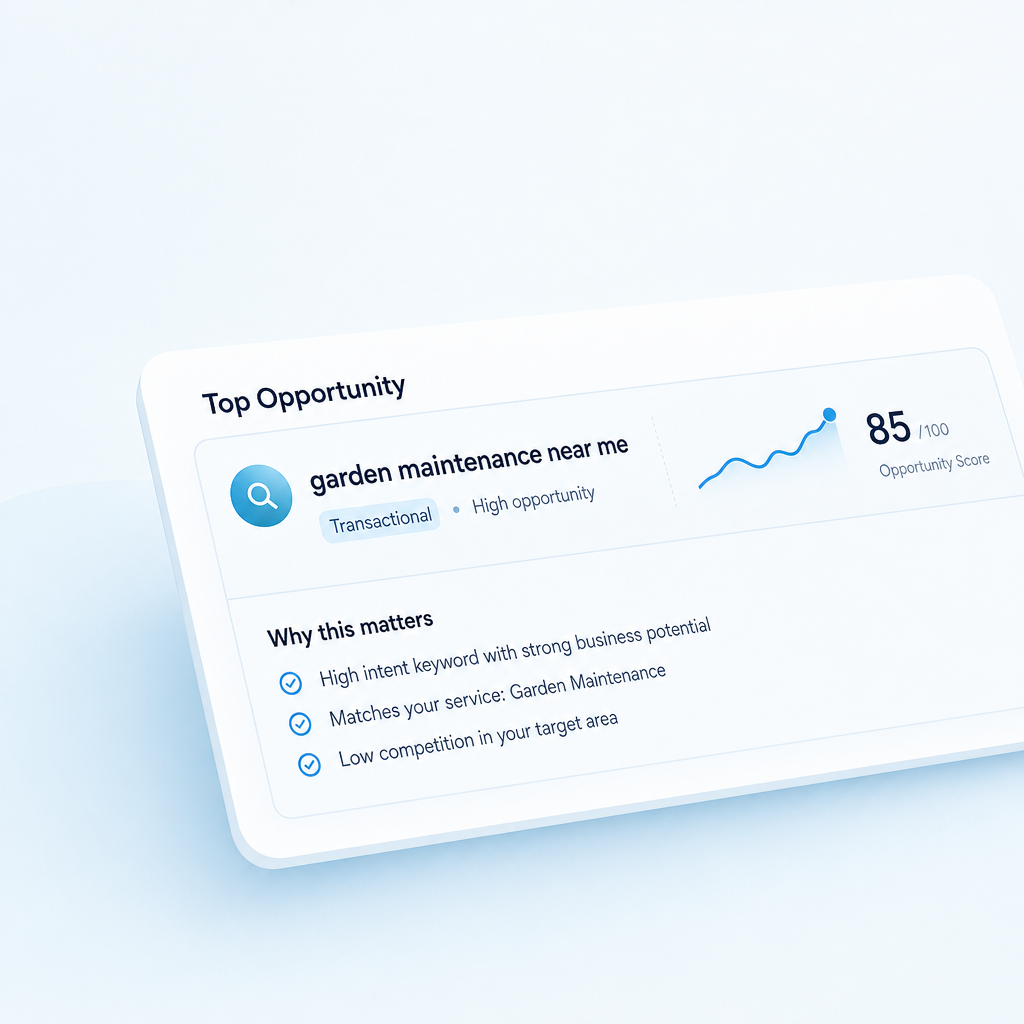
Small businesses often waste resources targeting broad terms dominated by established brands. A better approach is to find relevant searches where your website has existing visibility, where competitors have content gaps or where the search intent closely matches a service you want to sell.

Review queries that receive impressions but few clicks. Check the current ranking page and ask whether it answers the searcher’s question fully. You may find that a service page needs clearer local information, a blog post needs stronger internal links or a new page is needed for a distinct service and location combination.

A keyword opportunity finder can help group opportunities by service, location, search intent and business value. Ammpli uses Google Search Console and Analytics data alongside competitor research to identify relevant opportunities rather than producing content from generic keyword lists.

4. Analyse competitors and content gaps

Search for your priority service and location combinations. Review the businesses appearing in the local pack and the organic results. Look at the pages they use, the questions they answer, their service descriptions, trust signals and calls to action.

Competitor research should not mean copying another business. It should help you identify what customers expect to see and where the current results leave unanswered questions.

Look for gaps such as:

  • A service page that does not explain the process.
  • Missing information about service areas or response times.
  • Weak answers to pricing and availability questions.
  • Limited evidence of experience or relevant expertise.
  • No content for a specific customer type or use case.
  • Outdated information or pages that are difficult to use on mobile devices.

A content gap analysis tool can speed up this review by comparing topics, subtopics and semantic terms across competing pages. The output should be a practical brief, not a list of phrases to insert mechanically.

5. Map keywords and topics to the right page

Each important search theme should have a clear destination. A homepage may target the business category and primary service area. Individual service pages should target distinct services. Location pages should explain what is available in that location and include genuinely useful local information.

Do not create near-identical pages for every town simply by replacing the place name. Thin or repetitive pages provide little value to users. Each location page should explain the service, the customers served, relevant local context, availability and the reasons someone in that area may choose your business.

Semantic keyword mapping helps connect the main topic with related concepts. For a page about boiler repair in London, related topics might include boiler types, emergency appointments, service coverage, engineer qualifications and maintenance. The exact subjects depend on the service and what customers need to decide.

6. Build a local SEO content brief

A content brief gives the writer or AI SEO content generator a clear purpose. It should define the audience, primary topic, location, search intent, page type, recommended structure and conversion goal.

A useful brief can include:

  • Primary service and location.
  • Target customer and their problem.
  • Primary keyword and related search themes.
  • Questions the page should answer.
  • Competitor gaps to address.
  • Evidence, credentials or trust information to include.
  • Relevant internal links.
  • Call to action, such as requesting a quote or booking a consultation.

Data-driven SEO content is easier to review because the team can judge it against a defined purpose. It also reduces the risk of producing polished copy that attracts the wrong audience.

7. Write for local customers, not search engines

Good local content should sound like a knowledgeable service provider speaking to a real customer. Explain what happens, what the service includes, who it suits and what the next step involves.

Use local terms naturally, but do not repeat a town or city in every paragraph. Mention relevant areas when explaining service coverage, travel arrangements, local regulations, customer needs or nearby business conditions. If a detail does not help the reader, it does not need to appear.

Strong service content usually includes:

  • A clear explanation of the service.
  • The problem or outcome it addresses.
  • Who the service is for.
  • What the process involves.
  • Factors that influence pricing.
  • Expected deliverables or outcomes.
  • Answers to common concerns.
  • A direct, relevant enquiry route.

8. Add local trust signals and practical details

Search visibility is only useful when the page gives people a reason to contact you. Include accurate business information and details that reduce uncertainty.

Depending on the business, useful trust signals may include service areas, opening hours, qualifications, professional memberships, relevant experience, customer feedback, photographs, examples of work and clear contact details. Do not add claims that cannot be supported.

Keep your business name, address and phone number consistent across your website, Google Business Profile and relevant directories. If you operate as a service-area business, explain where you work and whether customers visit you, you visit them or the service is delivered remotely.

9. Optimise the page technically

Local content needs a sound on-page foundation. Use a descriptive title, a clear H1, helpful subheadings and a readable URL. Write a meta description that explains the page’s value rather than repeating a keyword.

Check that the page works well on mobile devices, loads efficiently and links to related services or helpful guides. Add relevant image descriptions and structured data where appropriate. LocalBusiness schema can help describe the business, while Service and FAQ structured data may be relevant when the page genuinely contains those elements.

Technical improvements support user experience, but they cannot replace useful content. A perfectly formatted page will not compensate for vague service information or a mismatch with search intent.

10. Connect local content with your wider website

Internal links help users move from educational content to relevant service pages. They also help search engines understand the relationship between your topics.

For example, a guide about choosing a local IT support provider could link to managed IT support, cybersecurity services and an enquiry page. A location page could link to the services available in that area and a related guide explaining the process.

Use descriptive anchor text that tells the reader what they will find. Avoid linking every mention of a location or forcing links where they do not help.

11. Publish consistently with a realistic calendar

Consistency matters more than publishing a large number of pages at once. A small business may benefit from one strong service page improvement and one useful supporting article each month rather than several rushed posts.

Prioritise content using three factors: business value, likelihood of attracting relevant searchers and the effort required. A practical calendar may include service pages, location pages, customer questions, comparison guides, process explanations and updates to existing content.

An SEO content planning tool can turn opportunities into a calendar with assigned topics, target pages and publication priorities. Ammpli combines opportunity analysis, search-intent research, semantic mapping and AI-powered SEO content creation to help small teams maintain this process without the cost of a traditional SEO agency.

What local SEO content should a service business create?

What local SEO content should a service business create?

The right content mix depends on your services, customers and coverage area. The following formats are useful starting points for many service businesses.

Local SEO content formats and their purpose
Content type Primary purpose Example
Service page Explain a service and generate enquiries Managed IT support for small businesses
Location page Show availability in a defined area SEO content services in Manchester
Service and location page Match strong local commercial intent Private tutoring in Birmingham
How-to guide Answer questions before purchase How to prepare for a property valuation
Comparison guide Support provider or solution evaluation In-house content versus an AI SEO content platform
FAQ page Reduce objections and support enquiries How much does local SEO content cost?

How to measure local SEO content performance

How to measure local SEO content performance

Measurement should focus on whether your content is becoming more visible to the right audience and helping people take meaningful next steps. Rankings can be useful, but they are only one part of the picture.

Google Search Console can show impressions, clicks, click-through rate and average position for queries and pages. Google Analytics can help you understand engagement, landing pages and actions taken on the website. Together, these tools provide a stronger view than relying on a single rank position.

Track indicators such as:

  • Impressions for relevant local queries.
  • Clicks and click-through rate from search.
  • Visibility for service and location combinations.
  • Engagement on local landing pages.
  • Enquiry form submissions, calls or consultation requests.
  • Assisted conversions from informational articles.
  • Pages that gain visibility but need stronger conversion elements.

Review performance regularly and update pages when the data shows a clear opportunity. A page receiving impressions for related searches may need additional sections, stronger internal links or a clearer explanation of the service.

Common local SEO content mistakes

Common local SEO content mistakes

Local content fails when it is created to satisfy a checklist rather than to help a customer. Many small businesses publish pages with repeated location names, vague service descriptions and no clear reason to enquire.

Avoid these common problems:

  • Creating almost identical pages for multiple locations.
  • Choosing keywords without checking local search intent.
  • Writing for broad traffic instead of commercially relevant searches.
  • Publishing AI-generated text without reviewing facts, tone or usefulness.
  • Ignoring existing Google Search Console visibility.
  • Leaving service areas, contact details or opening information unclear.
  • Using unsupported claims, inflated results or unverified testimonials.
  • Publishing once and never reviewing performance.

AI content writing for SEO can save time, but the quality depends on the inputs. Generic AI writing tools can produce fluent text without understanding your existing rankings, competitors, customers or commercial priorities. A stronger workflow combines business knowledge, search data, human review and structured content planning.

Choosing a local SEO content provider or platform

Choosing a local SEO content provider or platform

You may be comparing an SEO agency, content marketing agency, freelance SEO writer, generic AI writing tool or SEO content software. Each option can suit a different situation. The right choice depends on your budget, internal capacity, need for strategic input and desired level of control.

A good provider or platform should make the process clear. You should understand where topics come from, how content is reviewed, how success is measured and what you are expected to provide.

Comparing common approaches to local SEO content
Approach Strength Potential limitation Suitable for
Traditional SEO agency Strategic support and managed delivery May require a larger budget and longer commitment Businesses needing an outsourced SEO function
Freelance SEO writer Flexible content production Research and strategy depth can vary Businesses with an established content plan
Generic AI writing tool Fast drafting and ideation May lack search-performance and competitor context Teams able to provide their own research and editing
AI SEO content platform Combines opportunity research, planning and content creation Still requires business review and accurate inputs Small teams seeking repeatable, data-informed SEO workflows

Ammpli is an AI SEO content platform built for small and growing businesses. It combines Google Search Console and Analytics data with competitor content-gap analysis, search-intent research and semantic keyword mapping. This helps users identify realistic opportunities, plan relevant content and create search-optimised articles without managing every research task manually.

When should you start creating local SEO content?

When should you start creating local SEO content?

Start when your website has a clear service offering, some existing search visibility and a willingness to publish and improve content consistently. You do not need a large marketing department or a perfect website to begin.

The most useful first step is often a review of your current data. Find the queries already generating impressions, identify the service areas with commercial value and compare the pages that perform well with those that need improvement.

If you are entering a new location, launching a service or seeing competitors attract searches you should be earning, a focused local SEO content plan can help you act with less guesswork. Build the plan around evidence, publish useful pages and review performance as new data becomes available.

Frequently Asked Questions

Frequently Asked Questions

How do I create local SEO content for my services?

Start by listing your services and service areas, then research the phrases customers use and classify their search intent. Review Google Search Console data, analyse competitors, map topics to the right pages and create useful service, location and supporting content. Include accurate business details, relevant local context, clear calls to action and a process for measuring performance.

Should every service have a separate local landing page?

Separate pages are useful when services have different customer needs, search intent or locations. Avoid creating pages that are almost identical apart from a town name. Each page should provide genuinely useful information about the service, availability, local relevance and next steps.

Can AI create local SEO content for my business?

AI can help with research, outlines, drafting, semantic topic coverage and content production. It should work from accurate business information and reliable search data, and a person should review the final content for accuracy, usefulness, tone and compliance. A platform connected to Google Search Console and Analytics can provide stronger context than a generic writing tool.

How much does local SEO content cost?

Pricing depends on the number of services and locations, research depth, content length, technical requirements, review time and whether strategy, publishing and reporting are included. A single service page usually requires less work than a full local content system covering opportunity research, competitor analysis, content creation and ongoing updates. Ask providers to explain what is included rather than comparing a headline price alone.

How long does local SEO content take to produce results?

Results vary according to competition, website authority, content quality, search demand, technical health and publishing consistency. Some pages may gain impressions relatively quickly, while meaningful visibility and enquiry trends can take longer. Use Search Console and Analytics to monitor progress and improve pages based on evidence rather than expecting a fixed timeframe.

What makes Ammpli different from a generic AI writing tool?

Ammpli combines AI-powered content creation with Google Search Console and Analytics data, competitor research, search-intent analysis, content-gap analysis and semantic keyword mapping. This gives small teams a way to connect content production with real search opportunities and a practical content plan. It is designed to reduce guesswork and manual research while leaving businesses in control of their expertise and final review.

Create your local SEO content plan with Ammpli

Create your local SEO content plan with Ammpli

Creating local SEO content for your services is easier when every page has a clear audience, location, search intent and commercial purpose. The strongest process combines accurate business information, competitor insight, semantic coverage and ongoing performance analysis.

Ammpli helps small businesses turn search data into practical content decisions. Use it to identify your next ranking opportunity, build an SEO content calendar, create data-driven SEO content and improve organic visibility across the United Kingdom and English-speaking international markets.

Start your 14-day free trial and see how Ammpli can help you create your SEO content plan. No credit card required.

AI Searches in Google Search Console: How to Measure Visibility and Plan Better SEO Content

AI Searches in Google Search Console: How to Measure Visibility and Plan Better SEO ContentSmall businesses are beginning to appear in AI Overviews, AI Mode and other generative search experiences, but many owners still cannot tell what that visibility means for their website. You may see more impressions without a matching rise in clicks, or notice that traditional ranking reports no longer explain how customers discover your content.Understanding AI searches in Google Search Console gives you a clearer way to interpret these changes. Google is adding dedicated reporting for generative AI features, while its guidance confirms that the same sound SEO principles remain relevant: crawlable pages, useful content, clear structure and strong relevance to the searcher’s needs.This guide explains what the data includes, how to use it for SEO content planning and what to look for when choosing an AI SEO content platform such as Ammpli.

What AI searches in Google Search Console can show you

What AI searches in Google Search Console can show you

Google’s generative AI reporting is designed to show how your website appears within AI-powered experiences. The reports cover AI Overviews and AI Mode in Search, as well as generative AI features in Discover where available.

Google announced dedicated generative AI performance reports on 3 June 2026, with a wider rollout noted for 31 August 2026. The available views can help you understand which pages are being surfaced and where that visibility is happening.

  • Impressions: how often URLs from your site appeared in generative AI features.
  • Pages: which URLs were shown or referenced.
  • Countries: where your visibility occurred.
  • Devices: which devices people used in Search.
  • Dates: performance over hourly, daily, weekly and monthly periods.

This is more useful than relying on a single average position. AI experiences can include several supporting links, follow-up questions and different layouts, so the route from visibility to website visit is less direct than a traditional blue-link result.

How AI Overviews and AI Mode affect SEO measurement

How AI Overviews and AI Mode affect SEO measurement

AI Overviews help users understand complex questions quickly and provide links for further exploration. AI Mode is designed for more detailed questions, comparisons and follow-up research. Both can use related searches across several subtopics before presenting a response.

That process creates new opportunities for relevant pages, but it also changes how performance should be judged. A page may be visible as a supporting source without receiving a click, particularly when the AI response answers much of the initial question within Google.

Impressions and clicks do not mean the same thing

An impression generally means that a qualifying link from your site appeared in an AI feature. A click requires the user to select that link and visit your website. Interaction within Google does not count as a website click.

This can produce a pattern of rising impressions, flat clicks and falling click-through rate. It does not automatically mean your content is performing badly. It may indicate that your content is gaining visibility for broader research queries, while the page needs stronger reasons for a user to continue to your site.

Average position needs careful interpretation

Position data can be harder to explain in AI-powered results because AI Mode may contain link cards, images and carousels. AI Overviews can also group several links within one result area. Treat average position as one signal rather than a complete description of how prominently your business appeared.

How to use Google Search Console data for better content decisions

How to use Google Search Console data for better content decisions

Search Console becomes more valuable when you use it to guide decisions instead of simply recording reports. Look for pages that already receive impressions, queries where your site is relevant but not yet prominent, and topics that connect directly to your services.

For a small service business, the most useful opportunities often sit between existing visibility and stronger commercial relevance. For example, a technology provider may receive impressions for questions about SEO content planning but have no dedicated page explaining how its platform turns search data into a practical publishing plan.

Find pages with visibility but limited engagement

Review pages with impressions but relatively few clicks. Then ask whether the page answers the searcher’s question clearly, matches their intent and offers a logical next step. A stronger introduction, clearer headings, original examples or a more relevant service invitation may improve the user experience.

Group related queries by search intent

Do not treat every query as a separate article idea. Group related searches into themes such as education, comparison, problem solving and purchase intent. This supports semantic keyword mapping and helps prevent a website from publishing several thin pages that compete with one another.

Build topical authority around real demand

Topical authority comes from covering a subject thoroughly with connected, useful pages. A small business might build a cluster around Google Search Console content strategy, keyword opportunity finding, AI SEO content, local SEO content creation and performance reporting.

The aim is not to publish as much as possible. It is to create a clear set of resources that helps the audience understand a problem, evaluate options and take action.

What content works well for AI-assisted search experiences?

What content works well for AI-assisted search experiences?

Google states that there are no additional technical requirements or special markup needed for AI Overviews or AI Mode. A page still needs to be indexed, eligible to appear in Search and eligible to show a snippet.

That does not mean content quality is unimportant. Pages need to be useful to people before they can be useful in an AI-supported search journey.

  • Answer the main question early.
  • Use descriptive headings and short, focused paragraphs.
  • Explain technical ideas in practical language.
  • Include original examples relevant to the customer.
  • Support claims with trustworthy evidence when appropriate.
  • Link to related pages across the website.
  • Keep important information in text rather than hiding it in inaccessible formats.
  • Use structured data only when it accurately reflects visible page content.
  • Make service details, location and contact information clear.

For businesses serving the United Kingdom and English-speaking international markets, content should also reflect regional wording, customer expectations and local search intent where relevant. A page targeting a local service should make its service area and practical offering clear without repeating location terms unnaturally.

How to compare SEO content solutions

How to compare SEO content solutions

Small businesses often choose between generic AI writing tools, freelance writers, traditional agencies and specialist SEO content software. Each option can be suitable in certain circumstances, but the right choice depends on how much research, planning and ongoing involvement is included.

Use the table below to compare the level of support rather than focusing only on the headline price.

Comparison of common SEO content approaches for small businesses
Approach Research and data Planning support Best suited to
Generic AI writing tool Usually limited business-specific search data Often requires manual planning Teams that already have SEO expertise
Freelance SEO writer Varies by experience and brief quality May be limited to individual assignments Businesses with a clear strategy and internal editor
Traditional SEO agency Can include detailed research and reporting Often highly managed Businesses with a larger ongoing budget
AI SEO content platform Can combine Search Console, Analytics and competitor insights Supports repeatable opportunity and calendar planning Growing businesses that need practical, scalable SEO support

A good provider should explain what data is used, how recommendations are made and what remains under your control. Be cautious of services that promise guaranteed rankings or produce articles without showing how the topics relate to your existing website.

How Ammpli turns search data into content opportunities

How Ammpli turns search data into content opportunities

Ammpli is an AI-powered SEO content platform for small and growing businesses. It combines Google Search Console and Analytics data with competitor research, search-intent analysis and semantic keyword mapping.

The platform is designed for both businesses that already have an established website and some Google visibility, but lack the time, internal expertise or budget for a traditional SEO agency but also new businesses entering the market that need a presence. Its workflow connects opportunity analysis with practical content production.

The process

  1. Analyse existing performance: identify queries, pages and themes already generating impressions or engagement.
  2. Identify realistic opportunities: find relevant searches where your website has visibility but has not yet reached its strongest position.
  3. Review competitors and content gaps: compare the subjects and intent covered by competing pages.
  4. Map related topics: organise semantic keywords and supporting questions into a coherent plan.
  5. Create the content: produce data-driven, search-optimised articles aligned with your business and audience.
  6. Publish and measure: use content calendars, direct CMS publishing and SEO performance reporting to maintain momentum.

This approach helps replace guesswork with a repeatable process. It also supports local SEO content creation, blog and brand analysis, topical authority planning and keyword opportunity finding from one workflow.

What to check before choosing an AI SEO content platform

What to check before choosing an AI SEO content platform

Before committing to SEO content software, check whether it can work with your actual website and business goals. A platform should make research easier without removing editorial judgement or creating content that sounds disconnected from your services.

Ask these questions before starting:

  • Does it use your Google Search Console and Analytics data?
  • Can it identify realistic opportunities rather than only high-volume terms?
  • Does it analyse search intent and competitor content gaps?
  • Can it support semantic keyword mapping and topical authority planning?
  • Does it provide useful reporting after publication?
  • Can it handle local and international English-language content where needed?
  • Does it allow human review and control over the final article?
  • Can it publish through your existing CMS workflow?

These questions separate an AI SEO content generator from a broader AI SEO content platform. Writing is only one part of the work. The quality of the opportunity, the fit with your business and the ability to learn from performance matter just as much.

Managing inclusion and control in generative AI features

Managing inclusion and control in generative AI features

Google’s Search generative AI control allows verified property owners to manage whether their links and content can appear in selected generative AI features. The options include including the site, excluding it or inheriting the setting from a parent property.

If a site is excluded, its content will not appear as links or help ground responses in the covered features. Google states that this control does not affect other parts of Search and does not control model training. Changes can take a few days to take effect, with some content taking longer because of caching and system propagation.

For most businesses focused on organic visibility, the practical step is to review the setting, confirm that the preferred property is configured correctly and monitor the Generative AI performance report before making a decision.

Frequently Asked Questions

Frequently Asked Questions

Does Google Search Console show AI searches separately?

Google is introducing dedicated generative AI performance reports for AI Overviews, AI Mode and generative AI features in Discover. Availability and reporting details may develop over time, so use the dedicated report alongside the overall Web performance report.

Why can impressions rise while clicks remain flat?

AI features can show your website as a supporting source without a user visiting it. Rising impressions with flat clicks may reflect greater visibility for research queries, a lower click-through opportunity within the AI result or a need to strengthen the page’s value and next step.

Do I need special markup to appear in AI Overviews or AI Mode?

No. Google says there are no additional technical requirements or special structured data requirements for these features. Standard SEO foundations still apply, including indexability, useful content, clear internal linking and accurate structured data where relevant.

Can Ammpli help me find content opportunities from Search Console?

Yes. Ammpli combines Google Search Console and Analytics data with competitor research, search-intent analysis and semantic keyword mapping. It can help identify realistic ranking opportunities and turn them into a practical SEO content plan.

Is an AI SEO content platform suitable for a small business?

It can be suitable when a business has an established website, some search visibility and limited time for manual research. Ammpli is designed for small and growing businesses that want data-driven content planning and production without the cost or complexity of a traditional agency relationship.

When should I start using AI search reporting?

Start when your website already receives impressions or rankings and you need clearer direction on what to publish next. Early reporting can help you build a stronger content calendar, monitor emerging visibility and connect SEO activity with engagement and enquiries.

Turn your search data into better content

Turn your search data into better content

AI searches in Google Search Console are changing how businesses interpret organic visibility. The strongest response is not to publish more content at random, but to use real search data, clear intent and useful subject coverage to decide what deserves attention.

Ammpli brings opportunity analysis, competitor content-gap analysis, semantic keyword mapping, AI-powered SEO content creation and performance reporting into one practical platform for small businesses. It helps you find your next ranking opportunity and build a content plan based on the visibility your website already has.

Start your 14-day free trial and turn your search data into better content. No credit card required.

Types of Ecommerce SEO Content: 15 Formats That Build Visibility and Sales

Types of Ecommerce SEO Content: 15 Formats That Build Visibility and Sales

If your ecommerce website is receiving impressions but not enough clicks, enquiries or sales, the issue may not be your product range. It may be the type of content you are publishing, the pages you are prioritising and how closely each page matches what shoppers want to find.

The most effective ecommerce SEO content mix covers the entire buying journey. Product and category pages capture commercial searches, while buying guides, comparisons, FAQs and educational articles help shoppers make decisions. Supporting formats such as reviews, videos, visual assets and brand pages can build trust and strengthen the connections between important pages.

This guide explains the main types of ecommerce SEO content, what each format is designed to achieve, and how a small or growing ecommerce business can choose a practical mix without creating hundreds of low-value pages. It also explains how Ammpli uses Google Search Console data, competitor research, search-intent analysis and semantic keyword mapping to identify realistic opportunities before content is created.

What Is Ecommerce SEO Content?

What Is Ecommerce SEO Content?

Ecommerce SEO content is any useful, searchable content that helps an online store attract qualified visitors and guide them towards a purchase. This includes visible page copy, metadata, product information, buying resources, customer reviews, videos, comparison pages and structured content such as FAQs.

Different formats serve different search intents. A page targeting “buy ergonomic office chair” needs a different structure from an article targeting “how to choose an ergonomic office chair”. Matching the page type to the search intent is one of the foundations of effective SEO for ecommerce.

Why Your Ecommerce Website Needs More Than Product Descriptions

Why Your Ecommerce Website Needs More Than Product Descriptions

Product pages matter, but they cannot answer every question a prospective customer has. Shoppers may want to compare options, understand materials, check compatibility, find a local supplier, learn how to use a product or confirm delivery and returns information before they buy.

A broader content strategy gives search engines more relevant pages to understand and gives shoppers more opportunities to discover your brand. It can also reduce reliance on paid advertising by building organic visibility around product, category and informational searches.

For small and growing ecommerce brands in the United Kingdom and English-speaking international markets, the practical challenge is deciding where to focus limited time and budget. Publishing every possible format at once usually creates inconsistency. A smaller set of well-planned formats is more useful than a large library of disconnected pages.

15 Types of Ecommerce SEO Content to Use

15 Types of Ecommerce SEO Content to Use

1. Product Pages

Product pages are usually the closest content asset to a transaction. They should target specific searches involving product names, models, materials, sizes, colours, features and use cases.

A strong product page includes an original title, clear description, benefits, specifications, images, descriptive alt text, pricing, stock status, delivery and returns information, reviews, related products and relevant structured data. Avoid copying manufacturer descriptions across your catalogue. Original content helps explain why the product is useful for your audience and gives each page a clearer purpose.

Product information should answer practical buying questions. Instead of only stating that a product is made from stainless steel, explain how that material affects durability, cleaning or suitability for a particular environment.

2. Ecommerce Category and Collection Pages

Category pages group related products and often target broader commercial searches than individual product pages. They can rank for terms such as “women’s waterproof jackets”, “office furniture online” or “industrial safety equipment”.

Optimised category pages need more than a product grid. Include a useful introduction, a clear H1, relevant metadata, subcategory links, filters that support shopping, descriptive images, internal links and helpful content below the products.

Each category should have unique copy that reflects the products and the customer’s needs. A short explanation can help shoppers understand what is included, while additional headings can cover product types, selection criteria, applications and common questions.

3. Brand Pages

Brand pages are valuable when customers search for a specific manufacturer alongside a product category. Searches such as a brand name combined with “running shoes”, “laptops” or “coffee equipment” often show clear commercial intent.

A useful brand page can explain the brand’s positioning, product range, key features, price level and relevant categories. Link from the brand page to products and categories that shoppers can browse next.

Do not create a page for every brand automatically without checking demand or adding useful information. A thin page containing only a logo and product grid is unlikely to provide a strong search experience.

4. Faceted and Filter-Based Pages

Filters help shoppers find products by colour, size, material, price, application or other attributes. Some filtered combinations also represent valuable long-tail searches, such as “waterproof hiking boots for women” or “oak dining tables under a specific budget”.

Not every filter combination should be indexed. Uncontrolled faceted navigation can create thousands of near-duplicate URLs, waste crawling resources and weaken the site’s structure. Only create dedicated, indexable pages where there is clear search demand and enough unique value to justify the page.

Use canonicalisation, noindex rules or other technical controls where appropriate. The correct implementation depends on the platform, URL structure and the value of each combination.

5. Buying Guides

Buying guides target shoppers who know they need a product but have not decided which option is right. They can capture commercial investigation searches such as “how to choose a coffee grinder” or “what office chair is best for back support”.

A useful guide explains the selection criteria, compares relevant features and links naturally to suitable categories and products. It should help the reader make a decision rather than simply repeat product specifications.

Buying guides also support internal linking. A guide about choosing hiking footwear can link to waterproof boots, trail shoes, size information and care instructions, creating a connected journey from research to purchase.

6. Product Comparison Pages

Comparison pages address searches where shoppers are evaluating two or more options. Examples include “manual versus electric coffee grinders”, “standing desk versus traditional desk” and “Product A versus Product B”.

Good comparisons use consistent criteria, explain which type of buyer each option suits and avoid unsupported claims. Include differences in features, materials, capacity, compatibility, price range, maintenance and intended use where those factors matter.

Comparison content works best when it leads to clear next steps. Link to the relevant products, category pages or buying guides without forcing the reader towards an option that does not match their needs.

7. Best-Of and Use-Case Pages

Best-of pages target searches such as “best office chair for a small room” or “best gifts for new homeowners”. They are commercial pages, but the reader often needs guidance before selecting a product.

These pages need genuine selection criteria. Explain why each item appears, who it suits and where it may not be suitable. A short list of relevant products with meaningful analysis is more useful than a long catalogue with shallow descriptions.

Use-case pages can also support seasonal or audience-specific demand, provided the page offers distinct value rather than simply changing a few words in a template.

8. How-To Guides

How-to content answers practical questions before and after purchase. Examples include how to clean a coffee machine, how to measure for a desk, how to install a product or how to care for a particular material.

Use clear headings, numbered steps, concise instructions and warnings about common mistakes. Include images or video where they genuinely improve understanding.

Link from each guide to products, accessories and related resources. This helps informational visitors discover relevant commercial pages without making the article feel like an advertisement.

9. FAQ Content

FAQs address specific questions that may prevent a purchase. Common subjects include sizing, compatibility, delivery, installation, warranties, returns, materials and maintenance.

FAQs can appear on product pages, category pages, service pages or as a dedicated resource. Keep each answer direct and make sure it matches the information shown elsewhere on the site.

Use structured data only when the questions and answers are visible to users and meet search-engine guidelines. Markup does not guarantee enhanced search results, but accurate structured data can help search engines interpret page content.

10. Reviews and Testimonials

Customer reviews provide original language from real users and can help future shoppers judge quality, suitability and performance. Product reviews may mention the exact features or concerns that new customers are searching for.

Display reviews clearly on product pages and consider creating broader customer story content where it adds value. Encourage specific feedback about the product, use case and experience rather than generic praise.

Review and rating structured data must accurately reflect visible information. Never add ratings or review details that users cannot verify on the page.

11. Video Content

Video can demonstrate products in a way that written copy cannot. Product demonstrations, installation instructions, comparisons, unboxing videos and care tutorials can all support ecommerce SEO and conversion decisions.

Embed relevant videos on the matching product, category or guide page. Include a written transcript or summary so the page remains useful to people who cannot watch the video and so the subject is clear in crawlable text.

Use descriptive titles, thumbnails and accessible captions. Video should support the buying journey rather than appear as an unrelated asset added for decoration.

12. Infographics and Visual Guides

Infographics can explain specifications, product differences, sizing systems, processes or industry data. They may earn shares and editorial references when they contain original, accurate information.

Do not publish an infographic as a standalone image and expect it to rank for a competitive query. Add supporting HTML text, a descriptive heading and useful alt text. Explain the key points in the visual and provide sources when presenting research or statistics.

13. Industry Reports and Original Research

Original research can support authority and attract links from publishers, suppliers and industry websites. Ecommerce businesses might publish research about customer preferences, product usage, sustainability, pricing patterns or sector trends.

Only publish findings that you can support with reliable data and a clear methodology. A smaller report with transparent evidence is more credible than a collection of unverified claims.

The report landing page should be written in HTML with a clear summary, key findings and relevant internal links. If a downloadable document is offered, treat the HTML page as the main search asset.

14. Seasonal and Promotional Content

Seasonal pages can capture demand around gifting, holidays, new academic terms, events or recurring purchasing periods. They should be planned early enough to be crawled, indexed and linked before interest peaks.

Keep useful seasonal pages when the subject returns each year, updating dates, products, availability and advice. Avoid producing near-identical pages for every year unless there is a clear reason to maintain separate URLs.

Promotional content should remain accurate and should not create confusion when products sell out or offers expire. Redirect, update or archive pages according to their ongoing value.

15. Pillar Pages and Content Clusters

A pillar page provides a broad overview of a topic and connects to more focused supporting content. For ecommerce, a pillar page might cover home coffee equipment, outdoor clothing, workplace furniture or sustainable packaging.

Supporting pages can cover product categories, comparisons, how-to advice, care instructions and common questions. Internal links should help users move between the overview and the detailed resources.

Pillar content works best when it reflects real search demand and the products or categories you actually offer. Long pages are not automatically better; depth should be guided by the questions a customer needs answered.

How to Choose the Right Ecommerce SEO Content Mix

You do not need to publish all 15 formats. Your priorities should reflect your catalogue, margins, search performance, resources and customers’ decision process.

Start by checking which pages already receive impressions and which queries show potential. Google Search Console can reveal pages that appear for relevant searches but receive few clicks, including queries where the site is visible but not yet in a strong position.

Then compare the search results for important terms. Note whether Google displays category pages, product pages, comparisons, guides, videos or other formats. The current result type is a useful signal about what searchers and the search engine expect.

Which ecommerce SEO content format should you prioritise?
Business need Recommended content Primary purpose
More visibility for products Product pages and category pages Capture commercial and transactional searches
Help shoppers choose Buying guides, comparisons and best-of pages Support commercial research
Answer customer questions FAQs and how-to guides Reduce uncertainty and attract long-tail searches
Build trust Reviews, testimonials, videos and case studies Provide evidence and product context
Grow topical authority Pillar pages and connected supporting articles Build depth around important categories
Scale a large catalogue Selective brand, category and filter pages Expand useful search coverage without uncontrolled page creation

A Practical Ecommerce SEO Content Process

A Practical Ecommerce SEO Content Process

A repeatable process helps a small team create content that supports business goals rather than publishing based on guesswork.

1. Analyse Existing Search Performance

Review impressions, clicks, click-through rate, average position, landing pages and query themes in Google Search Console. Look for relevant searches where pages already have visibility but need stronger alignment, clearer metadata, better internal links or more useful content.

2. Map Keywords to Search Intent

Group keywords into informational, navigational, commercial and transactional intent. Assign one primary purpose to each page so that product, category, comparison and blog content do not compete for the same search.

3. Identify Competitor Content Gaps

Review the topics and formats used by pages ranking for your target searches. Look for missing information, weak product guidance, poor category copy, unanswered questions and opportunities to provide a more helpful experience.

4. Build a Semantic Content Map

Map related concepts, attributes, questions, products and categories around each topic. Semantic keyword mapping helps a page cover the subject naturally without repeating the same phrase.

5. Create and Optimise the Page

Write for the shopper first, then refine the title, headings, internal links, images, metadata and structured data. AI can speed up research, outlining and drafting, but content should reflect the business, catalogue and customer needs.

6. Publish, Monitor and Refresh

Track how pages perform after publication. Refresh content when products, prices, regulations, availability or customer questions change. Pages that already earn impressions can be strong candidates for improvement.

Common Ecommerce SEO Content Mistakes

Many ecommerce websites have plenty of pages but not enough useful content. Avoiding a few recurring problems can improve clarity and reduce wasted effort.

  • Using copied manufacturer descriptions across multiple products.
  • Creating category pages with only a product grid and no useful context.
  • Indexing every filter combination without checking search demand.
  • Publishing articles that do not link to relevant products or categories.
  • Targeting the same keyword and intent on several competing pages.
  • Using vague metadata that does not explain the page’s value.
  • Ignoring mobile usability, image size and page performance.
  • Creating pages for products or brands with no unique information.
  • Leaving discontinued products without a plan for alternatives, redirects or retained information.
  • Publishing large volumes of automatically generated content without review.

How Ammpli Helps Plan Ecommerce SEO Content

Choosing the right types of ecommerce SEO content is easier when your plan is based on your own search data rather than general assumptions. Ammpli combines Google Search Console and Analytics data with competitor research, search-intent analysis and semantic keyword mapping.

For a small ecommerce team, this can help identify pages and searches where there is already evidence of demand. Ammpli can highlight relevant opportunities where your website receives impressions but has not yet reached its strongest position, then turn those insights into a practical content calendar.

The platform supports SEO opportunity analysis, keyword and search-intent research, competitor content-gap analysis, semantic mapping, topical authority planning, AI-powered SEO content creation, local SEO content creation, direct CMS publishing and SEO performance reporting. This gives founders and marketing managers a way to create data-driven SEO content without paying for the cost or complexity of a traditional SEO agency.

A generic AI writing tool can produce text, but it may not know which categories matter most to your business, which queries already bring visibility or how your pages compare with the current search results. Ammpli connects content creation to those decisions so your publishing effort has a clearer commercial purpose.

Frequently Asked Questions

What are the most important types of ecommerce SEO content?

Start with unique product pages, useful category pages and content that supports purchase decisions, such as buying guides, comparisons and FAQs. The right priority depends on your catalogue, customer journey, current rankings and the searches where your website already receives impressions.

Should ecommerce businesses prioritise product pages or category pages?

Both matter, but category pages often provide a stronger starting point because they target broader commercial searches and connect to multiple products. Product pages should then be improved for specific models, features, sizes, materials and use cases. Google Search Console data can help show which page type has the clearest opportunity.

How can I avoid thin content on ecommerce pages?

Add information that is genuinely specific to the page, such as product attributes, selection guidance, use cases, compatibility details, customer questions, reviews or category-level advice. Do not create large numbers of near-identical pages from templates unless each page has enough unique value and a clear search purpose.

Is AI-generated content suitable for ecommerce SEO?

AI can assist with research, outlines, drafting, semantic coverage and content production, but it should be guided by real business information and reviewed for accuracy. The strongest approach combines AI efficiency with original product knowledge, customer insight, useful examples and accurate stock, pricing and policy information.

How often should ecommerce SEO content be updated?

Review pages when products, stock, prices, delivery details, regulations or customer questions change. High-value pages can also be reviewed regularly using performance data. A page receiving relevant impressions but few clicks may need a stronger title, clearer intent alignment, better content or improved internal linking.

How do I know which ecommerce SEO content opportunity to pursue first?

Prioritise opportunities that combine search relevance, business value and realistic competition. Pages with existing impressions, clear commercial intent and a reasonable gap between current visibility and stronger positions are often practical candidates. Ammpli helps identify these opportunities using Search Console data, competitor analysis and intent mapping.

Build a More Focused Ecommerce Content Plan

Build a More Focused Ecommerce Content Plan

The best ecommerce SEO content strategy is not the one with the most formats. It is the one that connects the right page type to the right search intent, supports the customer journey and can be maintained by your team.

Begin with the pages closest to revenue, then add buying guidance, comparison content, FAQs and supporting resources where customers need more confidence. Review performance regularly and improve the pages that already show signs of search demand.

If you want to find your next ranking opportunity and turn your search data into better content, start your 14-day free trial with Ammpli. No credit card is required.

RankPill Review: Is This AI SEO Content Platform Worth It for Small Businesses?

RankPill Review: Is This AI SEO Content Platform Worth It for Small Businesses?If you are comparing AI SEO tools, RankPill may appear attractive because it brings keyword research, AI content creation, automated publishing and backlink credits into one subscription. That combination can appeal to a small business owner who wants to publish more often without hiring an SEO agency or managing several separate tools.However, a useful RankPill review needs to look beyond article volume. The real questions are whether the platform identifies realistic opportunities for your website, produces content that reflects search intent, gives you enough editorial control and provides clear value for your budget. This guide examines the available information about RankPill and compares its approach with a more data-led SEO content platform such as Ammpli.

The aim is not to declare one tool suitable for every business. It is to help founders, marketing managers and small teams in the United Kingdom and other English-speaking markets choose an SEO content process that fits their website, resources and growth objectives.

RankPill review: quick verdict

RankPill review: quick verdict

RankPill is positioned as an automated SEO growth platform. Its advertised workflow covers personalised keyword research, AI-written articles, SEO optimisation, internal and external links, image insertion, publishing and backlink-related features. It also promotes visibility across Google and AI search services such as ChatGPT, Claude, Gemini and Perplexity.

This broad feature set may suit a business that values hands-off publishing and wants a single system for producing a regular stream of long-form articles. The trade-off is that automation can create quality-control questions, particularly where content is published without a mandatory human approval stage or where the subject requires specialist expertise.

Based on the pricing and product information available in 2026, RankPill’s advertised Business plan is $99 per month when billed monthly, or an effective $82.50 per month with annual billing. The plan is described as including 30 articles per month, publishing connections, backlink credits, rewrites and a growth plan. Extra backlink packages can materially increase the total cost.

RankPill may be suitable if you want:

  • A single workflow for keyword research, writing and publishing.
  • Regular article production with limited manual involvement.
  • Support for several website publishing platforms.
  • Backlink-related features included in the wider product offer.
  • A simple starting point for testing automated SEO content.

You may need another approach if you require:

  • Detailed analysis of your own Google Search Console and Analytics data.
  • Strong control over which opportunities are prioritised.
  • Mandatory editorial review before content reaches your website.
  • Detailed competitor content-gap analysis and semantic mapping.
  • Clear evidence that the content plan reflects your existing visibility.

What does RankPill offer?

What does RankPill offer?

RankPill presents itself as an end-to-end SEO automation platform rather than a simple AI writing assistant. Its advertised features include a keyword research tool, personalised growth planning, SEO article generation, automated publishing, internal linking, image and rich media insertion, backlink exchange or credits, and marketing activity related to Reddit.

The product also promotes content for both conventional search and AI-generated search results. This reflects a wider shift in SEO, where businesses want their content to be useful to Google as well as answer engines and conversational tools. Visibility in those systems is not guaranteed by publishing frequently, but clear, authoritative and well-structured content can support discovery across several channels.

Key features described in available product information

  • SEO automation: A workflow designed to move from research to article publication with fewer manual steps.
  • Keyword research: A personalised keyword growth plan intended to identify subjects for future content.
  • AI content writing: Long-form articles designed for search engines and AI search interfaces.
  • Auto-publishing: Connections advertised for WordPress, Shopify, Webflow, Wix, Framer and webhook-based setups.
  • Backlink support: Included backlink credits on the main plan, with additional packages described separately.
  • Internal and external links: Features intended to help connect new articles with other relevant pages.
  • Multi-language publishing: Product information has described support for more than 50 languages.

These features make RankPill broader than a generic AI content generator. Still, feature breadth does not automatically prove that the resulting strategy will fit a small business. The quality of the initial research, the relevance of each topic and the review process matter more than the number of functions listed on a pricing page.

RankPill pricing and value

RankPill pricing and value

Pricing is a major part of any RankPill review because small businesses usually need predictable costs. The information supplied for 2026 describes a Business plan at $99 per month on monthly billing, with an effective annual rate of $82.50 per month when paid as $990 for the year. The plan is described as including 30 SEO or GEO articles per month, with each article potentially exceeding 3,000 words.

Additional backlink packages are reported at $249 per month for a Plus package and $799 per month for a Max package. These amounts sit on top of the main subscription. A business comparing RankPill with a content platform should calculate the full monthly cost rather than comparing only the base plan.

RankPill pricing information described in 2026 source material
Option Reported price Reported inclusions Best suited to
Business monthly $99 per month Up to 30 articles, publishing features, backlink credits and growth planning A small team testing automated content on one website
Business annual $990 per year Same core plan at an effective $82.50 per month A business prepared to commit for a longer period
Backlinks Plus $249 per month Additional backlink credits described as an add-on Sites seeking more link-related activity
Backlinks Max $799 per month A larger backlink credit package described as an add-on Businesses with a substantial link-building budget

Publicly reported information also describes three-month billing at a lower monthly rate and volume discounts for multiple websites. Pricing, limits and commercial terms can change, so prospective customers should verify the current terms directly before subscribing.

Does the price represent good value?

It may be reasonable for a business that genuinely needs 30 pieces of content each month and has the capacity to review, improve and promote them. If the articles require extensive rewriting, the apparent saving can reduce quickly. Publishing more content is not the same as building a useful topical resource.

The calculation also changes when backlink packages are added. A small business may be better served by spending part of that budget on opportunity analysis, local service pages, conversion improvements or expert review. The right comparison is not simply software price versus agency price; it is the cost of producing content that is relevant, accurate, publishable and connected to commercial goals.

How RankPill compares with other SEO options

How RankPill compares with other SEO options

RankPill sits among several different categories of SEO solution. Some alternatives focus on writing, some on keyword and competitor research, some on technical auditing and others on professional strategy. Comparing them as if they were identical products can lead to a poor buying decision.

A small business should begin with the problem it needs to solve. If the main issue is a lack of publishing capacity, automation may help. If the issue is uncertainty about which pages and keywords deserve attention, a research-led planning platform may offer greater value. If the site has technical problems, neither tool category should replace a technical audit.

SEO content options compared by purpose
Option Best fit Strengths Potential limitations
RankPill-style automation Teams seeking high-volume research, writing and publishing in one workflow Convenience, recurring output and broad automation Quality control, strategic depth and total cost require close review
Generic AI writing tool Drafting ideas, outlines or early copy Fast and flexible for many writing tasks May not use your search data, competitor gaps or business context
All-in-one SEO suite Marketing teams needing research, auditing and reporting Broad datasets and detailed analysis Can be expensive or complex for a small team
Freelance SEO writer Businesses wanting human research and editorial judgement Subject expertise, nuance and direct collaboration Less predictable output and a higher cost per article
Traditional SEO agency Businesses seeking strategic support across several SEO areas Planning, technical work, content and ongoing advice Higher retainers and longer communication cycles
Ammpli Small businesses wanting data-led content planning and creation Google Search Console and Analytics analysis, competitor research, search intent and semantic mapping alongside up to date relevant content Still requires sensible review and business expertise for important topics

RankPill strengths

RankPill strengths

The strongest part of RankPill’s proposition is convenience. A small team can avoid moving manually between a keyword tool, writing application, CMS and publishing calendar. That can reduce operational friction for businesses that already know their topics and want a consistent production workflow.

Its wide publishing support may also be useful for businesses operating websites across different platforms. The advertised connections cover several popular CMS options, while webhook support may help with custom processes. A broad publishing layer can be more practical than a tool that only exports text for manual uploading.

1. A broad automation workflow

RankPill aims to connect research, content generation, optimisation and publishing. This is more useful than a standalone text generator when the main bottleneck is execution rather than strategy.

2. Regular content production

A recurring article allowance can help a business create a content calendar. Consistency may make it easier to maintain publishing habits, provided each topic is relevant and the content meets the required standard.

3. Multiple publishing options

Support advertised for WordPress, Shopify, Webflow, Wix, Framer and webhooks may suit small businesses with different website setups. The exact integration experience should be checked before purchase.

4. AI search positioning

RankPill promotes visibility across Google and AI search services. The underlying principle is sensible: content should answer real questions clearly and establish a recognisable subject area. No platform can promise that an AI system will cite or recommend a particular business.

RankPill limitations and risks

RankPill limitations and risks

Automation creates risk when it removes useful checks. One reported concern is that content may be published automatically without a mandatory editorial approval stage. For general subjects, that may be manageable. For healthcare, financial, legal, technical or regulated topics, unchecked publication creates a higher risk of factual errors, weak advice or unsuitable claims.

Independent review material also describes variable output quality, limited brand customisation and gaps in technical SEO reporting. These reports are third-party observations rather than universal product facts, but they are useful prompts for a buyer’s checklist.

Content quality may vary by subject

AI content often performs best when the topic is well documented and the required answer is straightforward. A specialist service business may need original examples, local knowledge, regulations, pricing boundaries and subject-matter review that an automated workflow cannot infer reliably.

Before subscribing, request sample outputs for topics close to your market. Check whether the drafts reflect your services, audience, location and point of difference, rather than simply repeating general information found elsewhere.

Automation can encourage excessive publishing

Thirty articles per month sounds productive, but a small business may not need that volume. Publishing a large number of weakly differentiated pages can make a website harder to manage and may dilute internal linking and editorial attention. Google also punishes websites who over produce mediocre content, initially you’ll have a big up tick in impressions and maybe clicks but by continuing to publish on such a schedule, google will punish you and your business. There are many documented cases with agentic SEO causing complete data crashes.

A better process begins with realistic opportunities. A service business might gain more from one strong page targeting a valuable local search and three supporting articles than from publishing dozens of loosely related posts.

Backlink features require careful scrutiny

Backlinks can support discovery and authority, but quality and relevance matter. A business should ask how links are sourced, whether websites are reviewed for relevance, how placements are selected and what happens when a link is removed. Link activity should never be treated as a substitute for useful content or a sound website.

Public information may not answer every buyer question

Some comparison sources have described limited public detail about methodology, integrations or backlink processes. This does not prove that a product lacks those capabilities. It does mean that buyers should ask direct questions before committing, especially where there is no free plan or risk-free trial.

What to ask before choosing an AI SEO tool

What to ask before choosing an AI SEO tool

A practical buying process can prevent many of the problems associated with automated content. Ask for clear answers about data sources, approval controls, publishing permissions, cancellation terms and the way the platform measures progress.

For a small business in the UK or an international English-speaking market, the provider should also be able to explain how it handles local intent, spelling conventions, service areas and industry-specific terminology.

  • Does the platform connect to Google Search Console and Google Analytics?
  • How does it identify realistic keywords for a website with modest authority?
  • Can you approve, edit or reject every article before publication?
  • How does it separate informational topics from commercial service searches?
  • Can it map related terms and supporting pages into topic clusters?
  • How does it analyse competitor content gaps?
  • What publishing permissions are required for your CMS?
  • Can your team control tone, terminology, claims and brand information?
  • What happens to unused credits or published content if you cancel?
  • Which reports show whether content is gaining impressions, clicks and enquiries?

Why a data-led approach can be better for small businesses

Why a data-led approach can be better for small businesses

Many small businesses already have valuable SEO evidence in Google Search Console. The website may be appearing for searches that are relevant but not yet generating enough clicks. Those terms can reveal practical opportunities that a generic content generator may miss.

For example, a UK property business might receive impressions for several variations of a service query but rank outside the strongest positions. A healthcare practice may appear for questions related to a treatment but lack a clear explanatory page. A B2B software company may rank for a narrow use case without supporting content that answers the next question. These are not abstract keyword ideas; they are signals from the business’s existing visibility.

Ammpli is designed around this type of opportunity analysis. It combines Google Search Console and Analytics data with competitor research, search-intent analysis and semantic keyword mapping. The result is intended to be a practical content plan rather than a list of high-volume terms that may be difficult to reach.

How Ammpli differs from generic AI writing software

Generic AI writing tools such as Chatgpt can produce a draft when given a prompt, but they do not automatically know which topics match your current performance, which competitor gaps matter or how a new article should support your wider website. That research and planning still falls to the user.

Ammpli connects opportunity discovery with AI-powered SEO content creation. It can help a small team move from search data to topic selection, content planning, semantic coverage and publication with less manual research. The platform also supports SEO content calendars, local SEO content creation, blog and brand analysis, direct CMS publishing and SEO performance reporting.

What this means for a small service business

The benefit is not simply producing more words. It is choosing content that has a clear role in the customer journey. An article may answer an early research question, support a service page, address a local concern or strengthen a topical cluster around an important offer.

This approach can be more suitable for a business that has some existing impressions or rankings but lacks time, internal expertise or the budget for a traditional SEO agency. It keeps the business’s search data and commercial priorities at the centre of the process.

RankPill versus Ammpli: which approach fits?

RankPill versus Ammpli: which approach fits?

RankPill and Ammpli represent different priorities. RankPill places strong emphasis on automated production, recurring publishing and a wider growth narrative that includes backlink-related features. Ammpli focuses on using a business’s existing search performance and market context to identify realistic opportunities and turn them into a relevant up to date content plan, almost guaranteed to rank on google.

Neither approach removes the need for judgement. A business should review important facts, confirm that content matches its services and make sure that each page gives customers a useful next step. The difference is where the workflow begins: production volume or evidence-based opportunity analysis.

RankPill and Ammpli compared for small-business SEO
Decision factor RankPill Ammpli
Primary emphasis Automated SEO content and publishing Search-data analysis, opportunity identification and SEO content planning
Research approach Personalised keyword growth planning is advertised Uses Google Search Console and Analytics data, competitor research and search intent
Content workflow AI article creation with recurring publishing AI-powered content creation based on mapped opportunities and semantic topics
Best fit Teams prioritising convenience and publishing volume Small businesses wanting less guesswork and closer alignment with existing visibility
Planning support Growth plan and content automation are promoted SEO content calendars, topical authority planning and semantic keyword mapping
Local SEO Local suitability should be checked for the specific workflow Local SEO content creation is included in the service scope
Reporting Reporting depth should be confirmed before purchase SEO performance reporting is included in the service scope

Common mistakes when choosing automated SEO content

Common mistakes when choosing automated SEO content

The most frequent mistake is judging a platform by article count. A high monthly allowance does not tell you whether the subjects are commercially relevant, whether the content is accurate or whether the website can support the new pages with a clear structure.

Another mistake is assuming that AI search visibility is a separate shortcut. AI assistants still need accessible, trustworthy and well-structured information. They may use different retrieval and presentation methods, but weak content, unclear business identity and poor topical coverage remain problems.

Mistake 1: Choosing volume over relevance

Start with the questions your customers ask and the searches where your website already shows signs of relevance. Build from evidence rather than publishing generic articles simply to fill a calendar.

Mistake 2: Allowing automatic publication without review

Use approval stages for content that affects reputation, health, finance, legal decisions or complex technical purchases. Human review should check facts, tone, claims, links and calls to action.

Mistake 3: Ignoring existing content

New articles should support, update or replace existing pages where appropriate. A content plan that ignores cannibalisation, outdated information and internal linking can make a website less clear.

Mistake 4: Treating backlinks as the whole strategy

Backlinks can be useful, but they do not compensate for weak intent matching or poor service pages. Prioritise relevance, quality and a sound website structure.

Mistake 5: Failing to define success

Set measures that reflect the business goal. Impressions, clicks, ranking changes, enquiries and relevant conversions may all matter, but they answer different questions. A platform should help you distinguish visibility from commercial impact.

How to test an AI SEO content platform responsibly

How to test an AI SEO content platform responsibly

Before committing to an annual plan, create a small evaluation process. Select three to five topics that reflect your actual services, customers and location. Compare the platform’s research, outlines and drafts against your own knowledge and existing Search Console data.

Check the articles for factual accuracy, original value, natural language, internal links, local relevance and a suitable call to action. Review how much editing is needed and record the time required from brief to publication. This gives you a more useful estimate of value than a feature list.

  1. Export or review your recent Search Console queries.
  2. Choose topics with clear customer relevance and realistic ranking potential.
  3. Ask the platform to produce briefs or sample articles.
  4. Check whether the recommendations reflect your services and competitors.
  5. Review every draft before publication.
  6. Track impressions, clicks and enquiries after publishing.
  7. Revisit the plan when the data shows new opportunities or weak performance.

Is RankPill worth it?

Is RankPill worth it?

RankPill may be worth considering for a team that values a broad automated workflow, has a clear content strategy and is comfortable reviewing AI-generated articles. Its advertised combination of research, writing, publishing and backlink-related functions may reduce the number of separate tools a business needs.

It is less suitable when the business needs detailed control over opportunity selection, strong use of first-party search data or a carefully managed editorial process. The absence of a widely described free trial or money-back safety net increases the value of checking current terms, requesting demonstrations and testing sample outputs before making a longer commitment.

For small businesses, Ammpli offers a different route. Instead of beginning with a fixed publishing volume, it begins with the website’s actual search performance, competitor gaps, search intent and semantic relationships. That can help a lean team create fewer, more relevant pieces of content with a clearer role in the wider SEO plan.

Frequently Asked Questions

Frequently Asked Questions

What is RankPill?

RankPill is presented as an AI SEO automation platform that combines keyword research, AI article generation, optimisation, publishing and backlink-related features. Its advertised purpose is to help businesses publish search-focused content with fewer manual steps.

How much does RankPill cost?

Information available for 2026 describes a Business plan at $99 per month with monthly billing, or an effective $82.50 per month when billed annually at $990. Additional backlink packages are described separately, so confirm current prices and inclusions directly before subscribing.

Does RankPill publish content automatically?

RankPill promotes automated publishing to several website platforms, including WordPress, Shopify, Webflow, Wix and Framer, as well as webhook-based setups. Buyers should confirm whether they can require approval before content is published and configure permissions carefully.

Is AI-generated SEO content suitable for a small business?

It can be suitable when the content is based on relevant search intent, checked by a knowledgeable person and connected to useful service or product pages. AI drafts should not replace factual review, brand guidance or subject expertise, especially for specialist or regulated topics.

What is an alternative to RankPill for data-led content planning?

Ammpli is an AI SEO content platform that uses Google Search Console and Analytics data with competitor research, search-intent analysis and semantic keyword mapping. It is designed for small and growing businesses that want to identify realistic ranking opportunities before creating and publishing content. We tested rankpill ourselves and found ourselves wanting for more and higher quality accurate content but also more niche content creation.

Final assessment

Final assessment

This RankPill review shows a product built around convenience, automation and publishing volume. Those qualities may help a small team reduce repetitive work, but they should be weighed against content quality, editorial control, data transparency, total pricing and the relevance of the recommended topics.

The strongest SEO content process is the one that connects real customer questions with credible information and measurable business goals. For some teams, RankPill may provide a practical automated workflow. For businesses that want to turn their existing search data into a focused content plan, Ammpli provides a more research-led alternative.

See how Ammpli can help you find your next ranking opportunity, create an SEO content plan and build organic visibility with less guesswork. Start your 14-day free trial today; no credit card is required.

How to Use Moz to Find Potential Linking Opportunities

How to Use Moz to Find Potential Linking Opportunities

Finding websites that may link to your business can feel like a slow, uncertain process. Moz can make the research clearer by showing which domains link to competitors, which pages attract the most links and where your own backlink profile has gaps.

For a small business, the goal is not to collect as many links as possible. The goal is to identify relevant, credible websites that may reference your expertise, resources or services. This guide explains how to use Moz to find potential linking opportunities and turn the findings into a practical SEO content plan.

What Are Linking Opportunities?

What Are Linking Opportunities?

Linking opportunities are relevant websites, publications, directories or resource pages that may be willing to link to your website. A link can support discovery, referral traffic and the perceived relevance of a page, although no link guarantees higher rankings.

Good opportunities usually have a clear connection to your subject, audience or location. For example, a UK technology business might look for industry publications, professional associations, local business resources, partner websites and specialist blogs that already discuss related topics.

Quality matters more than volume

A large number of unrelated links is rarely a sensible objective. A smaller set of relevant links from trusted websites may provide more useful referral traffic and stronger context than a long list of low-value prospects.

Moz metrics can help you compare websites, but they should support human judgement rather than replace it. Check the website’s subject, audience, editorial standards, visible activity and whether the proposed link would genuinely help readers.

What Moz Can Show You

What Moz Can Show You

Moz provides several useful views for link research. Link Explorer helps you review backlinks, linking root domains, top linked pages and competitor link profiles. Keyword Explorer adds search-intent and competitive information, while Domain Authority and Page Authority provide comparative indicators of link-profile strength.

These measurements are not Google ranking factors. They are Moz’s own estimates and can change as its index and calculations change. Use them to identify patterns and prioritise research, not as a promise of search performance.

How Moz features support linking research
Moz feature What it helps you investigate
Link Explorer Backlinks, linking root domains, anchor text and linked pages
Link Intersect Websites linking to competitors but not to your domain
Keyword Explorer Search intent, difficulty and pages ranking for relevant searches
Domain Authority A comparative view of domain-level link strength
Page Authority A comparative view of the strength of an individual page

How to Use Moz to Find Potential Linking Opportunities

How to Use Moz to Find Potential Linking Opportunities

The most productive workflow combines competitor research with your own website data. Start with pages and searches that are relevant to your commercial goals, then use Moz to find websites that already show interest in those subjects.

1. Choose realistic competitors

Begin with businesses that rank for the searches you want to target. They may not be direct commercial competitors. A local service provider, specialist publication or educational resource can also be a useful search competitor if it consistently appears for your audience’s questions.

Record the competitor’s domain and, where relevant, the exact pages ranking for your target searches. Comparing individual pages is often more useful than reviewing an entire domain because it reveals the content that has earned attention.

2. Review your own link profile in Link Explorer

Enter your domain or a specific page into Moz Link Explorer. Review the linking root domains, inbound links, anchor text, top linked pages and recently discovered or lost linking domains where the data is available.

Look for patterns. Are links concentrated on your homepage? Do service pages receive little external attention? Has a useful guide attracted links while your commercial pages have not? These observations can shape both your content plan and your outreach priorities.

3. Compare competitors with Link Intersect

Link Intersect is one of the most practical ways to use Moz for potential linking opportunities. Add your domain and several relevant competitor domains, then compare the websites that link to those competitors but not to you.

Use the appropriate comparison level. A domain-level comparison can reveal broad industry opportunities, while an exact-page comparison can show websites linking to a particular competitor resource. The exact-page view is especially helpful when you are planning a better guide, calculator, research page or local resource.

Export or record the results, then group them by type. Useful categories include industry publications, associations, suppliers, partner sites, local organisations, directories, educational resources and editorial blogs.

4. Study why competitors earned each link

A linking domain is only a prospect. The next task is to understand why it linked to the competitor. Open the referring page and examine the context of the link.

  • Was the link included in a research article or expert guide?
  • Does the page cite original data, a useful definition or a practical tool?
  • Is the competitor mentioned as a service provider, source or example?
  • Would a more current or useful resource improve the reader’s experience?
  • Does the website accept contributions, expert commentary or resource submissions?

This step prevents generic outreach. It also helps you create content with a clear reason to exist before contacting a publisher.

5. Check authority and relevance

Review Domain Authority, Page Authority, linking root domains and spam-related indicators as part of your screening process. A website with a high metric but little topical relevance may be less useful than a smaller specialist publication with a closely matched audience.

Check whether the site publishes genuine editorial content, links to external sources naturally and appears maintained. Avoid sites that exist mainly to sell links or publish large volumes of unrelated material. The aim is to earn relevant coverage, not to manipulate search results.

6. Find linkable topics with Keyword Explorer

Use Moz Keyword Explorer to investigate the searches connected with your service, audience and competitors’ linked pages. Review search intent, keyword difficulty and search engine results page features where available.

Informational searches often reveal useful subjects for linkable content, such as definitions, comparisons, practical guides, checklists and original research. Commercial searches can help you identify service pages that need stronger supporting content, internal links and brand visibility.

Cross-reference these findings with Google Search Console. Queries already generating impressions for your website may reveal realistic subjects where a well-planned page can improve relevance and attract references over time.

How to Turn Moz Data into Outreach Priorities

How to Turn Moz Data into Outreach Priorities

Moz can produce a long list of potential domains. A prioritisation method helps a small team focus on the opportunities with the clearest value and the most realistic route to contact.

Score each prospect against four questions

  1. Relevance: Does the website serve an audience connected to your business?
  2. Value: Would its readers benefit from your page or resource?
  3. Fit: Is there a natural reason for the publisher to mention you?
  4. Reachability: Can you identify an editor, owner, partner or contributor contact?

Give priority to prospects that score well across all four areas. A relevant local association or respected trade publication may be more valuable than a high-metric site with no connection to your customers.

Create an asset before requesting a link

Outreach works better when you can point to something genuinely useful. Depending on your business, that might be a detailed service guide, original analysis, glossary, local resource, expert commentary, template or data-led article.

Ammpli helps small and growing businesses connect this work to SEO opportunity analysis, competitor content-gap analysis, semantic keyword mapping and SEO content planning. That allows a potential link to support a wider topic cluster rather than becoming an isolated campaign.

Common Mistakes to Avoid

Common Mistakes to Avoid

Many link research projects fail because they focus on metrics without enough attention to relevance or reader value. Avoid copying every link from a competitor, sending identical messages to every prospect or creating content solely to include a target phrase.

Do not treat a Domain Authority score as a guarantee. Do not assume that a website linking to a competitor will link to you. The competitor may have earned the mention through a partnership, original research, a personal relationship or a resource that is not easy to replicate.

Finally, do not ignore your existing content. Updating a useful page, improving its structure, adding clear evidence and making it easier to reference may be more productive than publishing a completely new article.

How Ammpli Supports a Data-Led SEO Process

How Ammpli Supports a Data-Led SEO Process

Researching competitors in Moz is useful, but small teams often struggle to turn findings into consistent publishing decisions. Ammpli is an AI SEO content platform that combines Google Search Console and Analytics data with competitor research, search-intent analysis and semantic keyword mapping.

It can help identify realistic ranking opportunities, including relevant searches where a website already receives impressions but has not reached its strongest positions. Those insights can inform content calendars, local SEO content creation, topical authority planning and high-quality SEO content production.

The result is a more connected process: identify a realistic search opportunity, study the competing pages and their link profiles, plan a useful resource, publish it and review performance through SEO reporting. Ammpli is designed for small businesses in the United Kingdom and English-speaking international markets that need practical SEO automation without the cost and complexity of a traditional agency.

Frequently Asked Questions

Frequently Asked Questions

Does Moz show every website that could link to my business?

No. Moz relies on its own link index, so it may not include every existing backlink or potential publisher. Use its results as a research source, then supplement them with Google searches, industry knowledge, customer relationships and manual review.

What is the best Moz feature for finding linking opportunities?

Link Intersect is often the most direct feature because it identifies websites linking to selected competitors but not to your domain. Link Explorer and Keyword Explorer add context by showing linked pages, link patterns, search intent and competitive conditions.

Should I only target websites with a high Domain Authority?

No. Domain Authority is a comparative Moz metric, not a guarantee of traffic or rankings. Relevance, editorial quality, audience fit and the natural usefulness of the link should influence your decision as much as the metric.

How many competitors should I compare in Link Intersect?

Start with several genuine search competitors rather than adding every visible website. A focused set makes patterns easier to interpret and helps you separate industry-wide opportunities from links earned through a competitor’s unique partnerships or assets.

Can AI create content that earns links automatically?

No content tool can guarantee links. AI can help with research, outlines and drafting, but link-worthy content still needs accurate information, a clear purpose, original value and human review. Ammpli connects data analysis, search intent and content planning so businesses can make more informed publishing decisions.

Find Your Next Linking Opportunity

Find Your Next Linking Opportunity

Learning how to use Moz to find potential linking opportunities gives you a practical way to study competitors, identify content gaps and prioritise outreach. The strongest results come from combining link data with search-performance information and a clear understanding of what your audience needs.

Ammpli helps turn those signals into a focused SEO content plan, supported by Google Search Console analysis, competitor research and semantic mapping. Start your 14-day free trial and turn your search data into better content. No credit card required.

How to Map Keywords to Pages: A Step-by-Step SEO Keyword Mapping Guide

How to Map Keywords to Pages: A Step-by-Step SEO Keyword Mapping Guide

You may already have a long list of keywords, but a spreadsheet full of search terms will not improve your visibility on its own. The real challenge is deciding which keyword belongs on which page, whether an existing page should be updated, and when a new page is justified.

That process is called keyword mapping. It connects search demand with your website structure, page purpose and content plan. For small businesses with limited time and budget, effective keyword mapping helps prevent wasted content, reduces internal competition and creates a clearer route from search visibility to enquiries, sign-ups or sales.

This guide explains how to map keywords to pages step by step, using search intent, semantic keyword mapping, competitor research and Google Search Console data. It also shows how an AI SEO content platform such as Ammpli can reduce the manual work involved.

What is keyword mapping?

What is keyword mapping?

Keyword mapping is the process of assigning relevant keywords to specific pages on a website. Each page receives a clear primary topic and a group of closely related secondary terms that share the same search intent.

A keyword map usually records the keyword, its topic, search intent, estimated demand, ranking difficulty, target URL and the action required. The action may be to create a new page, optimise an existing page, merge overlapping content or monitor an opportunity later.

The aim is not to place every possible phrase on every page. It is to create a logical relationship between what people search for and the page that best answers their needs.

Why keyword mapping matters for SEO

Why keyword mapping matters for SEO

Without a map, content planning often becomes reactive. A business publishes articles based on ideas that sound useful, while important service pages remain poorly targeted or several articles cover almost the same subject.

A structured map gives your SEO activity direction. It helps search engines interpret your website and helps visitors reach the most relevant page without unnecessary clicks.

It prevents keyword cannibalisation

Keyword cannibalisation occurs when several pages target the same topic or search intent. Search engines may struggle to decide which page should appear, while your own pages compete for relevance and links.

For example, a technology consultancy might publish separate pages targeting “SEO content software”, “SEO content platform” and “AI SEO content tool” without differentiating their purpose. If the pages answer the same question, consolidating them or assigning distinct intents may be more effective than publishing more content.

It improves website structure

Keyword mapping reveals how pages should relate to one another. A broad pillar page can introduce a subject, while supporting pages answer narrower questions. Internal links then connect these pages into a meaningful topic cluster. A clear keyword-to-page map makes this process easier because each topic has a defined destination before internal links are added.

This structure supports topical authority and makes it easier for users to move from general information to a relevant service page.

It exposes content gaps

When you compare your keyword map with competitor pages and real search queries, you may find important topics that your website does not cover. These gaps can include service explanations, comparison pages, local variations, cost questions and practical guides.

A gap is not automatically a reason to publish. It still needs to match your audience, business goals and realistic ranking opportunity.

It supports better content decisions

Keyword mapping helps small teams decide whether to create, optimise, merge or leave a page alone. That distinction matters when your resources are limited.

How keyword mapping turns an SEO problem into an action
Situation Recommended action
An existing page ranks for related queries but sits below stronger results Optimise and expand the existing page
Several pages serve the same intent Differentiate, consolidate or redirect where appropriate
A valuable topic has no relevant page Create a new page or article
A keyword has little business relevance Remove it from the priority list
A query has local intent Map it to a relevant local or service-area page

Keyword mapping begins with business goals

Keyword mapping begins with business goals

Before collecting keywords, decide what the website needs to achieve. A useful map is not built around search volume alone. It should support the pages, services and audiences that matter to the business.

A small business may want more enquiries for one service, stronger visibility in a particular region, more sign-ups for a software product or better discovery among a specific type of customer. These goals affect which keywords deserve priority.

For Ammpli, the relevant audience includes small-business owners, founders and marketing managers in the United Kingdom and English-speaking international markets. Their needs may include finding realistic ranking opportunities, creating content consistently and improving organic visibility without the cost of a traditional SEO agency.

Set practical mapping priorities

Write down the outcomes you want your content to support. Then divide your potential keywords into useful groups such as:

  • Service and product terms that can support enquiries or sign-ups
  • Commercial research terms used when comparing solutions
  • Informational terms that answer relevant customer questions
  • Local terms connected to a town, city, region or service area
  • Existing ranking opportunities that may improve through optimisation

This keeps the map connected to business value. A keyword with modest demand but strong relevance may be more useful than a broad term that attracts visitors unlikely to become customers.

Step 1: Create a keyword mapping template

Step 1: Create a keyword mapping template

You can build a keyword map in Google Sheets, Microsoft Excel or another spreadsheet tool. The software matters less than the fields you record and the decisions your map supports.

Start with one row per keyword or keyword cluster. Avoid creating a separate row for every minor variation when several phrases clearly represent the same intent.

Recommended keyword map columns

  • Primary keyword
  • Secondary and related keywords
  • Topic or cluster
  • Search intent
  • Target audience
  • Search volume or demand estimate
  • Keyword difficulty or competition
  • Current ranking URL
  • Target URL
  • Page type
  • Action: create, optimise, merge or monitor
  • Priority
  • Content owner
  • Publication or review date
  • Performance notes

Free keyword mapping template

A ready-made sheet with these columns, drop-downs for intent, page type, action and priority, and two check columns that flag cannibalisation automatically (the same keyword twice, or one URL with several primary keywords). Opens in Excel or Google Sheets (File > Import).

Download the keyword mapping template (.xlsx)

The target URL field identifies where the content exists or will exist. The action field prevents uncertainty by making the next step explicit.

Step 2: Find keywords from multiple sources

Effective keyword research combines first-party performance data with customer language, competitor analysis and keyword research tools. Relying on a single source can produce an incomplete picture of what your audience searches for.

Start with terms connected to your services, common customer problems and the language used in sales conversations. Then expand the list with data.

Use Google Search Console

Google Search Console is one of the most useful sources for an established website. It shows the queries that already generate impressions and clicks, even when the site does not rank strongly.

Look for pages that receive impressions for relevant terms but have a low click-through rate or average positions outside the strongest results. These may be optimisation opportunities rather than reasons to create new content.

For example, a small B2B software company may discover that an existing article receives impressions for “SEO content planning tool” and several related phrases. The article might need clearer intent alignment, better coverage or stronger internal links.

Use analytics data carefully

Analytics data can show what visitors do after arriving on a page. Review engagement, conversions and assisted actions alongside search performance. Traffic alone does not tell you whether a keyword attracts the right audience.

A page that receives fewer visits but generates relevant enquiries may deserve more attention than a high-traffic article with no meaningful business outcome.

Study competitors and content gaps

Competitor research can reveal topics that similar businesses cover well and areas where your website is absent. The goal is not to copy another site. It is to identify relevant opportunities, understand the expected content format and find ways to provide a more useful answer.

Compare the pages ranking for your priority topics. Record the subjects they cover, the questions they answer, the page types they use and any important gaps. Ammpli’s competitor content-gap analysis can help organise this research alongside your own search-performance data.

Use keyword tools and customer language

Keyword research tools can provide related phrases, demand estimates and competition indicators. Customer emails, support questions, sales calls, online communities and internal search data can add language that tools may not surface.

AI can help generate initial ideas, but generated suggestions should be checked against real search results and business relevance. Generic AI content writing for SEO is not a substitute for understanding the site, audience and existing performance.

Step 3: Group keywords by topic and search intent

Step 3: Group keywords by topic and search intent

Once you have a working list, group related keywords into clusters. The central question is whether one page could satisfy the intent behind several queries without becoming confusing or unfocused.

Search intent describes the reason behind a query. The main categories are informational, navigational, commercial and transactional, although real searches can overlap.

Informational intent

The searcher wants to learn, solve a problem or understand a concept. Examples include “how to map keywords to pages”, “what is semantic SEO” and “how does Google Search Console work”. These searches usually suit guides, tutorials and explanatory articles.

Commercial intent

The searcher is researching options before making a decision. Examples include “best SEO content software”, “AI SEO tools for small businesses” and “SEO content platform comparison”. These searches may suit comparison guides, feature pages or detailed product explanations.

Transactional intent

The searcher is ready to take action. Examples include “start SEO content trial”, “SEO content platform pricing” or “local SEO content service”. These terms normally belong on service, pricing, sign-up or product pages rather than general blog articles.

Navigational intent

The searcher is trying to reach a particular business, product or page. Branded queries such as “Ammpli SEO platform” should usually map to the brand or product page that provides the clearest destination.

Check the search results

The live search results are often the best practical guide to intent. Search a keyword and review the dominant page types, titles, formats and features. If most results are detailed guides, a short sales page may not match the expectation. If results are service pages, a general article may struggle to satisfy the query.

Step 4: Assign one primary keyword to each page

Step 4: Assign one primary keyword to each page

Each important page should have one clear primary keyword or topic. It can rank for many related phrases, but its main purpose should be easy to identify.

Choose the primary keyword by balancing relevance, search intent, demand, competition and business value. Do not automatically select the phrase with the highest search volume.

Secondary keywords should support the main topic naturally. They may become headings, examples, FAQs or internal-link anchor text, but they should not force awkward repetition.

Example of a useful keyword assignment

Suppose a service business offers SEO opportunity analysis, AI-powered SEO content creation and topical authority planning. A sensible structure might include:

  • Primary topic: AI SEO content platform — product or service page
  • Primary topic: How to map keywords to pages — educational article
  • Primary topic: Google Search Console content strategy — educational guide
  • Primary topic: Local SEO content creation — service or local landing page
  • Primary topic: Semantic keyword mapping — educational article or feature page

The pages are related, but their purposes differ. The educational article explains a process, while the product page explains the platform and the service page addresses a particular commercial need.

Step 5: Match keywords to existing pages or content gaps

Step 5: Match keywords to existing pages or content gaps

Now compare your keyword clusters with the pages already on your website. For every cluster, decide whether a suitable page exists and whether it genuinely matches the intent.

Do not create a new page simply because a keyword has not yet been assigned. First check whether an existing page can be improved. Creating several pages around similar phrases can create duplication and internal competition.

When to optimise an existing page

Optimisation is usually suitable when the current page already covers the topic, has relevant backlinks or receives impressions for related queries. Improvements may include clearer headings, better examples, stronger internal links, updated information and a more direct answer to the searcher’s question.

When to create a new page

A new page may be appropriate when the keyword represents a distinct intent, audience or service. For example, an article explaining semantic keyword mapping should not be forced into a pricing page if the searcher is looking for an educational explanation.

When to merge pages

If two pages answer the same question and neither has a clear advantage, combining them may create a stronger resource. Review traffic, rankings, links and conversions before making changes, and implement redirects carefully where needed.

When to leave a keyword unmapped

Some keywords are too broad, too competitive, irrelevant to the business or disconnected from the audience. Leaving them out is a valid strategic decision. A useful keyword map is selective rather than exhaustive.

Step 6: Build semantic keyword clusters and topic groups

Step 6: Build semantic keyword clusters and topic groups

Modern search engines interpret meaning, relationships and context rather than relying only on exact keyword matches. Semantic keyword mapping helps you cover the concepts that make a page genuinely useful.

For the topic “how to map keywords to pages”, related concepts may include search intent, keyword clusters, target URLs, content gaps, internal linking, keyword cannibalisation, Google Search Console, pillar pages and content calendars.

These terms should appear only when they help answer the reader’s question. Semantic SEO is not a reason to add unrelated phrases or repeat variations mechanically.

Use pillar and supporting pages

A pillar page provides a broad overview of a subject. Supporting pages address narrower questions and link back to the main resource. This creates a clear topic hierarchy and gives readers useful next steps.

For a small business, a topical authority plan might include a central guide to SEO content planning, supported by articles on search intent, content gaps, local SEO content creation and Google Search Console analysis.

Semantic keywords are more than synonyms

Semantic keywords are not simply a list of alternative spellings. They include concepts that help search engines and readers understand the full subject. For a page about “local SEO content creation”, related terms could include Google Business Profile, service areas, location pages, local search intent, customer reviews and regional landing pages.

These phrases do not all mean the same thing. Together, they provide context and help the page answer the wider questions a potential customer may have.

Semantic keywords and LSI terminology

Semantic keyword mapping is sometimes described using the phrase “LSI keywords”. The terms are often treated as interchangeable, but they refer to different ideas. Latent Semantic Indexing was a mathematical information-retrieval method developed decades ago, while modern search systems use more advanced language-processing methods to interpret meaning and context.

For practical SEO work, focus less on terminology and more on relevance. The aim is to understand the topic, identify related user needs and create useful content that addresses them naturally.

Step 7: Prioritise opportunities realistically

Step 7: Prioritise opportunities realistically

A keyword map can contain more opportunities than your team can action. Prioritisation helps you focus on work that fits your resources and has a credible connection to business value.

Use a simple scoring system based on relevance, intent, potential value, ranking opportunity, effort and existing performance. You can use numerical scores, priority labels or both.

Look for practical quick wins

Pages ranking on the lower half of the first results page or near it may offer optimisation opportunities. A page already receiving impressions can be a more practical starting point than a completely new page targeting a highly competitive topic.

Quick wins should not replace long-term planning, but they can help a small team create momentum while building broader topical authority.

Balance demand with business value

A keyword with high demand may attract a wide audience but have limited relevance. A more specific phrase may attract fewer people yet align closely with a service or buying decision.

For Ammpli’s audience, a phrase such as “Google Search Console content strategy” may be more useful than a broad term because it connects directly with a problem the platform helps businesses solve.

Plan around production capacity

Do not create a content calendar that your team cannot maintain. A smaller number of well-researched, useful pages is usually more practical than a large batch of generic articles.

Step 8: Use the map to brief and create content

A keyword map becomes valuable when it guides production. Each row should provide enough information for the writer or subject-matter expert to understand the page’s purpose.

A useful brief can include the primary keyword, search intent, audience, questions to answer, related terms, recommended format, internal-link targets and conversion path.

AI-powered SEO content creation can speed up drafting, but the content still needs human review for accuracy, usefulness, originality and brand fit. Automated SEO content without context can produce pages that sound plausible but fail to answer the actual customer need.

Keep content aligned with the page purpose

An informational article should educate before presenting a commercial next step. A service page should explain the service, who it suits, what the process involves and what the visitor can do next.

For Ammpli, an educational article may explain keyword mapping in detail before inviting readers to find their next ranking opportunity. This approach supports early-stage research without making the page feel like an advert.

Step 9: Connect mapped pages with internal links

Step 9: Connect mapped pages with internal links

Internal linking helps users and search engines understand how your pages relate. Use descriptive, natural anchor text that reflects the destination page without repeating the same phrase excessively.

Link from broad guides to relevant service pages, from supporting articles to pillar pages and between related resources where the reader benefits. Review orphan pages that have few or no internal links.

Internal links should support navigation, not create a forced network of references. A link is useful when it provides the next piece of information a reader is likely to need.

Step 10: Monitor, update and refine the map

Keyword mapping is an ongoing process. Search behaviour changes, competitors publish new content and pages may begin ranking for queries you did not originally target.

Review your map alongside Google Search Console and analytics data. Look for new queries, changes in impressions, pages gaining or losing visibility, and keywords that attract the wrong audience.

Update the action field when work is complete. Record the date, changes made and performance observations so your next decision is based on evidence rather than memory.

Useful review questions

  • Is the current page still the best result for this intent?
  • Has another page started competing for the same topic?
  • Are impressions increasing without corresponding clicks?
  • Does the page answer the questions shown in current search results?
  • Is the keyword attracting a relevant audience?
  • Would a new supporting page strengthen the topic cluster?
  • Is the page connected to an appropriate service or business goal?

How keyword mapping differs by type of business

How keyword mapping differs by type of business

The principles apply across many industries, but the practical priorities differ. A small business should map topics around its customers, services, locations and commercial goals rather than copy a generic template.

Service businesses

Map each core service to its own page when the service has a distinct audience or process. Supporting content can answer questions about cost, preparation, suitability, outcomes and common problems.

B2B SaaS companies

Group topics around user problems, workflows, features and comparisons. One page may explain the problem, another may address implementation and a commercial page may explain the product’s capabilities.

E-commerce brands

Category pages usually address broader product searches, while product pages target specific items and purchase-related details. Supporting guides can cover selection advice, use cases and comparisons without competing with category pages.

Healthcare and education providers

Clarity and trust are especially important. Map questions to content that explains services, eligibility, preparation, processes and next steps in accessible language. Avoid making claims that cannot be supported by the provider’s expertise or evidence.

Property businesses

Combine service topics with location, property type and customer-stage terms. A general property service page should not attempt to serve every neighbourhood-specific query if dedicated local pages are genuinely useful.

Common keyword mapping mistakes

Common keyword mapping mistakes

Most mapping problems come from treating keywords as isolated strings instead of signals of customer needs. Avoiding these mistakes can save a small business substantial time.

Choosing search volume over relevance

High-volume terms are attractive, but they may be broad, competitive or unrelated to the services you provide. Relevance and intent should guide the decision.

Mapping different intents to one page

A single page may not satisfy someone looking for a definition, a comparison and a service quote. Separate pages can be appropriate when the searcher’s needs and expected formats differ.

Creating a page for every keyword variation

Close variations often belong in one well-structured page. Creating separate pages for every wording can dilute authority and create internal competition.

Ignoring existing performance data

Starting from a blank keyword list can make you overlook valuable queries where your website already appears. Google Search Console can reveal realistic opportunities that generic keyword tools do not show.

Publishing without a review process

A keyword map should guide ongoing decisions. If nobody checks whether pages were created, optimised or measured, the map becomes another unused spreadsheet.

How Ammpli can support keyword mapping

How Ammpli can support keyword mapping

Ammpli is an AI SEO content platform designed for small and growing businesses that need a practical way to plan and create content. It combines Google Search Console and Analytics data with competitor research, search-intent analysis and semantic keyword mapping.

This helps identify relevant searches where a website is already gaining visibility but has not yet reached its strongest positions. Those insights can then inform an SEO content calendar, page optimisation plan or new article brief.

Ammpli also supports SEO opportunity analysis, AI-powered SEO content creation, competitor content-gap analysis, topical authority planning, local SEO content creation, direct CMS publishing and SEO performance reporting. It is intended to reduce guesswork and manual research rather than replace sound editorial judgement.

Whether you manage a B2B SaaS company, ecommerce brand, healthcare practice, education provider, property business or local service company in the United Kingdom or another English-speaking market, the same principle applies: map content to genuine customer needs and realistic opportunities.

Frequently Asked Questions

Frequently Asked Questions

What is keyword mapping in SEO?

Keyword mapping is the process of assigning keywords and keyword clusters to specific website pages based on search intent, page purpose and business relevance. It helps guide content creation, page optimisation, internal linking and content-gap decisions.

How many keywords should one page target?

There is no fixed number. One page should have a clear primary topic and a reasonable group of closely related terms that share the same intent. Avoid adding keywords that require a different page type or answer a different question.

Should I create a new page for every keyword?

No. Several keyword variations may represent the same search intent and can be addressed by one useful page. Create a separate page when the keyword reflects a distinct audience, purpose, service or content format.

How does Google Search Console help with keyword mapping?

Google Search Console shows the queries that generate impressions and clicks for your website. It can reveal existing pages with ranking potential, unexpected related searches, low-click opportunities and terms that may need a dedicated page.

What is the difference between keyword mapping and keyword research?

Keyword research identifies search terms, demand, competition and intent. Keyword mapping decides which terms belong to which pages and what action should follow. Research supplies the evidence; mapping turns it into an organised content and optimisation plan.

Can AI tools create a keyword map?

AI tools can help organise data, identify semantic relationships, analyse opportunities and generate content briefs. Human review is still needed to confirm business relevance, intent, accuracy and whether a new page is genuinely justified.

What are semantic keywords?

Semantic keywords are words and phrases related to a main topic through meaning, context and user intent. They can include subtopics, questions, entities and natural variations rather than only exact-match synonyms. Using them thoughtfully helps a page explain a subject clearly and helps search engines interpret its relevance.

Can semantic keyword mapping prevent keyword cannibalisation?

It can help prevent and identify cannibalisation by giving each page a distinct primary purpose. If two URLs target the same topic and intent, you can decide whether to consolidate them, differentiate their focus or redirect one page. Search Console data can help identify cases where several pages receive impressions for the same query.

Turn your keyword map into a practical SEO plan

Turn your keyword map into a practical SEO plan

Keyword mapping gives your website a clearer structure and your content programme a stronger focus. By combining search intent, first-party data, competitor gaps and realistic priorities, you can spend less time guessing what to publish.

The process does not require a large marketing department. Start with your most important services, review the queries already generating visibility, assign one clear purpose to each page and build from there.

If you want help turning your search data into better content, start your 14-day free trial with Ammpli. No credit card is required.

Internal Linking Opportunities: A Practical SEO Guide for Small Businesses

Internal Linking Opportunities: A Practical SEO Guide for Small BusinessesYour website may already contain valuable pages that are not reaching their full search potential. A service page, guide or recent article can remain difficult for Google and visitors to find when it has too few relevant links pointing to it.Finding internal linking opportunities gives small businesses a practical way to improve website structure without publishing dozens of new pages or investing in a large SEO project. By connecting related content with clear, useful links, you help search engines discover your pages and help visitors take the next step.This guide explains what internal linking means, why it matters, where opportunities commonly appear and how to build a repeatable process using real website data.

What are internal links?

What are internal links?

An internal link is a hyperlink from one page on your website to another page on the same domain. A blog article linking to a service page, a service page linking to a related guide, and a navigation menu linking to a pricing page are all examples of internal links.

Internal links are different from external links, which point to another website, and backlinks, which are links from other websites to yours. External links can support credibility and backlinks can contribute to authority, but internal links are directly under your control.

They create pathways through your website. Those pathways help visitors find related information and give search engines clues about how your pages connect, which topics matter most and how your site is organised.

Common types of internal links

Internal linking opportunities can appear in several parts of a website. Each type has a different role, so a healthy strategy uses them together rather than relying on one location.

  • Navigational links: Links in your main menu that lead to important sections such as services, products, resources or contact pages.
  • Contextual links: Links placed naturally within body copy to explain a related topic or guide the reader to a useful next step.
  • Footer links: Links to supporting pages such as contact details, privacy information, terms and site maps.
  • Breadcrumb links: Secondary navigation that shows where a visitor is within the site hierarchy.
  • Call-to-action links: Links that guide visitors towards an action, such as starting a trial, requesting information or viewing a service.
  • Related-content links: Links to relevant articles, FAQs, category pages or supporting resources.

Why internal linking opportunities matter for SEO

Why internal linking opportunities matter for SEO

Internal linking supports both technical SEO and the user experience. Search engines follow links to discover, crawl and interpret pages, while visitors use them to move through your content.

For a small business with limited time and budget, this makes internal linking a useful part of SEO automation and content planning. Improving connections between existing pages can often be more practical than creating content without a clear role in the wider website.

Help search engines discover important pages

Search engines commonly discover pages by following links. When a newly published article is linked from an established, relevant page, it has a clearer route into the site structure.

Pages with no internal links pointing to them are often called orphan pages. A page can still appear in a sitemap, but a lack of links may make its purpose and importance less clear. Adding relevant links from existing content helps reduce this risk.

Show relationships between topics

Links help search engines understand that pages belong to the same subject area. For example, a UK accountancy firm could connect a broad guide about business tax with articles about VAT, payroll and allowable expenses.

This structure creates a topic cluster. A central pillar page provides a broad explanation, while supporting pages answer narrower questions. Linking between them gives users more depth and helps establish topical authority.

Direct attention towards priority pages

Not every page on your site has the same business value. Your homepage, core service pages, high-converting landing pages and detailed guides may deserve more visibility than outdated announcements or low-value archive pages.

Internal links can direct visitors and search engines towards these priority pages. Links from pages that already attract impressions, clicks or backlinks may be particularly useful when the destination is relevant to the surrounding content.

Improve navigation and engagement

A visitor who finishes an article may still need help choosing a service, understanding a process or comparing options. A well-placed internal link gives them a clear next step instead of leaving them to return to the menu or search again.

Relevant links can encourage visitors to read more, explore related services and move closer to contacting your business. The goal is not to maximise the number of pages viewed, but to make the next useful page easy to find.

Provide context for AI-powered search

Generative search systems rely on relationships between concepts, pages and entities. Internal links, descriptive anchor text and clear content groupings can help machines interpret what your business covers and how individual pages fit together.

This is one reason internal linking contributes to GEO, or Generative Engine Optimisation. It is not a separate replacement for good SEO. It is part of creating structured, useful and context-rich content that can be understood by both traditional search engines and AI-driven search experiences.

Where to find internal linking opportunities

Where to find internal linking opportunities

The best opportunities are usually found where an existing page and a target page have a clear topical or commercial relationship. Start with pages that already perform well, pages that need more visibility and pages that support important customer journeys.

Google Search Console can reveal queries and pages that receive impressions but have not yet gained strong click-through performance. Analytics data can show which pages attract visitors, while competitor and content-gap research can reveal subjects that deserve supporting content.

1. Link from relevant high-performing pages

Review pages that receive organic clicks, impressions or engagement. If one of these pages discusses a topic related to a weaker service page or newer article, add a contextual link where it genuinely helps the reader.

For example, an article about choosing an SEO content planning tool could link to a page explaining how your platform analyses search data. The link works because the destination answers a natural follow-up question.

2. Connect new content to older content

Before publishing a new article, identify existing pages that could link to it. Search your own website for related phrases, review your content calendar and check which pages cover adjacent questions.

After publication, add links from those older pages to the new resource. This gives the new page a place within your website rather than leaving it isolated.

3. Link supporting articles to pillar pages

A pillar page should provide a broad, useful overview of a major topic. Supporting articles can then cover specific questions in more detail and link back to that central resource.

For an AI-powered SEO content platform, a pillar page about SEO for small businesses might connect to articles about Google Search Console content strategy, semantic keyword mapping, local SEO content creation and content gap analysis.

4. Strengthen service-page pathways

Service pages should not exist as isolated sales pages. Link to them from relevant blog posts, guides, FAQs and industry pages so visitors can move from education to a potential solution when they are ready.

Likewise, service pages should link out to useful resources that explain the process, answer objections and set realistic expectations. This supports trust without forcing a sales message into every paragraph.

5. Find pages with weak internal-link coverage

Some pages may be valuable but receive very few internal links. A site audit or internal link report can help identify these pages. Compare the number and quality of incoming links with the page’s purpose, relevance and current search performance.

A page does not automatically become more valuable because it receives many links. The links need to come from relevant pages and use wording that accurately describes the destination.

6. Use Google Search Console data

Google Search Console is a useful starting point because it shows how your website is already appearing in Google. Review queries and pages that receive impressions, especially pages ranking below the strongest positions or appearing for related searches that are not yet central to your content plan.

Look for pages that:

  • Receive impressions for relevant commercial or informational searches.
  • Rank for several related terms but have limited internal support.
  • Attract visitors but do not link clearly to a relevant service page.
  • Are new, recently updated or strategically important.
  • Have strong performance but link to very few related pages.

For example, a UK consultancy may notice that an article about improving operational efficiency receives impressions for searches related to process software. That article could naturally link to a relevant technology service page, a supporting comparison guide and a contact page.

7. Run a site search

A simple site search can reveal pages that mention a topic or phrase. Search Google for site:yourdomain.com topic, replacing the domain and topic with your own details.

The results can show older pages that mention a service, problem or concept but do not link to the page that explains it in more detail. Your website’s own search function can also help identify related articles and possible destination pages.

8. Search for related wording, not only exact keywords

Good internal linking opportunities are often hidden behind variations in language. A page may refer to “local search visibility” while another focuses on “local SEO content creation”. These pages may still be closely related even when they do not share an exact phrase.

Review synonyms, related questions, subtopics and different stages of the buyer journey. Semantic keyword mapping makes this process more reliable because it groups related concepts rather than treating every phrase as separate.

A simple framework for evaluating an opportunity

A simple framework for evaluating an opportunity

When you find a possible link, ask whether it helps both the visitor and the structure of the site. A link should have a clear reason to exist, not simply fill a target keyword or increase a link count.

How to judge internal linking opportunities
Question What to look for
Is the topic relevant? The destination expands on the subject being discussed.
Does it support the customer journey? The link helps the reader learn, compare, decide or take a suitable next step.
Is the destination important? The page supports a core service, priority topic or valuable resource.
Is the anchor text clear? The clickable wording describes what the visitor will find.
Is the link technically sound? The URL loads correctly, uses HTTPS and does not create an unnecessary redirect.

Which internal linking opportunities should you prioritise?

Which internal linking opportunities should you prioritise?

Not every possible link deserves equal attention. Start with connections that support a clear user journey or improve the visibility of a strategically important page. Relevance and usefulness should guide the decision.

How to prioritise internal linking opportunities
Opportunity Recommended action Potential value
New page with no incoming links Add links from related established pages Improves discovery and structure
Important service page with few links Link from relevant guides and FAQs Supports visibility and user journeys
High-traffic article Link to closely related resources Helps distribute attention across the site
Two pages covering similar intent Differentiate, merge or link them clearly Reduces confusion and overlap
Broken or redirected link Replace it with the final valid URL Improves usability and crawl paths

Best practices for internal linking

Best practices for internal linking

Internal linking works best when it feels natural to the reader and reflects the actual structure of your business. A small number of carefully selected links can be more useful than a page crowded with connections.

Use descriptive anchor text

Anchor text is the clickable wording of a link. Use concise language that tells users and search engines what the destination covers. Phrases such as “semantic keyword mapping” or “SEO content planning tool” are clearer than “click here” or “read more”.

Use natural variations when linking to the same page from different locations. Avoid forcing the exact same phrase into every link, and do not use one anchor text for multiple pages that cover different subjects.

Place important links within useful content

Contextual links in the main body of a page often provide more meaning than a long list of footer links. Place a link where the reader is likely to need the additional information.

Links near the beginning of a page can help visitors discover priority resources early, but relevance matters more than a fixed position. Do not add a link high on the page if it interrupts the explanation.

Keep the site hierarchy understandable

A clear website architecture usually moves from broad pages to more specific pages. A typical structure might be homepage, main service or topic hub, supporting article and detailed resource.

Important pages should be reachable through a reasonable number of clicks. Navigation, breadcrumbs, category pages and contextual links can work together to create this structure.

Avoid excessive or repetitive links

There is no universal ideal number of internal links for every page. A long, detailed guide may need more links than a short service page, but every link should add value.

Too many links can distract visitors and make it harder to identify the most useful next step. Linking to the same destination repeatedly within one page can also create a cluttered experience.

Fix broken links and redirects

Broken internal links lead visitors to dead ends. Links that point through several redirects can slow the journey and create unnecessary technical work for crawlers.

Update links after changing URLs, deleting pages or restructuring your website. Point directly to the final HTTPS destination wherever possible.

Technical link issues to check

Internal linking mistakes to fix

Finding new opportunities is only part of the work. Existing links may be broken, outdated or sending visitors through unnecessary redirects.

Review your website for:

  • Broken links leading to removed or renamed pages.
  • Links pointing to HTTP versions instead of the secure HTTPS URL.
  • Redirect chains and redirect loops.
  • Links to pages marked noindex or canonicalised elsewhere.
  • Important pages more than three or four clicks from the homepage.
  • Pages with an excessive number of irrelevant links.
  • Repeated generic anchor text.
  • Navigation or filter links that create unnecessary URL variations.

Update links to point directly to the final, relevant destination. If no suitable destination exists, remove the link rather than sending users to an unrelated page.

How to build a repeatable internal linking process

How to build a repeatable internal linking process

Internal linking is not a one-time task. New pages, changed services and updated URLs can create fresh opportunities or weaken connections that previously worked well.

A simple process helps small teams maintain quality without spending hours reviewing every page manually.

  1. Map your priority pages: List key services, cornerstone resources, important local pages and commercial landing pages.
  2. Group related content: Organise pages into topic clusters based on subject, search intent and customer needs.
  3. Review performance data: Use Google Search Console and Analytics to find pages with existing visibility and pages that need support.
  4. Identify link targets: Match relevant source pages with priority destinations.
  5. Add contextual links: Use clear anchor text and place links where they answer a genuine follow-up question.
  6. Check technical quality: Test links, review redirects and look for orphaned pages.
  7. Monitor and update: Revisit important clusters when new content is published or performance changes.

How an AI SEO content platform can help

How an AI SEO content platform can help

Finding internal linking opportunities manually can become difficult as your website grows. Generic AI writing tools may produce text, but they do not automatically understand which pages already receive impressions, which topics your competitors cover or where your site has realistic opportunities.

Ammpli combines Google Search Console and Analytics data with competitor research, search-intent analysis and semantic keyword mapping. This can help small businesses identify pages and topics that deserve support, then turn those insights into a practical content plan.

The platform’s SEO opportunity analysis can highlight relevant searches where a website is already gaining visibility but has not yet reached its strongest positions. Those insights can inform new articles, updates to existing pages and internal linking decisions.

Ammpli also supports AI-powered SEO content creation, content gap analysis, topical authority planning, SEO content calendars, local SEO content creation, blog and brand analysis, direct CMS publishing and SEO performance reporting. The aim is to reduce guesswork while keeping content connected to real search behaviour.

Common internal linking mistakes

Common internal linking mistakes

Many websites have internal links, but the links do not always support a clear strategy. Reviewing common mistakes can help you improve existing content before creating more.

Linking without relevance

A link should make sense in the sentence and on the page. Adding unrelated links because they contain a target phrase can confuse visitors and weaken the relationship between topics.

Leaving valuable pages isolated

New blog posts, local landing pages and detailed resources are often published and then forgotten. Add links to them from relevant existing pages and connect them to the appropriate topic hub.

Using vague anchor text

“Find out more” gives little information about the destination. Clear anchor text improves accessibility and gives search engines more context.

Ignoring older content

Older articles may have accumulated visibility or backlinks. Review them for opportunities to link to newer, more accurate pages, while also updating outdated information.

Focusing only on rankings

Internal links should help users complete a journey, not just pass signals between URLs. If a link does not improve understanding or navigation, it may not belong on the page.

Frequently Asked Questions

Frequently Asked Questions

What are internal linking opportunities?

Internal linking opportunities are relevant places on your website where a link can connect one page to another. They may appear in blog posts, service pages, FAQs, navigation, breadcrumbs or related-content sections. The strongest opportunities support the reader’s next question and connect important pages within a clear topic structure.

How do I find internal linking opportunities?

Review related pages, topic clusters, service journeys and newly published content. Google Search Console and Analytics can show which pages receive impressions, clicks or engagement, while a site audit can reveal orphan pages, broken links and pages with weak internal-link coverage. An AI SEO content platform can combine these signals with search intent and competitor research to prioritise opportunities.

How many internal links should a page have?

There is no fixed number. The right amount depends on the length, purpose and subject of the page. Add links when they provide useful context or a sensible next step, and remove links that are repetitive, unrelated or distracting.

Do internal links improve Google rankings?

Internal links can support search visibility by helping Google discover pages, understand site structure and interpret topical relationships. They can also direct attention towards important pages. However, internal linking is only one part of SEO, and it cannot guarantee a particular ranking position.

What is an orphan page?

An orphan page is a page with no internal links pointing to it. It may be difficult for visitors to find and its relationship to the rest of the site may be unclear to search engines. Add relevant links from established pages, connect it to a topic hub or review whether the page is still needed.

Should small businesses use software to manage internal links?

Software can be useful when a website has enough content that manual reviews become slow or inconsistent. Tools can combine search-performance data, audits, content analysis and opportunity suggestions. Small businesses should still review recommendations for relevance and user value before publishing links.

How can Google Search Console help with internal linking?

Google Search Console shows queries, impressions, clicks and page performance. Use this information to find pages gaining visibility, identify related search intent and decide which pages deserve stronger contextual links. It can also help you measure changes after updating your structure.

Turn search data into better content connections

Turn search data into better content connections

Internal linking opportunities are often hidden in content you already own. By connecting related articles, service pages and priority resources, you can make your website easier to explore and give search engines a clearer view of your expertise.

A practical strategy starts with relevance, useful anchor text, strong site architecture and regular reviews. Ammpli helps small and growing businesses connect Google Search Console and Analytics data with content planning, competitor analysis and AI-powered SEO content creation.

Start your 14-day free trial and find your next ranking opportunity. No credit card required.

E-commerce Semantic Keyword Mapping: A Practical Guide for Small Businesses

E-commerce Semantic Keyword Mapping: A Practical Guide for Small Businesses

Your online shop may have useful products, well-written descriptions and a professional design, yet still struggle to appear for the searches that matter. A common reason is that keywords have been collected as a long list rather than organised into a clear plan showing which search belongs on which page.

E-commerce semantic keyword mapping solves that problem. It connects products, categories, attributes, related concepts and search intent so that search engines can understand your store and customers can find the right page more easily. It also gives a small marketing team a practical way to decide what to improve, what to publish and what not to create.

This guide explains how e-commerce semantic keyword mapping works, why it matters, how to build a map, which data to use and where an AI SEO content platform such as Ammpli can reduce the manual work.

What is e-commerce semantic keyword mapping?

What is e-commerce semantic keyword mapping?

E-commerce semantic keyword mapping is the process of organising search terms into related clusters and assigning those clusters to the most suitable pages on an online store. The map looks beyond exact-match phrases and includes the meanings, entities, attributes, questions and buying needs connected to a product or category.

Traditional keyword mapping might assign “running shoes” to a category page and “running shoes for flat feet” to a guide. Semantic mapping goes further by identifying the relationships between running shoes, cushioning, arch support, pronation, terrain, size, materials, price and customer type. Those relationships help determine whether a term belongs on a product page, category page, buying guide, comparison page, filter or FAQ.

The result is a structured SEO plan that supports product discovery, content planning, internal linking and topical authority. It helps a store target a broad set of relevant searches without creating several pages that compete for the same intent.

Semantic keywords, entities and topics

Semantic keywords are related terms and phrases that add context to a primary topic. They are not limited to synonyms. They can include features, use cases, questions, product types, locations, brands, materials and problems a shopper wants to solve.

Entities are identifiable things or concepts that search engines can distinguish, such as a brand, product type, material, place or technology. A page about sustainable footwear might refer to recycled polyester, vegan leather, cushioning and running gait. These entities help clarify what the page is about and how its subject relates to the wider market.

A topic is the broad subject, such as “eco-friendly running shoes”. Semantic keywords and entities provide the detail that makes the topic useful. E-commerce semantic keyword mapping brings these elements together and assigns them to a logical page structure.

Why semantic keyword mapping matters for e-commerce SEO

Why semantic keyword mapping matters for e-commerce SEO

Online stores often have complex websites. A single product can be described by type, brand, material, colour, size, use case, price range and technical specification. Without a clear mapping process, these details can create duplicated pages, weak category structures and content that does not match what shoppers want. Here’s our e-commerce guide on how to choose the right strategy for sustainable growth.

A semantic map gives your e-commerce SEO strategy a shared framework. It helps you make decisions based on search intent and real performance data rather than publishing content because a keyword appears attractive in a tool.

It connects search intent to the right page

Someone searching “best waterproof hiking boots” may be comparing options, while someone searching “women’s waterproof hiking boots size 6” may be ready to browse products. Both searches relate to the same product area, but they may require different page experiences.

Mapping intent prevents a product page from trying to answer a broad buying guide query and prevents an informational article from competing with a category page. Each page can have a clear purpose, audience and conversion path.

It reduces keyword cannibalisation

Keyword cannibalisation occurs when several pages target the same search intent and compete with one another. This can happen when an online store creates separate pages for minor keyword variations that search engines treat as the same need.

A map gives each important cluster an intended owner URL. If two existing pages overlap, you can merge them, differentiate their purpose, improve internal links or redirect a weaker page where appropriate. The aim is not to force every phrase onto a separate URL. It is to give each meaningful search need a clear destination.

It reveals content gaps and page opportunities

Competitors may rank for questions, attributes or use cases that your store does not cover. A content gap analysis tool can reveal these missing areas, but the gap only becomes useful when you decide how to cover it.

For example, a homeware retailer may discover searches around “small living room storage”, “storage for rented flats” and “narrow hallway furniture”. These may lead to a buying guide, a collection page, improved category copy or new product filters. Semantic mapping turns the findings into actions.

It supports topical authority

Topical authority comes from demonstrating useful coverage around a subject, not from repeating one phrase on every page. A store selling cycling equipment can build a connected content ecosystem covering bike types, frame materials, sizing, maintenance, accessories, terrain and safety.

When relevant pages link together clearly, users can move from education to product discovery. Search engines also receive stronger signals about the relationships between those pages.

The building blocks of an e-commerce semantic keyword map

The building blocks of an e-commerce semantic keyword map

A useful map is more than a keyword spreadsheet. It should show how search terms relate to the products, pages and decisions within your store. The exact columns will depend on your business, but the following fields create a strong starting point.

Core fields for an e-commerce semantic keyword map
Field Purpose
Primary topic Defines the main product or category being mapped.
Keyword cluster Groups related searches that express a similar need.
Search intent Identifies whether the user wants information, comparison, navigation or a product.
Entities and attributes Records relevant features, materials, brands, uses and specifications.
Target URL Assigns one page as the intended owner of the cluster.
Page type Shows whether the target is a product, category, collection, guide or FAQ.
Priority Ranks the opportunity according to relevance, performance and business value.
Internal links Plans connections to parent, child and related pages.

Product attributes and combinations

Attributes are central to e-commerce semantic keyword mapping. They describe the characteristics shoppers use to narrow a choice, such as colour, size, material, compatibility, flavour, skin type, capacity or location.

Not every attribute deserves its own indexable page. Some are valuable for product information and filtering but have little independent search demand. Others become powerful when combined with another attribute.

For example, “full sun” may have limited value as a standalone seed category, while “full sun flower seeds” or “perennial herbs for zone 6” may reflect meaningful searches. The map should record both the attribute and the combinations that have evidence of demand or strong customer value.

How to build an e-commerce semantic keyword map

How to build an e-commerce semantic keyword map

The process can be completed manually, but small teams benefit from a repeatable workflow. Start with the products and markets that matter most to the business, then expand the map as you learn from performance data.

1. Define the scope

Begin with a focused commercial question. You might map one product category, a group of collections, a new market or the content supporting a major product line. Trying to map an entire catalogue in one step can produce a large dataset without clear priorities.

Record the products you sell, the countries or regions you serve, the languages you publish in and the commercial goals behind the project. A UK-based store may need different terms and product information from a business serving English-speaking customers internationally. Search behaviour, spelling, delivery expectations and local intent can vary by market.

Choose a scope that your team can implement. If your platform cannot create useful indexable collection pages, do not build a plan that depends on hundreds of filter URLs being indexed.

2. Understand the main entity and its attributes

Choose the main entity, such as “organic skincare”, “standing desks”, “pet supplements” or “women’s cycling jackets”. Then list the attributes and related entities that help customers make a decision.

Useful research sources include your product catalogue, customer support questions, reviews, sales conversations, competitor category structures, product specifications, community discussions and search results. AI can help generate initial ideas, but every suggested attribute should be checked for relevance and accuracy.

Ask practical questions: What problem does the product solve? Which features affect suitability? Which alternatives do customers compare? What objections delay purchase? Which details are necessary for a confident decision? These answers create a richer semantic foundation than a list of high-volume terms.

3. Collect keyword and performance data

Use several sources because no single tool shows the complete opportunity. Google Search Console is particularly valuable for established websites because it shows queries for which your pages already receive impressions and clicks.

Look for relevant searches where a page is visible but not performing as strongly as it could. These terms are often practical opportunities because Google already associates the page with the topic. Google Analytics can add information about engagement and commercial behaviour, while competitor research can reveal topics your store has not covered.

Keyword research platforms can provide search demand, competition estimates, related questions and ranking pages. Treat these metrics as decision aids rather than guarantees. Relevance, intent, product availability, site quality and the strength of the current results all matter.

4. Cluster terms by meaning and intent

Clustering is where the raw keyword list becomes a strategy. Group terms that represent the same underlying need, then separate terms that deserve their own page because the intent or product set is materially different.

Common e-commerce intent groups include:

  • Informational searches, such as how to choose, how to use or how to compare a product.
  • Commercial investigation searches, such as best, reviews, alternatives and comparisons.
  • Category searches, where shoppers want to browse a product type or collection.
  • Transactional searches, where the user is looking for a specific product or variant.
  • Local searches, where availability, delivery, collection or service area affects the decision.
  • Attribute combinations, such as material, size, colour, compatibility or use case.

Search engine results pages help validate the grouping. If the same pages appear for several terms, those terms may belong to one cluster. If the results show a different page type or audience, separate mapping may be more appropriate.

5. Audit existing URLs before creating new pages

Always check what already exists. A store may have a product page, category page, blog post and filter URL all covering similar language. Creating another article without resolving that overlap can make the site harder to manage.

For each cluster, decide whether to keep an existing URL, improve it, merge pages, create a new page or leave the term uncovered for now. The strongest choice depends on search intent, product range, internal links, content quality and the business value of the opportunity.

Google Search Console can show which URL receives impressions for a query. If the wrong page appears, review the page focus, internal linking, canonical signals and content structure. The goal is to make the intended page the clearest answer, not simply to force a technical signal.

6. Assign primary and supporting terms to each page

Each important URL should have one primary topic and a set of supporting semantic terms. The primary topic gives the page direction, while supporting terms help it answer the wider set of related needs.

A category page for “women’s waterproof hiking boots” might cover waterproof membranes, ankle support, grip, terrain, sizing and seasonal use. A supporting guide might target how to choose waterproof hiking boots and link to the category page. A product page should focus on its own specifications, stock, fit and benefits rather than trying to rank for the entire category.

Do not chase a fixed keyword count. Add a term when it helps explain the product or answer a real customer question. Remove it when it creates awkward copy or takes the page away from its purpose.

7. Build the page and internal-linking architecture

The map should show how pages connect. Broad category pages can link to relevant subcategories, buying guides and priority products. Supporting content can link back to the relevant category and across to related guides where the connection helps the reader.

Use descriptive, varied anchor text that explains the destination. Avoid adding links simply to increase the number of internal links. A well-planned structure helps shoppers move from research to consideration and purchase while reinforcing the relationships between topics.

For larger stores, review faceted navigation carefully. Filters can improve usability, but creating indexable URLs for every combination can lead to duplication and crawl inefficiency. Only recommend indexable combinations that have a clear purpose, useful product coverage and evidence of search demand or customer value.

8. Optimise pages for clarity and completeness

Apply the map to titles, headings, product descriptions, category copy, FAQs, image descriptions, structured data and internal links. Write naturally and prioritise useful information over repetition.

Product pages should explain what the product is, who it suits, its specifications, limitations, care instructions, delivery details and compatibility where relevant. Category pages should help shoppers understand the range and make a choice. Guides should answer the research questions that lead people towards your products without turning every paragraph into a sales pitch.

Technical SEO also matters. Pages should be accessible to search engines, usable on mobile devices, clearly linked and supported by accurate product or organisation information. Semantic mapping cannot compensate for blocked pages, poor navigation or an unavailable product range.

9. Review and update the map

Search behaviour and product ranges change. Review your map regularly using Google Search Console, analytics, sales information, new customer questions and competitor changes. A quarterly review is a sensible starting point for many small businesses, with more frequent checks for seasonal catalogues.

Watch for pages gaining impressions for unplanned but relevant terms. These may indicate an opportunity to add a section, improve a heading or create a supporting page. Also watch for declining pages, overlapping URLs and clusters where the business no longer has suitable products.

A semantic map is a working document, not a one-off file. It should guide new content, page updates, internal-link decisions and reporting.

Example: mapping an e-commerce category

Example: mapping an e-commerce category

Imagine an online retailer selling high end furniture such as RBTwelve. The broad entity is “high end furniture”, but that phrase alone does not describe the customer journey.

Research may reveal related concepts including espresso machines, pour-over coffee makers, French presses, coffee grinders, grind size, water temperature, home barista equipment, compact machines and beginner bundles. These terms do not all belong on one page.

Example semantic mapping for a coffee equipment store
Search need Suitable page Supporting concepts
Browse espresso machines Espresso machine category Home espresso, pressure, milk frothing, automatic and manual machines
Choose equipment for a small kitchen Buying guide Compact design, counter space, storage and ease of cleaning
Buy a specific machine Product page Specifications, capacity, warranty, accessories and availability
Understand brewing methods Educational guide Pour-over, French press, extraction, grind size and water temperature
Find a grinder for espresso Grinder category or subcategory Burr grinder, grind settings, dosing and compatibility

This structure gives each page a clear role. It also creates natural internal links between education, product discovery and purchase. The map can be expanded with local delivery terms, seasonal gift searches or product bundles if those areas fit the business.

Common e-commerce semantic mapping mistakes

Common e-commerce semantic mapping mistakes

Semantic mapping is useful only when it reflects customer needs and the realities of the website. Several mistakes can make the map larger without making the SEO strategy better.

Building pages for every minor variation

Changing the word order or adding a close synonym does not automatically justify a new page. If the same products, SERP results and customer need apply, keep the terms in one cluster and strengthen the existing page.

Treating search volume as the only priority

A high-volume term may be too broad, competitive or commercially irrelevant. A lower-volume search that matches your products, service area and customer needs may be more valuable. Use search performance, intent, business relevance and implementation effort together.

Adding related terms without adding useful information

Semantic SEO is not a licence to insert a list of loosely related phrases. Every concept should earn its place by improving understanding, navigation or decision-making. Forced language reduces trust and can make product pages harder to read.

Ignoring existing Google Search Console data

New keyword research is useful, but your own search data shows how Google currently interprets your website. Ignoring queries that already generate impressions can lead to missed opportunities that are closer to improvement than entirely new topics.

Making every filter indexable

Faceted navigation can generate many URL combinations. Index only combinations that provide distinct value, a suitable product set and a clear search purpose. Keep other filters useful for shoppers without treating each combination as an SEO landing page.

Forgetting regional and language differences

Terms used by shoppers in the United Kingdom may differ from those used in other English-speaking markets. Product availability, delivery, spelling and local intent also influence the value of a query. Map each priority market separately where the differences affect the page experience.

How to measure whether the map is working

How to measure whether the map is working

Measurement should focus on whether the map leads to better decisions and more useful pages, not just whether a spreadsheet has been completed. Set a baseline before making changes, then track performance by page and cluster.

Useful measures include impressions and clicks from Google Search Console, the number of relevant queries associated with each URL, average position trends, organic click-through rate, engagement, product views, assisted conversions and completed purchases. For informational pages, monitor whether readers move to relevant category or product pages.

Also review ownership. If a category page is intended to rank for a cluster but a thin filter URL repeatedly appears instead, investigate the cause. The solution may involve improving the category, changing internal links, consolidating duplicate pages or revising the cluster.

Ammpli helps small teams use Google Search Console and Analytics data alongside competitor research and search-intent analysis. This makes it easier to identify realistic ranking opportunities, including relevant searches where a website already has visibility but has not yet reached a strong position.

When should you use an SEO tool or specialist?

When should you use an SEO tool or specialist?

You can build a basic map with a spreadsheet, Google Search Console and manual SERP research. That approach works well for a small catalogue or a focused first project. The challenge grows when you have many products, several markets, frequent catalogue changes or limited time to review data.

An SEO tool or AI SEO content platform can help collect opportunities, group related terms, identify content gaps, prepare briefs and monitor performance. A specialist may be useful when your site has major duplication, a complex migration, large-scale technical problems or unclear commercial priorities.

The best choice depends on your resources. Generic AI writing tools can generate text, but they may not know which opportunities your website can realistically pursue. Traditional agencies offer strategic support but may not fit every growing business’s budget. A data-driven SEO content workflow can give smaller teams more control while reducing manual research.

How Ammpli supports e-commerce semantic keyword mapping

How Ammpli supports e-commerce semantic keyword mapping

Ammpli is an AI SEO content platform for small and growing businesses in the United Kingdom and English-speaking international markets. It combines Google Search Console and Analytics data with competitor research, search-intent analysis and semantic keyword mapping.

Instead of starting with a generic list, Ammpli can help identify where your existing website has relevant visibility, which topics competitors cover, which content gaps are realistic and how those opportunities can become an organised plan. The resulting insight can support category content, product education, blog articles, local SEO content creation and wider topical authority planning.

The platform also connects planning with AI-powered SEO content creation, SEO content calendars, blog and brand analysis, direct CMS publishing and SEO performance reporting. That can help a small team move from opportunity analysis to a consistent publishing process without managing every task manually.

Ammpli does not replace judgement. Your team still decides which products, markets and priorities matter. Its role is to reduce guesswork, organise search data and turn useful findings into a practical content plan.

Frequently Asked Questions

Frequently Asked Questions

What is e-commerce semantic keyword mapping?

E-commerce semantic keyword mapping organises related search terms, entities, product attributes and user intents into clusters assigned to specific store pages. It helps each category, product, guide and filter serve a clear purpose without relying on repeated exact-match phrases.

How is semantic mapping different from traditional keyword mapping?

Traditional keyword mapping often assigns individual target phrases to URLs. Semantic mapping also examines meaning, relationships, attributes, questions and intent, helping one relevant page address a group of connected searches while avoiding unnecessary page duplication.

Should every product attribute have its own SEO page?

No. Some attributes are useful for product information and filtering but do not justify separate indexable pages. Create dedicated pages for combinations that have a distinct search need, suitable products and enough business value to support a useful experience.

Can small businesses build a semantic keyword map themselves?

Yes. A small business can begin with Google Search Console, Analytics, customer questions, competitor research and a structured spreadsheet. An SEO content planning tool can help when the catalogue, markets or content requirements become too large for manual research.

How often should an e-commerce keyword map be updated?

Review the map at least quarterly and whenever your catalogue, markets, competitors or customer language changes. Seasonal retailers may need more frequent reviews so category pages and content reflect current demand and stock.

Does semantic keyword mapping guarantee higher rankings?

No. Mapping improves strategic clarity and helps align pages with search intent, but rankings also depend on content quality, technical accessibility, competition, authority, product relevance and many other factors. Use it as an evidence-based planning framework rather than a promise of a particular position.

Build a clearer SEO plan from your search data

Build a clearer SEO plan from your search data

E-commerce semantic keyword mapping helps turn a complex product catalogue into a structure that people and search engines can understand. It connects search intent to page type, brings product attributes into the right context, reduces overlap and reveals where useful content can support commercial pages.

Start with one category, use your own Google Search Console data, validate clusters against the search results and map every priority opportunity to a page with a clear purpose. Then review the map as your business grows.

Ready to find realistic opportunities for your store? Start your 14-day free trial with Ammpli, turn your search data into better content and create your SEO content plan. No credit card required.

Jasper Alternative for SEO Content: Ammpli vs Jasper Compared (2026)

Jasper Alternative for SEO Content: Ammpli vs Jasper Compared (2026)

If you are looking for a Jasper alternative, the usual reason is that you need articles that rank on Google rather than marketing copy for every channel. This page compares Jasper and Ammpli as they stood in November 2026: what each one costs, what each one is built to do, where Jasper is still the better choice, and two other tools worth looking at.

Jasper is an AI marketing platform. It gives marketing teams brand voices, campaign agents and on-brand copy across ads, emails, social posts and blogs. Ammpli is narrower. It reads your Google Search Console, finds the searches where your site already shows up in positions 11 to 30, writes articles aimed at them and publishes them to WordPress or Shopify once you approve them.

Both use AI to write. The difference is what happens before the writing starts, and that is what this comparison covers.

Jasper alternative at a glance: Ammpli vs Jasper

Ammpli vs Jasper at a glance

The most useful comparison depends on what you need the software to do. If you already know what to write and want help producing marketing copy, a general AI writing platform may be suitable. If you need to identify which topics and searches are realistic for your website, an SEO-focused platform offers a different type of value.

Ammpli is designed for businesses that already have an established website and some Google impressions or rankings, but lack the time or specialist knowledge to turn that data into a consistent content programme.

Ammpli vs Jasper for SEO content (prices checked November 2026)
Area Ammpli Jasper
Price $99 a month, or $79 a month billed annually. Includes 8 articles a month. Pro: $69 per seat a month, or $59 billed yearly. Business: custom pricing with a 12-month minimum.
Free trial 14 days, no credit card 7 days on Pro
Built for Small businesses and agencies that want SEO articles published every month Marketing teams producing on-brand copy across many channels
Your Search Console data Included on every plan. Topics come from the searches your site already appears for. Available through the GEO Agent (added August 2026). Jasper lists its GEO agents under the Business plan.
SEO checks Each article is researched against the current Google results for its keyword, in the country you choose SEO Mode scores content against search competitors through a Surfer SEO add-on
Publishing Direct to WordPress and Shopify. For other platforms, copy the post across. Integrations include Webflow. WordPress publishing goes through Zapier or Make.
Brand settings A brief per site: services, audience, competitors, tone, calls to action and words to avoid Pro includes 2 brand voices, 5 knowledge assets and 3 audiences

Jasper pricing in 2026

Jasper now sells two plans. Pro costs $69 per seat per month, or $59 per seat per month billed yearly, and comes with a 7-day free trial. Business is priced on request and, according to Jasper’s FAQ, starts with a 12-month commitment. The older Creator plan ($39 to $49 a month) is no longer offered to new customers.

Pro is priced per seat, so a team of three on monthly billing pays $207 a month. Ammpli is priced per account: $99 a month, or $79 a month billed annually, with 8 articles a month included. For one person on monthly billing, Ammpli costs $30 a month more than a Jasper Pro seat. With two or more people, Jasper’s per-seat pricing costs more.

Other Jasper alternatives for SEO content

Ammpli is not the only option. These two tools are also worth a look, depending on who does the writing.

Two more Jasper alternatives for SEO (prices checked November 2026)
Tool What it does Starting price
Surfer Scores a draft against the pages that already rank and suggests terms and headings to add. Now also tracks brand mentions in AI answers. $49 a month billed yearly ($59 monthly) on the Discovery plan
Clearscope Grades drafts inside Google Docs, Word and WordPress, and monitors published pages with Search Console data. $129 a month on Essentials

Surfer and Clearscope are optimisation tools: they help a writer improve a draft, but someone still has to choose the topic and write it. Ammpli chooses the topic from your Search Console data and writes the first draft. If you already have writers, an optimisation tool may be all you need. If nobody on the team has time to write, a platform that plans and drafts the articles saves more hours.

What is the main difference between Ammpli and Jasper?

What is the main difference between Ammpli and Jasper?

The central difference is the starting point. Jasper generally starts with a user’s brief, campaign or copywriting task. Ammpli starts with evidence about how a website is already performing in Google and uses that information to guide what should be created next.

That distinction matters because publishing more content does not automatically improve organic visibility. A business may spend hours producing articles that target highly competitive searches, repeat topics already covered on the site or fail to match the reason people are searching.

Jasper: flexible AI writing support

Jasper is suited to teams that want assistance with marketing content such as website copy, campaign material, social content and blog drafts. Its strength is flexibility: a marketer can provide instructions, brand guidance and a desired format, then use AI to accelerate production.

That can be useful when your strategy is already clear. For example, a marketing manager may have an approved keyword list, a detailed brief and a defined audience, but need help creating an initial draft or adapting content for different channels.

Ammpli: SEO opportunity analysis and content execution

Ammpli is designed for a different problem: deciding what content is worth creating in the first place. It combines Google Search Console and Analytics data with competitor research, search-intent analysis and semantic keyword mapping.

This helps identify searches where a website is already gaining visibility but has not yet reached strong positions, alongside relevant gaps that may support a wider topical authority plan. Those insights can then be turned into a practical content calendar and search-optimised articles.

Which tool is better for SEO content creation?

Which tool is better for SEO content creation?

Neither platform is automatically right for every business. The better choice depends on whether your main challenge is writing speed or SEO decision-making. If your team has a strong SEO process and only needs writing assistance, Jasper may fit the workflow. If the missing piece is knowing which opportunities to pursue, Ammpli is more closely aligned with that need.

For small businesses, the second challenge is often the more expensive one. Without reliable research, a team can produce plenty of content while making limited progress in search visibility.

Why Google Search Console data matters

Google Search Console shows how Google users discover and interact with your website. It can reveal queries generating impressions, pages appearing in search results and areas where visibility is developing but performance is not yet strong.

Ammpli uses this type of first-party search data as part of its content strategy. Instead of treating every keyword as an equal opportunity, the platform helps connect recommendations to your existing website, audience and search presence.

Why generic AI writing can fall short

A general AI content workflow can produce polished text without knowing whether the topic is relevant to your current rankings, whether the search intent is commercial or informational, or whether competitors already provide a stronger answer.

This does not make AI writing useless. It means the research and editorial decisions still matter. High-quality SEO content needs a clear purpose, accurate information, useful structure and a realistic opportunity behind it.

Ammpli vs Jasper: process comparison

Ammpli vs Jasper: process comparison

The buying decision becomes clearer when you compare the practical process rather than just the feature list. A writing-first workflow and a data-first SEO workflow can produce very different results, even when both use artificial intelligence.

A typical Jasper-led workflow

A business may begin by choosing a topic, entering a prompt, adding brand instructions and reviewing the generated draft. The team then needs to validate the keyword, check competing pages, confirm search intent, edit the article and decide how it fits into the wider website.

This process can work well for experienced marketers who already have the research skills and time to manage each step. It may be less suitable for a founder who wants a clear recommendation rather than another blank document to complete.

A typical Ammpli workflow

Ammpli is built to reduce the manual work between search data and published content. The process can include:

  • Reviewing Google Search Console and Analytics performance.
  • Finding relevant keyword opportunities connected to existing visibility.
  • Analysing competitor content gaps and search intent.
  • Mapping related semantic keywords and topics.
  • Building an SEO content calendar around realistic priorities.
  • Creating high-quality, search-optimised articles.
  • Publishing directly to your CMS where supported by the workflow.
  • Monitoring performance through SEO reporting.

The result is not simply more text. It is a clearer connection between what people search for, what your website can realistically address and what your business actually offers.

Which option offers better value for a small business?

Which option offers better value for a small business?

Pricing should be judged against the work a tool removes, not only the subscription fee. A lower-cost writing tool may still require substantial manual research, editing, content planning and performance analysis. A more specialised platform may offer greater value when it replaces several disconnected tasks.

For a small business in the United Kingdom or an English-speaking international market, the right choice depends on internal capability. A founder with limited marketing time may benefit from a guided SEO process, while a larger marketing team may prefer a flexible writing assistant that fits existing systems.

Factors that influence the total cost

Consider the time required to research keywords, review competitors, map topics, brief writers, edit articles, upload content and track results. Also consider whether your team can confidently choose realistic targets without outside support.

Traditional SEO agencies and freelance specialists can provide valuable expertise, but ongoing costs may be difficult for a growing business. Generic AI tools can reduce writing time, yet they may leave the strategic work with your team. Ammpli is positioned between those approaches as an AI SEO content platform focused on practical automation and accessible SEO content planning.

What should you look for in an AI SEO tool?

What should you look for in an AI SEO tool?

A good platform should make decisions clearer, not hide them behind impressive-sounding automation. Before choosing a provider, look for evidence that the software connects content recommendations to your website, audience and business objectives.

Useful capabilities include:

  • Access to your own Google Search Console performance data.
  • Keyword opportunity discovery based on realistic ranking potential.
  • Search-intent analysis rather than keyword repetition.
  • Competitor content-gap analysis.
  • Semantic keyword mapping and topical authority planning.
  • Content calendars that support consistent publishing.
  • Local SEO content creation where location matters.
  • Clear editing and approval steps.
  • CMS publishing and performance reporting.

You should also check how much control you retain. AI should support your expertise, not replace fact checking, brand review or accountability for the information published on your website.

When should you choose Ammpli over Jasper?

When should you choose Ammpli over Jasper?

Ammpli may be the stronger fit if your business already receives Google impressions but lacks a repeatable way to turn them into content decisions. It is also suited to teams that want SEO automation tools without the cost and complexity of a traditional agency relationship.

Typical examples include a healthcare practice seeking local search visibility, a B2B SaaS company building topical authority, an education provider planning useful guides, an e-commerce brand identifying category gaps or a property business creating location-focused content.

Jasper may be a better fit when your main requirement is broad marketing copy support across campaigns, brand content and multiple channels. The two platforms can also serve different roles, but businesses should avoid paying for overlapping tools unless each has a clear job in the workflow.

Frequently Asked Questions

Frequently Asked Questions

Is Ammpli better than Jasper for SEO?

Ammpli is more specifically designed for SEO content planning and opportunity discovery because it uses Google Search Console and Analytics data alongside competitor research, search intent and semantic mapping. Jasper is a broader AI writing and marketing platform, so the better option depends on whether your priority is SEO strategy or general content production.

Can Ammpli replace an SEO agency?

Ammpli can reduce the need for manual research, content planning and routine production, but it does not remove the need for business knowledge, editorial judgement or specialist advice for complex SEO requirements. It offers a practical AI SEO content platform for businesses that want more control and lower overheads than a traditional agency arrangement.

Does Ammpli create content from Google Search Console data?

Ammpli uses Google Search Console and Analytics insights to identify relevant opportunities and inform content planning. The data helps connect recommendations to your website’s existing search visibility rather than treating every possible keyword as an equally realistic target.

Is Jasper suitable for small-business blog content?

Jasper can help small businesses draft and adapt marketing content. However, the business still needs to select suitable topics, validate search intent, review competing pages and create a connected SEO content plan unless those activities are handled through another process or tool.

How quickly can an AI SEO tool improve rankings?

No responsible provider can promise a fixed ranking result or timescale. Organic visibility depends on competition, content quality, technical factors, website authority, search behaviour and ongoing publishing. A data-led platform can reduce guesswork and improve the quality of decisions, but outcomes still require consistent work and evaluation.

Make your next SEO content decision with better evidence

Make your next SEO content decision with better evidence

The Ammpli vs Jasper comparison comes down to the problem you need to solve. Jasper can accelerate general marketing writing, while Ammpli connects search-performance data, keyword opportunities, competitor gaps and content creation in one SEO-focused workflow.

If your business has useful expertise but limited time, the most valuable improvement may not be producing words faster. It may be choosing better topics, matching search intent more closely and building a consistent publishing plan around opportunities your website can realistically pursue.

Find your next ranking opportunity with Ammpli. Start your 14-day free trial and turn your search data into better content. No credit card required.

{ “@context”: “https://schema.org”, “@type”: “FAQPage”, “mainEntity”: [ { “@type”: “Question”, “name”: “Is Ammpli better than Jasper for SEO?”, “acceptedAnswer”: { “@type”: “Answer”, “text”: “Ammpli is more specifically designed for SEO content planning and opportunity discovery because it uses Google Search Console and Analytics data alongside competitor research, search intent and semantic mapping. Jasper is a broader AI writing and marketing platform, so the better option depends on whether your priority is SEO strategy or general content production.” } }, { “@type”: “Question”, “name”: “Can Ammpli replace an SEO agency?”, “acceptedAnswer”: { “@type”: “Answer”, “text”: “Ammpli can reduce the need for manual research, content planning and routine production, but it does not remove the need for business knowledge, editorial judgement or specialist advice for complex SEO requirements. It offers a practical AI SEO content platform for businesses that want more control and lower overheads than a traditional agency arrangement.” } }, { “@type”: “Question”, “name”: “Does Ammpli create content from Google Search Console data?”, “acceptedAnswer”: { “@type”: “Answer”, “text”: “Ammpli uses Google Search Console and Analytics insights to identify relevant opportunities and inform content planning. The data helps connect recommendations to your website’s existing search visibility rather than treating every possible keyword as an equally realistic target.” } }, { “@type”: “Question”, “name”: “Is Jasper suitable for small-business blog content?”, “acceptedAnswer”: { “@type”: “Answer”, “text”: “Jasper can help small businesses draft and adapt marketing content. However, the business still needs to select suitable topics, validate search intent, review competing pages and create a connected SEO content plan unless those activities are handled through another process or tool.” } }, { “@type”: “Question”, “name”: “How quickly can an AI SEO tool improve rankings?”, “acceptedAnswer”: { “@type”: “Answer”, “text”: “No responsible provider can promise a fixed ranking result or timescale. Organic visibility depends on competition, content quality, technical factors, website authority, search behaviour and ongoing publishing. A data-led platform can reduce guesswork and improve the quality of decisions, but outcomes still require consistent work and evaluation.” } } ] } { “@context”: “https://schema.org”, “@type”: “Article”, “headline”: “Jasper Alternative for SEO Content: Ammpli vs Jasper Compared (2026)”, “description”: “A practical comparison of Ammpli and Jasper for small businesses choosing an AI SEO content tool. Learn how data analysis, keyword research, search intent, content planning and publishing workflows differ.”, “author”: { “@type”: “Organization”, “name”: “Ammpli” }, “publisher”: { “@type”: “Organization”, “name”: “Ammpli” }, “mainEntityOfPage”: “https://ammpli.com/ammpli-vs-jasper” }

How to Do A Content Gap Analysis: A Practical Guide for Small Businesses

How to Do Content Gap Analysis: A Practical Guide for Small Businesses

You are publishing content, but the results are inconsistent. Some pages receive impressions without clicks, important services are difficult to find, and competitors appear for searches your business has never targeted. The problem may not be a lack of effort. It may be a gap between what your audience wants to know and what your website currently provides.

Learning how to do content gap analysis gives you a practical way to find those missed opportunities. Instead of choosing topics based on guesswork, you compare your existing content with real search behaviour, competitor coverage, customer questions and your business priorities.

This guide explains the process step by step, including how to use Google Search Console, competitor content-gap analysis, search intent, semantic keyword mapping and AI SEO tools. It is designed for small-business owners, founders and marketing managers in the United Kingdom and English-speaking international markets who want a focused, affordable approach to SEO content planning.

What Is A Content Gap Analysis?

What Is Content Gap Analysis?

Content gap analysis is the process of finding topics, questions, keywords or content formats that your audience needs but your website does not cover well. A gap may be a completely missing page, an outdated article, a weak explanation, poor internal linking or content that does not match the searcher’s intent.

There are three useful ways to view a content gap:

  • Topic gap: Your audience searches for a subject that your website does not address.
  • Performance gap: You have a page, but it attracts impressions without enough clicks, engagement or enquiries.
  • Competitor gap: Other relevant websites rank for queries where your business has little or no visibility.

Content gap analysis is broader than keyword research. Keyword research identifies search terms, while content gap analysis asks whether your website provides the right answer, at the right stage of the customer journey, in a useful format.

Why Content Gap Analysis Matters for SEO

Why Content Gap Analysis Matters for SEO

Small businesses cannot afford to spend limited time and budget creating articles that attract the wrong audience. A well-planned analysis helps you focus on realistic opportunities that relate to your services, customer needs and commercial goals.

It can help you:

  • Find searches where your website already has impressions but needs stronger coverage.
  • Identify topics competitors rank for that are relevant to your customers.
  • Improve the experience for visitors who cannot find clear answers.
  • Build topical authority through connected, useful content.
  • Prioritise content that supports enquiries, sales or other business outcomes.
  • Refresh pages that have become outdated or no longer match search intent.

The aim is not to publish more content for its own sake. The aim is to create the most useful next piece of content for a defined audience and business objective.

Content Gap Analysis vs Keyword Gap Analysis

Content Gap Analysis vs Keyword Gap Analysis

The terms are often used interchangeably, but they describe different levels of research. A keyword gap analysis usually compares the search terms your competitors rank for with the terms your website ranks for. It is useful for finding new SEO targets.

Content gap analysis looks at the wider customer experience. It asks what information is missing, unclear, outdated or difficult to access. The two methods work best together: competitor keyword data can reveal a possible opportunity, while search-intent and content review tell you what page should be created.

How content gap analysis compares with related research
Method Main question Useful output
Content audit What content do we already have? Pages to retain, improve, combine or remove
Keyword gap analysis Which relevant searches do competitors target that we do not? Potential keyword and topic opportunities
Content gap analysis What information is missing from the customer journey? Prioritised content plan
Search-intent analysis What does the searcher expect to find? Suitable page type, format and angle

Common Types of Content Gaps

Common Types of Content Gaps

Not every gap means you need a brand new article. Sometimes the topic exists already, but the page is too thin, too outdated, too hard to read, or aimed at the wrong intent. Looking at gaps this way helps avoid publishing duplicate or low-value content.

These are some of the most common types of gaps to look for:

Missing Topic Gaps

Your audience is searching for a subject, but you have no page covering it. This is common when a business has strong service pages but little educational content.

Keyword and Search-Intent Gaps

You may have a page on a topic, but it does not match what users want. For example, a service page might try to rank for an informational keyword when searchers actually want a guide, checklist, or explanation.

Depth and Quality Gaps

Competitor pages may be more detailed, easier to understand, or more useful. They may include examples, pricing context, FAQs, visuals, or clearer structure that your page lacks.

Freshness Gaps

Older pages may no longer reflect current pricing, tools, processes, or user expectations. This often causes rankings to stall or decline over time.

Format Gaps

Sometimes users want a comparison table, step-by-step process, case example, or local variation, but your page only offers a wall of text. The topic is not missing, but the format is.

Journey Gaps

You may have bottom-of-funnel service pages but little content for early-stage questions like “do I need SEO content creation?” or “how does competitor content-gap analysis work?” That gap weakens your ability to attract top-of-funnel search traffic.

How to Do Content Gap Analysis in Seven Steps

How to Do Content Gap Analysis in Seven Steps

A useful process combines your business knowledge with evidence from search and website data. You do not need to audit every page at once. Start with a service area, customer segment or topic that matters commercially.

1. Define Your Business and Content Goals

Begin by deciding what the analysis needs to achieve. A goal might be to increase visibility for a new service, support local SEO, improve leads from an existing service page or build authority around a specialist subject.

Write down the audience, service and desired action. For example, a UK software provider may want to attract growing companies searching for practical SEO content software. A healthcare practice may want to answer questions about a specific treatment area. A property business may need content that supports people comparing locations or services.

Clear goals help you reject attractive but irrelevant topics. A keyword with high search demand is not automatically a good opportunity if it does not connect with your offer.

2. Map the Customer Journey and Search Intent

Next, identify what your audience needs at different stages. Someone discovering a problem needs an accessible explanation. Someone comparing options may need a guide, comparison or pricing information. Someone ready to act needs clear service details, proof and a direct next step.

Search intent generally falls into four groups:

  • Informational: The searcher wants to learn or solve a problem.
  • Commercial investigation: The searcher is comparing providers, tools or approaches.
  • Transactional: The searcher is ready to purchase, enquire or sign up.
  • Navigational: The searcher is looking for a specific business, page or resource.

Review the current search results for important topics. If the results are mainly guides, a sales page may not match the intent. If the results show comparison and pricing pages, a general educational article may not satisfy the audience.

3. Audit Your Existing Content

Create a list of your relevant pages, including service pages, landing pages, blog posts, FAQs and resource pages. Record the page title, URL, topic, target query, publication date, links, conversions and recent performance.

Use Google Search Console to review queries, impressions, clicks, click-through rate and average position. Look for pages that appear for related searches but do not receive many clicks. These pages may need a stronger title, clearer structure, better intent alignment or additional supporting content.

Google Analytics can add information about engagement and conversions. Internal search data, customer support messages, sales conversations and enquiry forms can reveal questions that external keyword tools may not show.

Mark each page as one of the following:

  • Keep and monitor.
  • Refresh and expand.
  • Combine with another page.
  • Improve internal links.
  • Replace because the intent has changed.
  • Create as a new page because no suitable content exists.

4. Research Competitor and SERP Gaps

Choose a small group of relevant competitors and search competitors. Direct competitors offer similar services, while search competitors may be publishers, directories or software companies that rank for the same queries.

Compare the topics and keyword groups each competitor covers. A competitor content-gap analysis can reveal:

  • Relevant topics they cover that your website does not.
  • Questions their pages answer more clearly.
  • Service pages or use cases missing from your site.
  • Outdated information you can improve with a current, accurate explanation.
  • Content formats that better serve the audience, such as templates, checklists or comparison pages.

Do not copy competitor content. Use it to understand the expectations established in the results, then add value through clearer explanations, practical examples, stronger structure and accurate information about your own services.

5. Find Opportunities in Google Search Console

Google Search Console is particularly useful for small businesses because it shows how your website is already appearing in Google. Export queries and filter them by relevant service, topic or page.

Pay attention to:

  • Queries with impressions but few clicks.
  • Queries where the average position is close to the first page.
  • Related questions that your current page only mentions briefly.
  • Pages receiving visibility for several similar terms.
  • Declining impressions or clicks that may indicate outdated content or changing intent.

These signals can point to realistic ranking opportunities. A page that already receives visibility may need a focused update rather than a completely new article. Ammpli combines Google Search Console and Analytics data with search-intent analysis to help identify these opportunities without requiring a large manual spreadsheet exercise.

6. Group Keywords Using Semantic Mapping

A single page can often address a group of closely related searches. Semantic keyword mapping helps you organise these terms around one central topic, rather than creating several thin pages that compete with each other.

Start with a primary topic, then group related questions, entities, use cases and modifiers. For example, a page about an AI SEO content platform might include related concepts such as Google Search Console content strategy, content planning, competitor research, search intent and SEO performance reporting.

Map each keyword group to the most suitable page type. A broad topic may require a pillar guide, while a specific question could become a supporting article, FAQ section or service page. This structure helps your audience move naturally from learning to evaluating and taking action.

7. Prioritise and Create the Content

Not every gap deserves immediate attention. Score each opportunity against business relevance, audience need, search demand, current visibility, competition, effort and conversion potential.

Give priority to topics that are closely connected to your services and can be addressed with genuine expertise. A lower-volume query from a highly relevant buyer may be more valuable than a broad topic that attracts visitors unlikely to enquire.

Use the findings to create a practical SEO content calendar. Include the target topic, intent, audience stage, proposed format, primary and related terms, internal links, owner, deadline and refresh date.

Where the Best Opportunities Often Come From

Where the Best Opportunities Often Come From

Many businesses assume the best SEO opportunities are high-volume keywords they have never touched. Sometimes that is true, but often the quickest gains come from pages that already exist. An underperforming page with some impressions can be easier to improve than a completely new page is to rank.

Useful opportunities often include:

  • Pages ranking on page two or the lower half of page one
  • Queries with impressions in Search Console but weak click-through rates
  • Topics competitors cover poorly
  • Local or niche variations of broader service topics
  • Older blog posts that need a better structure, fresher examples, and stronger intent match

Which Content Formats Can Fill a Gap?

Which Content Formats Can Fill a Gap?

The right format depends on the question and the reader’s next action. A missing article is only one type of gap. Sometimes visitors need a clearer service page, a comparison, a checklist or a local landing page.

  • How-to guides: Useful for problem-solving and informational searches.
  • Service pages: Suitable for high-intent searches related to what you provide.
  • Comparison pages: Helpful when buyers are weighing providers, tools or approaches.
  • FAQs: Useful for recurring objections and specific questions.
  • Case studies: Helpful when prospects need evidence of your process and expertise.
  • Local SEO content: Relevant for businesses serving towns, regions or defined markets.
  • Templates and checklists: Practical formats that make complex tasks easier.

For Ammpli, a gap might lead to a new SEO guide, a content-planning resource, a service explanation or a page showing how search data supports content decisions. The format should reflect the audience’s intent rather than a fixed publishing habit.

How AI SEO Tools Can Support Content Gap Analysis

How AI SEO Tools Can Support Content Gap Analysis

AI can speed up research, organise keyword groups and suggest questions you may have missed. It can also help turn a large export into themes for review. This makes AI SEO tools useful for small teams that lack the time for extensive manual analysis.

AI should support judgement, not replace it. Check every recommendation against your real services, customer needs, business priorities and available evidence. Generic AI writing tools may produce fluent text without understanding your existing search performance or the difference between a useful opportunity and an irrelevant topic.

Ammpli is built as an AI SEO content platform that connects opportunity analysis, competitor content-gap analysis, search-intent research, semantic keyword mapping, content planning and AI-powered SEO content creation. It can help small businesses turn data into a focused plan, with options including local SEO content creation, direct CMS publishing and SEO performance reporting.

How Much Does Content Gap Analysis Cost?

How Much Does Content Gap Analysis Cost?

The cost depends on the size of the website, the number of competitors, the depth of the research and whether content creation is included. A small site may need a focused review of key service pages, while a larger business may require a sitewide audit, stakeholder input, topic mapping and an ongoing publishing plan.

There are three common approaches:

Content gap analysis approaches for small and growing businesses
Approach What is included Best suited to
DIY research Search Console exports, competitor review and a spreadsheet Teams with available time and SEO experience
Traditional specialist service Research, strategy, recommendations and sometimes content delivery Businesses seeking external expertise and hands-on support
AI SEO content platform Data analysis, opportunity identification, planning and content workflows Small teams seeking repeatable SEO automation with controlled costs

Ask any provider what data they use, what deliverables you receive, how recommendations are prioritised and how results will be reviewed. Be cautious of promises of guaranteed rankings or fixed traffic increases. A trustworthy provider explains the process, limitations and decisions clearly.

How to Measure the Results

How to Measure the Results

After publishing or improving content, measure whether it is reaching the intended audience and supporting the right business outcome. Allow enough time for meaningful patterns to develop, while checking early technical issues such as indexing, broken links and incorrect metadata.

Monitor:

  • Impressions and clicks for target query groups.
  • Click-through rate from search results.
  • Average positions and relevant search features.
  • Engagement with the page and related content.
  • Enquiries, sign-ups or other agreed conversions.
  • Internal searches and no-result searches.
  • Visibility across local and international markets where relevant.

Review performance on a regular schedule, such as quarterly or twice a year. Refresh content sooner when services change, regulations develop, customer questions shift or search data shows a clear decline.

Common Mistakes in Content Gap Analysis

Common Mistakes in Content Gap Analysis

Content gap analysis sounds simple, but it is easy to do it badly. The biggest problem is focusing on volume without relevance. A site can publish a lot more and still not attract the right visitors.

Watch for these common mistakes:

  • Copying competitors too closely: the goal is to find opportunities, not to clone their content.
  • Ignoring search intent: ranking is harder when the page type does not match what users expect.
  • Only chasing big keywords: smaller, more targeted topics are often more realistic for growing businesses.
  • Skipping existing data: real Google Search Console data can reveal opportunities generic tools miss.
  • Publishing without a plan: random articles rarely build topical authority.
  • Using AI without strategy: AI-powered SEO content creation can speed up production, but it still needs real data, good briefs, and editorial review.

What Makes a Good Content Gap Analysis Provider?

What Makes a Good Content Gap Analysis Provider?

A strong provider does more than deliver a list of keywords. They connect search data with your services, audience, competitors and capacity to publish. Recommendations should be specific enough to act on and realistic for your current website authority and resources.

Look for a provider that:

  • Uses first-party performance data where available.
  • Explains search intent in plain language.
  • Separates relevant opportunities from attractive but unsuitable keywords.
  • Includes existing-content improvements, not only new articles.
  • Maps related topics into a coherent structure.
  • Shows how content will be reviewed and measured.
  • Offers a process that suits a small internal team.

Ammpli is designed for businesses that need practical SEO content planning without the cost or time commitment of a traditional SEO agency. It gives founders, marketing managers and small teams a way to turn Google Search Console and Analytics data into informed content decisions.

Frequently Asked Questions

Frequently Asked Questions

How often should I do a content gap analysis?

Review priority topics quarterly or twice a year, depending on how quickly your market, services and search behaviour change. Run a focused review sooner after launching a service, redesigning a website or seeing a sustained performance decline.

What is the difference between a content gap and a keyword gap?

A keyword gap identifies search terms competitors rank for that your site does not. A content gap is broader and includes missing topics, weak explanations, outdated pages, poor intent alignment and unsuitable formats.

Can Google Search Console identify content gaps?

Yes. Search Console can reveal queries where your pages receive impressions but few clicks, along with related searches and pages that are gaining or losing visibility. Combine this data with competitor research and a review of user needs for stronger decisions.

Can AI perform a content gap analysis on its own?

AI can organise data, suggest related questions and speed up research, but it should not be the only source of insight. Human review is needed to confirm relevance, accuracy, service availability, search intent and business value.

Should every content gap become a new page?

No. Some gaps are best addressed by updating an existing page, improving internal links, adding an FAQ or changing the format. Create a new page only when the topic has a distinct purpose and cannot be covered clearly elsewhere.

When should a small business take action?

Start when you have enough data to identify a relevant opportunity and the capacity to create or improve the page properly. A focused analysis of one service area is often more useful than waiting until you can audit the entire website.

How is content gap analysis different from a content audit?

A content audit reviews your existing content library for quality, performance, and usefulness. A content gap analysis goes further by identifying what is missing, underdeveloped, or not matching user demand. The two often work best together.

What tools are used for content gap analysis?

Businesses often use a mix of SEO tools, competitor research platforms, and Google Search Console. The best setup depends on whether you are comparing single pages, whole websites, or trying to build a broader SEO content strategy.

Is content gap analysis only for large websites?

No. In fact, smaller service-based businesses often benefit a lot because they need to focus limited time and budget on the best opportunities. A targeted analysis can help them avoid wasting effort on content that is unlikely to rank or convert.

Turn Search Data Into Better Content

Turn Search Data Into Better Content

Knowing how to do content gap analysis helps you replace random publishing with a clear, evidence-led process. By combining your existing content audit with competitor research, Google Search Console, Analytics, search intent and semantic mapping, you can find opportunities that are relevant to both your audience and your business.

Ammpli brings these activities together in an AI SEO content platform for small and growing businesses. Use real search-performance data to find your next ranking opportunity, create your SEO content plan and publish useful content with less manual research.

Start your 14-day free trial with Ammpli and turn your search data into better content. No credit card required.

SEO Content for Ecommerce: How to Choose the Right Strategy for Sustainable Growth

SEO Content for Ecommerce: How to Choose the Right Strategy for Sustainable Growth

Your ecommerce store may have strong products, attractive photography and a reliable checkout, yet still struggle to attract customers from Google. The problem is often not a lack of content. It is a lack of direction: unclear search intent, product pages that repeat supplier descriptions, category pages with little useful information and blog posts aimed at keywords your business has little chance of ranking for.

SEO content for ecommerce should connect what shoppers search for with what your store genuinely offers. That means improving product and category pages, answering questions before purchase, building trust through useful information and prioritising realistic opportunities rather than publishing at random.

This guide explains how to compare the main approaches to ecommerce SEO content, what a practical process looks like and how a small or growing business can use search data to make better decisions. It also explains where an AI SEO content platform such as Ammpli fits alongside internal marketing, freelance writers, specialist providers and traditional agencies.

What is SEO content for ecommerce?

SEO content for ecommerce is content created and structured to help an online store appear for relevant searches and guide visitors towards a purchase. It includes more than blog articles. Product descriptions, category introductions, buying guides, comparison pages, FAQs, local landing pages and customer reviews can all contribute to organic visibility.

The strongest ecommerce content satisfies both the shopper and the search engine. It helps a customer choose the right product, understand specifications, compare alternatives or resolve an objection. At the same time, it gives Google clear information about the page, its subject, its relevance and its relationship with other pages on the site.

Why ecommerce content needs a different approach

Ecommerce websites have several page types, each with a different role. A product page usually targets a specific item or model, while a category page targets a broader product group. An article may answer an informational question, and a buying guide can support shoppers who are comparing options.

These pages should work together rather than compete with each other. For example, a store selling home office equipment could create a category page for ergonomic office chairs, product pages for individual chairs and a guide explaining how to choose a chair for long working days. Each page serves a different search need and links naturally to the others.

  • Product pages: Support specific product, brand, model and specification searches.
  • Category pages: Target broader commercial searches and organise the product catalogue.
  • Buying guides: Help shoppers compare features, use cases, sizes, materials and price points.
  • Blog content: Answer informational questions and introduce customers to relevant products.
  • Reviews and questions: Add first-hand language, trust and useful detail to product pages.

The options for creating ecommerce SEO content

The options for creating ecommerce SEO content

Small businesses normally choose between several content models. You can write content internally, hire freelancers, use generic AI writing tools, work with an agency or use an AI SEO content platform. None is suitable for every business, so the right choice depends on your catalogue size, internal expertise, budget, publishing goals and need for strategic guidance.

The main difference between these options is not simply writing speed. It is the quality of the research, the accuracy of the recommendations, the amount of human review and the connection between content production and business results.

Comparison of ecommerce SEO content options for small businesses
Option Best fit Strengths Limitations
Internal content creation Businesses with available marketing expertise Strong brand knowledge and direct product access Research and production can take substantial time
Freelance SEO writer Businesses needing specialist writing support Flexible capacity and human judgement Research quality and strategic consistency vary
Generic AI writing tool Early drafts, ideas and simple content tasks Fast and accessible May not understand search performance, competition or the catalogue
Content or SEO agency Businesses needing broad strategic support Access to specialists and established processes Higher ongoing cost and less direct control
AI SEO content platform Small teams wanting data-led planning and scalable production Connects opportunity research, planning and content creation Still requires business knowledge, review and quality control

DIY content creation

Writing content yourself can work well when you have a small catalogue, strong product knowledge and enough time to research each topic. Internal teams often understand customer objections, product differences and brand language better than an external provider.

The challenge is consistency. Keyword research, competitor analysis, content briefs, writing, editing, publishing and performance reporting can quickly become a large workload. DIY content can also become reactive, with the team publishing topics that sound useful without checking whether they match search demand or support a commercial goal.

Freelance writers and content specialists

A freelance writer can add valuable capacity without the commitment of a full agency relationship. This option is useful when you already have a content strategy and need someone to turn clear briefs into well-written pages.

The quality of the result depends heavily on the brief and the writer’s ecommerce experience. A writer may produce polished copy but still miss technical requirements, search intent, internal linking opportunities or gaps in the competitor landscape. You may also need to manage research, editing and publishing internally.

Generic AI writing tools

Generic AI writing tools such as ChatGPT can help with brainstorming, outlines, rewrites and first drafts. They can reduce the time needed to create basic copy, but they do not automatically know which searches your website is already appearing for, which competitors are strongest or which topics are realistic for your domain.

That distinction matters. Content can be grammatically correct and still be commercially weak. A generic tool may produce a broad article targeting a competitive term while overlooking a smaller search opportunity where your store already has impressions. AI-generated text also needs fact-checking, product review and brand editing before publication.

Traditional agencies and content marketing providers

An agency can provide strategic advice, technical SEO, content production, outreach and reporting under one relationship. This can be a good fit for larger catalogues, complex migrations or businesses that need broad marketing support.

For a small ecommerce brand, the cost and process may be more than necessary. Some agencies also work from standard packages that prioritise a fixed number of articles or keywords instead of the opportunities visible in your own search data. Ask how the provider chooses topics, how success is reported and who owns the content and strategy.

AI SEO content platforms

An AI SEO content platform is designed to bring research, planning and production into one workflow. Ammpli combines Google Search Console and Analytics data with competitor research, search-intent analysis and semantic keyword mapping to identify opportunities that are relevant to a specific website.

This approach is different from asking an AI tool to write an article from a single keyword. The aim is to understand where the site has existing visibility, what content competitors cover, which related terms belong together and what type of page best matches the search. Ammpli then turns those insights into a practical content plan and search-optimised articles.

Ecommerce SEO content options compared
Option Best fit Main limitation
In-house publishing Small catalogue and available expertise Research and production consume internal time
Freelance specialist Focused campaigns or product knowledge Strategy and reporting may vary
SEO agency Technical, content and authority needs Higher cost and longer onboarding
AI SEO content platform Repeatable planning and content production Quality depends on data and review process

How to build a practical ecommerce SEO content strategy

A useful strategy starts with the customer and the catalogue, not with a list of random keywords. Begin by identifying the products, categories, margins, seasonal priorities and questions that influence buying decisions. Then connect those business priorities with real search behaviour.

The process should be repeatable enough for a small team to manage, but flexible enough to respond to stock changes, new products and seasonal demand. A content calendar is useful, but only when each planned page has a clear purpose.

1. Map the buying journey

Shoppers use different searches at different stages. Someone looking for general advice may not be ready to buy, while someone searching for a specific product, size or feature may have strong purchase intent.

  • Informational: “How do I choose a standing desk?”
  • Commercial research: “Best standing desk for a small office”
  • Comparison: “Electric standing desk versus manual desk”
  • Transactional: “Buy white electric standing desk”
  • Local: “Office furniture shop in Manchester”

Match informational searches with guides and helpful articles, commercial searches with comparison content and category pages, and transactional searches with product and collection pages. A mismatch between the keyword and page type often leads to weak engagement, even if the page attracts impressions.

2. Use Google Search Console as a source of opportunity

Google Search Console shows the queries, pages, impressions, clicks, click-through rates and average positions associated with your website. This makes it especially useful for finding content opportunities that generic keyword tools may not reveal.

Look for relevant queries where your website receives impressions but has not yet achieved strong visibility. These searches can indicate that Google already associates your site with the topic. A new guide, improved category page or clearer product content may be more realistic than starting with an unrelated high-volume keyword.

Analytics data adds another layer. It can show which landing pages lead to engagement, product views, enquiries or sales. Together, Search Console and Analytics help you prioritise topics based on visibility and business relevance.

3. Analyse competitor content gaps

Competitor research should identify more than the keywords other stores rank for. Review the page types appearing in search results, the questions they answer, the product attributes they explain and the internal links they use.

A content gap may be a missing buying guide, an underdeveloped category page or a product comparison that customers need before making a decision. It may also reveal that competitors have created pages for searches your catalogue cannot satisfy. Do not copy their structure automatically. Use the research to identify a useful angle your business can support with accurate information.

4. Build semantic topic groups

Search engines understand relationships between words and concepts, not just exact keyword matches. Semantic keyword mapping groups related terms around a subject so that one page can address the topic naturally without repeating the same phrase.

For example, a page about waterproof hiking boots may need to cover grip, ankle support, walking conditions, materials, sizing, waterproof membranes and care. These related concepts help the page answer the underlying need behind the search.

Semantic mapping also reduces the risk of creating several thin pages that target nearly identical terms. Where one strong page can satisfy the intent, consolidate the information. Where the intent differs, create separate pages and link them clearly.

What high-quality ecommerce SEO content should include

What high-quality ecommerce SEO content should include

Good SEO content for ecommerce is useful before it is persuasive. The reader should be able to understand the product, compare options and decide what to do next without searching elsewhere for basic information.

Quality varies by page type, but the same principles apply: accuracy, originality, clarity, relevance and a visible connection to customer needs.

Product pages

Product pages should describe more than what the manufacturer supplied. Explain the benefits of important features, who the product suits, how it compares with alternatives and what the customer needs to know about size, compatibility, delivery, returns and care.

  • Use a clear, unique product title and H1.
  • Write original descriptions based on customer needs.
  • Include specifications in an easy-to-scan format.
  • Use descriptive image file names and relevant alt text.
  • Add genuine reviews and customer questions where available.
  • Link to related products, categories and buying guides.
  • Keep price, availability and delivery information accurate.

Category pages

Category pages are often the most valuable commercial pages on an ecommerce site. They should help shoppers understand the range, choose a suitable product and reach relevant product pages quickly.

A useful category page may include a concise introduction, buying advice, filters that reflect genuine product attributes, frequently asked questions and links to related categories. Avoid adding large blocks of generic copy simply to increase word count. The content should support the shopping task.

Buying guides and comparison content

Buying guides are valuable for middle-of-funnel shoppers who know the problem they want to solve but need help selecting a product. A strong guide explains the differences between options, identifies important features, sets realistic expectations and links to suitable products.

Comparison tables can make this information easier to use. Keep the claims accurate and explain which product is suitable for which use case rather than declaring one universal winner. This creates a better experience and gives the reader a clear route to purchase.

Reviews and user-generated content

Customer reviews add first-hand language that businesses may not think to include themselves. They can answer questions about fit, setup, durability, delivery and everyday use. Reviews also support trust, particularly when shoppers cannot see or test a product in person.

Request reviews after customers have had enough time to use the product. Encourage specific feedback, but do not attempt to control the sentiment. Authentic negative reviews can help shoppers make an informed decision and show that feedback is genuine.

Technical foundations that support content

Content cannot perform well if search engines cannot crawl, understand or index the pages. Ecommerce stores often have technical complications caused by filters, product variants, temporary stock changes, duplicate URLs and large image files.

A technical review should sit alongside content planning. You do not need to fix every issue at once, but you should know which problems affect priority pages and customer experience.

  • Site architecture: Keep the path from the homepage to important categories and products clear.
  • Internal links: Connect guides, categories and products with descriptive links.
  • Canonicalisation: Manage duplicate or near-duplicate URLs created by filters and sorting.
  • Indexing: Decide which pages provide enough value to appear in search.
  • XML sitemaps: Keep important product, category and editorial URLs discoverable.
  • Mobile experience: Check navigation, text, filters, images and checkout on smaller screens.
  • Performance: Monitor loading speed and Core Web Vitals across key templates.
  • Structured data: Use accurate product, offer, review, breadcrumb and article markup where appropriate.
  • Security: Use HTTPS and maintain a trustworthy shopping experience.

Google’s ecommerce guidance highlights product data, structured data, URL design, site structure and crawlable pagination as areas that store owners should manage carefully. Technical implementation does not replace useful content, but it helps search engines interpret and surface it.

How to measure the value of ecommerce SEO content

Traffic alone does not show whether your content is helping the business. A page can attract many visitors who have no interest in buying, while a smaller page may influence valuable purchases or repeat visits.

Choose measures that reflect the purpose of each page. Informational articles may be judged by relevant impressions, clicks, engagement and assisted product views. Product and category pages should be connected to organic revenue, add-to-cart activity and conversion behaviour where tracking is available.

  • Impressions and clicks in Google Search Console
  • Click-through rate for important queries
  • Average position by page and search intent
  • Organic sessions by product, category and article page
  • Product views and add-to-cart actions
  • Revenue or enquiries attributed to organic search
  • Conversion rate and average order value from organic visitors
  • Pages gaining or losing visibility over time
  • Queries that reveal new content opportunities

Review performance regularly, but avoid reacting to daily fluctuations. Use the data to improve titles, update outdated information, strengthen internal links, merge competing pages and create content where demand is clear.

Common mistakes when choosing an ecommerce content solution

Many small businesses choose a provider based on volume alone: how many articles are included, how quickly they can be produced or how low the monthly price appears. Those details matter, but they do not tell you whether the content will support your catalogue or attract the right shoppers.

Ask practical questions before committing to a solution. The answers will reveal whether the provider has a repeatable process or simply produces text.

  • Does the provider use your Google Search Console data?
  • How are search intent and page type determined?
  • Will competitor content gaps be reviewed?
  • How are semantic topics mapped?
  • Who checks product facts and brand accuracy?
  • How will internal links and content updates be managed?
  • Can the process support seasonal products and changing stock?
  • What reporting will show business relevance, not only publishing volume?
  • Can your team review, edit and approve content before publication?
  • Who owns the content, data and strategy if you change provider?

When should you use an AI SEO content platform?

An AI SEO content platform may suit your business if you already have an established website, receive Google impressions or rankings and need a more consistent way to identify and publish opportunities. It can be particularly useful when a small team cannot dedicate hours to manual research each week.

It is less suitable as a substitute for product expertise, editorial judgement or technical support. The best process combines automation for research and production with human review for accuracy, brand fit and customer usefulness.

Key capabilities to compare

  • Search-intent research: separates product, category, comparison and informational searches.
  • Content-gap analysis: identifies useful topics competitors cover that your store does not.
  • Semantic keyword mapping: connects related terms and entities to the right page type.
  • Commercial awareness: links content decisions to products, margins, seasons and customer questions.
  • Performance reporting: shows impressions, clicks, rankings and meaningful organic actions.

How Ammpli supports SEO content for ecommerce

Ammpli is an AI-powered SEO content platform for small and growing businesses in the United Kingdom and English-speaking international markets. It is designed for teams that need practical SEO support without the cost, complexity or time commitment associated with a traditional agency relationship.

Ammpli combines Google Search Console and Analytics data with competitor research, search-intent analysis and semantic keyword mapping. This helps identify relevant opportunities, including searches where a website already receives visibility but has not yet reached its strongest positions.

From there, Ammpli supports SEO opportunity analysis, content gap analysis, topical authority planning, SEO content calendars and AI-powered SEO content creation. Businesses can also use features such as local SEO content creation, blog and brand analysis, direct CMS publishing and SEO performance reporting.

The result is a more connected workflow: find a realistic opportunity, understand the intent, map the topic, create the content, publish it and monitor what happens. This approach gives a small team more structure without removing the business knowledge needed to produce trustworthy ecommerce content.

A practical starting plan for a small ecommerce team

A practical starting plan for a small ecommerce team

You do not need to optimise every product and category page at once. A focused first phase can reveal which type of content is most likely to support your commercial priorities and where the biggest weaknesses sit.

Start with pages that combine business value and existing search potential. This may be a category with healthy margins, a product range with clear demand or a guide that answers a question customers regularly ask before buying.

  1. Connect and review Google Search Console and Analytics data.
  2. List priority products, categories, seasonal ranges and customer questions.
  3. Find relevant queries where the site already receives impressions.
  4. Review competing pages and identify missing or weak information.
  5. Map related terms and assign each topic to the correct page type.
  6. Improve one or two priority category or product pages.
  7. Create a buying guide that supports a clear commercial category.
  8. Strengthen internal links between guides, categories and products.
  9. Check technical basics, structured data, mobile usability and page speed.
  10. Report on visibility, engagement and commercial actions before expanding.

Frequently Asked Questions

What is the best type of SEO content for an ecommerce website?

The best type depends on the search intent and the role of the page. Product pages support specific purchase searches, category pages target broader commercial demand, and buying guides help shoppers compare options. A balanced strategy connects all three rather than relying only on blog articles.

Can AI create effective SEO content for ecommerce?

AI can support research, outlines, drafting and content production, but effective ecommerce content needs accurate product knowledge, search-intent analysis and human review. A platform connected to Search Console and Analytics can provide more relevant direction than a generic writing tool because it considers the website’s existing visibility and opportunities.

How do I choose between an agency, freelancer and AI SEO content platform?

Choose based on the support you need. A freelancer may suit a business with an existing strategy that needs writing capacity. An agency may suit a larger or technically complex project. An AI SEO content platform may suit a small team that needs data-led opportunity research, content planning and scalable production with internal review.

Should ecommerce businesses create separate pages for every keyword?

No. Creating a separate page for every close variation can lead to thin content and competing pages. Group related terms when they share the same intent, then create separate pages only when the search need, product group or audience is genuinely different.

How does Google Search Console help with ecommerce content planning?

Search Console shows the queries and pages already generating impressions and clicks. This can reveal realistic opportunities where your website has relevance but needs stronger content or a better page type. Combining this data with Analytics helps you prioritise topics that also support engagement, product discovery and commercial actions.

Is SEO content worth investing in for a small ecommerce business?

SEO content can be worthwhile when it targets relevant searches, improves the shopping experience and is measured against business goals. Small businesses should avoid publishing large volumes without a plan. A focused programme based on existing search data, product priorities and content gaps is usually a more practical starting point.

How much does ecommerce SEO content cost?

Costs depend on catalogue size, publishing frequency, research depth, editing, technical requirements and whether the provider includes reporting or CMS publishing. Compare the complete process rather than the number of articles alone. A smaller, data-led plan can be more valuable than a large volume of poorly targeted content.

Take the next step with Ammpli

SEO content for ecommerce works best when every page has a clear purpose and every topic is connected to real customer demand. If your team is unsure what to write, which keywords are within reach or how to publish consistently, Ammpli can help turn your search data into a practical content plan.

Start your 14-day free trial with Ammpli and find your next ranking opportunity. No credit card required.

Free for 14 Days

Start Your 14-Day Free Trial

Discover ranking opportunities, uncover keyword gaps and build content strategies designed to help your business get found in modern search.

✓ No credit card required
✓ 14 days free access
✓ AI-powered keyword research
✓ Content opportunities in minutes


Start Your Free Trial →

RankPill Alternative: How Small Businesses Can Choose the Right AI SEO Content Platform

RankPill Alternative: How Small Businesses Can Choose the Right AI SEO Content Platform
Finding a suitable RankPill alternative usually starts with a practical concern: you want to publish more SEO content, but you do not want to pay for articles that require extensive editing or publish topics that have little chance of attracting qualified visitors. RankPill and similar automated platforms can combine keyword research, AI writing and CMS publishing. However, small businesses in the United Kingdom and other English-speaking markets often need more than content volume. They need reliable data, useful search-intent analysis, sensible content planning and a clear way to learn whether published pages are gaining visibility.This guide explains what to compare before choosing an AI SEO content platform and why a data-led workflow may suit a growing service business better than fully automated publishing.

What does RankPill do?

What does RankPill do?

RankPill is positioned as an SEO content automation platform. Its workflow can include keyword discovery, AI-generated long-form articles, content calendars and publishing connections for common website platforms. This model appeals to founders and small marketing teams that want to reduce manual research and publish consistently.

The main trade-off is control. A set-and-forget process may save time, but it can also produce articles that do not reflect a company’s expertise, existing website content or customer priorities. Content that is technically formatted for search is not automatically useful, accurate or commercially relevant. You can read our rankpill review here.

Why compare a RankPill alternative?

Why compare a RankPill alternative?

Comparing alternatives is sensible when your business needs a stronger connection between SEO strategy and content production. The best choice depends less on the number of articles promised and more on how the platform identifies opportunities, handles quality checks and reports performance.

1. Content quality and editorial control

Generic AI writing tools such as ChatGPT can create fluent text without understanding your services, audience or differentiators. Look for a platform that can use your brand information and business context, while allowing you to review, refine and approve content before publication.

2. Real search-performance data

Keyword volume and difficulty estimates are useful, but your own Google Search Console data can reveal opportunities that generic databases miss. A page may already receive impressions for a relevant query while ranking below the strongest positions. Improving or expanding content around that opportunity can be more practical than targeting a highly competitive term from scratch.

3. Search intent and semantic coverage

A strong SEO content workflow should identify what searchers are trying to achieve, not simply repeat a keyword. Semantic keyword mapping connects related questions, services and subtopics so your website can build topical authority through useful, connected pages.

4. Reporting after publication

Publishing is only one stage of SEO. Your platform should help you review impressions, clicks, rankings and engagement so you can refresh content, identify content gaps and refine your next plan. Without this feedback loop, automation can create output without learning from results.

RankPill alternatives compared

RankPill alternatives compared

Different tools suit different working styles. Some focus on autopilot publishing, while others provide SEO research, content briefs, optimisation scoring or broader marketing intelligence. The right option should match your available time, budget and willingness to review content.

Comparison of common RankPill alternative approaches
Option Best fit Main advantage Potential limitation
Fully automated SEO platform Teams prioritising publishing volume Research, writing and publishing in one workflow Less editorial control and variable relevance
SEO content editor Writers who want optimisation guidance Detailed SERP and semantic recommendations Requires more manual work
Enterprise SEO suite Established teams and agencies Broad competitor, technical and reporting features Higher cost and learning time
AI SEO content platform with first-party data Growing businesses with existing search visibility Content priorities based on actual performance Requires connected and meaningful website data

What makes Ammpli a practical RankPill alternative?

What makes Ammpli a practical RankPill alternative?

Ammpli is an AI SEO content platform designed for small and growing businesses that already have a website but lack the time or internal expertise for a traditional SEO programme. It combines Google Search Console and Analytics data with competitor research, search-intent analysis and semantic keyword mapping and most importantly what’s currently ranking on google!

Instead of beginning with a generic list of high-volume keywords, Ammpli looks for realistic opportunities connected to your current visibility. It can then turn those findings into a practical SEO content calendar and AI-powered articles aligned with your business, audience and search goals.

A data-driven content process

Ammpli helps identify relevant searches where your website is already gaining impressions or rankings. These opportunities can include queries with commercial value, local relevance or clear links to the services you provide. This gives small-business owners a more focused starting point than publishing broad articles without evidence of demand. For new businesses starting out Ammpli is a fantastic tool to help you build out your brand’s visibility with minimal information. Allowing you to get started in the whole SEO process. New websites are notoriously hard to get off the ground. Ammpli makes this super simple.

Planning around topical authority

One isolated article rarely establishes a subject area. Ammpli uses semantic keyword mapping and competitor content-gap analysis to organise related topics into a coherent plan. For a UK healthcare practice, property business, SaaS company or local professional service, this can mean building content around customer questions, locations, services and decision stages.

Content creation with business context

AI content writing for SEO works best when the platform understands the brand behind the website. Ammpli’s blog and brand analysis supports content that is more consistent with your positioning, while search-intent research helps keep each article focused on a genuine reader need.

Publishing and performance reporting

Ammpli supports direct CMS publishing and SEO performance reporting, helping reduce the gap between creating content and learning from it. You can use the resulting insights to refresh existing pages, develop local SEO content and plan the next set of opportunities.

Common mistakes when choosing an AI SEO tool

Common mistakes when choosing an AI SEO tool

Many buyers compare platforms by article limits alone. That can hide the real cost of editing weak drafts, checking irrelevant topics, correcting internal links and moving between separate analytics tools.

  • Choosing output volume instead of search relevance.
  • Ignoring Google Search Console and Analytics access.
  • Publishing without a human review process.
  • Targeting keywords without checking search intent.
  • Failing to connect new articles with existing pages.
  • Expecting automation to replace business expertise.

A good platform should reduce repetitive work while leaving room for judgement. It should make decisions easier to review, not make your SEO strategy invisible.

Is Ammpli the right RankPill alternative for your business?

Is Ammpli the right RankPill alternative for your business?

Ammpli may suit you if your website already receives Google impressions, you want a practical content plan and you need affordable SEO automation without the cost of a traditional agency. It is relevant for service businesses, B2B SaaS companies, e-commerce brands, healthcare practices, education providers and property businesses across the UK and international English-speaking markets.

A fully automated publishing tool may be suitable when maximum content volume is your priority. Ammpli is a stronger fit when you want to understand why a topic matters, connect content to real performance data and build organic visibility with less guesswork.

Frequently Asked Questions

Frequently Asked Questions

What is the best RankPill alternative for a small business?

The best option depends on your workflow. Ammpli is designed for small businesses that want Google Search Console and Analytics data, opportunity analysis, search-intent research, content planning and AI-powered writing in one platform.

Can an AI SEO tool use my Google Search Console data?

Yes. Ammpli combines Google Search Console data with Analytics information to identify queries and pages that may offer realistic content or optimisation opportunities.

Should AI-generated SEO content be reviewed before publishing?

Yes. Review helps confirm factual accuracy, brand fit, service details, local relevance and usefulness. AI should reduce production effort while business expertise remains part of the approval process.

Is automated SEO content suitable for local businesses?

It can be, provided the content reflects genuine services, locations and customer questions. Ammpli supports local SEO content creation using business context and search data rather than producing generic location pages.

What should I compare before choosing a RankPill alternative?

Compare data sources, search-intent analysis, semantic mapping, competitor research, content quality, CMS publishing, reporting, pricing and the amount of editorial control available.

Choose a more informed SEO content workflow

Choose a more informed SEO content workflow

The right RankPill alternative should do more than generate articles. It should help you decide what deserves attention, explain how each topic supports your business and provide feedback after publication.

Ammpli turns your existing search data into a clearer SEO content plan, helping you find your next ranking opportunity and create useful content with less manual research. Start your 14-day free trial today. No credit card required.

How to Find Low-Hanging SEO Keywords and Turn Them Into Practical Ranking Opportunities

How to Find Low-Hanging SEO Keywords and Turn Them Into Practical Ranking OpportunitiesYou may already have valuable pages on your website, yet still feel unsure what to publish next. Broad terms such as “SEO,” “accounting software” or “web design” can attract large audiences, but they are often difficult for a small business to rank for. Meanwhile, your website may already be appearing for more specific searches that are much closer to page one.These overlooked opportunities are often called low-hanging SEO keywords. They are relevant search terms where your website has a realistic chance of improving its visibility without starting from zero. Learning how to find low hanging SEO keywords can help you focus limited time and budget on work that supports your services, customers and commercial goals.This guide explains what low-hanging SEO keywords are, why they matter, where to find them and how to decide which opportunities deserve attention first. It also shows how Google Search Console data, competitor research, search intent and semantic keyword mapping can work together to create a more useful SEO content plan.

What Are Low-Hanging SEO Keywords?

What Are Low-Hanging SEO Keywords?

Low-hanging SEO keywords are relevant search queries that are comparatively attainable for your website. They may have lower competition than broad head terms, or your website may already have some visibility for them. In many cases, the page ranks somewhere between positions 10 and 30, meaning a focused improvement could move it closer to the first page.

The phrase does not mean that ranking is automatic. Search results depend on the quality and relevance of the content, the strength of competing pages, the authority of the website, technical performance and the searcher’s location. A low-hanging opportunity is a promising starting point, not a guaranteed outcome.

For example, a small UK-based accounting practice may find it difficult to rank for “accountant.” A more specific phrase such as “cloud accounting support for small businesses in Manchester” may be more relevant to its services, clearer in intent and less competitive. The narrower query may also attract visitors who are more likely to make an enquiry.

Typical Characteristics

  • Existing visibility: Your website already receives impressions or ranks for the query.
  • Relevant intent: The search relates directly to a product, service, audience or problem you address.
  • Manageable competition: The current results include pages that a well-researched, useful page could compete with.
  • Specific wording: Long-tail, local, question-based and use-case searches often provide clearer opportunities.
  • Commercial value: The query can support awareness, consideration, enquiries, sign-ups or sales.

Why Low-Hanging Keywords Matter for Small Businesses

Why Low-Hanging Keywords Matter for Small Businesses

Small businesses rarely have unlimited resources for SEO. A founder, marketing manager or small internal team may be responsible for research, writing, website updates and reporting alongside many other tasks. Spending months pursuing a highly competitive keyword without checking whether easier opportunities exist can lead to slow progress and inconsistent publishing.

Low-hanging SEO keywords provide a more practical route into organic search. They help you improve pages that already have some relevance, answer specific customer questions and develop a stronger connection between your content and your services. This approach is useful for service businesses, B2B software companies, e-commerce brands, healthcare practices, education providers and property businesses across the UK and English-speaking international markets.

Early improvements can also make SEO easier to manage internally. When your team can see which pages and queries are gaining visibility, it becomes easier to decide what to refresh, what to create and what to leave for later.

Benefits of Targeting Attainable Opportunities

  • More efficient use of resources: You focus writing and optimisation time on realistic opportunities rather than guessing.
  • Closer alignment with customer needs: Specific queries often reveal the exact problem a visitor wants to solve.
  • Improved conversion potential: A detailed search can indicate a more defined need than a broad term.
  • Stronger topical coverage: Related pages can build depth around an important service or subject.
  • Better content decisions: Search data helps you improve existing assets before producing more content.

Existing Visibility vs New Keyword Ideas

Existing Visibility vs New Keyword Ideas

There are two broad ways to find low-hanging SEO keywords. The first is to examine searches where your website already appears. The second is to discover new terms through keyword research, competitor analysis & content gaps,  customer questions and search-result features.

Existing visibility is often the fastest place to begin because Google already has evidence that your page is relevant to the query. New keyword research remains valuable, particularly when your website has limited historical data or when you need to expand into a new service area.

How different keyword sources support an SEO content plan
Keyword source Best use What to look for
Google Search Console Improve existing pages Impressions, clicks and positions around pages two and three
Competitor research Find content gaps Relevant queries competitors cover poorly or your site does not address
Keyword research tools Expand topic ideas Specific phrases with suitable intent and manageable competition
Customer conversations Reflect real language Questions, objections and service descriptions customers use
Google search features Find supporting topics Autocomplete suggestions, related searches and People Also Ask questions

How to Find Low Hanging SEO Keywords in Google Search Console

How to Find Low Hanging SEO Keywords in Google Search Console

Google Search Console is one of the most useful sources for finding realistic SEO opportunities because it shows how your site performs in Google Search. It can reveal queries that third-party tools may not identify, including unusual wording, local variations and longer searches with limited recorded volume.

For the full Search Console filter, scoring and editing process, see our guide to striking distance keywords.

You need verified access to a website property. Search Console data is based on your site’s actual performance, so it should be treated as a starting point for decisions rather than a complete measure of every search your audience makes.

Step 1: Open the Search Results Report

Sign in to Google Search Console and select the relevant website property. Open Performance, then choose Search results. Set a date range long enough to provide useful data, such as three months or six months, depending on the size and activity of your website.

Display clicks, impressions, average click-through rate and average position. You can also review the Pages, Queries, Countries and Devices tabs to understand where the opportunity appears and which page is receiving visibility.

Step 2: Review Queries Around Positions 10 to 30

Filter or sort the query report by average position. Focus on relevant keywords where your website appears between positions 10 and 30. These searches often represent pages that are close to stronger visibility, although the exact opportunity depends on the search results and the quality of the page.

Do not treat the position range as a strict rule. A query in position 35 can still be useful if it has strong relevance and impressions, while a query in position 12 may not deserve attention if it has no connection to your business.

Step 3: Compare Impressions, Clicks and Intent

High impressions with few clicks may indicate an opportunity, but several explanations are possible. The page may rank lower than the average position suggests for some users, the title may not match the query well, search features may reduce clicks, or the content may not fully satisfy the intent.

Review the query alongside the page that receives impressions. Ask whether the page is the best destination, whether the title and description accurately describe its value and whether the opening section answers the searcher’s main question quickly.

Step 4: Group Similar Queries

Search Console may show many variations of one underlying topic. Group similar queries into clusters (otherwise known as semantic keywords) rather than creating a separate page for every wording variation. A single well-structured page may serve several closely related searches when they share the same intent.

For example, “local SEO content ideas,” “content for local SEO” and “local SEO blog topics” may belong to one cluster. A different page may be needed for “local SEO content creation service” because the intent is more commercial.

Step 5: Check Which Page Is Ranking

Use the Pages tab to identify the URL associated with each opportunity. If several pages appear for very similar queries, review whether they overlap too heavily. Unclear page targeting can make it harder for search engines to identify the strongest result on your site.

Where one page is clearly the best fit, improve that page rather than publishing another article that repeats the same subject.

How to Find New Low-Hanging SEO Keywords

How to Find New Low-Hanging SEO Keywords

Search Console is powerful for established websites, but it is not the only source. New keyword opportunities can come from structured research, competitor content-gap analysis and the language customers use when describing their problems.

The objective is not to collect the largest possible list. It is to build a shortlist of terms that are relevant, realistic and connected to a useful page or business outcome.

Use Keyword Research Tools Carefully

Keyword research platforms can provide search-volume estimates, related phrases, competition indicators and competitor rankings. These metrics are useful for comparing opportunities, but they are not official Google measurements and should not replace manual review.

Begin with a service or customer problem, then expand into specific variations. Look for phrases that describe a clear audience, use case, location, comparison or desired outcome. A term with modest volume can be more valuable than a broad term if it attracts a visitor who is ready to take a relevant next step.

Study Search Intent Before Difficulty Scores

Search intent is the reason behind a query. A keyword can have a low difficulty score and still be a poor target if the searcher wants something your business does not offer. Intent should be checked before deciding that a keyword is an opportunity.

  • Informational: The searcher wants an explanation, process or answer.
  • Commercial research: The searcher is comparing options, providers or approaches.
  • Transactional: The searcher is ready to enquire, buy, book or start a trial.
  • Local: The searcher wants a service or provider in a particular place.

Review the current Google results for the phrase. If the results are mostly guides, a service page may not satisfy the intent. If the results are provider pages, a general educational article may be less suitable.

Look for Long-Tail and Question-Based Searches

Long-tail keywords contain more detail and often reveal a specific need. Examples include “how to create an SEO content calendar for a small business,” “Google Search Console content strategy for a local service company” and “AI SEO content platform for growing businesses.”

Question-based searches can help you plan educational content for early-stage readers. Use Google Autocomplete, People Also Ask, related searches, customer emails and sales-call notes to identify the language people actually use.

Analyse Competitor Content Gaps

Competitor research is most useful when it identifies weaknesses in the current results rather than simply copying another website’s keyword list. Review pages that rank for services or topics relevant to your business. Note which questions they answer, which audiences they overlook and whether their information is current and practical.

A content gap may exist when competitors rank for a useful query but provide a shallow answer, fail to cover a specific audience or do not connect the topic to a clear next step. Your opportunity is to create a more relevant and helpful resource, not to reproduce the same page with minor wording changes.

Mine Customer Questions and Online Discussions

Customer conversations can reveal valuable keyword ideas that standard tools miss. Look at support messages, enquiry forms, sales conversations, reviews and questions asked by prospects. Online communities and question platforms can also expose recurring problems and natural phrasing.

Use these sources for insight, not as a substitute for original expertise. If a question appears repeatedly, it may deserve a dedicated article, service-page section or FAQ. The final content should answer the problem clearly and reflect your business’s actual capabilities.

How to Decide Which Keywords to Target First

How to Decide Which Keywords to Target First

Once you have a list of possible keywords, rank them by business value and practical feasibility. The best opportunity is rarely the keyword with the highest estimated volume. It is usually the term where relevance, intent, competition and your ability to produce a strong result overlap.

Create a simple scoring system using factors such as current position, impressions, relevance, intent, competition, content quality and conversion potential. Keep the scoring consistent so that decisions are easier to explain and revisit.

A Practical Prioritisation Checklist

  • Does the keyword describe a problem your business solves?
  • Is the search intent clear?
  • Does your website already have a relevant page?
  • Is the page visible in Search Console?
  • Are the current results weak, outdated or poorly matched?
  • Could one page serve a meaningful cluster of related queries?
  • Would a visitor have a sensible next step after reading?
  • Can your team create or improve the page to a high standard?

What to Do After Finding a Low-Hanging Keyword

What to Do After Finding a Low-Hanging Keyword

Finding an opportunity is only the beginning. The next action depends on whether an existing page already addresses the topic and how closely it matches the search intent.

Improve an Existing Page

Refresh the page when it is relevant but incomplete or poorly aligned with the query. Improve the introduction, page structure, headings, examples, supporting evidence and internal links. Add the target phrase naturally where it helps the reader, but do not force exact-match wording throughout the page.

Review the title and meta description for clarity and accuracy. A stronger page experience may also involve improving navigation, readability, mobile usability and page speed. These changes should support the visitor rather than being made only for a ranking signal.

Create a New Page

Publish a new page when no existing URL matches the intent or when the subject deserves its own resource. Give the page one clear purpose and cover the topic thoroughly enough to answer the main question. Add related concepts through semantic keyword mapping so the content has useful depth without repeating the same phrase.

Link the new page from relevant existing content. Internal links help readers discover related information and help search engines understand how the pages fit together.

Build a Topic Cluster

A single keyword can lead to a wider group of related needs. For example, a small business exploring AI SEO tools may also search for Google Search Console content strategy, semantic keyword mapping, content gap analysis and SEO reporting. These subjects can form a connected content plan around a broader service or problem.

Use one central page to explain the main subject, then create supporting pages for distinct questions and use cases. Each page should add something new and link naturally to the others.

Common Mistakes to Avoid

Common Mistakes to Avoid

Low-hanging SEO keywords are useful because they encourage focused work, but they can still be misused. A list of low-difficulty phrases will not create a strong SEO strategy if the terms are unrelated, repetitive or disconnected from customer needs.

Small teams should also avoid treating SEO as a one-time update. Search results change, competitors publish new content and customer language evolves. Review performance regularly and use the data to refine your content plan.

  • Chasing volume alone: High volume does not guarantee useful traffic or enquiries.
  • Trusting tool scores blindly: Difficulty metrics vary by provider and are estimates.
  • Creating too many similar pages: Overlapping content can make page selection unclear.
  • Ignoring local intent: UK service businesses should review relevant towns, regions and service areas where appropriate.
  • Updating only the keyword: A page must satisfy the underlying question, not just mention the phrase.
  • Publishing without internal links: New content needs a clear place within the wider website.
  • Expecting immediate results: Rankings can take time to reflect changes and can fluctuate.

When Should You Use an SEO Content Platform?

When Should You Use an SEO Content Platform?

Manual research can work when you have a small website and a short list of pages. It becomes harder when you need to combine Search Console data, Analytics data, competitor research, intent analysis and content planning across many services or locations.

An AI SEO content platform can help organise these inputs into a more practical workflow. The technology should support judgement rather than replace it. You still need to confirm that an opportunity matches your business, your audience and the page you can credibly create.

Ammpli combines Google Search Console and Analytics data with competitor research, search-intent analysis and semantic keyword mapping. It helps small and growing businesses identify realistic ranking opportunities, plan relevant content and create search-optimised articles without the cost or complexity often associated with a traditional SEO agency.

What Ammpli Can Help You Manage

  • SEO opportunity analysis based on your existing search performance.
  • Google Search Console data analysis for pages and queries already gaining visibility.
  • AI-powered SEO content creation grounded in your business and topic plan.
  • Keyword and search-intent research.
  • Competitor content-gap analysis.
  • Semantic keyword mapping and topical authority planning.
  • SEO content calendars and local SEO content creation.
  • Blog and brand analysis, direct CMS publishing and SEO performance reporting.

This approach is different from using a generic AI writing tool that produces text without understanding your existing performance. It also gives small businesses an alternative to commissioning every research and writing task from an external agency. Ammpli is designed for owners, founders and marketing managers who need a practical way to turn real search data into consistent content.

A Simple Workflow for Finding Low-Hanging SEO Keywords

A Simple Workflow for Finding Low-Hanging SEO Keywords

You can use the following workflow as a repeatable monthly process. Start with data you already have, validate each opportunity against customer intent and then assign a clear action to every shortlisted keyword.

  1. Export or review Search Console queries: Look for relevant searches where pages rank around positions 10 to 30.
  2. Check the destination page: Confirm which URL ranks and whether it satisfies the query.
  3. Group related phrases: Build sensible clusters around shared intent.
  4. Review the search results: Compare page quality, content depth, freshness and relevance.
  5. Choose an action: Refresh an existing page, create a new page or defer the term.
  6. Strengthen the content: Improve structure, answer the main question and add useful internal links.
  7. Track performance: Monitor impressions, clicks, average position and meaningful business actions.

Repeat this process with a clear connection to your commercial priorities. A service business may prioritise local and enquiry-focused searches, while a B2B software company may focus on comparison, implementation and problem-solving content.

Frequently Asked Questions

Frequently Asked Questions

What are low-hanging SEO keywords?

Low-hanging SEO keywords are relevant search terms with a realistic chance of improvement. They may have manageable competition, specific intent or existing visibility for your website, often around positions 10 to 30 in Google Search.

How do I find low hanging SEO keywords for free?

Start with Google Search Console to identify queries where your pages already receive impressions. You can also use Google Autocomplete, People Also Ask, related searches, customer questions and competitor page reviews to find additional ideas without relying on a paid platform.

Are low-hanging keywords always low-volume?

No. Some have modest search demand because they are specific, while others can attract substantial interest. Search volume should be considered alongside relevance, intent, competition and the value of the visitor.

Should I create a new page for every keyword?

No. Closely related keywords with the same intent can often be served by one well-structured page. Create separate pages when the audience, purpose or expected answer is meaningfully different.

How long does it take to see results from a keyword update?

There is no fixed timeframe. Google may take time to recrawl and reassess a page, and rankings can change because of competition, location, device and search-result features. Track trends over an appropriate period instead of judging an update after only a few days.

Can Ammpli help me find low-hanging SEO keywords?

Yes. Ammpli uses Google Search Console and Analytics data alongside competitor research, search-intent analysis and semantic keyword mapping to identify realistic opportunities. It can then help turn those opportunities into a content plan and search-optimised articles.

Find Your Next Ranking Opportunity

Find Your Next Ranking Opportunity

Learning how to find low hanging SEO keywords gives small businesses a more focused way to improve organic visibility. Instead of competing immediately for every broad industry term, you can identify searches where your website already has relevance or where a specific, useful page could meet an underserved need.

Start with Google Search Console, validate intent, review the current results and choose between refreshing an existing page or creating a new one. Then connect each opportunity to a wider content plan so individual improvements contribute to stronger topical authority.

Ammpli helps you turn search data into better content with less manual research and guesswork. Start your 14-day free trial and find your next ranking opportunity. No credit card required.

Google Search Console Content Service: Turn Search Data into Better SEO Content

Google Search Console Content Service: Turn Search Data into Better SEO ContentYour website may already appear in Google searches, yet still attract fewer enquiries than it could. The challenge is often not a lack of ideas. It is knowing which searches matter, which pages have realistic potential and what content will help customers choose your business.A Google Search Console content service uses your existing search-performance data to guide SEO content planning and creation. For small businesses, founders and marketing managers, this offers a practical alternative to generic AI writing tools, costly agency retainers and hours of manual research.

What is a Google Search Console content service?

What is a Google Search Console content service?

Google Search Console is a free Google service that shows how your website performs in organic search. It reports queries, impressions, clicks, click-through rate and average position, alongside indexing, crawling, sitemap and page experience information.

A Google Search Console content service takes those insights and turns them into decisions. Instead of producing articles from broad keyword lists, a specialist examines the searches already connected to your website, identifies missed opportunities & content gaps and creates content around genuine customer intent.

What the service can include

Depending on the provider, the work may include:

  • SEO opportunity analysis using Search Console and Analytics data
  • Keyword and search-intent research
  • Competitor content-gap analysis
  • Semantic keyword mapping
  • Topical authority planning
  • SEO content calendars
  • AI-powered SEO content creation
  • Local SEO content creation
  • SEO performance reporting
  • Direct CMS publishing

Why Search Console data is valuable for content planning

Why Search Console data is valuable for content planning

Generic keyword research can show what people search for, but it does not always show what your website can realistically compete for. Search Console adds first-party evidence from your own site, including queries where you already receive visibility but have not yet earned many clicks.

For example, a UK consultancy might receive impressions for several searches related to its service, but its existing page may rank beyond the strongest positions. That signal can support a focused supporting article, a better service page or a content cluster that answers related questions clearly.

Four useful data points

  • Impressions: how often a page appears in search results.
  • Clicks: how often users visit from those results.
  • Click-through rate: the proportion of impressions that produce visits.
  • Average position: the reported average ranking position for queries or pages.

These metrics need context. A low click-through rate may point to a weak search snippet, while strong impressions with limited clicks may show that the page needs clearer alignment with search intent. A page with impressions across many related queries may also be a useful foundation for topical authority.

How the process works

How the process works

A trustworthy provider should make the process clear before content production begins. The aim is not to publish as many articles as possible. It is to create useful pages that support your commercial priorities and give searchers a clear next step.

1. Connect and review your data

The process begins with access to relevant Google Search Console and Analytics information, together with your website, services, audience and business goals. The review should also examine indexed pages, search appearance and any technical issues that could affect visibility.

2. Find realistic opportunities

The provider analyses queries, pages, countries, devices and trends. It then identifies opportunities based on relevance, existing visibility, commercial value and the strength of competing content.

3. Map intent and related topics

Search intent explains what a person wants to achieve. A service query may require a commercial page, while an informational query may need a guide. Semantic keyword mapping connects the main topic with related questions, entities and subtopics without forcing repeated phrases into the copy.

4. Build the content plan

The findings become a practical calendar with article topics, suggested formats, target intent, internal-link opportunities and publishing priorities. Local businesses can also receive location-relevant content for the United Kingdom or other English-speaking markets.

5. Create, review and publish

AI-powered SEO content can speed up research and drafting, but quality control remains important. Content should reflect the business accurately, provide useful answers and maintain a consistent brand voice. Some platforms also support direct CMS publishing and ongoing reporting. All of which Ammpli provides before a single piece of content is written, allowing it to be up to date and accurate for your specific business.

How to choose the right provider

How to choose the right provider

Small businesses often compare an AI writing tool, an SEO platform, a freelance writer, an agency or an internal team. Each approach can work in the right situation, but the key difference is whether the service connects content production to your own search data and business context.

Use the following comparison when reviewing providers:

How common SEO content approaches compare
Approach Strength Potential limitation
Generic AI writing tool Fast drafting May lack website-specific search insight and strategic direction
Freelance writer Human research and brand understanding SEO analysis and publishing may require separate support
Traditional SEO agency Broad strategic and technical support Can involve higher cost and longer communication cycles
Specialist AI SEO content platform Data-led planning and scalable content production Requires accurate website data and human review

Pricing factors and expected outcomes

Pricing factors and expected outcomes

Pricing depends on the depth of analysis, number of websites or markets, content volume, editorial review, publishing support and reporting requirements. A simple content plan costs less than a service that combines competitor research, semantic mapping, article creation and direct CMS publishing.

No provider can responsibly promise guaranteed rankings or fixed traffic increases. A credible service should explain what it delivers, how decisions are made and which measures will be monitored, such as impressions, clicks, click-through rate, indexed pages and relevant enquiries.

Why Ammpli is built for small businesses

Why Ammpli is built for small businesses

Ammpli is an AI SEO content platform for small and growing businesses that already receive some Google impressions or rankings but lack the time, internal expertise or budget for a traditional SEO agency.

Ammpli combines Google Search Console and Analytics data with competitor research, search-intent analysis and semantic keyword mapping. It helps identify realistic ranking opportunities, plan relevant content and create high-quality search-optimised articles, reducing guesswork and repetitive manual research.

For service businesses, B2B SaaS companies, e-commerce brands, healthcare practices, education providers and property businesses across the United Kingdom and English-speaking international markets, the platform provides a practical way to build organic visibility and topical authority.

Frequently Asked Questions

Frequently Asked Questions

Can Google Search Console create content by itself?

No. Google Search Console provides search-performance data, not finished articles. A Google Search Console content service uses that data to identify opportunities, shape a content plan and support high-quality content creation.

Is this suitable for a small business with limited SEO knowledge?

Yes. The service should explain metrics and recommendations in practical language, so owners and marketing managers can make informed decisions without needing advanced technical knowledge.

How soon can I expect results?

Results vary according to site history, competition, content quality, technical health and publishing consistency. Search visibility should be monitored over time using relevant performance data rather than fixed promises.

Does Ammpli replace an SEO agency?

Ammpli offers a focused AI SEO content platform for businesses that need opportunity analysis, content planning and content creation. Businesses requiring extensive technical work or wider marketing support may still choose specialist consultants or agencies for those needs.

Do I need to submit a sitemap?

Google can often discover pages through internal links, but a sitemap can help Google find important URLs, particularly on larger or less connected websites. Search Console lets you submit and monitor XML sitemaps.

Turn your search data into better content

Turn your search data into better content

The strongest content plans start with evidence. By combining Search Console data with search intent, competitor gaps and semantic relationships, small businesses can focus their limited resources on pages that are relevant to customers and connected to existing visibility.

Ammpli makes that process more practical by bringing analysis, planning, AI SEO content creation and reporting into one platform. Start your 14-day free trial and find your next ranking opportunity. No credit card required.

Free for 14 Days

Start Your 14-Day Free Trial

Discover ranking opportunities, uncover keyword gaps and build content strategies designed to help your business get found in modern search.

✓ No credit card required
✓ 14 days free access
✓ AI-powered keyword research
✓ Content opportunities in minutes


Start Your Free Trial →

AI SEO Tools: What They Are, How They Work, and Which Ones Matter in 2026

AI SEO tools have become a regular part of search marketing, but many business owners are still trying to work out what they actually do. Some tools help with keyword research. Some help with writing and improving content. Others track whether your brand appears in Google AI Overviews, ChatGPT, Perplexity, Gemini, and similar answer engines. That range is exactly why the topic can feel confusing at the start.

For small and medium sized service businesses, the real question is not whether AI exists in SEO. It is whether these tools can help you attract the right people, answer common customer questions, and grow visibility without wasting time on software that looks clever but changes very little. That matters even more in competitive markets such as London, where local firms are often competing against larger brands with bigger budgets, stronger websites, and internal marketing teams.

This guide explains what AI SEO tools mean, why they matter, where they help, where they fall short, and how different types of businesses can use them sensibly. It is written for people at the research stage, whether you run a plumbing company in London, a law firm in Manchester, a clinic in Birmingham, a local trades business, an ecommerce store, or a small agency serving UK clients across several regions.

It also explains where Ammpli fits into the wider AI SEO tools landscape. Ammpli is designed for businesses that want SEO content to be based on real search opportunity rather than guesswork. Instead of starting with a blank page and asking AI to write something generic, Ammpli connects content planning to search data, helping businesses identify the keywords and topics where they already have ranking potential.

What Are AI SEO Tools?

AI SEO tools are software platforms that use artificial intelligence to support search engine optimisation work. In practice, that can mean analysing search results, suggesting keywords, spotting content gaps, clustering related topics, improving page copy, generating outlines, monitoring rankings, tracking AI mentions, or speeding up reporting. The category is broad, which is why two tools with “AI SEO” in the label may do very different jobs.

A useful way to think about AI SEO tools is that they are assistants, not substitutes for strategy. They can speed up research, make patterns easier to spot, and reduce repetitive manual work. They cannot automatically know your customer concerns, local market reality, legal requirements, service nuances, or what makes your team more credible than a nearby competitor in London or elsewhere in the UK.

Most businesses do not need every type of AI SEO tool. A local service provider may need content planning, page optimisation, local keyword targeting, and simple reporting. A larger agency may also need AI visibility tracking, automation workflows, client reporting, and content operations support. Picking the right category matters far more than chasing the longest feature list.

Ammpli is an example of a more focused AI SEO content platform. Rather than trying to replace every part of SEO, it is built around a clear content workflow: connect your search data, identify ranking opportunities, create optimised content, and publish consistently. That makes it especially relevant for small businesses, marketers, and agencies that want a practical way to improve organic visibility without managing several disconnected tools.

Main types of AI SEO tools

  • Content optimisation tools: These analyse top ranking pages and suggest related terms, questions, structure, and coverage improvements. Examples often mentioned include Surfer, Clearscope, Frase, NeuronWriter, and Ahrefs AI Content Helper.
  • Content creation tools: These help generate briefs, outlines, drafts, metadata, and sometimes complete articles. Examples include Writesonic, AirOps, Scalenut, Outrank, Search Atlas, and Ammpli.
  • Opportunity led SEO content tools: These help businesses identify what to write based on existing search performance, keyword opportunity, and content gaps. Ammpli fits strongly into this category because it is designed to turn search data into focused SEO content.
  • AI visibility or GEO tools: These track how often your brand appears in AI generated answers across platforms such as ChatGPT, Perplexity, Gemini, and Google AI Overviews. Examples include AIclicks, Rankscale, SE Ranking AI tracking, KIME, and OtterlyAI.
  • Technical and indexing tools: These help surface technical issues, indexing problems, crawling gaps, or AI readiness issues. Examples include SE Ranking, Indexly, and broader SEO suites.
  • Keyword and topic research tools: These group related search terms, identify content opportunities, and map search intent. Examples include Semrush, Ahrefs, Keyword Insights, and Search Atlas.
  • Reporting and analytics tools: These pull together Google Search Console, GA4, rank data, and sometimes AI referral or visibility data to make reporting easier. Whatagraph is often discussed in this area.
  • Link building and outreach tools: These help with backlink prospecting, outreach, and relationship workflows. Pitchbox and community based options like Ranking Raccoon fit here.

Why AI SEO Tools Matter for UK Service Businesses

Many service businesses in the UK still rely heavily on referrals, repeat work, and local reputation. That remains valuable, but it no longer removes the need for search visibility. People who need a service often start by searching a question, a symptom, a problem, a price range, or a comparison. They may search “best accountant for contractors London,” “how much does emergency boiler repair cost,” “do I need a conveyancing solicitor for a leasehold flat purchase,” or “best AI SEO tools for small business.”

AI SEO tools matter because they can help a small team spot those opportunities faster. Instead of guessing what to write, they can show what people ask, what topics competitors cover, which pages are missing key information, and where your site is not matching search intent. That is useful if you do not have a full marketing department.

They also matter because search itself is changing. Google still drives a huge amount of demand, but users are also getting answers from AI Overviews and external AI tools. For some service businesses, especially advice led or research led ones, appearing in those answers may become part of brand discovery. A London based immigration solicitor, for example, may find that prospective clients read AI summaries before clicking through to law firm sites. A tool that helps track or improve visibility across these search journeys can add another layer of insight.

For many small businesses, the biggest challenge is knowing where to focus. They may have a website, a few service pages, and some old blog posts, but no clear view of which keywords are already close to performing. This is where a platform such as Ammpli becomes useful. Ammpli is built around the idea that SEO content should be connected to existing search data. It helps identify keyword opportunities where a website already has visibility, then supports the creation of content designed to improve those positions.

That matters because many businesses do not need more random content. They need more useful content. A business that is already appearing around certain topics may be much closer to ranking than it realises. By identifying these near miss opportunities, an AI SEO platform can help teams prioritise the pages and articles most likely to make a difference.

Common business situations where these tools help

  • A small London agency needs to create better service pages without hiring a large in house content team.
  • A multi location service business wants to understand which local pages are underperforming and why.
  • A consultant wants to publish educational content that answers early stage customer questions and builds trust.
  • A business owner is paying for SEO but wants clearer reporting on what is improving and what is not.
  • A marketing team wants to refresh old pages that have lost traffic after a Google update.
  • A local business wants to create content for specific services and locations without sounding generic.
  • An agency wants a more repeatable process for turning keyword data into articles, landing pages, and content plans.

How AI SEO Tools Work in Practice

Most AI SEO tools work by combining data sources with pattern recognition. They look at search results, page structure, keyword usage, question formats, headings, competitor content, internal links, or analytics signals. The tool then turns that information into recommendations, such as “cover this topic,” “expand this section,” “improve the heading structure,” or “track this prompt across AI search tools.”

Some tools work mainly inside the writing process. You enter a target keyword, the tool analyses top pages, and you get a live content score as you write. Others work at a broader level, such as identifying topic clusters, finding content gaps across a full website, or showing which AI models mention your brand and cite your pages. A few combine several of these jobs inside one system.

What matters most is not the AI label. It is the quality of the underlying data, the usefulness of the recommendations, and whether the outputs fit your workflow. A smart looking dashboard is not much help if your team still has to export everything into spreadsheets and rewrite every recommendation manually.

A practical Ammpli style workflow looks different from simply opening an AI writing tool and asking for an article. First, the business connects its search data. Then the platform identifies keywords and topics where there is already ranking potential. From there, it helps turn those opportunities into structured content ideas, optimised articles, and a clearer publishing plan. For businesses that struggle to keep SEO content moving, this creates a more useful process than relying on disconnected keyword lists, generic AI drafts, and manual guesswork.

Typical workflow for using AI SEO tools

  • Choose a target topic, service, location, or keyword.
  • Review related search terms, user questions, and competitor pages.
  • Identify whether the website already has impressions or ranking potential for that topic.
  • Build a page brief or content outline.
  • Write or improve the page with optimisation feedback.
  • Add real examples, local relevance, service detail, and proof points.
  • Publish and track rankings, traffic, impressions, and conversions.
  • Refresh ageing pages when they lose performance.
  • For some businesses, monitor AI mentions and cited sources across answer engines.

What AI SEO Tools Can Help With

Used well, AI SEO tools can make a small marketing function more efficient. They can reduce the time spent manually reviewing competitor pages, pulling questions from search results, comparing headings, clustering keywords, or checking content gaps. They can also give business owners more visibility into why a page may not be performing.

The biggest win is usually speed with structure. Instead of starting from a blank page, you start from a research backed brief. Instead of reviewing ten competing pages line by line, you get a structured view of recurring themes, questions, and terms. Instead of waiting months to notice a content issue, you get audit signals earlier.

That said, “can help” is different from “can solve everything.” If your service offer is unclear, your site is slow, your pages are weak, or your content sounds interchangeable with every competitor in London, software alone will not fix the problem.

This is where Ammpli’s approach is useful. It focuses on strategic SEO content rather than content volume for its own sake. For many small businesses, the commercial benefit is not publishing daily generic articles. It is creating a manageable number of targeted pieces that answer real search demand, support local visibility, and help the website build topical authority over time.

For example, a small business may not need fifty articles about broad industry topics. It may need five strong service pages, three location focused guides, and a set of articles that answer the questions customers ask before they enquire. Ammpli is designed to help businesses find those opportunities and create content around them more consistently.

Useful outcomes AI SEO tools may support

  • Better content planning based on real search demand
  • Improved service page structure and topical coverage
  • Faster first drafts and stronger briefs for writers
  • Clearer reporting for clients or internal stakeholders
  • Faster identification of technical or indexing issues
  • Smarter content refreshes for existing pages
  • More insight into AI visibility and citations
  • More consistent publishing without relying on guesswork
  • Better local SEO content for specific services, cities, and regions

What AI SEO Tools Usually Cannot Do Well on Their Own

There is a lot of marketing noise around AI SEO tools, and that can create false expectations. Many tools can produce a draft in minutes, but speed is not the same thing as quality. Generic AI writing often lacks practical detail, local knowledge, lived experience, and a persuasive understanding of how real customers think.

This is especially relevant for service businesses. If you are a London roofer, a family solicitor, a mortgage broker, a physiotherapist, or a security company, customers want signs of credibility. They want clear information, not stitched together summaries that sound like every other page online. Search engines and AI systems are also getting better at surfacing content with real expertise and stronger trust signals.

AI tools also struggle when the job needs judgment. They do not truly know which customer objections matter most, what local regulations affect your service, how your process differs from competitors, or which proof points will help someone enquire. They need guidance, editing, and commercial context.

This is why the strongest AI SEO workflows still involve human input. A platform such as Ammpli can help identify opportunities and create a more structured content process, but the final content should still reflect the business behind it. That means adding service specific detail, real customer questions, local context, accurate claims, internal links, calls to action, and examples that demonstrate experience.

Common weak spots

  • Generic tone of voice
  • Thin local relevance for UK or London audiences
  • Shallow advice that misses customer worries
  • Repetition of what competitors already say
  • Over optimised content that reads awkwardly
  • Weak judgment about what should be a page, a section, or a FAQ
  • Missing proof, case studies, reviews, or examples
  • Weak calls to action that do not move the reader towards an enquiry

Different Types of AI SEO Tools and Who They Suit

Not every business needs the same toolset. A one person consultant in London has very different needs from a digital agency managing twenty client sites. One of the biggest mistakes people make is buying an advanced platform built for large content operations when they really need a simpler writing and optimisation workflow.

It helps to choose by use case rather than by hype. If your team struggles to create content consistently, a content workflow tool may help most. If your problem is measuring performance across channels, reporting matters more. If you already publish regularly but do not know what to cover next, keyword clustering or content strategy tools may be the better fit.

Ammpli is particularly relevant for businesses that know SEO content matters but do not have a clear system for deciding what to write. It can support small business owners, marketers, agencies, and service based companies that want content ideas to come from search opportunity rather than opinion.

The table below simplifies the picture.

Business type or need Most useful AI SEO tool type Why it fits
Local UK service business with limited content Content optimisation and keyword research Helps create clearer service pages and educational articles around real search demand
Small business that wants SEO content without a large agency retainer Opportunity led AI SEO content platform such as Ammpli Connects search data, identifies content opportunities, supports niche and local targeting, and helps create consistent optimised content
Small agency managing multiple websites All in one SEO suite, reporting, and content tools Supports planning, optimisation, tracking, and client reporting in one workflow
Advice led consultant or specialist Briefing and writing tools Speeds up research while keeping expert insight central to the final content
Large content team or publisher Workflow automation, inventory tools, and AI visibility tracking Helps scale production, refresh old content, and monitor search changes
Business focused on AI answer visibility AI visibility or GEO tools Tracks mentions, citations, prompts, and competitor presence in AI search systems
Technical SEO or indexing issues Site audit and indexing tools Surfaces crawl, indexing, and page health problems that block visibility

Examples of Popular AI SEO Tools in 2026

The market changes quickly, and many tools now overlap. A few are known for content optimisation, a few for all in one SEO, a few for AI visibility tracking, and a few for automation. Rather than thinking about one “best” tool, it is better to ask which one best matches your process, budget, and content standard.

Tools often mentioned for content optimisation include Surfer, Clearscope, Frase, NeuronWriter, and Ahrefs AI Content Helper. These are usually most relevant when you already have a human led writing process and want stronger guidance on structure, topical coverage, and on page improvement.

For AI assisted content workflows, businesses often look at platforms such as Writesonic, AirOps, Scalenut, Outranking, Search Atlas, and Ammpli. Ammpli sits in this category with a more opportunity led focus, using search data to help identify what a business should write about before content is created.

For broader SEO platforms with AI elements, Semrush One, SE Ranking, and Ahrefs remain major names. For AI visibility tracking, tools such as AIclicks, Rankscale, KIME, OtterlyAI, Indexly, and SE Ranking’s AI tracking features are getting more attention.

The important point is that these tools are not interchangeable. A content scoring platform, a rank tracker, an AI visibility monitor, and an opportunity led SEO content platform may all use AI, but they solve different problems. If your issue is “we do not know what to write,” then a tool focused on search opportunity and content planning may be more useful than a technical dashboard. If your issue is “we cannot prove results,” then reporting and tracking may matter more.

A simple way to group well known options

  • Content optimisation: Surfer, Clearscope, Frase, NeuronWriter, Ahrefs AI Content Helper
  • AI assisted content workflows: Writesonic, AirOps, Scalenut, Outranking, Search Atlas, Ammpli
  • Opportunity led SEO content: Ammpli, Search Atlas, Keyword Insights, Semrush content tools
  • All in one SEO platforms with AI features: Semrush One, SE Ranking, Ahrefs, Search Atlas
  • AI visibility tracking: AIclicks, Rankscale, KIME, OtterlyAI, Indexly
  • Reporting and analytics: Whatagraph and broader reporting layers connected to Google Search Console, GA4, Ahrefs, Semrush, or rank tracking tools

Where Ammpli Fits in the AI SEO Tools Market

Ammpli is best understood as an AI SEO content platform for businesses that want to stop guessing what to write. Its purpose is not simply to generate more content. It is to help businesses create SEO content around the keywords, services, and topics that are most likely to support organic growth.

That distinction is important. Many AI writing tools start with a prompt. Ammpli starts with search opportunity. By connecting with data sources such as Google Search Console, the platform can identify areas where a website already has impressions or ranking potential. That gives the content process a more strategic foundation.

For example, a business may already be appearing on page two or three for relevant searches. Those keywords may not be bringing in much traffic yet, but they show that Google has already started to associate the website with the topic. Ammpli is designed to help surface these opportunities, then create content that can improve topical coverage, relevance, and ranking potential.

This can be useful for small businesses because it creates a more manageable SEO process. Instead of trying to build a full SEO department, the business can use a structured platform to identify content opportunities, produce optimised articles, support local or niche targeting, and maintain a more consistent publishing rhythm.

Ammpli is also relevant for agencies and marketers who need to create SEO content for clients. Rather than treating every article as a standalone writing task, the platform supports a repeatable process: find the opportunity, build the content, publish consistently, and review performance over time.

Ammpli is most useful for businesses that want to:

  • Find content ideas based on real search data
  • Identify keywords where they already have ranking potential
  • Create SEO articles without relying on generic AI drafts
  • Support local SEO content for specific services and locations
  • Plan content visually across the month
  • Publish more consistently without building a large content team
  • Connect content creation more closely to organic traffic growth

How Much Do AI SEO Tools Cost?

Pricing varies widely. Budget tools may start below £30 or £40 per month. Mid range tools often sit between roughly £75 and £250 per month depending on users, tracked keywords, content limits, prompts, or reporting features. Higher tier products for agencies or larger teams can run well beyond that.

The cost question matters because many businesses end up paying for several overlapping tools. For example, a company might have one tool for keyword research, one for content scoring, one for reporting, and one for AI visibility. Before long, the monthly spend becomes substantial without a clear return.

For a UK service business, a good pricing decision comes down to commercial value. If a tool helps you create better pages that bring in qualified enquiries, it may justify itself quickly. If it mainly produces more dashboards and more noise, it is a cost without much outcome.

Ammpli is positioned for businesses that want SEO content support without the complexity of a large software stack or the cost of a traditional agency process. That does not mean every business should use it. It means it is worth considering if your main problem is content consistency, keyword prioritisation, and turning search data into useful articles.

What affects pricing

  • Number of tracked keywords or prompts
  • Number of users or workspaces
  • How many articles, briefs, or audits you can create
  • Whether AI visibility tracking is included or sold separately
  • Access to integrations such as WordPress, Shopify, Google Docs, Google Search Console, or GA4
  • Level of reporting, white label, or agency support
  • Whether the tool is an add on inside a wider SEO platform
  • Whether the platform supports direct publishing or only provides exported content

Pricing comparison table

Option Best For What’s Usually Included Typical Trade-Off
Low-cost self-serve tool Small teams testing the waters Basic content help, limited tracking, simple reports More manual work, less support, limited strategy
Mid-range specialist platform Businesses with clear SEO goals Better optimization, stronger audits, focused workflows May still need separate tools for reporting or AI tracking
All-in-one platform Teams wanting fewer systems Research, content, audits, tracking, reporting Learning curve and broader pricing range
Done-for-you specialist provider Businesses wanting execution and accountability Strategy, setup, implementation, reporting, ongoing support Higher monthly investment, but lower internal workload

Common Misunderstandings About AI SEO Tools

A lot of confusion comes from assuming that AI SEO tools are either miracle workers or complete nonsense. In reality, most sit somewhere in the middle. They can help a lot when used with good judgment. They become disappointing when people expect them to replace strategy, expertise, or editing.

One common misunderstanding is that AI written content automatically ranks. It can rank, but not because it is AI written. It ranks when it is genuinely useful, well structured, accurate, and more helpful than competing pages. Another misunderstanding is that content scoring tools reflect quality in a meaningful business sense. A page can receive a decent score and still fail to persuade real customers.

There is also a misconception that AI search visibility is a separate discipline from SEO. In practice, strong fundamentals still matter. Clear site structure, useful pages, good technical health, trust signals, and expert led content remain the foundation.

Another misunderstanding is that SEO content should be created in large volumes. For most small businesses, that is not true. Publishing more weak content rarely creates strong results. A more effective approach is to identify the right opportunities and create content that properly addresses them. This is one reason Ammpli focuses on data driven content planning, rather than simply encouraging businesses to produce as many AI articles as possible.

Misunderstandings to watch for

  • “If I buy the tool, rankings will improve automatically.”
  • “A high content score means the page is good.”
  • “AI can replace expert input for service pages.”
  • “Tracking AI prompts matters more than improving the website.”
  • “More features always mean better value.”
  • “More content always means better SEO.”
  • “Any AI article is good enough as long as it has keywords.”

Common Mistakes People Make When Choosing AI SEO Tools

Many businesses buy based on a comparison article, a social post, or a feature they saw in a demo. That is understandable, but it often leads to paying for the wrong product. A London business with a small team may not need enterprise workflow automation. A one person consultancy probably does not need multiple AI visibility dashboards before it has built out its core service pages.

Another common mistake is picking a tool based on how much content it can generate, rather than how useful that content is after editing. Fast content is only valuable if it still matches your brand, your audience, and your expertise. The same goes for automation. A faster poor process is still a poor process.

A final mistake is ignoring adoption. If your team will not actually use the tool, or if the workflow feels clunky, the software will sit idle. Good fit beats impressive complexity.

Businesses should also be careful not to separate content from search data. If a tool produces articles without any clear connection to keyword opportunity, existing rankings, customer intent, or commercial value, it may create activity without progress. A better workflow starts by asking where the opportunity is, then uses AI to help build content around that opportunity. This is the problem Ammpli is designed to address.

What to avoid

  • Buying a tool before defining your SEO goal
  • Paying for overlapping platforms that do the same job
  • Choosing AI writing over customer insight
  • Ignoring reporting and measurement
  • Skipping free trials or short tests
  • Assuming a US focused workflow will naturally fit UK local search needs
  • Publishing AI content without adding local detail, examples, and proof
  • Choosing a tool that creates content but does not help prioritise what should be written first

How to Choose the Right AI SEO tool for Your Business

The best way to choose an AI SEO tool is to start with the problem, not the platform. Ask what is slowing your SEO down. Is it not knowing what topics to target? Is it weak service page copy? Is it inconsistent publishing? Is it poor reporting? Is it no visibility into whether your brand is mentioned in AI answers? Once the problem is clear, the shortlist becomes much easier.

You should also think about who will use the tool day to day. If the person using it is the business owner, the learning curve matters a lot. If the person using it is an agency or in house marketer, deeper features may be worthwhile. If several people need access, user limits and collaboration features matter.

For UK businesses, especially those targeting local markets such as London, check whether the tool supports local intent properly. Some tools are strong on broad content topics but less useful when the real need is creating location pages, tracking local search behaviour, or writing content that sounds natural to a UK audience.

If your main challenge is deciding what to write, look closely at whether the tool uses your own search data. A platform such as Ammpli may be useful because it helps identify content opportunities from existing performance, rather than relying entirely on broad keyword databases or generic AI prompts. That can make the content process feel more connected to growth.

A practical checklist

  • What exact SEO problem are we trying to solve?
  • Do we need content help, technical help, reporting, or AI visibility tracking?
  • Who on the team will use it every week?
  • Does it fit our CMS and existing workflow?
  • Can it support UK spelling, local examples, and regional targeting?
  • Does it connect to useful data sources such as Google Search Console?
  • Can it help us prioritise content opportunities?
  • Can we measure whether it improves enquiries, leads, or useful traffic?
  • Will we still need expert editing after the tool does its part?

What Makes a Good Provider Versus a Poor One

When comparing providers, the gap between a strong specialist and a poor fit becomes obvious once you know what to look for. The best providers make complex work feel simple. The weaker ones hide behind jargon, long feature lists, or generic promises.

A trusted provider should be able to explain the process clearly, show how recommendations connect to business goals, and give realistic expectations. They should also be honest about what the tool can and cannot do without human input.

Signs of a strong provider

  • Clear explanation of what is included and what is not
  • Experience with both traditional SEO and AI search visibility
  • Practical recommendations tied to your service pages and lead goals
  • Transparent pricing or a straightforward quote process
  • Useful reporting instead of dashboard overload
  • Evidence of reviews, results, or long-term client relationships

Signs of a poor provider

  • Claims that AI can fully replace strategy and editing
  • Little clarity on implementation or support
  • Over-promising rankings or guaranteed lead volume
  • Confusing pricing with many hidden add-ons
  • Generic content output with no focus on user intent
  • No explanation of how success is measured

Do You Need an AI SEO tool or an SEO Provider?

This is a common early stage question, especially for small service businesses. A tool can help if you already have someone capable of using it well. That might be an owner with SEO knowledge, an in house marketer, a freelancer, or a small agency. The tool speeds up work, but it still needs someone to interpret the recommendations and turn them into pages that persuade real customers.

You may need a provider rather than just software if the issue is broader than production. For example, if your service positioning is unclear, your site structure is weak, your local SEO is poor, your pages do not convert, or your reporting is disconnected from business outcomes, a tool alone will not solve the real problem. In those cases, strategy and implementation matter more than automation.

For many businesses, the answer is a mix. A provider uses tools behind the scenes, while you focus on running the business. That is often the most practical route for firms in London and across the UK that want growth but do not want to build an internal SEO process from scratch.

Ammpli can sit between a basic DIY AI writing tool and a traditional SEO provider. It gives businesses a more structured way to plan and create SEO content, while still keeping the process accessible. For some companies, that may be enough to build momentum. For others, especially those with technical SEO issues, weak site structure, or unclear positioning, expert support may still be needed alongside the tool.

When It Makes Sense to Speak to a Professional

There is a point where experimenting with software becomes less useful than getting direct help. If your traffic has dropped after an update, if your content is not bringing in leads, if you are unsure which pages to build, or if you are paying for tools you barely use, that is usually a sign that expert input would save time.

The same applies if you operate in a high trust or regulated service sector. Legal, financial, healthcare, and technical professional services need more than content volume. They need accuracy, careful claims, trust signals, and content shaped by real expertise. AI can support the workflow, but a qualified human should still drive the message.

If you are a London business competing in a crowded local market, a professional can also help spot where local intent, review signals, conversion issues, or service page gaps are being missed. Those are often bigger commercial wins than simply publishing more blog posts.

However, if your main issue is that you know you should be publishing more SEO content but do not know where to start, a platform such as Ammpli may provide the structure you need. It can help turn search data into content ideas, support a more consistent publishing rhythm, and reduce the amount of manual research needed before each article is created.

Using Ammpli to Make SEO Content More Practical

For many small businesses, the challenge is not understanding that SEO matters. It is knowing what to write, where to focus, and how to keep content moving without wasting time on disconnected tools. Ammpli is built to make that process more practical.

By connecting search data with AI assisted content planning, Ammpli helps businesses identify real ranking opportunities, create useful SEO content, and build visibility in a more structured way. It is not about replacing strategy or expertise. It is about giving small teams a clearer path from keyword opportunity to published content.

This is especially useful for businesses that have some existing website visibility but are not yet turning that visibility into consistent traffic or enquiries. If your site is already appearing for relevant searches, even in lower positions, there may be opportunities to improve those pages or build supporting articles. Ammpli helps bring those opportunities to the surface.

It can also support local and niche content. For example, a London service business may need content around specific services, boroughs, customer questions, and comparison searches. A generic AI writing tool may produce a broad article, but it will often miss the local nuance. Ammpli’s focus on niche specific and local content makes it more relevant for businesses that need content to reflect how their real customers search.

Frequently Asked Questions

People researching AI SEO tools often ask broad questions before they decide whether to handle SEO internally, use software, or speak to a specialist. The answers below cover common early stage concerns in a clear and practical way.

What are AI SEO tools used for?

AI SEO tools are used for tasks such as keyword research, topic clustering, content briefs, page optimisation, technical audits, AI visibility tracking, reporting, and content refreshes. Some tools focus on just one of these jobs, while others try to cover several in one platform.

Can AI SEO tools write website content for me?

Yes, many can produce drafts, outlines, and metadata. The better question is whether that content is ready to publish. In most cases, it still needs human editing, stronger examples, local relevance, and clearer commercial messaging before it reflects your business properly.

Do AI SEO tools help with local SEO in London?

They can help, especially with content planning, local page optimisation, technical audits, and reporting. They are most useful when combined with a local SEO strategy that covers service areas, Google Business Profile work, reviews, local links, and pages built around how London customers actually search.

How much do AI SEO tools cost?

Some entry level tools start around the cost of a low monthly software subscription, while more advanced platforms for agencies or larger teams can cost hundreds per month. The final price often depends on users, tracked keywords, prompts, reports, integrations, and content limits.

Can AI SEO tools improve rankings on their own?

Not on their own. They can support better decisions and faster execution, but rankings still depend on page quality, technical health, search intent match, trust signals, links, and how well your content serves real users.

Should a small business buy an AI SEO tool or hire an SEO specialist?

If you already have time and internal skill, a tool may be enough to support execution. If you need strategy, implementation, local SEO direction, or clearer lead generation outcomes, speaking to a specialist is often the better investment.

Where does Ammpli fit among AI SEO tools?

Ammpli fits into the AI SEO content workflow category. It is designed to help businesses identify content opportunities using search data, create optimised articles, support local and niche SEO targeting, and publish more consistently. It is most relevant for small businesses, marketers, and agencies that want a clearer system for SEO content without relying only on generic AI writing tools.

Is Ammpli just an AI writing tool?

No. Ammpli is better understood as an AI SEO content platform. A standard AI writing tool usually starts with a prompt. Ammpli is designed to start with search opportunity, helping businesses understand what content may be worth creating before the writing process begins.

Can Ammpli help with content ideas?

Yes. Ammpli is designed to help identify keyword and content opportunities based on website search performance. This can be especially useful for businesses that know they need to publish more SEO content but are unsure which topics, services, or locations to prioritise.

Who is Ammpli best suited to?

Ammpli is best suited to small businesses, marketers, agencies, and service based companies that want a more structured way to create SEO content. It is particularly useful for teams that want to move away from guesswork and build content around real search demand.

Can an AI SEO tool improve rankings on Google and visibility in ChatGPT?

Yes, the right platform can help with both. Traditional SEO still matters because AI systems often rely on strong web content and trusted sources. A good tool helps improve content relevance, technical health, and visibility across AI-driven search experiences.

Do I need a separate tool for content, tracking, and reporting?

Not always. Some platforms combine these functions well, while others specialize in one area. A specialist provider can help you avoid paying for overlapping software and recommend the right setup for your business stage and budget.

Final Thoughts

AI SEO tools are now part of the search marketing landscape, but they are not all trying to solve the same problem. Some help with optimisation. Some help with writing. Some track rankings. Some monitor AI visibility. Others, like Ammpli, focus on turning search data into practical content opportunities.

For small and medium sized businesses, the best tool is usually not the one with the longest feature list. It is the one that helps you take the next useful step. That may be improving weak service pages, creating local content, refreshing old articles, finding near ranking keywords, or publishing more consistently.

The businesses that benefit most from AI SEO tools will not be the ones that publish the most content. They will be the ones that use AI to make better decisions, create more useful pages, and connect their content strategy to genuine customer demand.

If your business wants to stop guessing what to write and start building content around real search opportunity, Ammpli offers a focused way to make AI SEO more useful, more manageable, and more connected to growth.
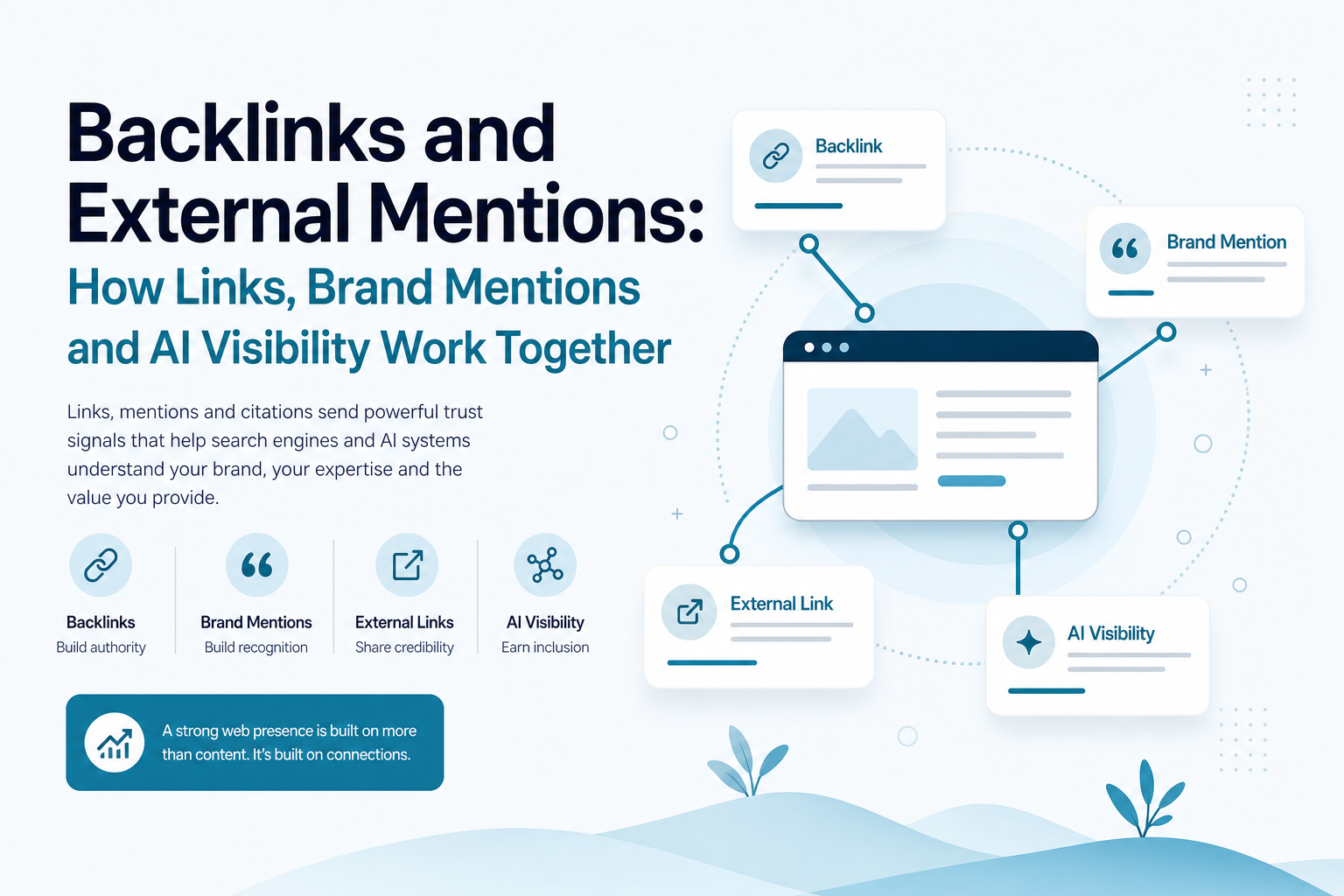
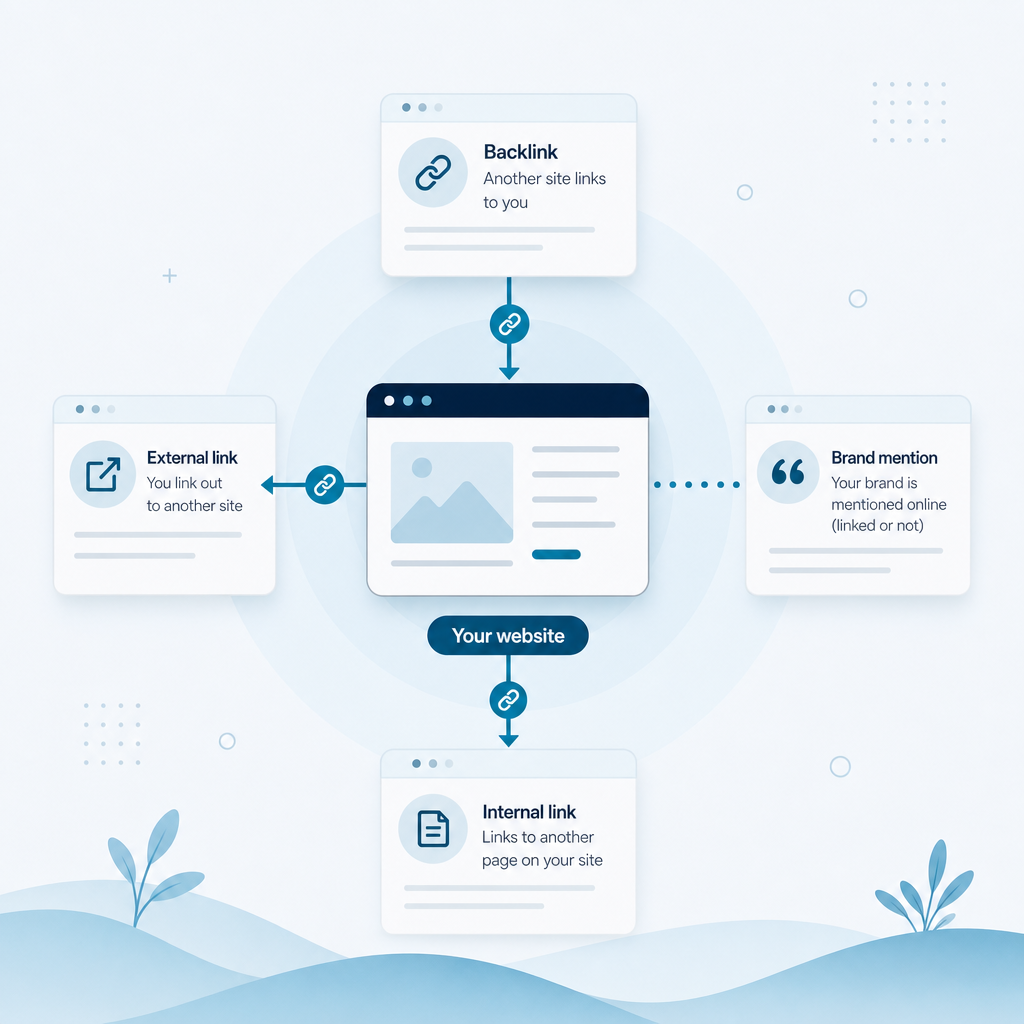
How to Set Up and Optimise Your Google Business Profile (Step-by-Step) — How-To Guide

If you run a local business, your Google Business Profile can be one of the most visible parts of your online presence. Many people will see your profile before they visit your website, call your office, or walk into your premises. For service-based businesses in the UK, and especially in busy markets such as London, that first impression can shape whether someone contacts you or moves on to a competitor.

This guide explains how to set up and optimise your Google Business Profile step by step, with a focus on what actually helps small businesses appear more clearly in Google Search and Google Maps. It is written for owners and managers who want practical advice rather than vague marketing claims. Whether you are a plumber in Croydon, a dentist in Camden, a salon in Clapham, or a consultant serving clients across Greater London, the same principles apply.

You do not need a large team or a huge budget to improve your profile. What you do need is accurate information, regular upkeep, and a clear understanding of how Google uses profile data to match businesses with local searches. Once the basics are in place, small improvements in the right areas can make it much easier for nearby customers to find you and trust you.

How to setup google my business profile

What a Google Business Profile Is and Why It Matters

A Google Business Profile is your business listing on Google Search and Google Maps. It usually shows your business name, address or service area, phone number, opening hours, reviews, photos, services, and other details that help people decide whether to contact you. For many local searches, this listing appears before organic website results, which means it often gets attention earlier in the customer journey.

That matters because many people searching for local services are not browsing for long. They want a quick answer to a practical need. Someone searching for “emergency electrician London”, “accountant near me”, or “physio in Islington” is often ready to compare a shortlist straight away. If your profile looks incomplete, outdated, or untrustworthy, they may never reach your website.

A strong profile also supports local SEO. Google uses business information, review signals, relevance, proximity, and overall prominence to decide which businesses to show. While no one can pay to rank a Business Profile higher organically, businesses with complete and accurate information tend to perform better because Google can understand them more clearly.

Another point people miss is that your Google Business Profile is not only about rankings. It also affects conversion. Even if you already appear in search, a better profile can increase calls, clicks for directions, bookings, and enquiries. In practical terms, it helps turn visibility into leads.

How Google Decides Which Local Businesses to Show

Before getting into setup, it helps to understand what influences local ranking. Google has stated that local results are mainly based on relevance, distance, and prominence. These factors work together, so a business does not win purely by being closest or by having the most reviews. Google is trying to show the result that best matches the search.

Relevance is about how well your profile matches what someone is looking for. This is shaped by your categories, service details, description, and profile completeness. Distance is about how close your business is to the searcher or the area named in the search. Prominence is about how established and trusted your business appears, often influenced by reviews, citations, links, brand visibility, and general online presence.

For London businesses, this can be more competitive than in smaller towns because there are often many similar providers within a short distance. A roofer in Barnet might be competing with dozens of nearby businesses, while a specialist clinic in Central London may be competing across borough lines. That is why profile accuracy and ongoing activity matter so much.

It is also useful to clear up one common misunderstanding. There is no shortcut where you can request a better local ranking from Google. Your best option is to improve the signals you control: your business data, categories, reviews, photos, service information, website connection, and consistency across the web.

Step 1: Create or Claim Your Google Business Profile

The first job is to check whether your business already has a listing. In many cases, Google creates listings automatically from public information or user suggestions, so you may already exist on Maps even if you never set it up yourself. Search for your business name on Google and Google Maps. If a profile appears, look for the option to claim or manage it.

If there is no listing, you can create one through Google Business Profile. You will need a Google account connected to your business. It is best to use a business-owned account rather than a personal account belonging to a staff member, because access problems often happen later when team members leave.

When claiming or adding the profile, use your real-world business name only. Do not add extra keywords such as “Best Plumber London” or “Cheap Accountant Croydon” unless that is genuinely your legal trading name. Keyword stuffing in the business title can lead to problems and can make your listing look untrustworthy.

If you run a service-area business and do not serve customers at your registered office, set the profile up correctly as a service-area business rather than displaying an address that customers cannot visit. This is common for trades, mobile beauty services, home cleaning businesses, and repair companies operating across London boroughs.

Step 2: Verify Your Business

Verification tells Google that you are authorised to manage the profile. Without verification, your ability to control the listing is limited. Verification methods vary by business, but may include video verification, phone, email, or post. Google changes these methods over time, so the exact option you receive will depend on your business type and profile history.

This step can feel administrative, but it matters because verified businesses are more likely to be trusted within Google’s systems. It also gives you control over edits, reviews, photos, hours, and performance insights. If you skip verification or delay it, you may end up with an incomplete profile that sits there without delivering much value.

For smaller UK businesses, video verification has become more common. That may involve showing your premises, tools, branding, or access to the location. If you operate from a real office in London, keep your signage, work area, and business documents organised before starting. If you are a service-area business, be prepared to show branded equipment, work vehicles, or proof of business activity.

If verification becomes difficult, do not create duplicate listings as a workaround. Duplicate profiles can damage trust and create confusion. It is better to resolve the verification issue properly than to create a second version of the business.

Step 3: Add Complete and Accurate Business Information

Once the profile is claimed and verified, fill in every core field you can. A complete profile helps Google understand what you do and helps customers feel more confident contacting you. Incomplete listings often underperform because both Google and users are left guessing.

Start with the basics: business name, address if customers visit you, service area if you travel to customers, local phone number, website URL, and opening hours. Keep these details aligned with your website and other directories. If your name, address, or phone number appears differently across platforms, local trust signals become weaker.

Use a local phone number where possible rather than a generic national call centre line. For many service businesses, a local number can support trust, especially when customers are comparing nearby options. A customer in North London may feel more comfortable calling a local provider than a business that looks distant or unclear.

You should also add relevant attributes if available. These vary by business category and may include accessibility details, appointment options, parking, Wi-Fi, online estimates, women-led, or other practical information. These details can improve the quality of the profile and help customers decide faster.

Business Information Checklist

  • Official business name
  • Correct address or service area
  • Local phone number
  • Website link
  • Opening hours and special hours
  • Primary and secondary categories
  • Services or products
  • Attributes such as accessibility or payment options
  • Business description
  • Photos and videos

Step 4: Choose the Right Primary and Secondary Categories

Categories are one of the strongest local relevance signals in your profile. Your primary category tells Google what your business mainly is, while secondary categories expand the range of related searches where you may appear. This step deserves more thought than many businesses give it.

Your primary category should reflect your main service as accurately as possible. If you are a family solicitor in London, “Law firm” may be too broad if “Family law attorney” or a more suitable UK equivalent is available. If you run a hair extension business, a specific category may serve you better than a broad “Hair salon” category in a crowded area.

Secondary categories should support your actual services, not every possible phrase you would like to rank for. Too many weak or irrelevant categories can make the profile less clear. A clinic that offers physiotherapy, sports massage, and rehabilitation can reflect those related services through secondary categories, but it should still keep the profile focused.

One practical method is to review the profiles of high-performing competitors in your area. Search your target services in Google Maps and note the categories used by businesses that appear often. Do not copy blindly, but use it as research to check whether your current category choices are too broad or poorly matched.

Step 5: Write a Clear Business Description

Your business description helps explain who you are, what you do, and where you work. It should support both clarity and trust, but it should not read like an advert stuffed with sales language. A good description gives potential customers a quick sense of fit.

Keep the wording simple. Mention your main services, your location or service area, and what type of customers you help. If you have a genuine point of difference, such as weekend appointments, same-day service, or specialist experience in listed buildings across London, include it naturally.

Avoid overloading the description with repeated keywords. Writing “best plumber London emergency plumber London local plumber London” does not help. Instead, use plain language such as “We provide emergency plumbing, leak repairs, boiler fault finding, and general plumbing services across South London.”

It is also wise to avoid putting offers, links, or exaggerated claims in the description. Focus on accuracy. Google values business information that helps people understand the service clearly.

Step 6: Add Services and Products Properly

Many businesses stop after filling in the contact details, but the services section can add real value. It helps customers understand what you offer at a glance and gives Google stronger relevance signals for matching your profile with search queries. This is especially helpful for service businesses with a broad but connected range of work.

Break services into meaningful entries rather than lumping everything into one vague line. A dental clinic might list emergency dental appointments, hygiene appointments, teeth whitening, Invisalign consultations, and routine check-ups. A trades business might list boiler repairs, annual boiler servicing, central heating power flushing, and landlord gas safety checks.

If you sell products from a physical location, use the products feature where relevant. This is more common for retail, but can also help some hybrid businesses. For service businesses, the service section is usually more valuable than products. Add short, honest descriptions and pricing where fixed pricing makes sense.

For London and wider UK markets, this can also help with customer expectations. Many people want to know whether you offer the specific job they need before making a call. A clear service list saves time for both sides.

Problem vs Profile Improvement

Common Problem What to Improve in the Profile
Customers are unsure what you actually do Add detailed services with short descriptions and relevant categories
People call outside opening times Update regular hours and special holiday hours
You get views but not many enquiries Add better photos, stronger reviews, and clearer service information
You appear for the wrong searches Refine primary and secondary categories
Customers ask the same basic questions repeatedly Use Q&A, posts, and service descriptions to answer them upfront
Your London competitors outrank you locally Improve completeness, review activity, profile freshness, and website relevance

Step 7: Upload High-Quality Photos and Videos

Photos are one of the most underused parts of Google Business Profile optimisation. Good images can increase trust quickly because they show that your business is real, active, and presentable. They also help customers picture what to expect before making contact.

Use real photos of your premises, staff, vehicles, work, and finished results. If you are a salon, show the interior, front entrance, treatment areas, and examples of your work. If you are a builder or decorator, add before-and-after shots, completed projects, and team photos on site. If you are a consultant or agency with an office in London, use clean, authentic workspace imagery rather than generic stock images.

Try to include a strong logo, cover image, exterior photo, interior photo if relevant, and regular updates over time. If your business changes seasonally, or if you complete visible project work, add fresh images monthly where possible. This sends activity signals and gives returning searchers confidence that the business is current.

Short videos can also help, particularly for premises, demonstrations, or giving a quick view of how the service works. They do not need to be heavily produced. Clear and genuine is better than polished but artificial.

Step 8: Set Accurate Opening Hours and Special Hours

Opening hours affect both visibility and customer satisfaction. If your hours are wrong, people may turn up when you are closed or assume you are unavailable when you are actually open. That leads to frustration, missed revenue, and negative reviews that could have been avoided.

Add your standard hours carefully and update them whenever your schedule changes. This includes lunch closures, late openings, and weekend variations. If you are appointment-only, reflect that as clearly as the platform allows and make your contact route obvious.

Special hours are just as important. Bank holidays in the UK, Christmas trading, summer hours, and short-notice closures should all be updated. In London, many businesses see changed schedules around public holidays, transport disruptions, or local events, so these updates are not a minor detail.

If you are a service-area business and still working even when the office is closed, avoid marking the whole business as temporarily closed unless that is truly the case. That can remove your visibility when customers are still able to book or request a visit.

Step 9: Get More Reviews and Respond to Them Properly

Reviews are one of the biggest trust signals on a Google Business Profile. They can influence both local visibility and whether a customer feels comfortable contacting you. In practical terms, a profile with a healthy number of recent, genuine reviews usually performs better than a profile with very few or very old reviews.

The best approach is to ask consistently rather than in bursts. After a successful job, appointment, or completed service, send a simple request by email or text. Make it easy. Many happy customers will leave a review if the process takes less than a minute and the request feels natural.

Respond to every review you reasonably can, including negative ones. Thank people for positive feedback and reply calmly to criticism. A thoughtful response can reduce the damage of a poor review and show future customers that you take service seriously. It also keeps the profile active.

One thing to avoid is pushing for only five-star reviews or offering incentives that break Google’s rules. Ask for honest feedback. Also, do not panic over the occasional negative review. A profile with only perfect reviews can sometimes look less believable than one with a realistic mix and professional responses.

Good Review Request Habits

  • Ask soon after the service is completed
  • Send a direct review link
  • Use a short, polite message
  • Ask every suitable customer, not only a few favourites
  • Reply to new reviews regularly
  • Report fake or spam reviews where appropriate

Step 10: Use Google Posts to Keep the Profile Active

Google Posts let you publish updates directly on your profile. These can include offers, business updates, event notices, service highlights, and useful announcements. While posts alone will not transform rankings, they help keep the profile active and can increase engagement from people already viewing your listing.

For small businesses, this is a useful way to show signs of life without writing a full blog article every week. A local clinic might post about evening appointments, a decorator might highlight recent project availability, and a law firm might post a simple update about a new office opening in London.

The most useful posts are specific and current. Generic marketing statements tend to be ignored. Focus on practical customer information, seasonal relevance, and short updates that support trust. Good images help here as well.

If you are pressed for time, one post a week or a few posts per month is enough to keep the profile from looking neglected. Consistency matters more than volume.

Step 11: Use Questions and Answers to Reduce Friction

The Q&A feature is often overlooked, yet it can be helpful for answering practical questions before a customer makes contact. People may ask about parking, emergency availability, wheelchair access, same-day appointments, service areas, accepted payment methods, or whether children are allowed in the waiting area.

You should monitor this section because members of the public can submit answers, and those answers are not always accurate. If you see new questions, respond promptly with a clear and polite reply. This protects the quality of the information potential customers see.

It can also help to add common questions yourself where appropriate, then answer them from the business account. This is particularly useful for service businesses that keep getting the same calls. If you serve most of Greater London but not all boroughs, for example, that can be clarified upfront.

Think of Q&A as a way to reduce hesitation. The easier it is for people to understand how your business works, the more likely they are to contact you.

Step 12: Connect the Profile to the Right Website Page

Your website link on the profile should not always point to the homepage by default. In some cases, a relevant service page or location page is a better fit. The aim is to send visitors to the page that best matches what they are looking for.

If you have one physical location, a strong contact or location page may work well. If you serve multiple areas, a city or borough-specific landing page can help, provided it is genuinely useful and not just a thin page made for search engines. A London accountant may link to a London office page, while a locksmith might link to an emergency callout service page.

This matters because Google uses your website as a supporting relevance signal. If the linked page matches the profile and the search intent well, that can strengthen the overall local search picture. It also improves conversion because the customer lands on a page that answers the same need that triggered the search.

Make sure the page is mobile-friendly, fast, and clearly connected to the business details shown in the profile. A poor landing page can waste good profile traffic.

Step 13: Keep Your Business Information Consistent Across the Web

Google does not look at your profile in isolation. It also sees mentions of your business across directories, map platforms, review sites, and local listings. These are often referred to as citations. When your business name, address, and phone number match consistently, it helps validate that your business is genuine and stable.

Inconsistent listings can weaken trust. A business that appears with two different phone numbers, several address variations, or mismatched opening hours can look less reliable to both Google and customers. This is common when businesses move premises or rebrand without cleaning up old listings.

For UK businesses, you may want to review common listing sites, industry directories, local chambers, and map services. If you operate in London, local borough directories or trade association listings may also be relevant depending on your sector.

This is not the most exciting part of local SEO, but it often makes a difference over time. It is especially useful if your rankings fluctuate or if your profile feels weaker than competitors despite having similar reviews and content.

Step 14: Monitor Performance and Make Adjustments

Google Business Profile provides performance insights that show how people find and interact with your listing. You can see data related to calls, direction requests, website clicks, bookings, and search visibility. This gives you a practical way to understand whether your profile improvements are helping.

Do not expect every change to produce a dramatic jump overnight. Local visibility often improves gradually, especially in competitive places like London. What you are looking for is a pattern over time. Are more people finding you through discovery searches? Are direction requests increasing? Are calls rising after new photos and reviews are added?

You can use this information to guide future updates. If service pages are getting strong click-through rates, add more detail in related service sections. If review growth seems to increase calls, make your review request process more consistent. If certain categories do not seem to fit, test a refined primary category over a reasonable period.

Profile management works best as a monthly habit rather than a one-off setup. Small improvements, repeated over time, tend to outperform rushed bursts of activity followed by neglect.

Common Mistakes Businesses Make with Google Business Profiles

Many businesses do the initial setup and then wonder why the profile never delivers much. Often, the problem is not one big mistake but several small ones that reduce trust and clarity. Knowing what to avoid can save you time and help protect rankings.

One common issue is incomplete information. Another is using the wrong category because it sounds broader or more popular. Businesses also leave old opening hours in place, ignore reviews, fail to add fresh photos, or link to weak website pages. Some create duplicate listings without realising the confusion this causes.

There are also myths that distract people from the basics. For example, obsessing over tiny tricks while ignoring reviews, service detail, and consistency usually leads nowhere. Local SEO generally rewards good maintenance more than gimmicks.

If you want a practical benchmark, compare your profile with the top three local competitors you see in Maps. Are they more complete, more active, and better reviewed? If so, that is usually where the gap is.

Common Mistakes to Avoid

  • Using a fake or keyword-stuffed business name
  • Picking broad or irrelevant categories
  • Leaving hours outdated
  • Ignoring reviews or replying badly
  • Using poor-quality or no photos
  • Creating duplicate profiles
  • Showing an address customers cannot visit when you are really a service-area business
  • Linking to an unrelated or outdated website page
  • Failing to update services and profile content over time

What Different Types of Businesses Should Focus On

Not every business uses Google Business Profile in exactly the same way. A retail shop, a restaurant, a clinic, and a mobile trades business all have different customer behaviours and different profile opportunities. The setup basics stay the same, but the emphasis changes depending on the business model.

A local shop or restaurant should focus heavily on opening hours, photos, reviews, product or menu visibility, and location convenience. A service-area business such as a plumber, pest control company, or cleaning service should focus on service categories, clear service areas, review quality, and fast response signals. Professional services such as solicitors, accountants, and consultants often benefit from a polished description, strong trust signals, and clear service explanations because the buying decision usually involves more caution.

Multi-location businesses need to treat each profile separately while keeping brand information consistent. Each location should have its own accurate hours, reviews, photos, categories, and corresponding location page on the website. A chain with offices in London, Watford, and Reading should not point every profile to the same generic homepage if stronger location pages exist.

The key is to think about what your customers need to know before they contact you. Then build the profile around answering that need clearly.

Read our guide on SEO for Small Business Owners: A Practical Guide to Getting Found Online

When It Makes Sense to Get Professional Help

Some businesses can manage their Google Business Profile in-house quite comfortably. If you have one location, a straightforward service offering, and someone on the team who can spend time on updates, reviews, and local SEO basics, that may be enough. Many small businesses do perfectly well with a simple monthly routine.

Professional help becomes more useful when the profile is tied to a wider local SEO problem. For example, if you are in a highly competitive London sector, if rankings have dropped after a move or rebrand, if there are duplicate listings, or if you run multiple locations, it may be worth bringing in support. The same applies if you get traffic but poor conversion and cannot tell whether the issue is the profile, the website, the categories, or the wider local search setup.

You may also want help if you are trying to connect profile work with broader SEO, paid search, or lead tracking. A profile can generate calls and bookings, but without proper process and reporting it is hard to know what is driving growth.
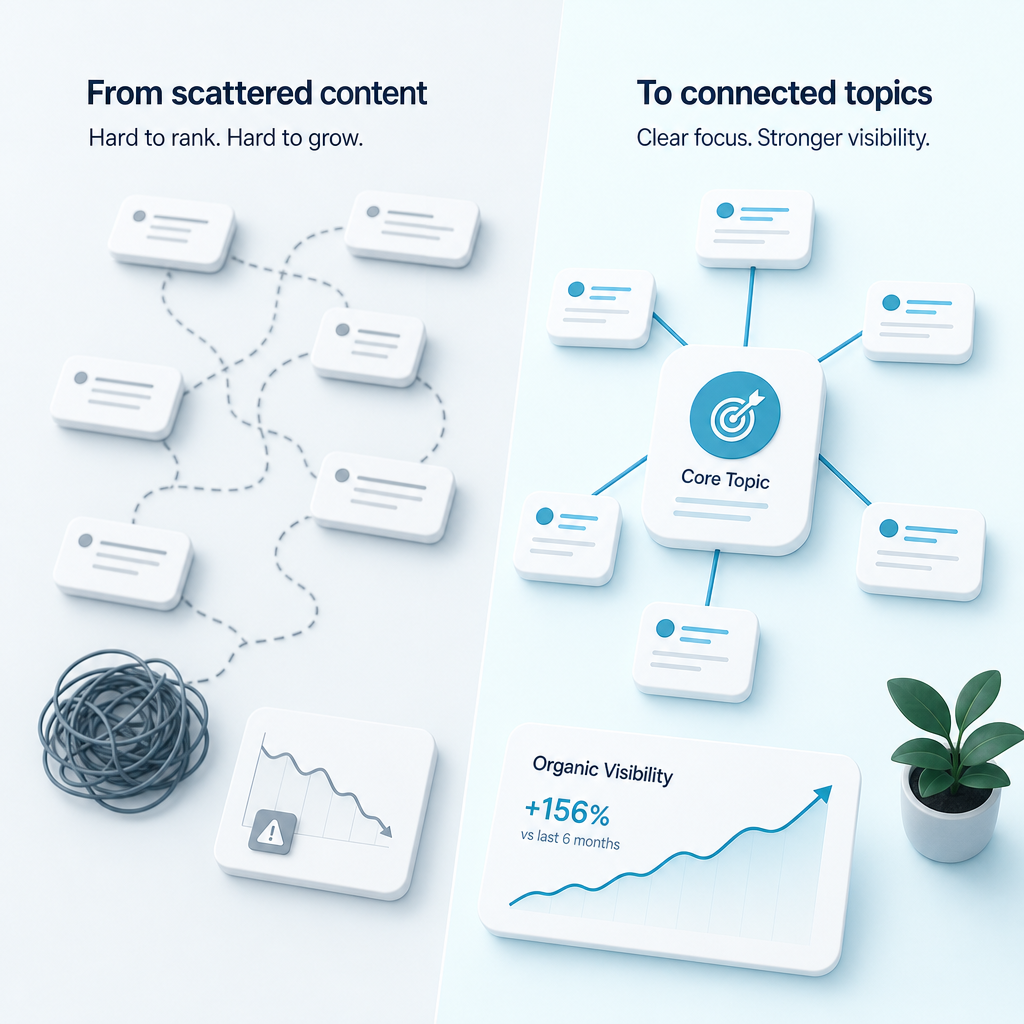
If you do use a provider, look for one that explains what they are changing and why. Good profile management is based on clear information, consistency, and regular updates, not secret tricks.

Frequently Asked Questions

Many business owners have the same early-stage questions when they start looking into Google Business Profile setup and optimisation. The answers below cover the issues that usually come up before someone decides whether to handle it alone or get outside support.

If you are still at the research stage, these should help you understand what matters, what does not, and what to expect from the process. They are especially relevant for small UK businesses trying to improve local visibility without wasting time on the wrong tasks.

As with most local SEO work, clarity and consistency usually matter more than speed. It is better to build the profile properly and keep it maintained than to rush the setup and leave weak information in place for months.

Is Google Business Profile free to use?

Yes, creating and managing a Google Business Profile is free. You do not need to pay Google to set up your listing on Search or Maps. Some businesses choose to pay a marketing provider to manage or improve the profile, but the platform itself is free.

How long does it take to set up and optimise a Google Business Profile?

The basic setup can often be done in one sitting, but verification may take longer depending on the method Google offers. Proper optimisation is ongoing. Most businesses can complete the main setup in a few hours, then improve reviews, photos, posts, and service details over time.

What is the most important ranking factor for local results?

There is no single factor on its own. Google says local results are mainly based on relevance, distance, and prominence. In practice, strong categories, accurate information, good reviews, a complete profile, and consistent business details across the web all help support better visibility.

Can I use a Google Business Profile if I work from home?

Yes, if you run a legitimate business and meet Google’s guidelines. If customers do not visit your home address, you should usually set the profile up as a service-area business and hide the address. This is common for tradespeople, mobile services, and home-based consultants.

How often should I update my profile?

You should review your profile at least monthly. Update hours whenever they change, add new photos regularly, reply to reviews promptly, and use posts when you have useful updates. A profile that stays active usually performs better than one that is left untouched.

Do I need a website if I already have a Google Business Profile?

A profile can still help without a website, but having a good website usually improves trust, conversion, and local relevance. For many service businesses, the best results come from using the profile and website together, with each supporting the other.

Final Thoughts on Building a Stronger Local Presence

If you have been wondering how to set up and optimise your Google Business Profile step by step, the main takeaway is that the process is less about tricks and more about giving Google and your customers clear, reliable information. The strongest profiles are usually the ones that are complete, accurate, active, and aligned with how people actually search.

For UK businesses and especially those operating in London, local search is competitive enough that profile quality can affect both visibility and trust. A neglected profile can make even a good business look unconvincing. A well-managed one can help you appear for the right searches and convert more of the people who find you.

Start with the setup basics, then build from there. Verify the profile, choose the right categories, add real services and photos, keep hours updated, ask for reviews, respond to feedback, and review performance each month. These steady improvements are what usually move the needle.
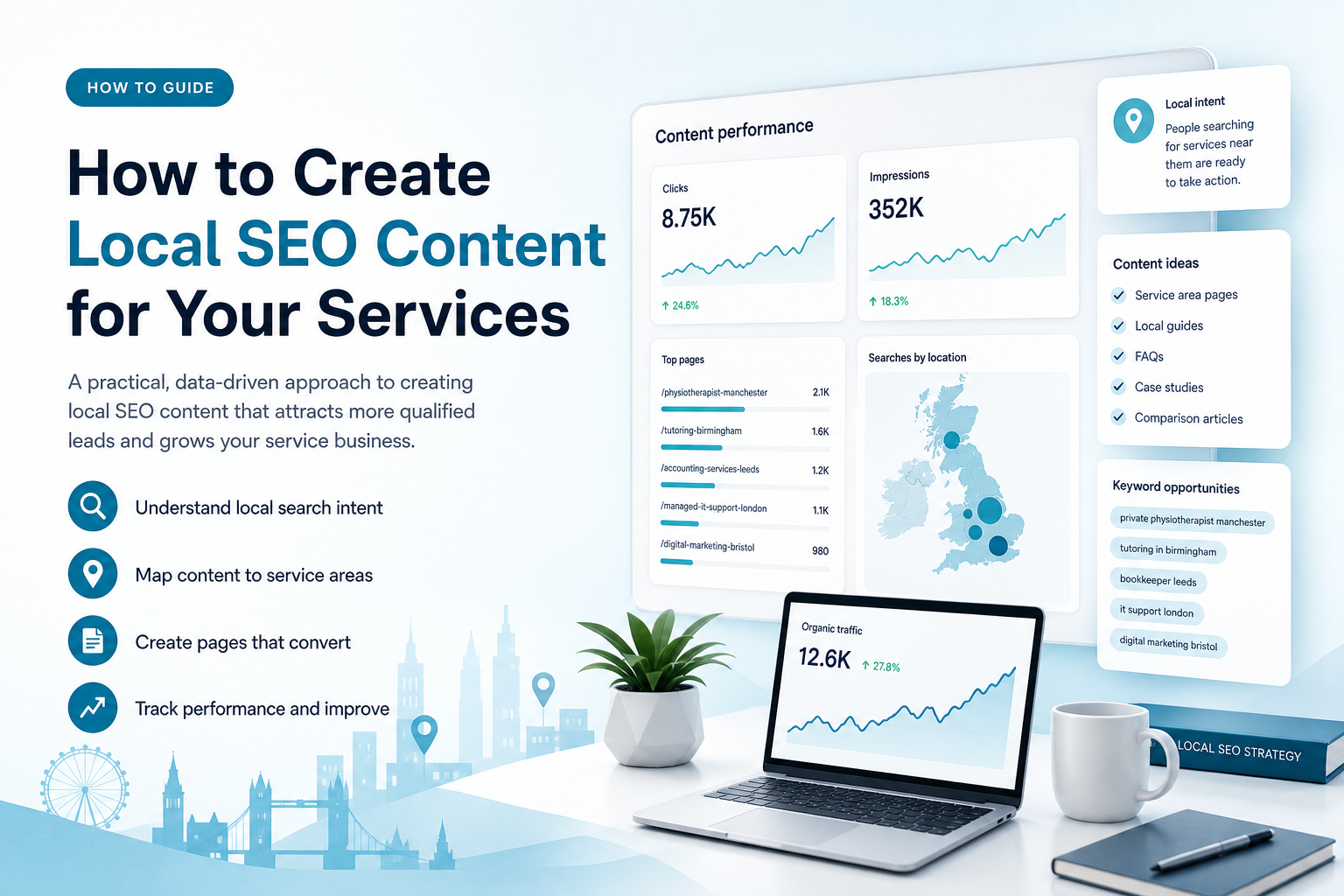
If your business depends on local enquiries, your Google Business Profile is not just a listing to tick off. It is one of the most useful assets you can improve.

Free for 14 Days

Start Your 14-Day Free Trial

Discover ranking opportunities, uncover keyword gaps and build content strategies designed to help your business get found in modern search.

✓ No credit card required
✓ 14 days free access
✓ AI-powered keyword research
✓ Content opportunities in minutes


Start Your Free Trial →

SEO for Small Business Owners: A Practical Guide to Getting Found Online

SEO for Small Business Owners: A Practical Guide to Getting Found Online

For many small businesses, the hardest part of marketing is not delivering the service well. It is getting found by the right people at the right time. A plumbing company in South London, a family-run dental practice in Croydon, a bookkeeping firm in Manchester, or a local dog groomer in Leeds may all offer excellent service, yet still struggle to appear when potential customers search online. That is where seo for small business owners becomes useful.
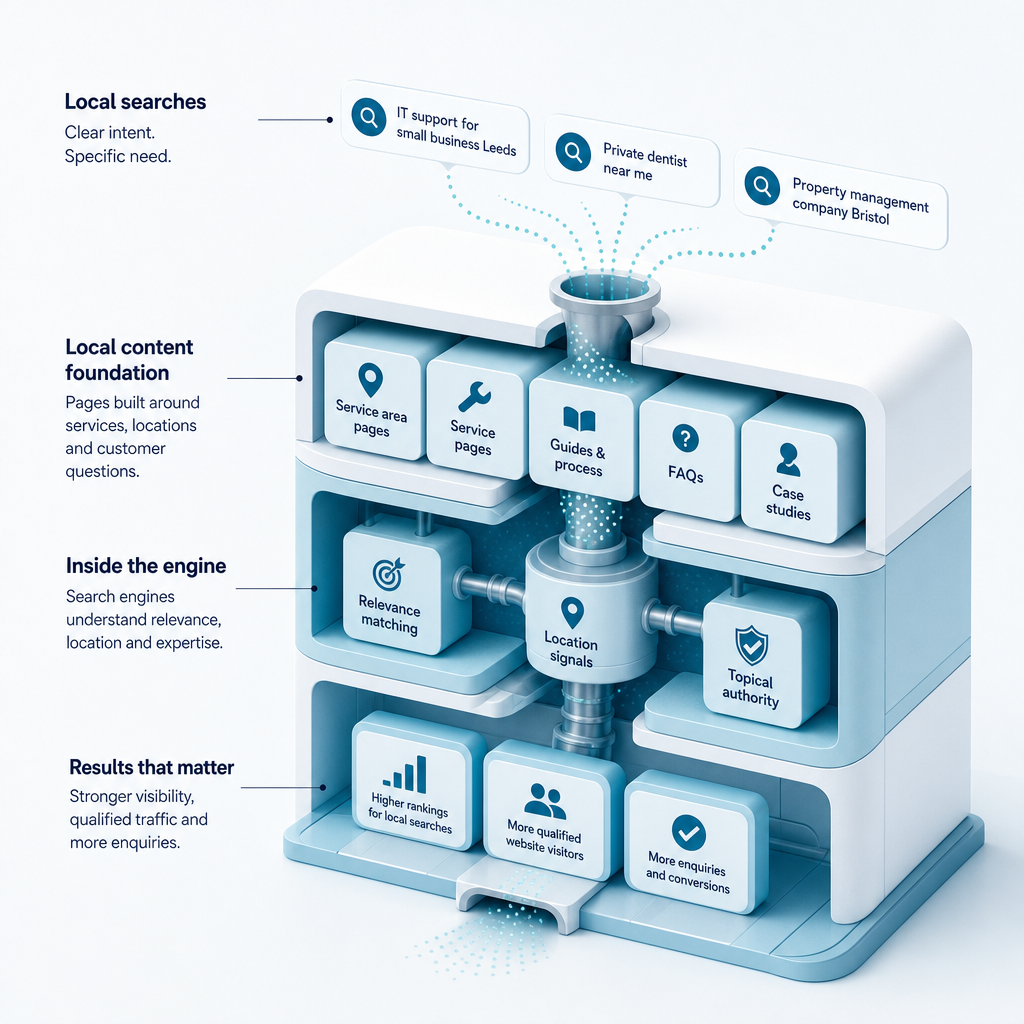
SEO, or search engine optimisation, is the work of improving your website and wider online presence so search engines are more likely to show your business for relevant searches. Unlike paid ads, SEO focuses on organic visibility. That means showing up because your content, website, business profile, and reputation appear relevant and helpful, rather than because you paid for a click.

For small service-based businesses in the UK, SEO can be one of the most practical long-term marketing channels available. It can help you show up in Google Search, Google Maps, AI-generated search summaries, and local results when people are asking early-stage questions such as how much a service costs, whether they need it, what affects the price, or which option suits their situation. If you are a business owner trying to make sense of where to start, this guide explains the essentials in plain English.

SEO for small businesses

What SEO Means for Small Business Owners

SEO is often described as a way to rank higher on Google, but that only tells part of the story. In practice, seo for small business owners means making it easier for customers to discover your business when they search for problems you solve, services you offer, and questions related to buying. This includes your website pages, blog articles, service descriptions, local listings, reviews, images, and even brand mentions across the web.

For a small team, SEO should not be treated as a technical hobby or a trick to game search engines. It is a method for matching your online presence to what real customers are already searching for. A person in London might search for “emergency electrician near me,” while another might search “why does my fuse board keep tripping” or “how much does rewiring cost in London.” All three searches signal possible demand, but each reflects a different stage of buying intent.

This is why good SEO is not only about broad keywords. It is about understanding customer language, local demand, service areas, and the practical questions people ask before they are ready to contact a provider. When your website answers those questions clearly, your business becomes easier to trust and easier to find.

Why SEO Matters for Small Service Businesses in the UK

Small business owners often compare SEO with paid search, social media, referrals, or directory listings. Each channel has value, but SEO stands out because it can keep producing leads after the initial work has been done. Paid advertising can create traffic quickly, but the moment you stop funding campaigns, that visibility drops. SEO usually takes longer to build, but it can keep working over time.

This matters even more for smaller firms with tight budgets. Many independent businesses in the UK do not have the resources to outspend national competitors in Google Ads. A local cleaning company in North London may not win by bidding on the broadest terms every day. It can, however, create useful pages and articles around specific local needs, such as end of tenancy cleaning in Camden, office cleaning for small businesses in Islington, or what affects the cost of deep cleaning in London flats.

SEO also supports trust. Users often see strong organic rankings and well-maintained local profiles as signs that a business is established and credible. That does not mean every top-ranking site is the best provider, but consistent visibility usually helps your brand feel familiar before someone even gets in touch.

How Search Engines Decide What to Show

Search engines use automated systems to find, index, and rank pages across the web. They scan websites, look at page structure, review content, assess links, and measure signals related to usability, speed, and relevance. The goal is to serve results that best answer the user’s query.

For seo for small business owners, this means your pages need to make sense both to real people and to search engines. A service page should explain what you do, who it is for, where you work, and what someone can expect. A blog article should answer a specific question properly, not just mention a keyword repeatedly. Your contact details should be easy to find. Your site should work well on mobile. Your local profile should match the information on your website.

Google and Bing also look beyond the page itself. Reviews, links from other reputable websites, accurate directory listings, brand mentions, and local relevance can all play a part. In many cases, search engines are trying to work out not just whether your page exists, but whether your business appears dependable, useful, and relevant to the searcher’s location and intent.

What Small Business SEO Usually Includes

SEO is made up of several connected areas. You do not need to master all of them at once, but it helps to know what they are. Many small businesses improve their results by handling the basics well before getting distracted by advanced tactics. If your site is slow, your service pages are thin, and your Google Business Profile is incomplete, those basics will often matter more than chasing obscure technical tweaks.

The main parts of seo for small business owners usually include on-page SEO, technical SEO, content creation, local SEO, internal linking, and link earning from other trusted websites. These areas work together. Strong content without a usable site can underperform. A fast site with weak content can also struggle. A local business with a great website but no reviews may miss out on map visibility.

  • Keyword research: finding the words and questions your customers actually use
  • On-page SEO: improving titles, headings, meta descriptions, URLs, and page copy
  • Technical SEO: helping search engines crawl your site and improving speed, mobile use, and security
  • Local SEO: strengthening your visibility in map results and location-based searches
  • Content marketing: publishing useful pages and articles that answer customer questions
  • Internal linking: connecting related pages so users and search engines can move through your site easily
  • Authority signals: building reviews, mentions, and backlinks from credible sources

Keyword Research: Starting with Customer Language

Keyword research is often the first step because it helps you understand what people are searching for and how they describe their needs. This is especially helpful for service businesses because business owners often use industry language while customers use plain, everyday language. A roofing contractor might talk about pitched roof membrane systems, while the customer searches “roof leak repair after heavy rain.”

The best keyword targets are not always the biggest ones. Broad terms may have high search volume, but they can also be vague, highly competitive, or poor at showing buying intent. Smaller firms often do better by targeting more specific phrases, including local and long-tail searches. A solicitor in London may have a better chance of winning traffic for “how much does probate cost in London” than simply trying to rank for “solicitor.”

Good keyword research also helps shape your website structure. It can show you which services need their own pages, which questions deserve blog posts, and how people compare options before hiring. If customers regularly search for pricing, timelines, risks, alternatives, or whether a service is necessary, those topics should appear on your site.

Writing Content That Helps Before It Sells

For top-of-funnel traffic, content matters because many users are not ready to contact a business straight away. They are researching a problem, checking whether they need help, comparing providers, or trying to understand cost. If your site only says “contact us today” without answering basic questions, you may miss those early-stage visits.

Helpful content builds visibility and confidence. A physiotherapy clinic could publish articles on whether back pain needs treatment, how many sessions people usually need, and what happens at a first appointment. A pest control company could explain common signs of a rat problem in London terraces and what affects treatment pricing. A cleaning company could compare one-off deep cleans with regular domestic cleaning.

This kind of content supports SEO because it gives search engines more context about your expertise and service areas. It also supports enquiries because people often return to the businesses that taught them something useful. The content should be written for humans first. Clear answers, simple formatting, and realistic examples usually outperform pages stuffed with awkward keywords.

On-Page SEO: The Basics That Still Matter

On-page SEO refers to the elements on your website pages that help users and search engines understand the topic. This includes the page title, headings, URL, meta description, image alt text, and the visible body content. For small businesses, these basics are often missed or duplicated across pages, which makes it harder for search engines to work out what each page is about.

A good service page should have one clear focus. If you offer boiler servicing and boiler repair, those may need separate pages if customers search for them differently. Your page title should describe the service naturally. Your main heading should match the topic. The body copy should explain the service, common use cases, service areas, what affects cost, and how to get help.

Meta descriptions do not directly push rankings upward, but they can improve click-through rates by making your result more appealing in search. Internal links also matter. If you publish a blog post about common causes of blocked drains, link it to your drain unblocking service page. That helps users move forward and helps search engines understand page relationships.

Technical SEO Without the Jargon

Technical SEO can sound intimidating, but the basics are straightforward. Your website should load quickly, work properly on phones, use secure HTTPS, avoid broken links, and make it easy for search engines to crawl your pages. If the site is hard to use or pages fail to load, rankings and conversions can both suffer.

This is especially relevant for local service businesses because many searches happen on mobile devices. Someone with a burst pipe in London is unlikely to tolerate a slow, confusing site. If your contact details are buried, your buttons do not work on mobile, or your map and service area are unclear, users may leave before making an enquiry.

Regular technical checks can reveal problems such as missing page titles, duplicate content, redirect issues, orphan pages, or slow image-heavy layouts. Tools like Google Search Console and PageSpeed Insights can help highlight issues. You do not need a huge website to benefit from technical SEO. In fact, smaller sites often see noticeable gains when the main issues are fixed.

Local SEO for Small Business Owners

Local SEO is one of the most useful parts of seo for small business owners when the business serves a defined area. This includes trades, clinics, salons, accountants, solicitors, removals firms, and many other services that depend on local demand. Local SEO helps your business appear in map listings, “near me” searches, and location-based results such as “electrician in Wimbledon” or “family dentist in East London.”

Your Google Business Profile is central to this. A complete and accurate profile gives search engines clear information about your business name, address, phone number, opening hours, categories, photos, and services. It also gives customers confidence. Reviews matter here too. Businesses with strong review profiles often stand out in local packs, especially where several providers appear similar at first glance.

Consistency matters across the web. Your name, address, and phone number should match on your website, Google Business Profile, and local directories. If you serve multiple locations, you may benefit from dedicated location pages, but they should be useful and unique, not thin copies of one another with town names swapped out.

Local SEO Examples in a London Context

A London-based business often faces heavier competition than a smaller town business, so relevance becomes even more important. A generic page about “plumbing services” may struggle in Greater London. A more focused page such as “emergency plumber in Clapham” or “boiler repair for flats in North London” can be more useful if that reflects genuine demand and actual service coverage.

Customers in London also search with transport, borough, and neighbourhood language. Some will search by borough, some by district, and some by “near me.” If you work across several parts of the city, your content and business profile should reflect that clearly. Service area clarity can help both rankings and enquiry quality.

EEAT and Why Trust Signals Matter

Search engines want to rank content that appears reliable. This idea is often discussed through the term EEAT: experience, expertise, authoritativeness, and trustworthiness. While many small business owners never use that phrase, they already understand the principle. People want to hire providers who look experienced, informed, and genuine.

For a service business, trust signals can appear in many forms. These include well-written service pages, staff bios, years in business, qualifications, trade memberships, case studies, customer reviews, and clear contact information. If your business works in a sensitive area such as financial advice, legal services, or healthcare, trust signals become even more valuable.

Freshness can help too. A website that has not been updated in years may feel abandoned. That does not mean you need to post constantly, but your site should show signs of care. Updated service pages, current photos, recent reviews, and accurate opening times all support trust.

SEO vs Paid Search: Which Is Better?

Many small business owners ask whether they should invest in SEO or PPC. The honest answer is that it depends on timing, budget, and competition. Paid search can drive visibility quickly, which is useful if you need enquiries now or want to test demand for certain services. SEO tends to take longer, but it can create more durable visibility.

Think of paid search like renting attention and SEO like building an asset. If you stop paying for ads, your traffic from that source often stops. If you stop publishing content for a while, your organic visibility does not vanish overnight. That is why many businesses use a mix. PPC can help during the early months while SEO groundwork is being built.

For smaller firms with limited budgets, SEO often becomes attractive because it can keep producing value without a permanent ad cost attached to every click. Still, competitive industries in major cities such as London may need a blended approach, especially if you need leads quickly while organic work gains traction.

How Much Does SEO Cost for a Small Business?

SEO costs vary widely because the work involved depends on your site, competition, location, and goals. A small local business with a simple website and one core service will usually need a different level of support from a multi-location firm with dozens of pages. Cost can also depend on whether you handle some work in-house or use a specialist.

Some businesses start by improving their existing site, setting up tracking, fixing local listings, and rewriting key service pages. Others need a full strategy, technical clean-up, ongoing content, and link outreach. There is no single price that fits every business. In the UK, monthly SEO support for a small service business can range from modest freelancer rates to agency retainers running well into four figures.

The key question is not only what SEO costs, but what kind of return it can produce. If one additional recurring client or a few qualified leads per month covers the investment, the maths can work well. That said, SEO is not instant. Businesses should expect a longer-term view, especially in competitive local markets.

Typical Factors That Affect SEO Pricing

Pricing Factor How It Affects Cost
Website size More pages usually mean more optimisation, auditing, and content work
Competition level Highly competitive sectors and places like London often need more work
Local vs national focus National campaigns usually require broader strategy and content depth
Current website condition Poor technical setup or thin content increases the amount of work needed
Content creation needs New articles, service pages, and location pages add to monthly workload
Link and authority building Digital PR, outreach, and local citation work require time and expertise
Reporting and strategy support More frequent analysis and planning usually raise the monthly fee

Common SEO Misunderstandings Small Business Owners Have

One common misunderstanding is that SEO is only about ranking number one. In reality, SEO should support useful business outcomes such as better-qualified traffic, more calls, more form enquiries, and stronger local visibility. A page can rank well for the wrong searches and bring very little value. Another page can rank in position three for a highly relevant local phrase and generate steady leads.

Another misunderstanding is that SEO is a one-off project. Some setup tasks are one-time improvements, but search behaviour, competitors, algorithms, and customer expectations keep shifting. Your service pages need refreshing. Your profile needs reviews. Your content should expand as new questions appear in the market.

Many owners also assume SEO is purely technical. Technical work matters, but a large part of SEO is really about communication. Are you clearly explaining what you do, who you help, where you work, what it costs, and why someone should trust you? If the answer is no, rankings and conversions both suffer.

How AI Is Changing SEO for Small Businesses

Search has changed. Users now see AI summaries, featured answers, map packs, videos, and “people also ask” boxes before they reach standard results. This means visibility is no longer only about ten blue links. Your content may be cited, summarised, or overlooked depending on how clearly it answers questions.

For seo for small business owners, the practical lesson is simple: write clearly, answer real questions directly, and back up your content with experience and specificity. AI-generated answers often pull from content that is easy to interpret, well-structured, and genuinely useful. Businesses that rely on vague pages full of marketing language may find it harder to stand out.

This does not mean SEO is disappearing. It means helpfulness, originality, and local relevance matter even more. A London roofing company that publishes clear guidance on flat roof repair costs, storm damage, and common issues in Victorian terraces may become more visible across both traditional search and AI-assisted search experiences.

What to Prioritise If You Are Just Getting Started

Small business owners often feel pulled in too many directions. The simplest way to start is to focus on the actions most likely to improve visibility and user experience without making the process overly complicated. You do not need to publish fifty blog posts in the first month. You do need a usable site, clear service pages, and accurate local information.
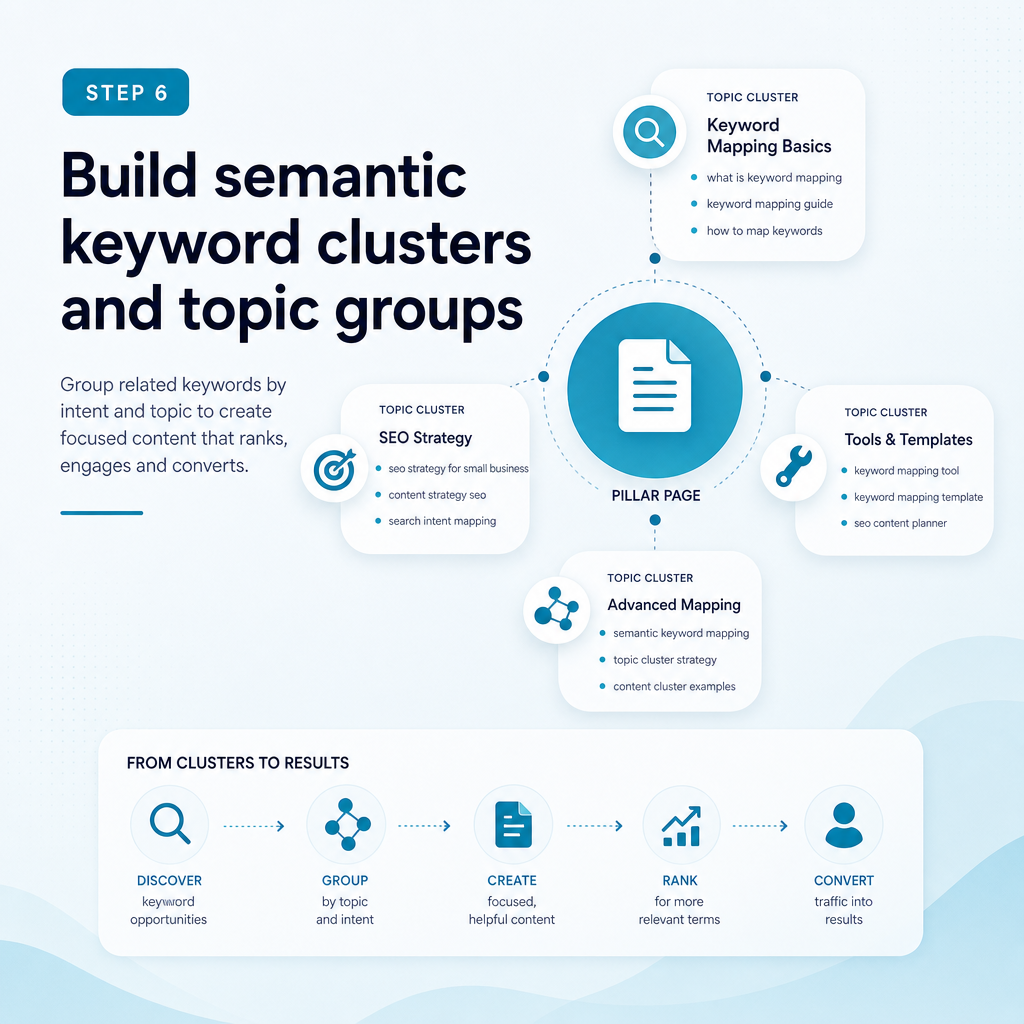
Start by reviewing what your customers ask before they call or email. Those questions can shape your service pages and blog content. Then look at your website on a phone. Can someone quickly understand what you do, where you work, and how to contact you? If not, fix that before chasing advanced tactics.

  • Claim and complete your Google Business Profile
  • Make sure your name, address, and phone number are consistent everywhere
  • Improve your core service pages with clearer copy and local relevance
  • Research customer questions and build content around them
  • Fix obvious technical issues such as slow pages, broken links, or missing titles
  • Ask customers for honest reviews on Google and relevant platforms
  • Track enquiries so you know whether SEO is helping the business

How to Measure Whether SEO Is Working

SEO should be measured by both visibility and business outcomes. Rankings can be useful, but they are only part of the picture. Traffic growth matters, but traffic without enquiries is not enough. For small service businesses, the aim is usually qualified leads, not empty website visits.
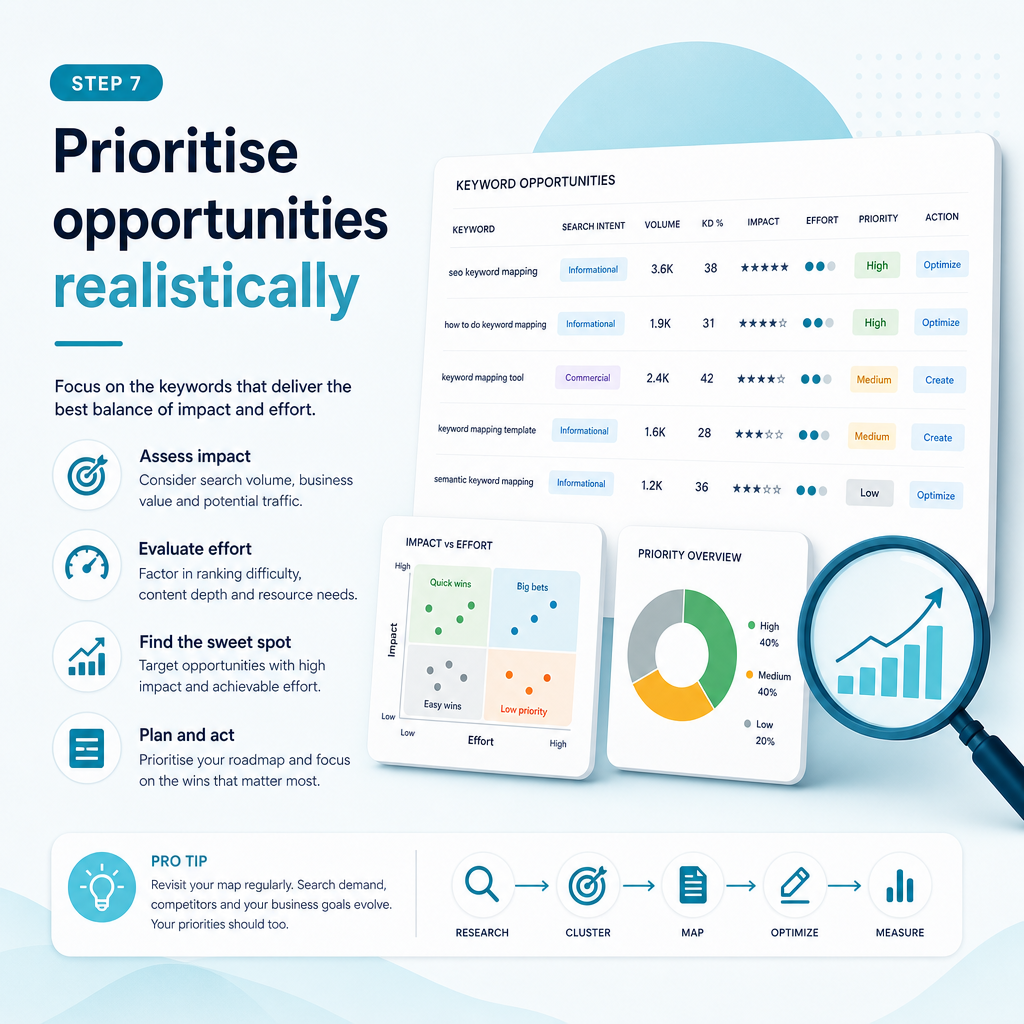
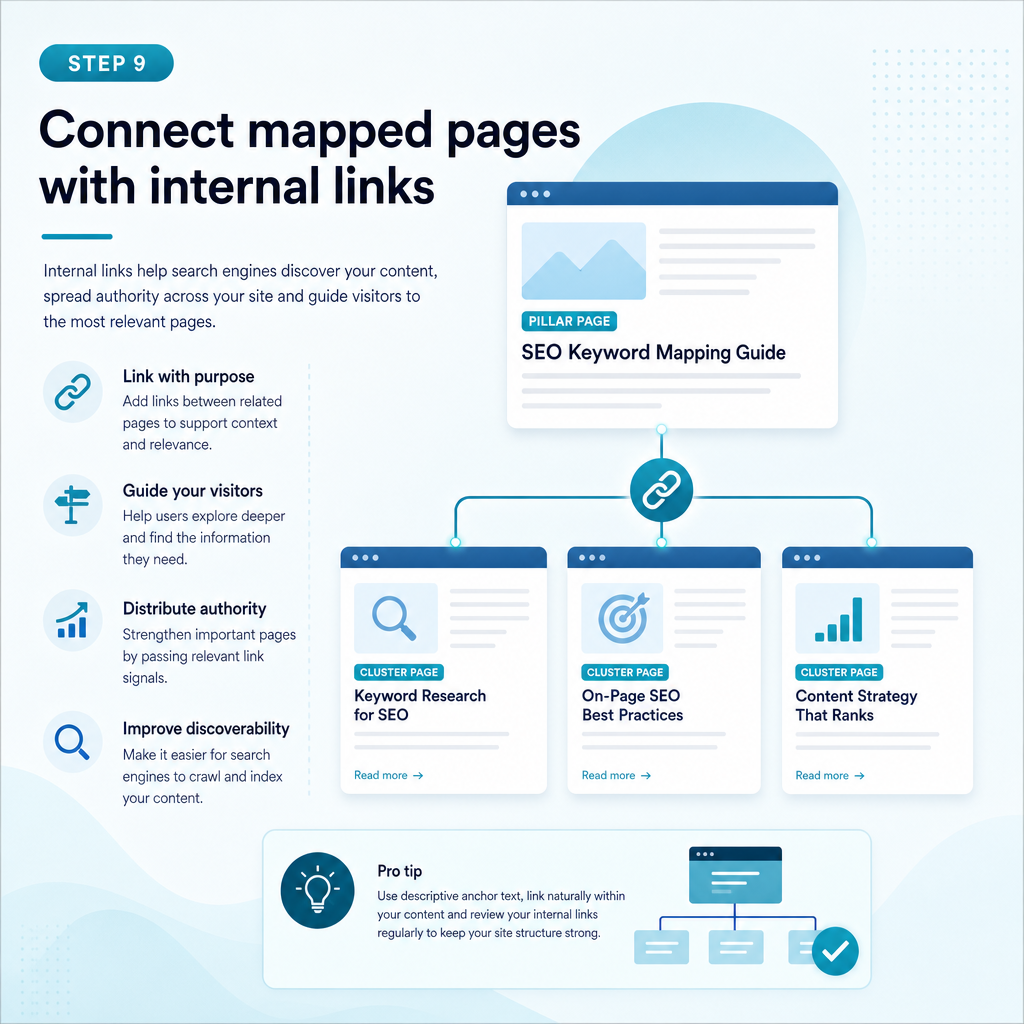
Google Search Console can show how often your pages appear in search, which queries bring impressions, and how many clicks you receive. Analytics tools can show how users behave once they arrive. Call tracking, form submissions, booked appointments, and quote requests can help you connect search visibility to real business activity.

It also helps to measure locally. If you are targeting London or a specific borough, check whether your map visibility, service page traffic, and location-based enquiries are improving. SEO progress is often uneven. Some pages move quickly, others take months. Looking only at week-to-week changes can lead to poor decisions. A steadier month-by-month view is usually more useful.

When It Makes Sense to Speak to an SEO Professional

Some small business owners can make a strong start on their own, especially with local profile setup, service page improvements, and basic content writing. But there comes a point where outside help can save time and prevent costly mistakes. If your market is competitive, your site has technical problems, or your team cannot keep up with content and tracking, specialist support may be worthwhile.

Speaking to a professional also makes sense if you are not sure why your site is underperforming. Sometimes the issue is content. Sometimes it is poor structure, weak local signals, duplicate pages, or mismatched search intent. An experienced provider should be able to explain priorities clearly rather than burying you in jargon.

If you are comparing SEO providers, ask how they approach keyword research, local SEO, content planning, reporting, and link building. Ask what they would prioritise in the first three months. Ask how success will be measured. Clear answers are usually a good sign.

Frequently Asked Questions

How long does SEO take to work for a small business?

SEO usually takes time. Some improvements, such as fixing titles, local listings, or service page content, may help within weeks, but stronger movement often takes several months. In competitive areas like London, it can take longer. The timeline depends on your starting point, competition, website quality, and how consistently the work is done.

Is local SEO different from normal SEO?

Yes. Local SEO focuses on visibility in a specific area, such as appearing in Google Maps, local packs, and searches with town, city, or “near me” intent. General SEO may target broader searches across larger regions. Many small businesses need both, but local SEO is often the most practical starting point for service providers.

Can I do SEO myself as a small business owner?

You can handle some parts yourself, especially the basics. Many owners can improve service pages, answer common customer questions, complete their Google Business Profile, and ask for reviews. Where businesses often need help is technical SEO, strategy, tracking, and more competitive markets.

What is the biggest SEO mistake small businesses make?

One of the biggest mistakes is creating a website that talks about the business but does not answer customer questions. Another common mistake is ignoring local SEO, especially inaccurate or incomplete Google Business information. Thin service pages, slow mobile performance, and no review strategy are also common problems.

Should I focus on blog posts or service pages first?

Service pages usually come first because they are closer to the enquiry stage and explain what you actually offer. Blog posts are useful for attracting early-stage traffic and answering broader questions, but they work best when the core service pages are already strong. A balanced strategy often starts with service pages, then expands into blog content.

Does SEO still matter now that AI answers questions in search?

Yes. AI is changing how people discover information, but it still relies on useful source material. Clear, trustworthy, well-structured content remains valuable. Businesses that publish original, relevant, experience-based content can still benefit from organic search, local search, and AI-assisted visibility.


Free for 14 Days

Start Your 14-Day Free Trial

Discover ranking opportunities, uncover keyword gaps and build content strategies designed to help your business get found in modern search.

✓ No credit card required
✓ 14 days free access
✓ AI-powered keyword research
✓ Content opportunities in minutes


Start Your Free Trial →