How to Create Local SEO Content for Your Services
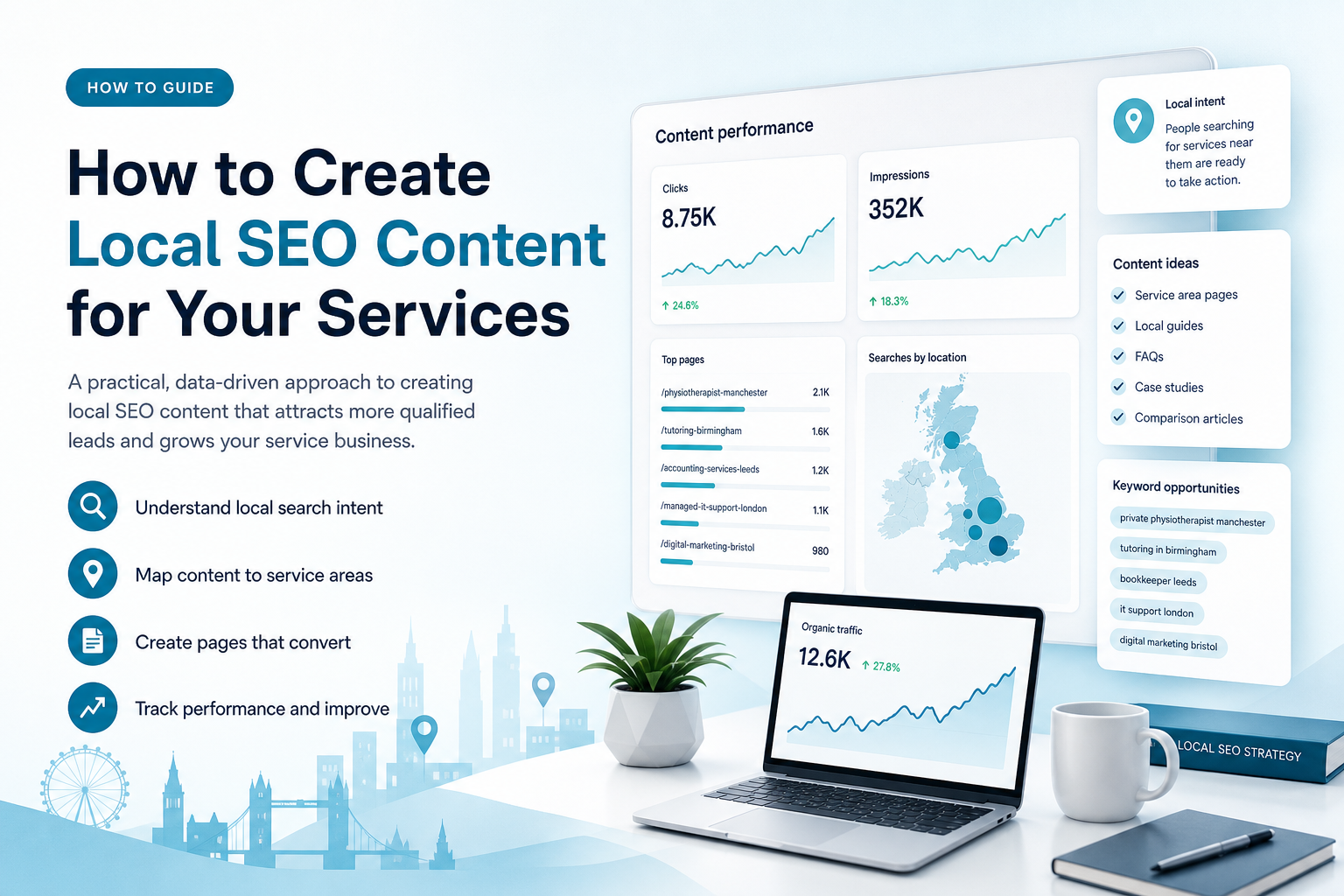
How to Create Local SEO Content for Your Services

How to Create Local SEO Content for Your Services

If your service business is not appearing when nearby customers search for help, the problem may not be your service or your website. You may simply be creating content without a clear local SEO strategy behind it.

Learning how to create local SEO content for my services starts with understanding what your customers search for, where they are located, what they want to do next and which pages already perform well. The goal is not to add a town name to every heading. It is to create useful pages that match local search intent and give potential customers enough confidence to enquire.

This guide explains how small-business owners, founders and marketing managers can plan and create local SEO content for service areas across the United Kingdom and English-speaking international markets. It also explains how Ammpli uses Google Search Console and Analytics data, competitor research and semantic keyword mapping to help identify realistic content opportunities.

What is local SEO content?
What is local SEO content?

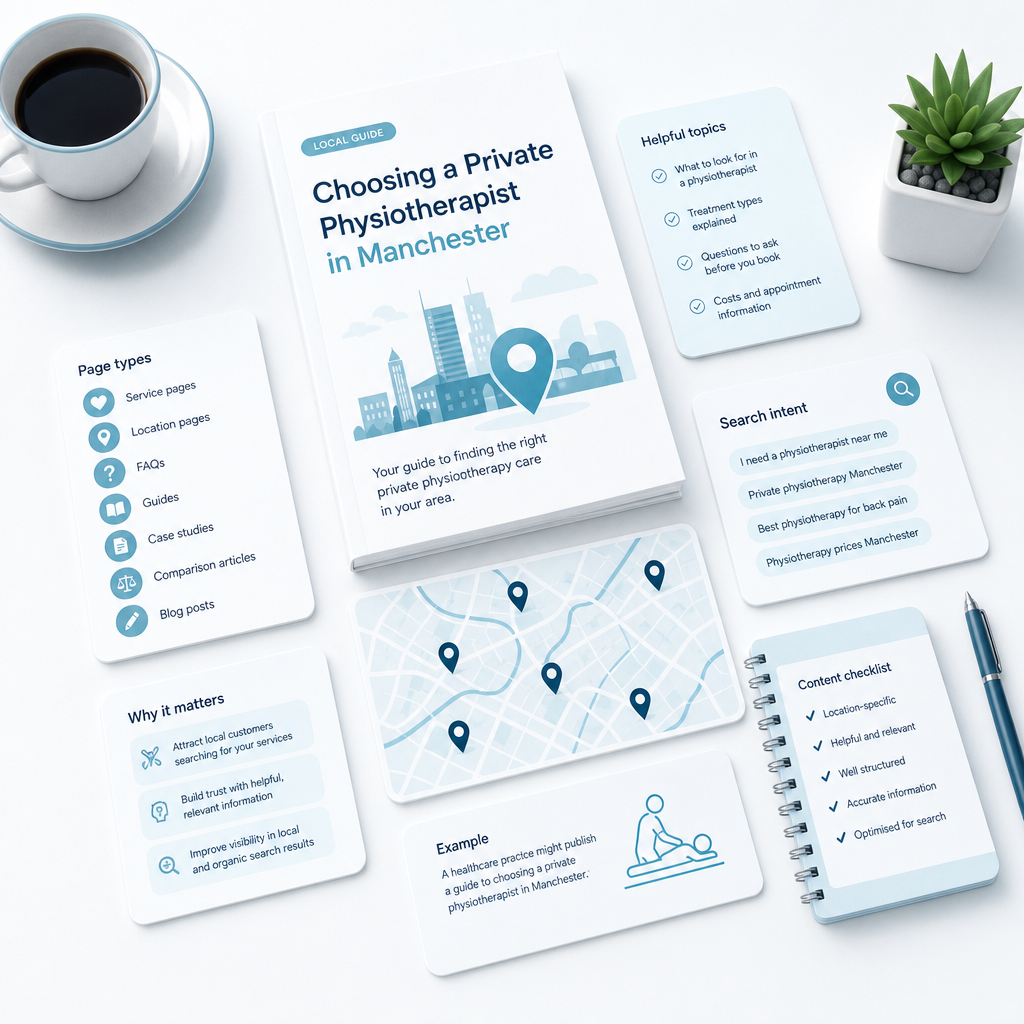
Local SEO content is website content created to attract people searching for a service in a particular geographic area. It can include service pages, location pages, FAQs, guides, case studies, comparison articles and blog posts that answer questions relevant to a local audience.

For example, a healthcare practice might publish a guide to choosing a private physiotherapist in Manchester. An education provider might create a page about tutoring options in Birmingham. A B2B SaaS company serving UK businesses could publish content about software requirements for small companies in London and surrounding areas.

Local SEO content supports two related search experiences. The first is the local pack and map results, which rely heavily on accurate business information, relevance and reputation. The second is the standard organic results, where helpful, well-structured service content can attract visitors before they are ready to contact you.

Why local SEO content matters for service businesses
Why local SEO content matters for service businesses

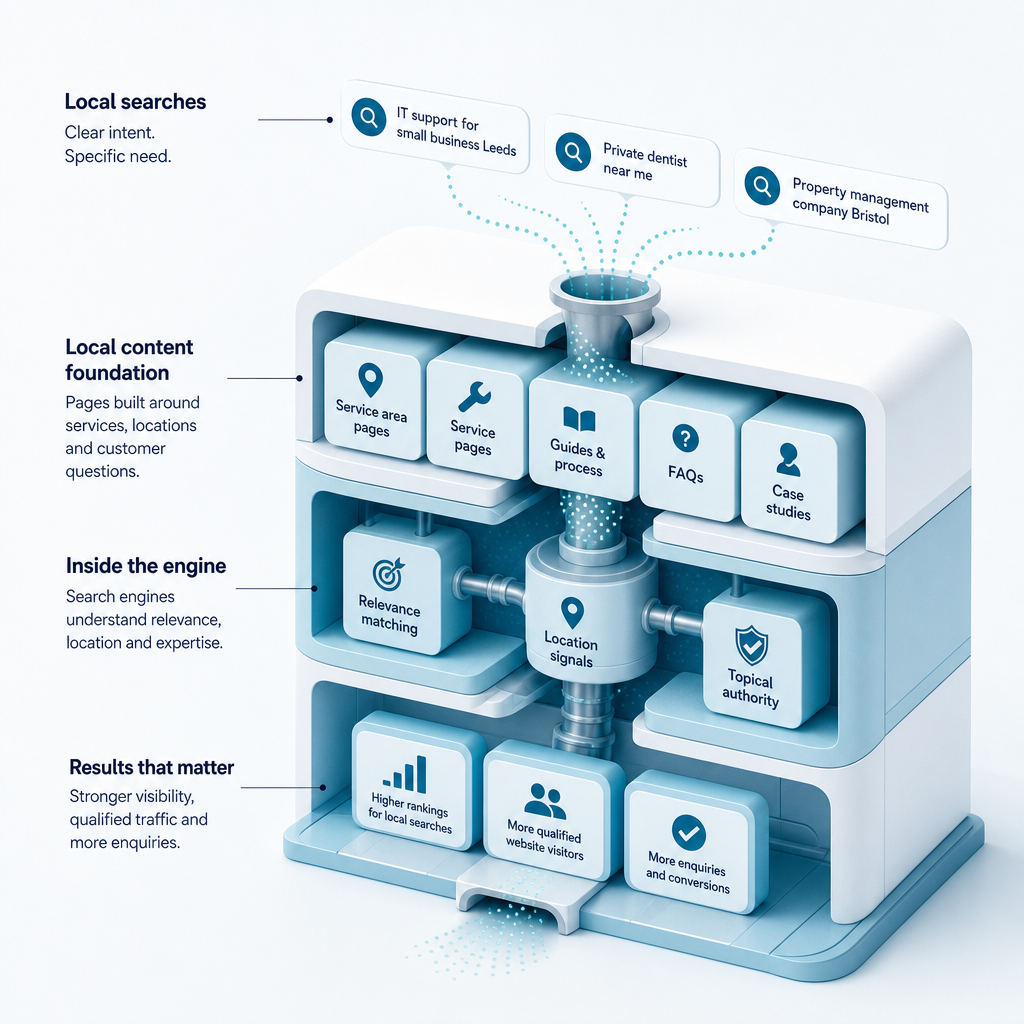
People searching for a service in a particular location often have a clear problem to solve. A query such as “IT support for small business Leeds”, “private dentist near me” or “property management company Bristol” reveals more intent than a broad search for “IT support”, “dentist” or “property management”.

Local content helps your business appear for these more specific searches. It also allows you to explain your process, service area, expertise, pricing factors and next steps before a prospect makes contact.

For small businesses, this matters because local SEO can create a more focused route to qualified enquiries. You do not need to compete for every broad industry term. You can build visibility around the services, locations and customer questions that are commercially relevant to your business.

Local content can support several business goals

  • Attract customers searching for a specific service in a defined area.
  • Explain what your service includes and who it is suitable for.
  • Answer common questions before a sales conversation.
  • Build topical authority around your services and industry.
  • Support Google Business Profile visibility with relevant website content.
  • Help potential customers compare providers with greater confidence.

How to create local SEO content for my services step by step
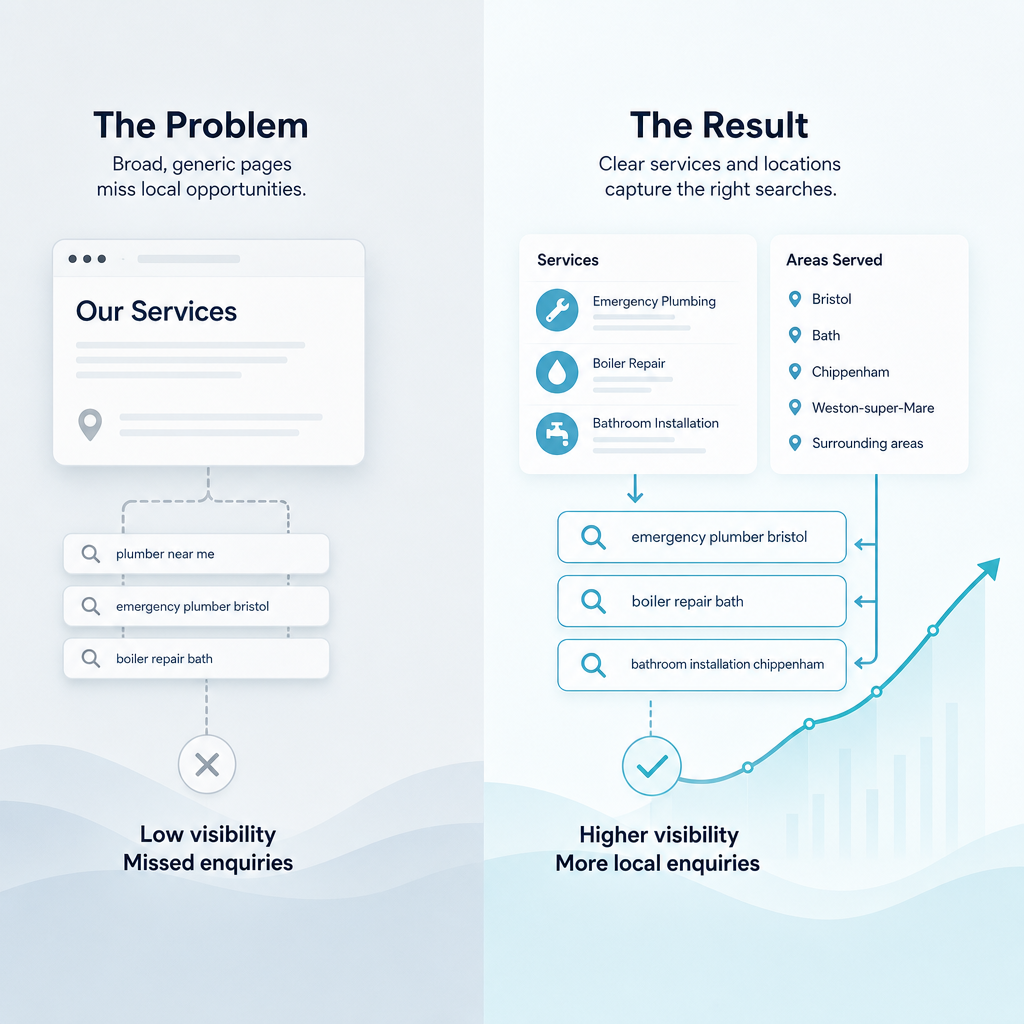
How to create local SEO content for my services step by step

A reliable local content process begins with evidence rather than assumptions. Instead of publishing a large number of generic articles, identify the searches your audience makes, map them to the right pages and measure what happens after publication.

The steps below provide a practical framework for service businesses with limited time and marketing resources. You can use the process manually, or use an AI SEO content platform such as Ammpli to reduce research and planning work.

1. Define your services and service areas

Start with a clear list of the services you actually provide. Avoid grouping everything into one broad page if customers search for distinct services with different needs. A business offering web development, technical support and cybersecurity services may need separate service pages for each area.

Then list the locations you serve. This may include one town, several cities, a region, the whole of the United Kingdom or international English-speaking markets. Separate physical locations from service areas. A business can serve customers across a region without having an office in every town.

Your initial planning document should include:

  • Core services and specialist services.
  • Primary customer types.
  • Physical locations, if applicable.
  • Areas served remotely or through on-site visits.
  • Industries or customer segments served.
  • Commercial priorities, such as services with the strongest margins or capacity.

2. Research local keywords and search intent

Keyword research is not just about finding phrases with high search volume. It is about understanding the language customers use when they need your service and identifying which searches have local intent.

Begin with service-led phrases. A cleaning company might research “end of tenancy cleaning”, “commercial cleaning” and “deep cleaning”. A marketing provider might research “SEO content for small business”, “local SEO content creation” and “SEO content software”. Add locations only where they make sense, such as “commercial cleaning Birmingham” or “local SEO content creation for UK service businesses”.

Search intent describes what the person wants to accomplish. Common local service intents include:

  • Service intent: the searcher wants to hire a provider.
  • Location intent: the searcher wants a provider in a specific area.
  • Problem intent: the searcher wants help with a problem.
  • Comparison intent: the searcher is comparing services, providers or approaches.
  • Information intent: the searcher wants to understand a service before taking action.

Google Search Console is particularly useful because it shows the queries for which your website already receives impressions and clicks. Some of these searches may sit just outside the strongest positions. Improving or expanding the relevant page may be more realistic than starting with an entirely new topic.

3. Find realistic ranking opportunities

Small businesses often waste resources targeting broad terms dominated by established brands. A better approach is to find relevant searches where your website has existing visibility, where competitors have content gaps or where the search intent closely matches a service you want to sell.

Review queries that receive impressions but few clicks. Check the current ranking page and ask whether it answers the searcher’s question fully. You may find that a service page needs clearer local information, a blog post needs stronger internal links or a new page is needed for a distinct service and location combination.

A keyword opportunity finder can help group opportunities by service, location, search intent and business value. Ammpli uses Google Search Console and Analytics data alongside competitor research to identify relevant opportunities rather than producing content from generic keyword lists.

4. Analyse competitors and content gaps

Search for your priority service and location combinations. Review the businesses appearing in the local pack and the organic results. Look at the pages they use, the questions they answer, their service descriptions, trust signals and calls to action.

Competitor research should not mean copying another business. It should help you identify what customers expect to see and where the current results leave unanswered questions.

Look for gaps such as:

  • A service page that does not explain the process.
  • Missing information about service areas or response times.
  • Weak answers to pricing and availability questions.
  • Limited evidence of experience or relevant expertise.
  • No content for a specific customer type or use case.
  • Outdated information or pages that are difficult to use on mobile devices.

A content gap analysis tool can speed up this review by comparing topics, subtopics and semantic terms across competing pages. The output should be a practical brief, not a list of phrases to insert mechanically.

5. Map keywords and topics to the right page

Each important search theme should have a clear destination. A homepage may target the business category and primary service area. Individual service pages should target distinct services. Location pages should explain what is available in that location and include genuinely useful local information.

Do not create near-identical pages for every town simply by replacing the place name. Thin or repetitive pages provide little value to users. Each location page should explain the service, the customers served, relevant local context, availability and the reasons someone in that area may choose your business.

Semantic keyword mapping helps connect the main topic with related concepts. For a page about boiler repair in London, related topics might include boiler types, emergency appointments, service coverage, engineer qualifications and maintenance. The exact subjects depend on the service and what customers need to decide.

6. Build a local SEO content brief

A content brief gives the writer or AI SEO content generator a clear purpose. It should define the audience, primary topic, location, search intent, page type, recommended structure and conversion goal.

A useful brief can include:

  • Primary service and location.
  • Target customer and their problem.
  • Primary keyword and related search themes.
  • Questions the page should answer.
  • Competitor gaps to address.
  • Evidence, credentials or trust information to include.
  • Relevant internal links.
  • Call to action, such as requesting a quote or booking a consultation.

Data-driven SEO content is easier to review because the team can judge it against a defined purpose. It also reduces the risk of producing polished copy that attracts the wrong audience.

7. Write for local customers, not search engines

Good local content should sound like a knowledgeable service provider speaking to a real customer. Explain what happens, what the service includes, who it suits and what the next step involves.

Use local terms naturally, but do not repeat a town or city in every paragraph. Mention relevant areas when explaining service coverage, travel arrangements, local regulations, customer needs or nearby business conditions. If a detail does not help the reader, it does not need to appear.

Strong service content usually includes:

  • A clear explanation of the service.
  • The problem or outcome it addresses.
  • Who the service is for.
  • What the process involves.
  • Factors that influence pricing.
  • Expected deliverables or outcomes.
  • Answers to common concerns.
  • A direct, relevant enquiry route.

8. Add local trust signals and practical details

Search visibility is only useful when the page gives people a reason to contact you. Include accurate business information and details that reduce uncertainty.

Depending on the business, useful trust signals may include service areas, opening hours, qualifications, professional memberships, relevant experience, customer feedback, photographs, examples of work and clear contact details. Do not add claims that cannot be supported.

Keep your business name, address and phone number consistent across your website, Google Business Profile and relevant directories. If you operate as a service-area business, explain where you work and whether customers visit you, you visit them or the service is delivered remotely.

9. Optimise the page technically

Local content needs a sound on-page foundation. Use a descriptive title, a clear H1, helpful subheadings and a readable URL. Write a meta description that explains the page’s value rather than repeating a keyword.

Check that the page works well on mobile devices, loads efficiently and links to related services or helpful guides. Add relevant image descriptions and structured data where appropriate. LocalBusiness schema can help describe the business, while Service and FAQ structured data may be relevant when the page genuinely contains those elements.

Technical improvements support user experience, but they cannot replace useful content. A perfectly formatted page will not compensate for vague service information or a mismatch with search intent.

10. Connect local content with your wider website

Internal links help users move from educational content to relevant service pages. They also help search engines understand the relationship between your topics.

For example, a guide about choosing a local IT support provider could link to managed IT support, cybersecurity services and an enquiry page. A location page could link to the services available in that area and a related guide explaining the process.

Use descriptive anchor text that tells the reader what they will find. Avoid linking every mention of a location or forcing links where they do not help.

11. Publish consistently with a realistic calendar

Consistency matters more than publishing a large number of pages at once. A small business may benefit from one strong service page improvement and one useful supporting article each month rather than several rushed posts.

Prioritise content using three factors: business value, likelihood of attracting relevant searchers and the effort required. A practical calendar may include service pages, location pages, customer questions, comparison guides, process explanations and updates to existing content.

An SEO content planning tool can turn opportunities into a calendar with assigned topics, target pages and publication priorities. Ammpli combines opportunity analysis, search-intent research, semantic mapping and AI-powered SEO content creation to help small teams maintain this process without the cost of a traditional SEO agency.

What local SEO content should a service business create?
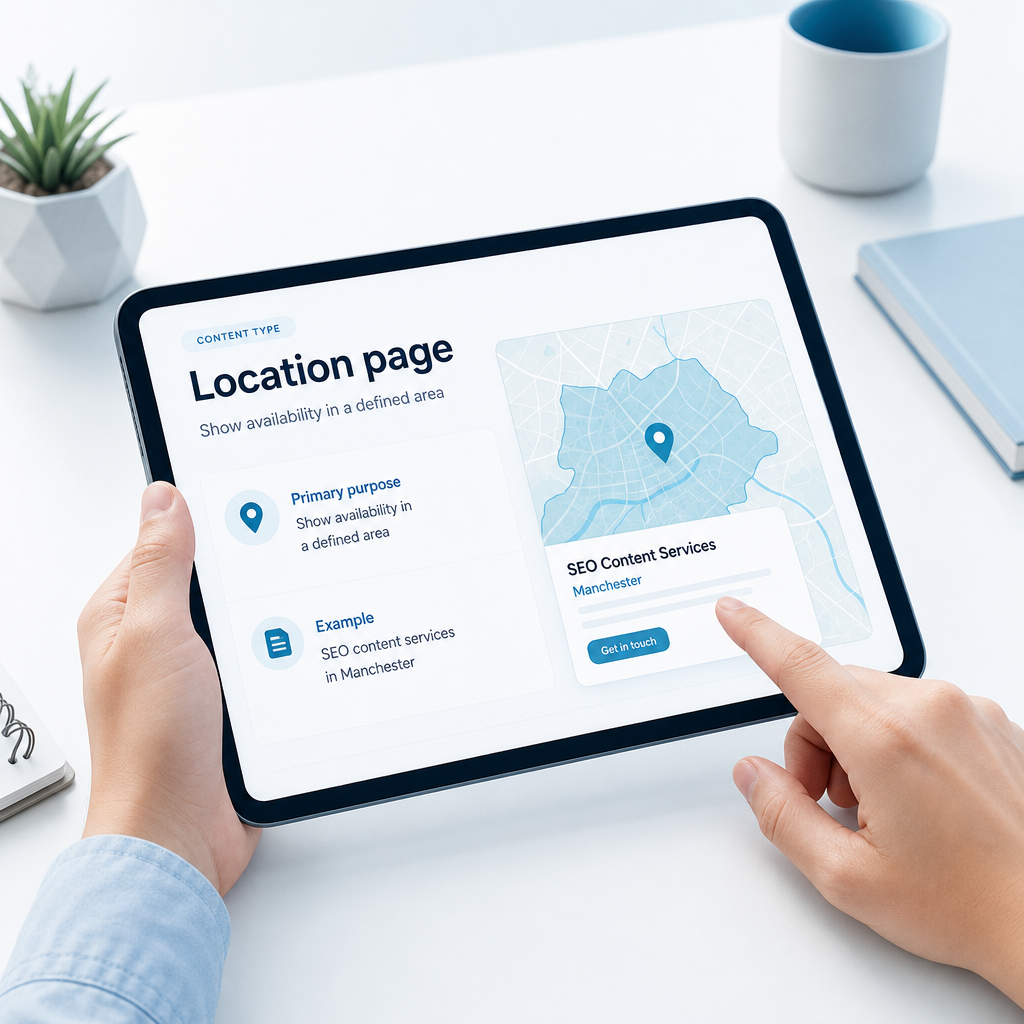
What local SEO content should a service business create?

The right content mix depends on your services, customers and coverage area. The following formats are useful starting points for many service businesses.

Local SEO content formats and their purpose
Content type Primary purpose Example
Service page Explain a service and generate enquiries Managed IT support for small businesses
Location page Show availability in a defined area SEO content services in Manchester
Service and location page Match strong local commercial intent Private tutoring in Birmingham
How-to guide Answer questions before purchase How to prepare for a property valuation
Comparison guide Support provider or solution evaluation In-house content versus an AI SEO content platform
FAQ page Reduce objections and support enquiries How much does local SEO content cost?

How to measure local SEO content performance
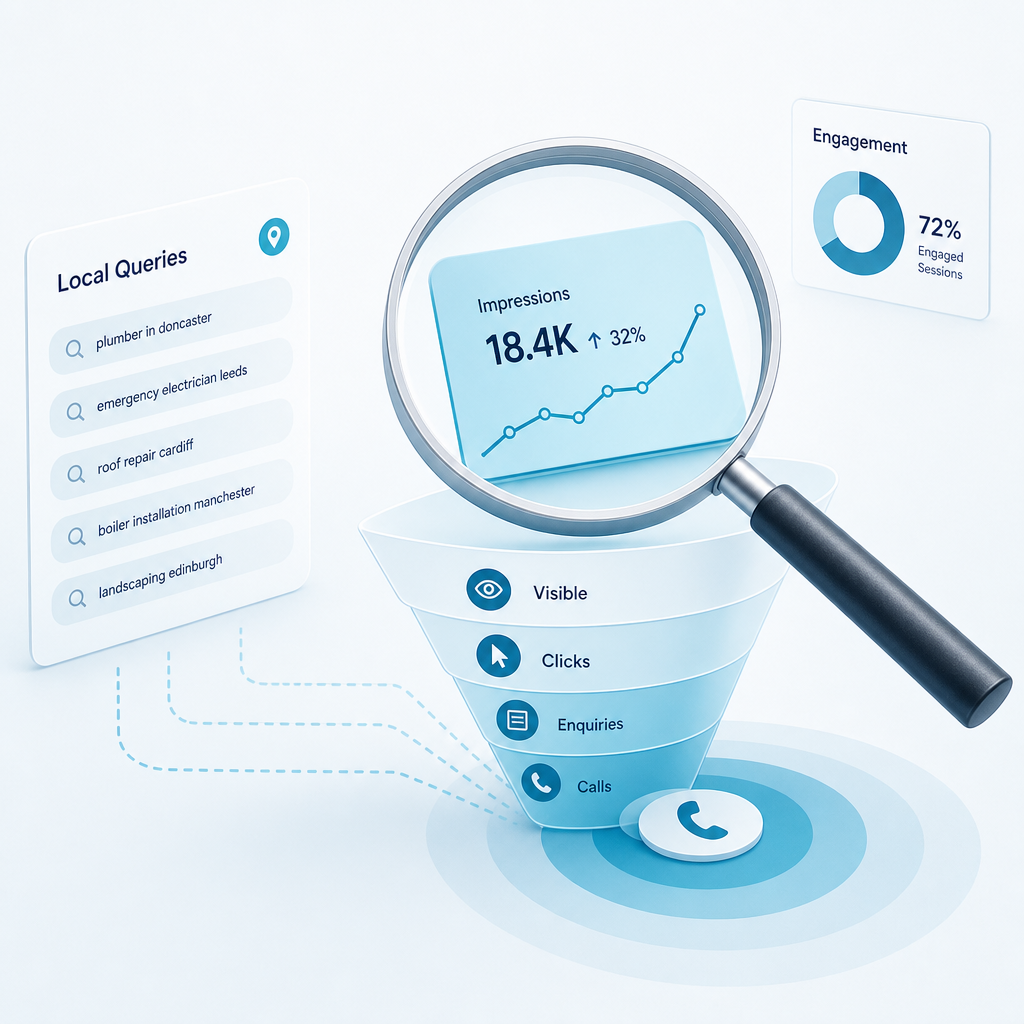
How to measure local SEO content performance

Measurement should focus on whether your content is becoming more visible to the right audience and helping people take meaningful next steps. Rankings can be useful, but they are only one part of the picture.

Google Search Console can show impressions, clicks, click-through rate and average position for queries and pages. Google Analytics can help you understand engagement, landing pages and actions taken on the website. Together, these tools provide a stronger view than relying on a single rank position.

Track indicators such as:

  • Impressions for relevant local queries.
  • Clicks and click-through rate from search.
  • Visibility for service and location combinations.
  • Engagement on local landing pages.
  • Enquiry form submissions, calls or consultation requests.
  • Assisted conversions from informational articles.
  • Pages that gain visibility but need stronger conversion elements.

Review performance regularly and update pages when the data shows a clear opportunity. A page receiving impressions for related searches may need additional sections, stronger internal links or a clearer explanation of the service.

Common local SEO content mistakes
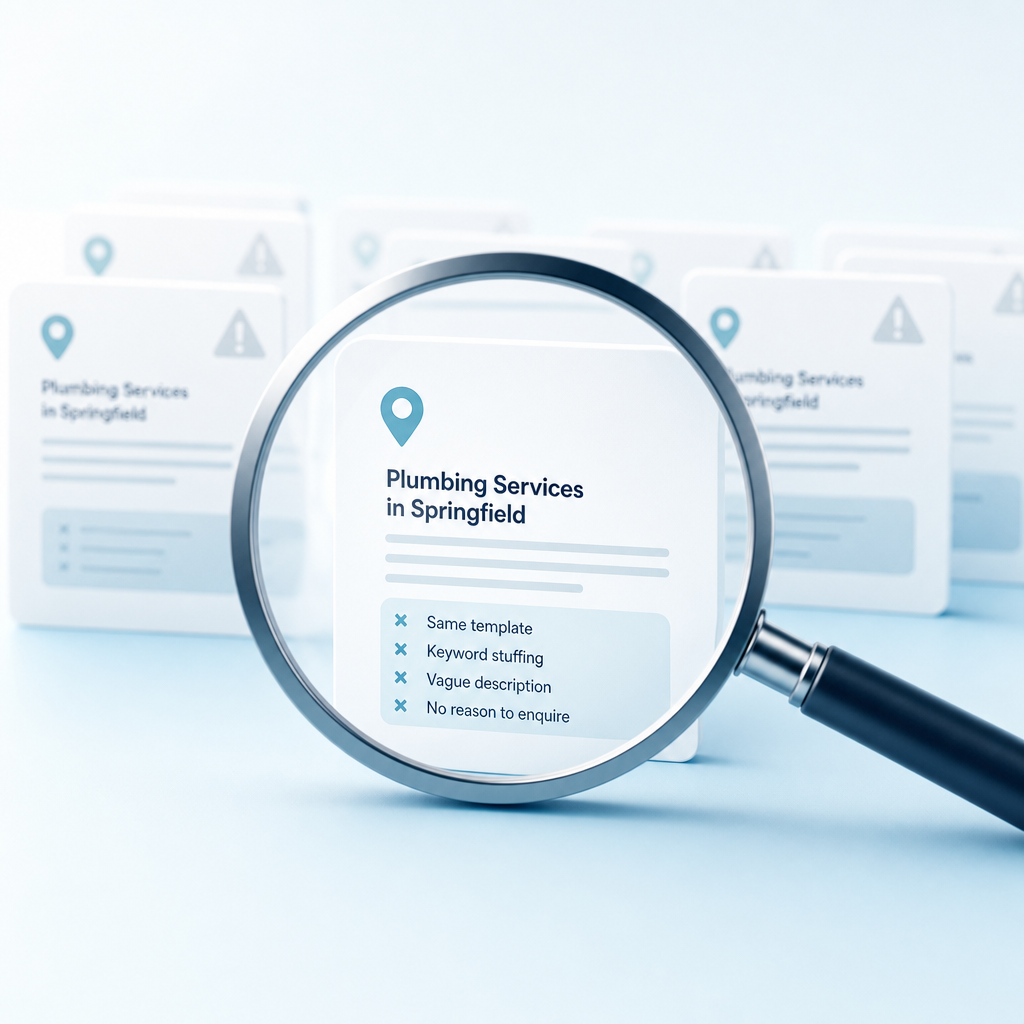
Common local SEO content mistakes

Local content fails when it is created to satisfy a checklist rather than to help a customer. Many small businesses publish pages with repeated location names, vague service descriptions and no clear reason to enquire.

Avoid these common problems:

  • Creating almost identical pages for multiple locations.
  • Choosing keywords without checking local search intent.
  • Writing for broad traffic instead of commercially relevant searches.
  • Publishing AI-generated text without reviewing facts, tone or usefulness.
  • Ignoring existing Google Search Console visibility.
  • Leaving service areas, contact details or opening information unclear.
  • Using unsupported claims, inflated results or unverified testimonials.
  • Publishing once and never reviewing performance.

AI content writing for SEO can save time, but the quality depends on the inputs. Generic AI writing tools can produce fluent text without understanding your existing rankings, competitors, customers or commercial priorities. A stronger workflow combines business knowledge, search data, human review and structured content planning.

Choosing a local SEO content provider or platform
Choosing a local SEO content provider or platform

You may be comparing an SEO agency, content marketing agency, freelance SEO writer, generic AI writing tool or SEO content software. Each option can suit a different situation. The right choice depends on your budget, internal capacity, need for strategic input and desired level of control.

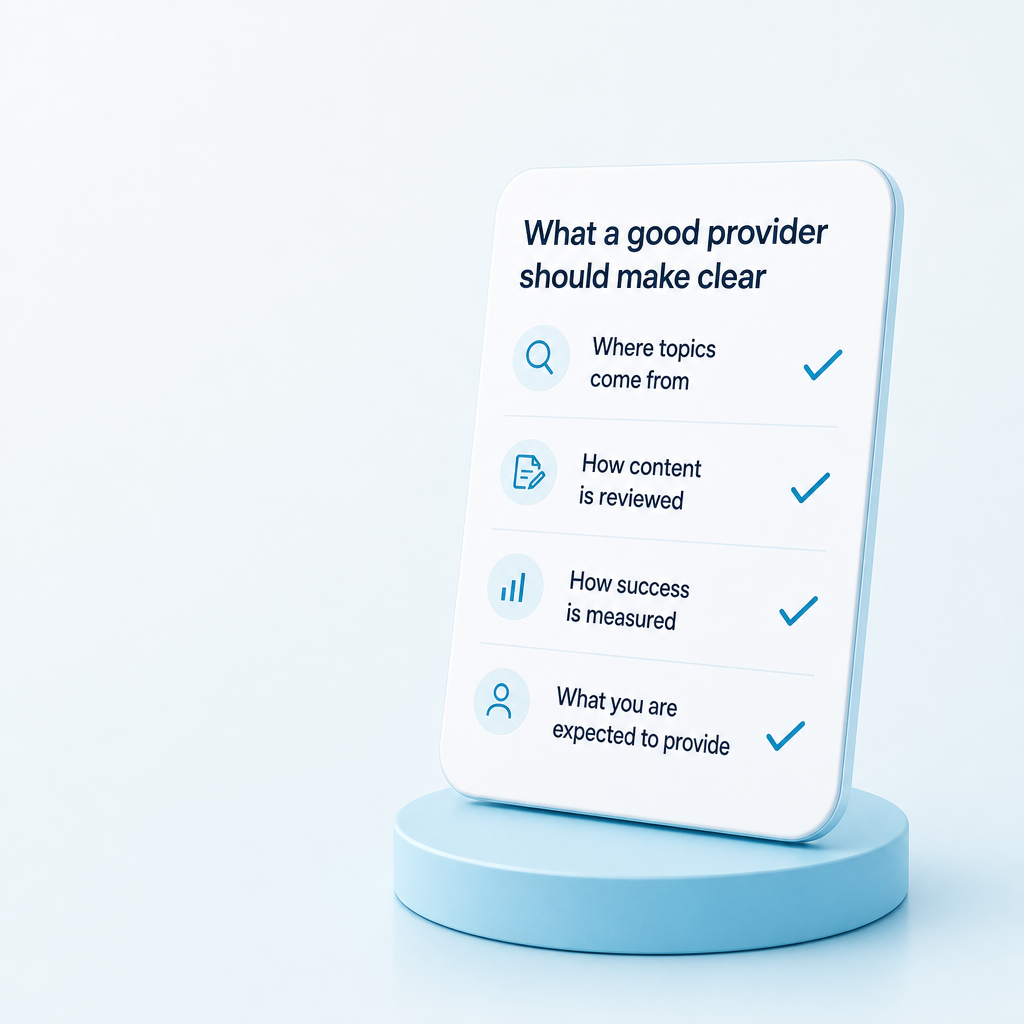
A good provider or platform should make the process clear. You should understand where topics come from, how content is reviewed, how success is measured and what you are expected to provide.

Comparing common approaches to local SEO content
Approach Strength Potential limitation Suitable for
Traditional SEO agency Strategic support and managed delivery May require a larger budget and longer commitment Businesses needing an outsourced SEO function
Freelance SEO writer Flexible content production Research and strategy depth can vary Businesses with an established content plan
Generic AI writing tool Fast drafting and ideation May lack search-performance and competitor context Teams able to provide their own research and editing
AI SEO content platform Combines opportunity research, planning and content creation Still requires business review and accurate inputs Small teams seeking repeatable, data-informed SEO workflows

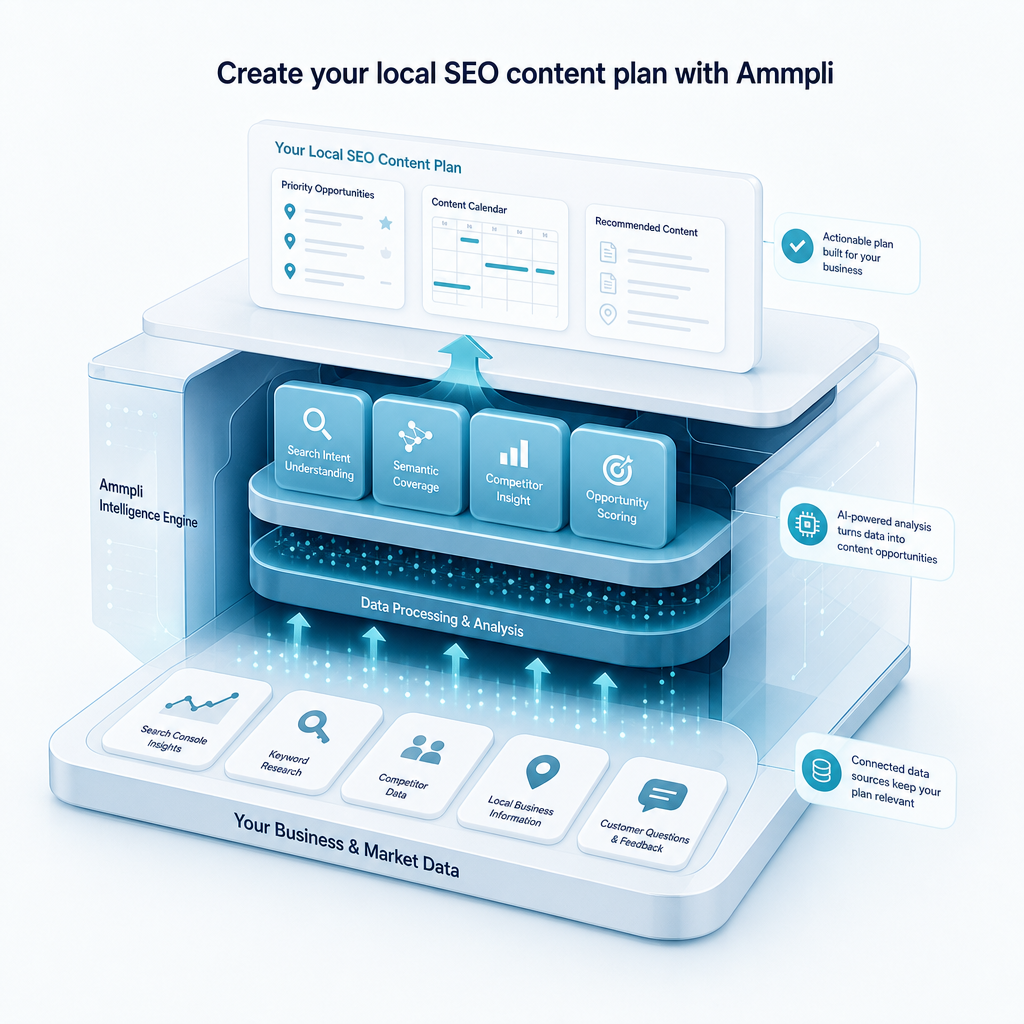
Ammpli is an AI SEO content platform built for small and growing businesses. It combines Google Search Console and Analytics data with competitor content-gap analysis, search-intent research and semantic keyword mapping. This helps users identify realistic opportunities, plan relevant content and create search-optimised articles without managing every research task manually.

When should you start creating local SEO content?

When should you start creating local SEO content?

Start when your website has a clear service offering, some existing search visibility and a willingness to publish and improve content consistently. You do not need a large marketing department or a perfect website to begin.

The most useful first step is often a review of your current data. Find the queries already generating impressions, identify the service areas with commercial value and compare the pages that perform well with those that need improvement.

If you are entering a new location, launching a service or seeing competitors attract searches you should be earning, a focused local SEO content plan can help you act with less guesswork. Build the plan around evidence, publish useful pages and review performance as new data becomes available.

Frequently Asked Questions
Frequently Asked Questions

How do I create local SEO content for my services?

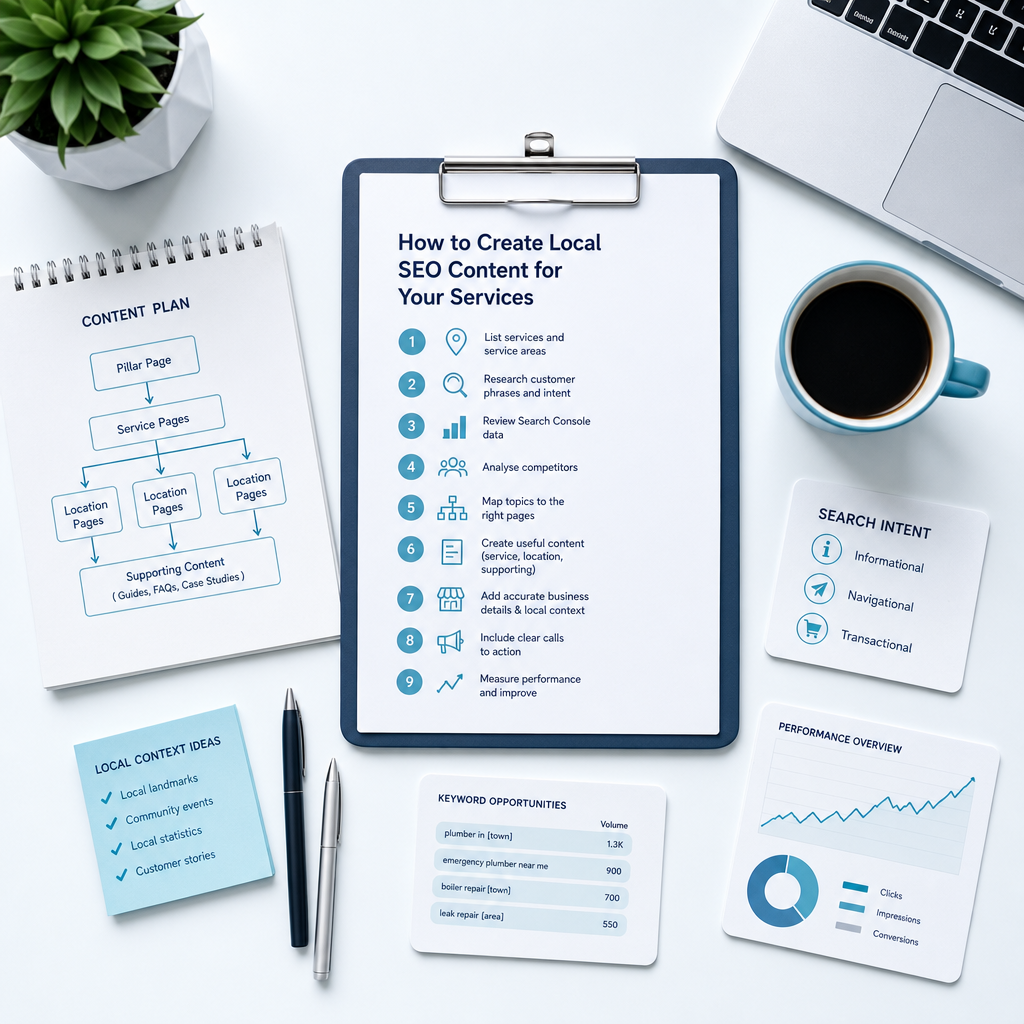
Start by listing your services and service areas, then research the phrases customers use and classify their search intent. Review Google Search Console data, analyse competitors, map topics to the right pages and create useful service, location and supporting content. Include accurate business details, relevant local context, clear calls to action and a process for measuring performance.

Should every service have a separate local landing page?

Separate pages are useful when services have different customer needs, search intent or locations. Avoid creating pages that are almost identical apart from a town name. Each page should provide genuinely useful information about the service, availability, local relevance and next steps.

Can AI create local SEO content for my business?

AI can help with research, outlines, drafting, semantic topic coverage and content production. It should work from accurate business information and reliable search data, and a person should review the final content for accuracy, usefulness, tone and compliance. A platform connected to Google Search Console and Analytics can provide stronger context than a generic writing tool.

How much does local SEO content cost?

Pricing depends on the number of services and locations, research depth, content length, technical requirements, review time and whether strategy, publishing and reporting are included. A single service page usually requires less work than a full local content system covering opportunity research, competitor analysis, content creation and ongoing updates. Ask providers to explain what is included rather than comparing a headline price alone.

How long does local SEO content take to produce results?

Results vary according to competition, website authority, content quality, search demand, technical health and publishing consistency. Some pages may gain impressions relatively quickly, while meaningful visibility and enquiry trends can take longer. Use Search Console and Analytics to monitor progress and improve pages based on evidence rather than expecting a fixed timeframe.

What makes Ammpli different from a generic AI writing tool?

Ammpli combines AI-powered content creation with Google Search Console and Analytics data, competitor research, search-intent analysis, content-gap analysis and semantic keyword mapping. This gives small teams a way to connect content production with real search opportunities and a practical content plan. It is designed to reduce guesswork and manual research while leaving businesses in control of their expertise and final review.

Create your local SEO content plan with Ammpli
Create your local SEO content plan with Ammpli

Creating local SEO content for your services is easier when every page has a clear audience, location, search intent and commercial purpose. The strongest process combines accurate business information, competitor insight, semantic coverage and ongoing performance analysis.

Ammpli helps small businesses turn search data into practical content decisions. Use it to identify your next ranking opportunity, build an SEO content calendar, create data-driven SEO content and improve organic visibility across the United Kingdom and English-speaking international markets.

Start your 14-day free trial and see how Ammpli can help you create your SEO content plan. No credit card required.
How to Set Up and Optimise Your Google Business Profile (Step-by-Step) — How-To Guide

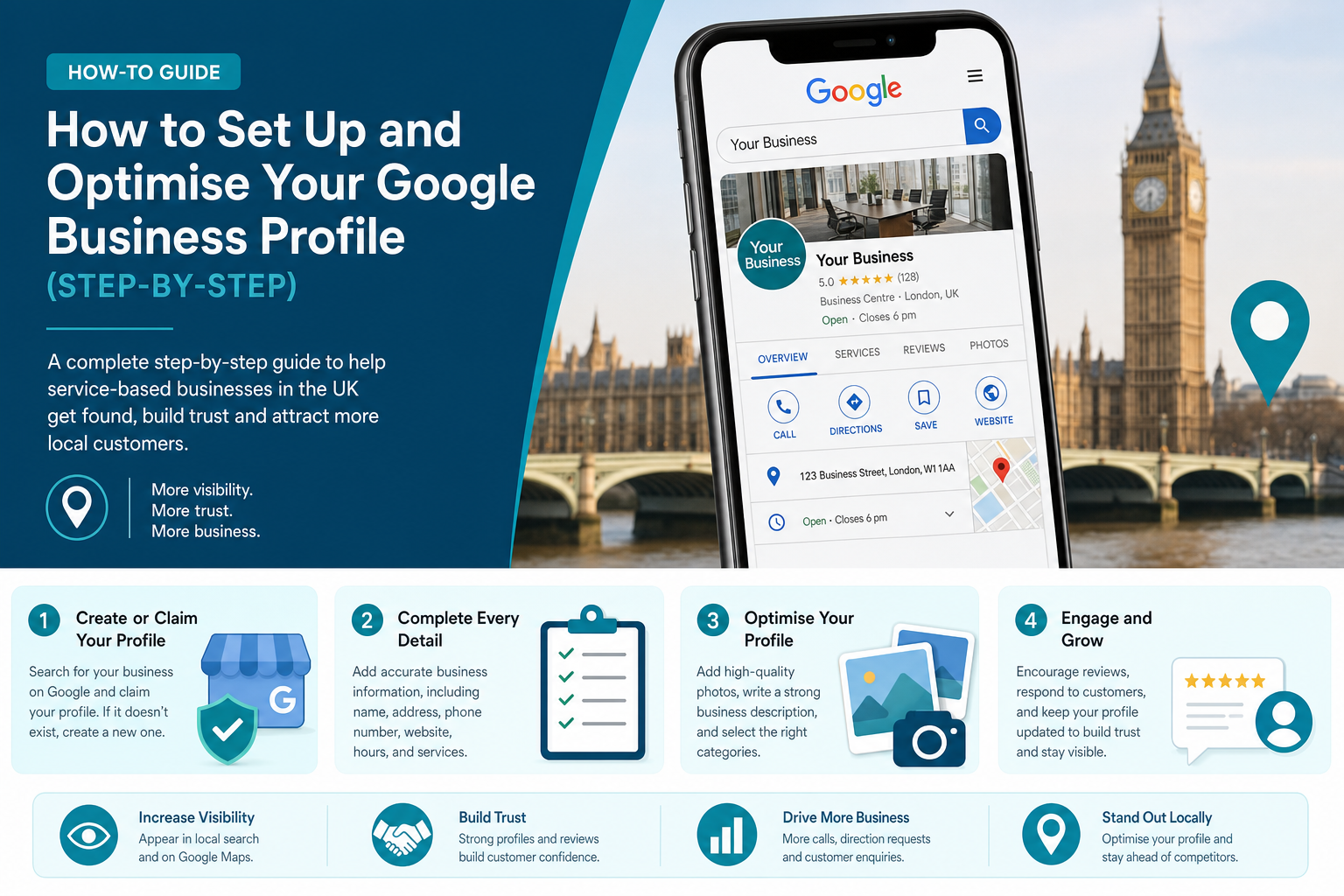
If you run a local business, your Google Business Profile can be one of the most visible parts of your online presence. Many people will see your profile before they visit your website, call your office, or walk into your premises. For service-based businesses in the UK, and especially in busy markets such as London, that first impression can shape whether someone contacts you or moves on to a competitor.

This guide explains how to set up and optimise your Google Business Profile step by step, with a focus on what actually helps small businesses appear more clearly in Google Search and Google Maps. It is written for owners and managers who want practical advice rather than vague marketing claims. Whether you are a plumber in Croydon, a dentist in Camden, a salon in Clapham, or a consultant serving clients across Greater London, the same principles apply.

You do not need a large team or a huge budget to improve your profile. What you do need is accurate information, regular upkeep, and a clear understanding of how Google uses profile data to match businesses with local searches. Once the basics are in place, small improvements in the right areas can make it much easier for nearby customers to find you and trust you.

How to setup google my business profile

What a Google Business Profile Is and Why It Matters

A Google Business Profile is your business listing on Google Search and Google Maps. It usually shows your business name, address or service area, phone number, opening hours, reviews, photos, services, and other details that help people decide whether to contact you. For many local searches, this listing appears before organic website results, which means it often gets attention earlier in the customer journey.

That matters because many people searching for local services are not browsing for long. They want a quick answer to a practical need. Someone searching for “emergency electrician London”, “accountant near me”, or “physio in Islington” is often ready to compare a shortlist straight away. If your profile looks incomplete, outdated, or untrustworthy, they may never reach your website.

A strong profile also supports local SEO. Google uses business information, review signals, relevance, proximity, and overall prominence to decide which businesses to show. While no one can pay to rank a Business Profile higher organically, businesses with complete and accurate information tend to perform better because Google can understand them more clearly.

Another point people miss is that your Google Business Profile is not only about rankings. It also affects conversion. Even if you already appear in search, a better profile can increase calls, clicks for directions, bookings, and enquiries. In practical terms, it helps turn visibility into leads.

How Google Decides Which Local Businesses to Show

Before getting into setup, it helps to understand what influences local ranking. Google has stated that local results are mainly based on relevance, distance, and prominence. These factors work together, so a business does not win purely by being closest or by having the most reviews. Google is trying to show the result that best matches the search.

Relevance is about how well your profile matches what someone is looking for. This is shaped by your categories, service details, description, and profile completeness. Distance is about how close your business is to the searcher or the area named in the search. Prominence is about how established and trusted your business appears, often influenced by reviews, citations, links, brand visibility, and general online presence.

For London businesses, this can be more competitive than in smaller towns because there are often many similar providers within a short distance. A roofer in Barnet might be competing with dozens of nearby businesses, while a specialist clinic in Central London may be competing across borough lines. That is why profile accuracy and ongoing activity matter so much.

It is also useful to clear up one common misunderstanding. There is no shortcut where you can request a better local ranking from Google. Your best option is to improve the signals you control: your business data, categories, reviews, photos, service information, website connection, and consistency across the web.

Step 1: Create or Claim Your Google Business Profile

The first job is to check whether your business already has a listing. In many cases, Google creates listings automatically from public information or user suggestions, so you may already exist on Maps even if you never set it up yourself. Search for your business name on Google and Google Maps. If a profile appears, look for the option to claim or manage it.

If there is no listing, you can create one through Google Business Profile. You will need a Google account connected to your business. It is best to use a business-owned account rather than a personal account belonging to a staff member, because access problems often happen later when team members leave.

When claiming or adding the profile, use your real-world business name only. Do not add extra keywords such as “Best Plumber London” or “Cheap Accountant Croydon” unless that is genuinely your legal trading name. Keyword stuffing in the business title can lead to problems and can make your listing look untrustworthy.

If you run a service-area business and do not serve customers at your registered office, set the profile up correctly as a service-area business rather than displaying an address that customers cannot visit. This is common for trades, mobile beauty services, home cleaning businesses, and repair companies operating across London boroughs.

Step 2: Verify Your Business

Verification tells Google that you are authorised to manage the profile. Without verification, your ability to control the listing is limited. Verification methods vary by business, but may include video verification, phone, email, or post. Google changes these methods over time, so the exact option you receive will depend on your business type and profile history.

This step can feel administrative, but it matters because verified businesses are more likely to be trusted within Google’s systems. It also gives you control over edits, reviews, photos, hours, and performance insights. If you skip verification or delay it, you may end up with an incomplete profile that sits there without delivering much value.

For smaller UK businesses, video verification has become more common. That may involve showing your premises, tools, branding, or access to the location. If you operate from a real office in London, keep your signage, work area, and business documents organised before starting. If you are a service-area business, be prepared to show branded equipment, work vehicles, or proof of business activity.

If verification becomes difficult, do not create duplicate listings as a workaround. Duplicate profiles can damage trust and create confusion. It is better to resolve the verification issue properly than to create a second version of the business.

Step 3: Add Complete and Accurate Business Information

Once the profile is claimed and verified, fill in every core field you can. A complete profile helps Google understand what you do and helps customers feel more confident contacting you. Incomplete listings often underperform because both Google and users are left guessing.

Start with the basics: business name, address if customers visit you, service area if you travel to customers, local phone number, website URL, and opening hours. Keep these details aligned with your website and other directories. If your name, address, or phone number appears differently across platforms, local trust signals become weaker.

Use a local phone number where possible rather than a generic national call centre line. For many service businesses, a local number can support trust, especially when customers are comparing nearby options. A customer in North London may feel more comfortable calling a local provider than a business that looks distant or unclear.

You should also add relevant attributes if available. These vary by business category and may include accessibility details, appointment options, parking, Wi-Fi, online estimates, women-led, or other practical information. These details can improve the quality of the profile and help customers decide faster.

Business Information Checklist

  • Official business name
  • Correct address or service area
  • Local phone number
  • Website link
  • Opening hours and special hours
  • Primary and secondary categories
  • Services or products
  • Attributes such as accessibility or payment options
  • Business description
  • Photos and videos

Step 4: Choose the Right Primary and Secondary Categories

Categories are one of the strongest local relevance signals in your profile. Your primary category tells Google what your business mainly is, while secondary categories expand the range of related searches where you may appear. This step deserves more thought than many businesses give it.

Your primary category should reflect your main service as accurately as possible. If you are a family solicitor in London, “Law firm” may be too broad if “Family law attorney” or a more suitable UK equivalent is available. If you run a hair extension business, a specific category may serve you better than a broad “Hair salon” category in a crowded area.

Secondary categories should support your actual services, not every possible phrase you would like to rank for. Too many weak or irrelevant categories can make the profile less clear. A clinic that offers physiotherapy, sports massage, and rehabilitation can reflect those related services through secondary categories, but it should still keep the profile focused.

One practical method is to review the profiles of high-performing competitors in your area. Search your target services in Google Maps and note the categories used by businesses that appear often. Do not copy blindly, but use it as research to check whether your current category choices are too broad or poorly matched.

Step 5: Write a Clear Business Description

Your business description helps explain who you are, what you do, and where you work. It should support both clarity and trust, but it should not read like an advert stuffed with sales language. A good description gives potential customers a quick sense of fit.

Keep the wording simple. Mention your main services, your location or service area, and what type of customers you help. If you have a genuine point of difference, such as weekend appointments, same-day service, or specialist experience in listed buildings across London, include it naturally.

Avoid overloading the description with repeated keywords. Writing “best plumber London emergency plumber London local plumber London” does not help. Instead, use plain language such as “We provide emergency plumbing, leak repairs, boiler fault finding, and general plumbing services across South London.”

It is also wise to avoid putting offers, links, or exaggerated claims in the description. Focus on accuracy. Google values business information that helps people understand the service clearly.

Step 6: Add Services and Products Properly

Many businesses stop after filling in the contact details, but the services section can add real value. It helps customers understand what you offer at a glance and gives Google stronger relevance signals for matching your profile with search queries. This is especially helpful for service businesses with a broad but connected range of work.

Break services into meaningful entries rather than lumping everything into one vague line. A dental clinic might list emergency dental appointments, hygiene appointments, teeth whitening, Invisalign consultations, and routine check-ups. A trades business might list boiler repairs, annual boiler servicing, central heating power flushing, and landlord gas safety checks.

If you sell products from a physical location, use the products feature where relevant. This is more common for retail, but can also help some hybrid businesses. For service businesses, the service section is usually more valuable than products. Add short, honest descriptions and pricing where fixed pricing makes sense.

For London and wider UK markets, this can also help with customer expectations. Many people want to know whether you offer the specific job they need before making a call. A clear service list saves time for both sides.

Problem vs Profile Improvement

Common Problem What to Improve in the Profile
Customers are unsure what you actually do Add detailed services with short descriptions and relevant categories
People call outside opening times Update regular hours and special holiday hours
You get views but not many enquiries Add better photos, stronger reviews, and clearer service information
You appear for the wrong searches Refine primary and secondary categories
Customers ask the same basic questions repeatedly Use Q&A, posts, and service descriptions to answer them upfront
Your London competitors outrank you locally Improve completeness, review activity, profile freshness, and website relevance

Step 7: Upload High-Quality Photos and Videos

Photos are one of the most underused parts of Google Business Profile optimisation. Good images can increase trust quickly because they show that your business is real, active, and presentable. They also help customers picture what to expect before making contact.

Use real photos of your premises, staff, vehicles, work, and finished results. If you are a salon, show the interior, front entrance, treatment areas, and examples of your work. If you are a builder or decorator, add before-and-after shots, completed projects, and team photos on site. If you are a consultant or agency with an office in London, use clean, authentic workspace imagery rather than generic stock images.

Try to include a strong logo, cover image, exterior photo, interior photo if relevant, and regular updates over time. If your business changes seasonally, or if you complete visible project work, add fresh images monthly where possible. This sends activity signals and gives returning searchers confidence that the business is current.

Short videos can also help, particularly for premises, demonstrations, or giving a quick view of how the service works. They do not need to be heavily produced. Clear and genuine is better than polished but artificial.

Step 8: Set Accurate Opening Hours and Special Hours

Opening hours affect both visibility and customer satisfaction. If your hours are wrong, people may turn up when you are closed or assume you are unavailable when you are actually open. That leads to frustration, missed revenue, and negative reviews that could have been avoided.

Add your standard hours carefully and update them whenever your schedule changes. This includes lunch closures, late openings, and weekend variations. If you are appointment-only, reflect that as clearly as the platform allows and make your contact route obvious.

Special hours are just as important. Bank holidays in the UK, Christmas trading, summer hours, and short-notice closures should all be updated. In London, many businesses see changed schedules around public holidays, transport disruptions, or local events, so these updates are not a minor detail.

If you are a service-area business and still working even when the office is closed, avoid marking the whole business as temporarily closed unless that is truly the case. That can remove your visibility when customers are still able to book or request a visit.

Step 9: Get More Reviews and Respond to Them Properly

Reviews are one of the biggest trust signals on a Google Business Profile. They can influence both local visibility and whether a customer feels comfortable contacting you. In practical terms, a profile with a healthy number of recent, genuine reviews usually performs better than a profile with very few or very old reviews.

The best approach is to ask consistently rather than in bursts. After a successful job, appointment, or completed service, send a simple request by email or text. Make it easy. Many happy customers will leave a review if the process takes less than a minute and the request feels natural.

Respond to every review you reasonably can, including negative ones. Thank people for positive feedback and reply calmly to criticism. A thoughtful response can reduce the damage of a poor review and show future customers that you take service seriously. It also keeps the profile active.

One thing to avoid is pushing for only five-star reviews or offering incentives that break Google’s rules. Ask for honest feedback. Also, do not panic over the occasional negative review. A profile with only perfect reviews can sometimes look less believable than one with a realistic mix and professional responses.

Good Review Request Habits

  • Ask soon after the service is completed
  • Send a direct review link
  • Use a short, polite message
  • Ask every suitable customer, not only a few favourites
  • Reply to new reviews regularly
  • Report fake or spam reviews where appropriate

Step 10: Use Google Posts to Keep the Profile Active

Google Posts let you publish updates directly on your profile. These can include offers, business updates, event notices, service highlights, and useful announcements. While posts alone will not transform rankings, they help keep the profile active and can increase engagement from people already viewing your listing.

For small businesses, this is a useful way to show signs of life without writing a full blog article every week. A local clinic might post about evening appointments, a decorator might highlight recent project availability, and a law firm might post a simple update about a new office opening in London.

The most useful posts are specific and current. Generic marketing statements tend to be ignored. Focus on practical customer information, seasonal relevance, and short updates that support trust. Good images help here as well.

If you are pressed for time, one post a week or a few posts per month is enough to keep the profile from looking neglected. Consistency matters more than volume.

Step 11: Use Questions and Answers to Reduce Friction

The Q&A feature is often overlooked, yet it can be helpful for answering practical questions before a customer makes contact. People may ask about parking, emergency availability, wheelchair access, same-day appointments, service areas, accepted payment methods, or whether children are allowed in the waiting area.

You should monitor this section because members of the public can submit answers, and those answers are not always accurate. If you see new questions, respond promptly with a clear and polite reply. This protects the quality of the information potential customers see.

It can also help to add common questions yourself where appropriate, then answer them from the business account. This is particularly useful for service businesses that keep getting the same calls. If you serve most of Greater London but not all boroughs, for example, that can be clarified upfront.

Think of Q&A as a way to reduce hesitation. The easier it is for people to understand how your business works, the more likely they are to contact you.

Step 12: Connect the Profile to the Right Website Page

Your website link on the profile should not always point to the homepage by default. In some cases, a relevant service page or location page is a better fit. The aim is to send visitors to the page that best matches what they are looking for.

If you have one physical location, a strong contact or location page may work well. If you serve multiple areas, a city or borough-specific landing page can help, provided it is genuinely useful and not just a thin page made for search engines. A London accountant may link to a London office page, while a locksmith might link to an emergency callout service page.

This matters because Google uses your website as a supporting relevance signal. If the linked page matches the profile and the search intent well, that can strengthen the overall local search picture. It also improves conversion because the customer lands on a page that answers the same need that triggered the search.

Make sure the page is mobile-friendly, fast, and clearly connected to the business details shown in the profile. A poor landing page can waste good profile traffic.

Step 13: Keep Your Business Information Consistent Across the Web

Google does not look at your profile in isolation. It also sees mentions of your business across directories, map platforms, review sites, and local listings. These are often referred to as citations. When your business name, address, and phone number match consistently, it helps validate that your business is genuine and stable.

Inconsistent listings can weaken trust. A business that appears with two different phone numbers, several address variations, or mismatched opening hours can look less reliable to both Google and customers. This is common when businesses move premises or rebrand without cleaning up old listings.

For UK businesses, you may want to review common listing sites, industry directories, local chambers, and map services. If you operate in London, local borough directories or trade association listings may also be relevant depending on your sector.

This is not the most exciting part of local SEO, but it often makes a difference over time. It is especially useful if your rankings fluctuate or if your profile feels weaker than competitors despite having similar reviews and content.

Step 14: Monitor Performance and Make Adjustments

Google Business Profile provides performance insights that show how people find and interact with your listing. You can see data related to calls, direction requests, website clicks, bookings, and search visibility. This gives you a practical way to understand whether your profile improvements are helping.

Do not expect every change to produce a dramatic jump overnight. Local visibility often improves gradually, especially in competitive places like London. What you are looking for is a pattern over time. Are more people finding you through discovery searches? Are direction requests increasing? Are calls rising after new photos and reviews are added?

You can use this information to guide future updates. If service pages are getting strong click-through rates, add more detail in related service sections. If review growth seems to increase calls, make your review request process more consistent. If certain categories do not seem to fit, test a refined primary category over a reasonable period.

Profile management works best as a monthly habit rather than a one-off setup. Small improvements, repeated over time, tend to outperform rushed bursts of activity followed by neglect.

Common Mistakes Businesses Make with Google Business Profiles

Many businesses do the initial setup and then wonder why the profile never delivers much. Often, the problem is not one big mistake but several small ones that reduce trust and clarity. Knowing what to avoid can save you time and help protect rankings.

One common issue is incomplete information. Another is using the wrong category because it sounds broader or more popular. Businesses also leave old opening hours in place, ignore reviews, fail to add fresh photos, or link to weak website pages. Some create duplicate listings without realising the confusion this causes.

There are also myths that distract people from the basics. For example, obsessing over tiny tricks while ignoring reviews, service detail, and consistency usually leads nowhere. Local SEO generally rewards good maintenance more than gimmicks.

If you want a practical benchmark, compare your profile with the top three local competitors you see in Maps. Are they more complete, more active, and better reviewed? If so, that is usually where the gap is.

Common Mistakes to Avoid

  • Using a fake or keyword-stuffed business name
  • Picking broad or irrelevant categories
  • Leaving hours outdated
  • Ignoring reviews or replying badly
  • Using poor-quality or no photos
  • Creating duplicate profiles
  • Showing an address customers cannot visit when you are really a service-area business
  • Linking to an unrelated or outdated website page
  • Failing to update services and profile content over time

What Different Types of Businesses Should Focus On

Not every business uses Google Business Profile in exactly the same way. A retail shop, a restaurant, a clinic, and a mobile trades business all have different customer behaviours and different profile opportunities. The setup basics stay the same, but the emphasis changes depending on the business model.

A local shop or restaurant should focus heavily on opening hours, photos, reviews, product or menu visibility, and location convenience. A service-area business such as a plumber, pest control company, or cleaning service should focus on service categories, clear service areas, review quality, and fast response signals. Professional services such as solicitors, accountants, and consultants often benefit from a polished description, strong trust signals, and clear service explanations because the buying decision usually involves more caution.

Multi-location businesses need to treat each profile separately while keeping brand information consistent. Each location should have its own accurate hours, reviews, photos, categories, and corresponding location page on the website. A chain with offices in London, Watford, and Reading should not point every profile to the same generic homepage if stronger location pages exist.

The key is to think about what your customers need to know before they contact you. Then build the profile around answering that need clearly.

Read our guide on SEO for Small Business Owners: A Practical Guide to Getting Found Online

When It Makes Sense to Get Professional Help

Some businesses can manage their Google Business Profile in-house quite comfortably. If you have one location, a straightforward service offering, and someone on the team who can spend time on updates, reviews, and local SEO basics, that may be enough. Many small businesses do perfectly well with a simple monthly routine.

Professional help becomes more useful when the profile is tied to a wider local SEO problem. For example, if you are in a highly competitive London sector, if rankings have dropped after a move or rebrand, if there are duplicate listings, or if you run multiple locations, it may be worth bringing in support. The same applies if you get traffic but poor conversion and cannot tell whether the issue is the profile, the website, the categories, or the wider local search setup.

You may also want help if you are trying to connect profile work with broader SEO, paid search, or lead tracking. A profile can generate calls and bookings, but without proper process and reporting it is hard to know what is driving growth.

If you do use a provider, look for one that explains what they are changing and why. Good profile management is based on clear information, consistency, and regular updates, not secret tricks.

Frequently Asked Questions

Many business owners have the same early-stage questions when they start looking into Google Business Profile setup and optimisation. The answers below cover the issues that usually come up before someone decides whether to handle it alone or get outside support.

If you are still at the research stage, these should help you understand what matters, what does not, and what to expect from the process. They are especially relevant for small UK businesses trying to improve local visibility without wasting time on the wrong tasks.

As with most local SEO work, clarity and consistency usually matter more than speed. It is better to build the profile properly and keep it maintained than to rush the setup and leave weak information in place for months.

Is Google Business Profile free to use?

Yes, creating and managing a Google Business Profile is free. You do not need to pay Google to set up your listing on Search or Maps. Some businesses choose to pay a marketing provider to manage or improve the profile, but the platform itself is free.

How long does it take to set up and optimise a Google Business Profile?

The basic setup can often be done in one sitting, but verification may take longer depending on the method Google offers. Proper optimisation is ongoing. Most businesses can complete the main setup in a few hours, then improve reviews, photos, posts, and service details over time.

What is the most important ranking factor for local results?

There is no single factor on its own. Google says local results are mainly based on relevance, distance, and prominence. In practice, strong categories, accurate information, good reviews, a complete profile, and consistent business details across the web all help support better visibility.

Can I use a Google Business Profile if I work from home?

Yes, if you run a legitimate business and meet Google’s guidelines. If customers do not visit your home address, you should usually set the profile up as a service-area business and hide the address. This is common for tradespeople, mobile services, and home-based consultants.

How often should I update my profile?

You should review your profile at least monthly. Update hours whenever they change, add new photos regularly, reply to reviews promptly, and use posts when you have useful updates. A profile that stays active usually performs better than one that is left untouched.

Do I need a website if I already have a Google Business Profile?

A profile can still help without a website, but having a good website usually improves trust, conversion, and local relevance. For many service businesses, the best results come from using the profile and website together, with each supporting the other.

Final Thoughts on Building a Stronger Local Presence

If you have been wondering how to set up and optimise your Google Business Profile step by step, the main takeaway is that the process is less about tricks and more about giving Google and your customers clear, reliable information. The strongest profiles are usually the ones that are complete, accurate, active, and aligned with how people actually search.

For UK businesses and especially those operating in London, local search is competitive enough that profile quality can affect both visibility and trust. A neglected profile can make even a good business look unconvincing. A well-managed one can help you appear for the right searches and convert more of the people who find you.

Start with the setup basics, then build from there. Verify the profile, choose the right categories, add real services and photos, keep hours updated, ask for reviews, respond to feedback, and review performance each month. These steady improvements are what usually move the needle.

If your business depends on local enquiries, your Google Business Profile is not just a listing to tick off. It is one of the most useful assets you can improve.

Free for 14 Days

Start Your 14-Day Free Trial

Discover ranking opportunities, uncover keyword gaps and build content strategies designed to help your business get found in modern search.

✓ No credit card required
✓ 14 days free access
✓ AI-powered keyword research
✓ Content opportunities in minutes


Start Your Free Trial →

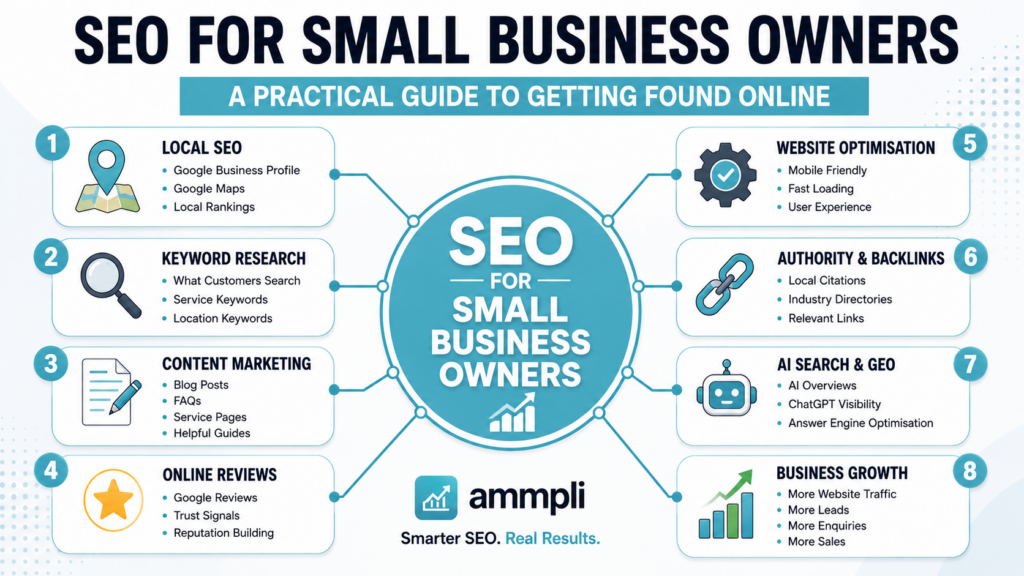
SEO for Small Business Owners: A Practical Guide to Getting Found Online

SEO for Small Business Owners: A Practical Guide to Getting Found Online

For many small businesses, the hardest part of marketing is not delivering the service well. It is getting found by the right people at the right time. A plumbing company in South London, a family-run dental practice in Croydon, a bookkeeping firm in Manchester, or a local dog groomer in Leeds may all offer excellent service, yet still struggle to appear when potential customers search online. That is where seo for small business owners becomes useful.

SEO, or search engine optimisation, is the work of improving your website and wider online presence so search engines are more likely to show your business for relevant searches. Unlike paid ads, SEO focuses on organic visibility. That means showing up because your content, website, business profile, and reputation appear relevant and helpful, rather than because you paid for a click.

For small service-based businesses in the UK, SEO can be one of the most practical long-term marketing channels available. It can help you show up in Google Search, Google Maps, AI-generated search summaries, and local results when people are asking early-stage questions such as how much a service costs, whether they need it, what affects the price, or which option suits their situation. If you are a business owner trying to make sense of where to start, this guide explains the essentials in plain English.

SEO for small businesses

What SEO Means for Small Business Owners

SEO is often described as a way to rank higher on Google, but that only tells part of the story. In practice, seo for small business owners means making it easier for customers to discover your business when they search for problems you solve, services you offer, and questions related to buying. This includes your website pages, blog articles, service descriptions, local listings, reviews, images, and even brand mentions across the web.

For a small team, SEO should not be treated as a technical hobby or a trick to game search engines. It is a method for matching your online presence to what real customers are already searching for. A person in London might search for “emergency electrician near me,” while another might search “why does my fuse board keep tripping” or “how much does rewiring cost in London.” All three searches signal possible demand, but each reflects a different stage of buying intent.

This is why good SEO is not only about broad keywords. It is about understanding customer language, local demand, service areas, and the practical questions people ask before they are ready to contact a provider. When your website answers those questions clearly, your business becomes easier to trust and easier to find.

Why SEO Matters for Small Service Businesses in the UK

Small business owners often compare SEO with paid search, social media, referrals, or directory listings. Each channel has value, but SEO stands out because it can keep producing leads after the initial work has been done. Paid advertising can create traffic quickly, but the moment you stop funding campaigns, that visibility drops. SEO usually takes longer to build, but it can keep working over time.

This matters even more for smaller firms with tight budgets. Many independent businesses in the UK do not have the resources to outspend national competitors in Google Ads. A local cleaning company in North London may not win by bidding on the broadest terms every day. It can, however, create useful pages and articles around specific local needs, such as end of tenancy cleaning in Camden, office cleaning for small businesses in Islington, or what affects the cost of deep cleaning in London flats.

SEO also supports trust. Users often see strong organic rankings and well-maintained local profiles as signs that a business is established and credible. That does not mean every top-ranking site is the best provider, but consistent visibility usually helps your brand feel familiar before someone even gets in touch.

How Search Engines Decide What to Show

Search engines use automated systems to find, index, and rank pages across the web. They scan websites, look at page structure, review content, assess links, and measure signals related to usability, speed, and relevance. The goal is to serve results that best answer the user’s query.

For seo for small business owners, this means your pages need to make sense both to real people and to search engines. A service page should explain what you do, who it is for, where you work, and what someone can expect. A blog article should answer a specific question properly, not just mention a keyword repeatedly. Your contact details should be easy to find. Your site should work well on mobile. Your local profile should match the information on your website.

Google and Bing also look beyond the page itself. Reviews, links from other reputable websites, accurate directory listings, brand mentions, and local relevance can all play a part. In many cases, search engines are trying to work out not just whether your page exists, but whether your business appears dependable, useful, and relevant to the searcher’s location and intent.

What Small Business SEO Usually Includes

SEO is made up of several connected areas. You do not need to master all of them at once, but it helps to know what they are. Many small businesses improve their results by handling the basics well before getting distracted by advanced tactics. If your site is slow, your service pages are thin, and your Google Business Profile is incomplete, those basics will often matter more than chasing obscure technical tweaks.

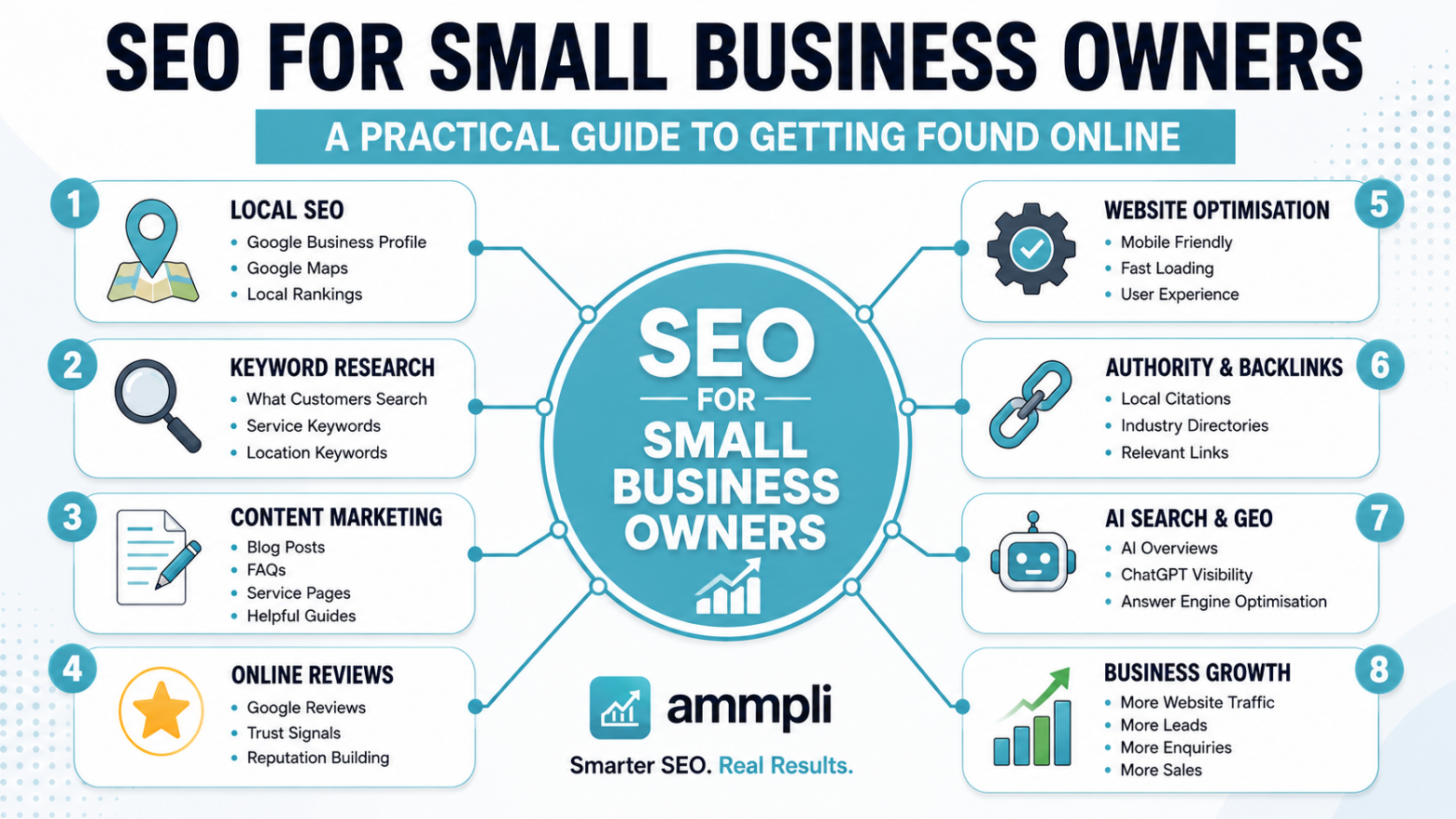
The main parts of seo for small business owners usually include on-page SEO, technical SEO, content creation, local SEO, internal linking, and link earning from other trusted websites. These areas work together. Strong content without a usable site can underperform. A fast site with weak content can also struggle. A local business with a great website but no reviews may miss out on map visibility.

  • Keyword research: finding the words and questions your customers actually use
  • On-page SEO: improving titles, headings, meta descriptions, URLs, and page copy
  • Technical SEO: helping search engines crawl your site and improving speed, mobile use, and security
  • Local SEO: strengthening your visibility in map results and location-based searches
  • Content marketing: publishing useful pages and articles that answer customer questions
  • Internal linking: connecting related pages so users and search engines can move through your site easily
  • Authority signals: building reviews, mentions, and backlinks from credible sources

Keyword Research: Starting with Customer Language

Keyword research is often the first step because it helps you understand what people are searching for and how they describe their needs. This is especially helpful for service businesses because business owners often use industry language while customers use plain, everyday language. A roofing contractor might talk about pitched roof membrane systems, while the customer searches “roof leak repair after heavy rain.”

The best keyword targets are not always the biggest ones. Broad terms may have high search volume, but they can also be vague, highly competitive, or poor at showing buying intent. Smaller firms often do better by targeting more specific phrases, including local and long-tail searches. A solicitor in London may have a better chance of winning traffic for “how much does probate cost in London” than simply trying to rank for “solicitor.”

Good keyword research also helps shape your website structure. It can show you which services need their own pages, which questions deserve blog posts, and how people compare options before hiring. If customers regularly search for pricing, timelines, risks, alternatives, or whether a service is necessary, those topics should appear on your site.

Writing Content That Helps Before It Sells

For top-of-funnel traffic, content matters because many users are not ready to contact a business straight away. They are researching a problem, checking whether they need help, comparing providers, or trying to understand cost. If your site only says “contact us today” without answering basic questions, you may miss those early-stage visits.

Helpful content builds visibility and confidence. A physiotherapy clinic could publish articles on whether back pain needs treatment, how many sessions people usually need, and what happens at a first appointment. A pest control company could explain common signs of a rat problem in London terraces and what affects treatment pricing. A cleaning company could compare one-off deep cleans with regular domestic cleaning.

This kind of content supports SEO because it gives search engines more context about your expertise and service areas. It also supports enquiries because people often return to the businesses that taught them something useful. The content should be written for humans first. Clear answers, simple formatting, and realistic examples usually outperform pages stuffed with awkward keywords.

On-Page SEO: The Basics That Still Matter

On-page SEO refers to the elements on your website pages that help users and search engines understand the topic. This includes the page title, headings, URL, meta description, image alt text, and the visible body content. For small businesses, these basics are often missed or duplicated across pages, which makes it harder for search engines to work out what each page is about.

A good service page should have one clear focus. If you offer boiler servicing and boiler repair, those may need separate pages if customers search for them differently. Your page title should describe the service naturally. Your main heading should match the topic. The body copy should explain the service, common use cases, service areas, what affects cost, and how to get help.

Meta descriptions do not directly push rankings upward, but they can improve click-through rates by making your result more appealing in search. Internal links also matter. If you publish a blog post about common causes of blocked drains, link it to your drain unblocking service page. That helps users move forward and helps search engines understand page relationships.

Technical SEO Without the Jargon

Technical SEO can sound intimidating, but the basics are straightforward. Your website should load quickly, work properly on phones, use secure HTTPS, avoid broken links, and make it easy for search engines to crawl your pages. If the site is hard to use or pages fail to load, rankings and conversions can both suffer.

This is especially relevant for local service businesses because many searches happen on mobile devices. Someone with a burst pipe in London is unlikely to tolerate a slow, confusing site. If your contact details are buried, your buttons do not work on mobile, or your map and service area are unclear, users may leave before making an enquiry.

Regular technical checks can reveal problems such as missing page titles, duplicate content, redirect issues, orphan pages, or slow image-heavy layouts. Tools like Google Search Console and PageSpeed Insights can help highlight issues. You do not need a huge website to benefit from technical SEO. In fact, smaller sites often see noticeable gains when the main issues are fixed.

Local SEO for Small Business Owners

Local SEO is one of the most useful parts of seo for small business owners when the business serves a defined area. This includes trades, clinics, salons, accountants, solicitors, removals firms, and many other services that depend on local demand. Local SEO helps your business appear in map listings, “near me” searches, and location-based results such as “electrician in Wimbledon” or “family dentist in East London.”

Your Google Business Profile is central to this. A complete and accurate profile gives search engines clear information about your business name, address, phone number, opening hours, categories, photos, and services. It also gives customers confidence. Reviews matter here too. Businesses with strong review profiles often stand out in local packs, especially where several providers appear similar at first glance.

Consistency matters across the web. Your name, address, and phone number should match on your website, Google Business Profile, and local directories. If you serve multiple locations, you may benefit from dedicated location pages, but they should be useful and unique, not thin copies of one another with town names swapped out.

Local SEO Examples in a London Context

A London-based business often faces heavier competition than a smaller town business, so relevance becomes even more important. A generic page about “plumbing services” may struggle in Greater London. A more focused page such as “emergency plumber in Clapham” or “boiler repair for flats in North London” can be more useful if that reflects genuine demand and actual service coverage.

Customers in London also search with transport, borough, and neighbourhood language. Some will search by borough, some by district, and some by “near me.” If you work across several parts of the city, your content and business profile should reflect that clearly. Service area clarity can help both rankings and enquiry quality.

EEAT and Why Trust Signals Matter

Search engines want to rank content that appears reliable. This idea is often discussed through the term EEAT: experience, expertise, authoritativeness, and trustworthiness. While many small business owners never use that phrase, they already understand the principle. People want to hire providers who look experienced, informed, and genuine.

For a service business, trust signals can appear in many forms. These include well-written service pages, staff bios, years in business, qualifications, trade memberships, case studies, customer reviews, and clear contact information. If your business works in a sensitive area such as financial advice, legal services, or healthcare, trust signals become even more valuable.

Freshness can help too. A website that has not been updated in years may feel abandoned. That does not mean you need to post constantly, but your site should show signs of care. Updated service pages, current photos, recent reviews, and accurate opening times all support trust.

SEO vs Paid Search: Which Is Better?

Many small business owners ask whether they should invest in SEO or PPC. The honest answer is that it depends on timing, budget, and competition. Paid search can drive visibility quickly, which is useful if you need enquiries now or want to test demand for certain services. SEO tends to take longer, but it can create more durable visibility.

Think of paid search like renting attention and SEO like building an asset. If you stop paying for ads, your traffic from that source often stops. If you stop publishing content for a while, your organic visibility does not vanish overnight. That is why many businesses use a mix. PPC can help during the early months while SEO groundwork is being built.

For smaller firms with limited budgets, SEO often becomes attractive because it can keep producing value without a permanent ad cost attached to every click. Still, competitive industries in major cities such as London may need a blended approach, especially if you need leads quickly while organic work gains traction.

How Much Does SEO Cost for a Small Business?

SEO costs vary widely because the work involved depends on your site, competition, location, and goals. A small local business with a simple website and one core service will usually need a different level of support from a multi-location firm with dozens of pages. Cost can also depend on whether you handle some work in-house or use a specialist.

Some businesses start by improving their existing site, setting up tracking, fixing local listings, and rewriting key service pages. Others need a full strategy, technical clean-up, ongoing content, and link outreach. There is no single price that fits every business. In the UK, monthly SEO support for a small service business can range from modest freelancer rates to agency retainers running well into four figures.

The key question is not only what SEO costs, but what kind of return it can produce. If one additional recurring client or a few qualified leads per month covers the investment, the maths can work well. That said, SEO is not instant. Businesses should expect a longer-term view, especially in competitive local markets.

Typical Factors That Affect SEO Pricing

Pricing Factor How It Affects Cost
Website size More pages usually mean more optimisation, auditing, and content work
Competition level Highly competitive sectors and places like London often need more work
Local vs national focus National campaigns usually require broader strategy and content depth
Current website condition Poor technical setup or thin content increases the amount of work needed
Content creation needs New articles, service pages, and location pages add to monthly workload
Link and authority building Digital PR, outreach, and local citation work require time and expertise
Reporting and strategy support More frequent analysis and planning usually raise the monthly fee

Common SEO Misunderstandings Small Business Owners Have

One common misunderstanding is that SEO is only about ranking number one. In reality, SEO should support useful business outcomes such as better-qualified traffic, more calls, more form enquiries, and stronger local visibility. A page can rank well for the wrong searches and bring very little value. Another page can rank in position three for a highly relevant local phrase and generate steady leads.

Another misunderstanding is that SEO is a one-off project. Some setup tasks are one-time improvements, but search behaviour, competitors, algorithms, and customer expectations keep shifting. Your service pages need refreshing. Your profile needs reviews. Your content should expand as new questions appear in the market.

Many owners also assume SEO is purely technical. Technical work matters, but a large part of SEO is really about communication. Are you clearly explaining what you do, who you help, where you work, what it costs, and why someone should trust you? If the answer is no, rankings and conversions both suffer.

How AI Is Changing SEO for Small Businesses

Search has changed. Users now see AI summaries, featured answers, map packs, videos, and “people also ask” boxes before they reach standard results. This means visibility is no longer only about ten blue links. Your content may be cited, summarised, or overlooked depending on how clearly it answers questions.

For seo for small business owners, the practical lesson is simple: write clearly, answer real questions directly, and back up your content with experience and specificity. AI-generated answers often pull from content that is easy to interpret, well-structured, and genuinely useful. Businesses that rely on vague pages full of marketing language may find it harder to stand out.

This does not mean SEO is disappearing. It means helpfulness, originality, and local relevance matter even more. A London roofing company that publishes clear guidance on flat roof repair costs, storm damage, and common issues in Victorian terraces may become more visible across both traditional search and AI-assisted search experiences.

What to Prioritise If You Are Just Getting Started

Small business owners often feel pulled in too many directions. The simplest way to start is to focus on the actions most likely to improve visibility and user experience without making the process overly complicated. You do not need to publish fifty blog posts in the first month. You do need a usable site, clear service pages, and accurate local information.

Start by reviewing what your customers ask before they call or email. Those questions can shape your service pages and blog content. Then look at your website on a phone. Can someone quickly understand what you do, where you work, and how to contact you? If not, fix that before chasing advanced tactics.

  • Claim and complete your Google Business Profile
  • Make sure your name, address, and phone number are consistent everywhere
  • Improve your core service pages with clearer copy and local relevance
  • Research customer questions and build content around them
  • Fix obvious technical issues such as slow pages, broken links, or missing titles
  • Ask customers for honest reviews on Google and relevant platforms
  • Track enquiries so you know whether SEO is helping the business

How to Measure Whether SEO Is Working

SEO should be measured by both visibility and business outcomes. Rankings can be useful, but they are only part of the picture. Traffic growth matters, but traffic without enquiries is not enough. For small service businesses, the aim is usually qualified leads, not empty website visits.

Google Search Console can show how often your pages appear in search, which queries bring impressions, and how many clicks you receive. Analytics tools can show how users behave once they arrive. Call tracking, form submissions, booked appointments, and quote requests can help you connect search visibility to real business activity.

It also helps to measure locally. If you are targeting London or a specific borough, check whether your map visibility, service page traffic, and location-based enquiries are improving. SEO progress is often uneven. Some pages move quickly, others take months. Looking only at week-to-week changes can lead to poor decisions. A steadier month-by-month view is usually more useful.

When It Makes Sense to Speak to an SEO Professional

Some small business owners can make a strong start on their own, especially with local profile setup, service page improvements, and basic content writing. But there comes a point where outside help can save time and prevent costly mistakes. If your market is competitive, your site has technical problems, or your team cannot keep up with content and tracking, specialist support may be worthwhile.

Speaking to a professional also makes sense if you are not sure why your site is underperforming. Sometimes the issue is content. Sometimes it is poor structure, weak local signals, duplicate pages, or mismatched search intent. An experienced provider should be able to explain priorities clearly rather than burying you in jargon.

If you are comparing SEO providers, ask how they approach keyword research, local SEO, content planning, reporting, and link building. Ask what they would prioritise in the first three months. Ask how success will be measured. Clear answers are usually a good sign.

Frequently Asked Questions

How long does SEO take to work for a small business?

SEO usually takes time. Some improvements, such as fixing titles, local listings, or service page content, may help within weeks, but stronger movement often takes several months. In competitive areas like London, it can take longer. The timeline depends on your starting point, competition, website quality, and how consistently the work is done.

Is local SEO different from normal SEO?

Yes. Local SEO focuses on visibility in a specific area, such as appearing in Google Maps, local packs, and searches with town, city, or “near me” intent. General SEO may target broader searches across larger regions. Many small businesses need both, but local SEO is often the most practical starting point for service providers.

Can I do SEO myself as a small business owner?

You can handle some parts yourself, especially the basics. Many owners can improve service pages, answer common customer questions, complete their Google Business Profile, and ask for reviews. Where businesses often need help is technical SEO, strategy, tracking, and more competitive markets.

What is the biggest SEO mistake small businesses make?

One of the biggest mistakes is creating a website that talks about the business but does not answer customer questions. Another common mistake is ignoring local SEO, especially inaccurate or incomplete Google Business information. Thin service pages, slow mobile performance, and no review strategy are also common problems.

Should I focus on blog posts or service pages first?

Service pages usually come first because they are closer to the enquiry stage and explain what you actually offer. Blog posts are useful for attracting early-stage traffic and answering broader questions, but they work best when the core service pages are already strong. A balanced strategy often starts with service pages, then expands into blog content.

Does SEO still matter now that AI answers questions in search?

Yes. AI is changing how people discover information, but it still relies on useful source material. Clear, trustworthy, well-structured content remains valuable. Businesses that publish original, relevant, experience-based content can still benefit from organic search, local search, and AI-assisted visibility.


Free for 14 Days

Start Your 14-Day Free Trial

Discover ranking opportunities, uncover keyword gaps and build content strategies designed to help your business get found in modern search.

✓ No credit card required
✓ 14 days free access
✓ AI-powered keyword research
✓ Content opportunities in minutes


Start Your Free Trial →