If you run a local business, your Google Business Profile can be one of the most visible parts of your online presence. Many people will see your profile before they visit your website, call your office, or walk into your premises. For service-based businesses in the UK, and especially in busy markets such as London, that first impression can shape whether someone contacts you or moves on to a competitor.
This guide explains how to set up and optimise your Google Business Profile step by step, with a focus on what actually helps small businesses appear more clearly in Google Search and Google Maps. It is written for owners and managers who want practical advice rather than vague marketing claims. Whether you are a plumber in Croydon, a dentist in Camden, a salon in Clapham, or a consultant serving clients across Greater London, the same principles apply.
You do not need a large team or a huge budget to improve your profile. What you do need is accurate information, regular upkeep, and a clear understanding of how Google uses profile data to match businesses with local searches. Once the basics are in place, small improvements in the right areas can make it much easier for nearby customers to find you and trust you.
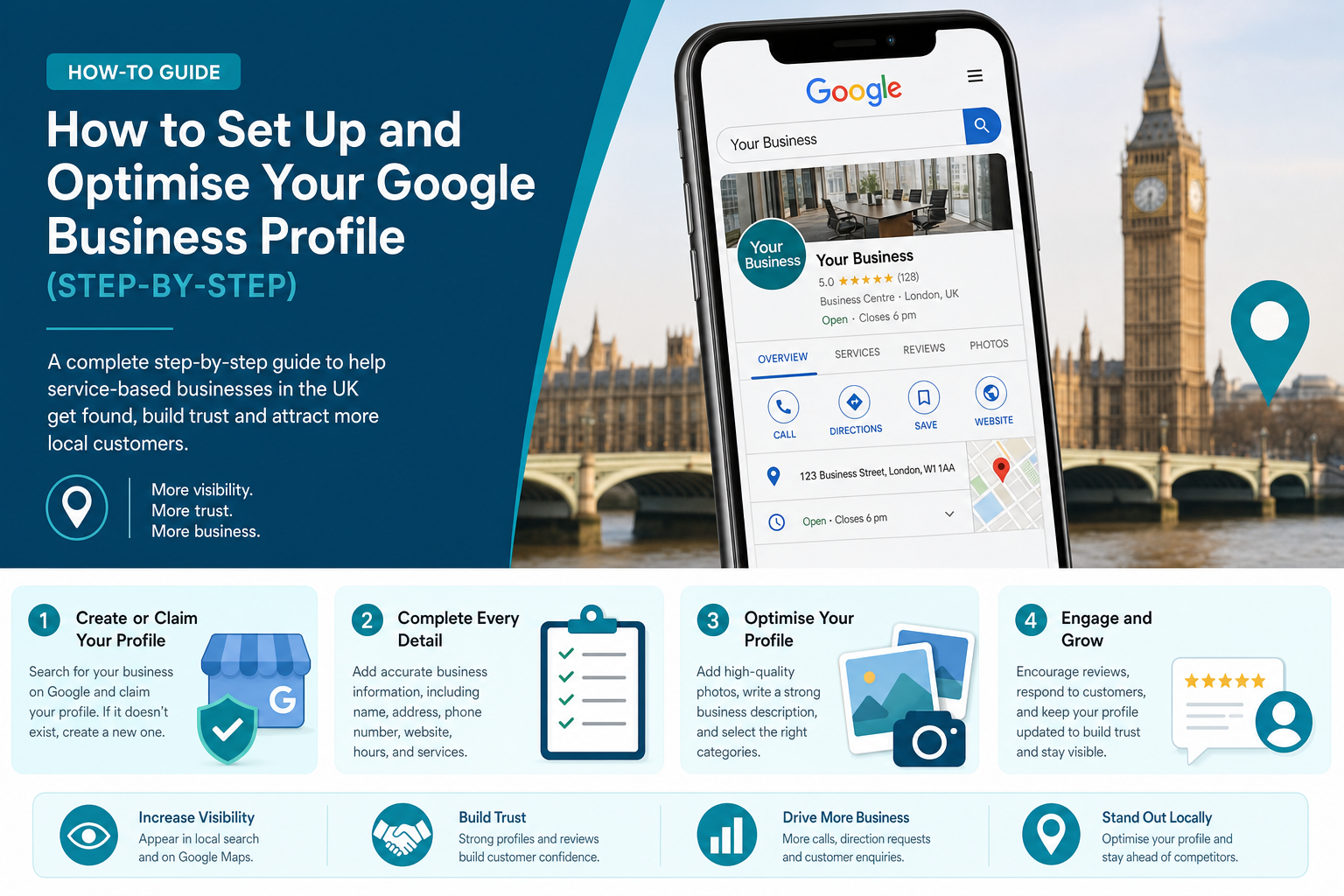
What a Google Business Profile Is and Why It Matters
A Google Business Profile is your business listing on Google Search and Google Maps. It usually shows your business name, address or service area, phone number, opening hours, reviews, photos, services, and other details that help people decide whether to contact you. For many local searches, this listing appears before organic website results, which means it often gets attention earlier in the customer journey.
That matters because many people searching for local services are not browsing for long. They want a quick answer to a practical need. Someone searching for “emergency electrician London”, “accountant near me”, or “physio in Islington” is often ready to compare a shortlist straight away. If your profile looks incomplete, outdated, or untrustworthy, they may never reach your website.
A strong profile also supports local SEO. Google uses business information, review signals, relevance, proximity, and overall prominence to decide which businesses to show. While no one can pay to rank a Business Profile higher organically, businesses with complete and accurate information tend to perform better because Google can understand them more clearly.
Another point people miss is that your Google Business Profile is not only about rankings. It also affects conversion. Even if you already appear in search, a better profile can increase calls, clicks for directions, bookings, and enquiries. In practical terms, it helps turn visibility into leads.
How Google Decides Which Local Businesses to Show
Before getting into setup, it helps to understand what influences local ranking. Google has stated that local results are mainly based on relevance, distance, and prominence. These factors work together, so a business does not win purely by being closest or by having the most reviews. Google is trying to show the result that best matches the search.
Relevance is about how well your profile matches what someone is looking for. This is shaped by your categories, service details, description, and profile completeness. Distance is about how close your business is to the searcher or the area named in the search. Prominence is about how established and trusted your business appears, often influenced by reviews, citations, links, brand visibility, and general online presence.
For London businesses, this can be more competitive than in smaller towns because there are often many similar providers within a short distance. A roofer in Barnet might be competing with dozens of nearby businesses, while a specialist clinic in Central London may be competing across borough lines. That is why profile accuracy and ongoing activity matter so much.
It is also useful to clear up one common misunderstanding. There is no shortcut where you can request a better local ranking from Google. Your best option is to improve the signals you control: your business data, categories, reviews, photos, service information, website connection, and consistency across the web.
Step 1: Create or Claim Your Google Business Profile
The first job is to check whether your business already has a listing. In many cases, Google creates listings automatically from public information or user suggestions, so you may already exist on Maps even if you never set it up yourself. Search for your business name on Google and Google Maps. If a profile appears, look for the option to claim or manage it.
If there is no listing, you can create one through Google Business Profile. You will need a Google account connected to your business. It is best to use a business-owned account rather than a personal account belonging to a staff member, because access problems often happen later when team members leave.
When claiming or adding the profile, use your real-world business name only. Do not add extra keywords such as “Best Plumber London” or “Cheap Accountant Croydon” unless that is genuinely your legal trading name. Keyword stuffing in the business title can lead to problems and can make your listing look untrustworthy.
If you run a service-area business and do not serve customers at your registered office, set the profile up correctly as a service-area business rather than displaying an address that customers cannot visit. This is common for trades, mobile beauty services, home cleaning businesses, and repair companies operating across London boroughs.
Step 2: Verify Your Business
Verification tells Google that you are authorised to manage the profile. Without verification, your ability to control the listing is limited. Verification methods vary by business, but may include video verification, phone, email, or post. Google changes these methods over time, so the exact option you receive will depend on your business type and profile history.
This step can feel administrative, but it matters because verified businesses are more likely to be trusted within Google’s systems. It also gives you control over edits, reviews, photos, hours, and performance insights. If you skip verification or delay it, you may end up with an incomplete profile that sits there without delivering much value.
For smaller UK businesses, video verification has become more common. That may involve showing your premises, tools, branding, or access to the location. If you operate from a real office in London, keep your signage, work area, and business documents organised before starting. If you are a service-area business, be prepared to show branded equipment, work vehicles, or proof of business activity.
If verification becomes difficult, do not create duplicate listings as a workaround. Duplicate profiles can damage trust and create confusion. It is better to resolve the verification issue properly than to create a second version of the business.
Step 3: Add Complete and Accurate Business Information
Once the profile is claimed and verified, fill in every core field you can. A complete profile helps Google understand what you do and helps customers feel more confident contacting you. Incomplete listings often underperform because both Google and users are left guessing.
Start with the basics: business name, address if customers visit you, service area if you travel to customers, local phone number, website URL, and opening hours. Keep these details aligned with your website and other directories. If your name, address, or phone number appears differently across platforms, local trust signals become weaker.
Use a local phone number where possible rather than a generic national call centre line. For many service businesses, a local number can support trust, especially when customers are comparing nearby options. A customer in North London may feel more comfortable calling a local provider than a business that looks distant or unclear.
You should also add relevant attributes if available. These vary by business category and may include accessibility details, appointment options, parking, Wi-Fi, online estimates, women-led, or other practical information. These details can improve the quality of the profile and help customers decide faster.
Business Information Checklist
- Official business name
- Correct address or service area
- Local phone number
- Website link
- Opening hours and special hours
- Primary and secondary categories
- Services or products
- Attributes such as accessibility or payment options
- Business description
- Photos and videos
Step 4: Choose the Right Primary and Secondary Categories
Categories are one of the strongest local relevance signals in your profile. Your primary category tells Google what your business mainly is, while secondary categories expand the range of related searches where you may appear. This step deserves more thought than many businesses give it.
Your primary category should reflect your main service as accurately as possible. If you are a family solicitor in London, “Law firm” may be too broad if “Family law attorney” or a more suitable UK equivalent is available. If you run a hair extension business, a specific category may serve you better than a broad “Hair salon” category in a crowded area.
Secondary categories should support your actual services, not every possible phrase you would like to rank for. Too many weak or irrelevant categories can make the profile less clear. A clinic that offers physiotherapy, sports massage, and rehabilitation can reflect those related services through secondary categories, but it should still keep the profile focused.
One practical method is to review the profiles of high-performing competitors in your area. Search your target services in Google Maps and note the categories used by businesses that appear often. Do not copy blindly, but use it as research to check whether your current category choices are too broad or poorly matched.
Step 5: Write a Clear Business Description
Your business description helps explain who you are, what you do, and where you work. It should support both clarity and trust, but it should not read like an advert stuffed with sales language. A good description gives potential customers a quick sense of fit.
Keep the wording simple. Mention your main services, your location or service area, and what type of customers you help. If you have a genuine point of difference, such as weekend appointments, same-day service, or specialist experience in listed buildings across London, include it naturally.
Avoid overloading the description with repeated keywords. Writing “best plumber London emergency plumber London local plumber London” does not help. Instead, use plain language such as “We provide emergency plumbing, leak repairs, boiler fault finding, and general plumbing services across South London.”
It is also wise to avoid putting offers, links, or exaggerated claims in the description. Focus on accuracy. Google values business information that helps people understand the service clearly.
Step 6: Add Services and Products Properly
Many businesses stop after filling in the contact details, but the services section can add real value. It helps customers understand what you offer at a glance and gives Google stronger relevance signals for matching your profile with search queries. This is especially helpful for service businesses with a broad but connected range of work.
Break services into meaningful entries rather than lumping everything into one vague line. A dental clinic might list emergency dental appointments, hygiene appointments, teeth whitening, Invisalign consultations, and routine check-ups. A trades business might list boiler repairs, annual boiler servicing, central heating power flushing, and landlord gas safety checks.
If you sell products from a physical location, use the products feature where relevant. This is more common for retail, but can also help some hybrid businesses. For service businesses, the service section is usually more valuable than products. Add short, honest descriptions and pricing where fixed pricing makes sense.
For London and wider UK markets, this can also help with customer expectations. Many people want to know whether you offer the specific job they need before making a call. A clear service list saves time for both sides.
Problem vs Profile Improvement
| Common Problem | What to Improve in the Profile |
|---|---|
| Customers are unsure what you actually do | Add detailed services with short descriptions and relevant categories |
| People call outside opening times | Update regular hours and special holiday hours |
| You get views but not many enquiries | Add better photos, stronger reviews, and clearer service information |
| You appear for the wrong searches | Refine primary and secondary categories |
| Customers ask the same basic questions repeatedly | Use Q&A, posts, and service descriptions to answer them upfront |
| Your London competitors outrank you locally | Improve completeness, review activity, profile freshness, and website relevance |
Step 7: Upload High-Quality Photos and Videos
Photos are one of the most underused parts of Google Business Profile optimisation. Good images can increase trust quickly because they show that your business is real, active, and presentable. They also help customers picture what to expect before making contact.
Use real photos of your premises, staff, vehicles, work, and finished results. If you are a salon, show the interior, front entrance, treatment areas, and examples of your work. If you are a builder or decorator, add before-and-after shots, completed projects, and team photos on site. If you are a consultant or agency with an office in London, use clean, authentic workspace imagery rather than generic stock images.
Try to include a strong logo, cover image, exterior photo, interior photo if relevant, and regular updates over time. If your business changes seasonally, or if you complete visible project work, add fresh images monthly where possible. This sends activity signals and gives returning searchers confidence that the business is current.
Short videos can also help, particularly for premises, demonstrations, or giving a quick view of how the service works. They do not need to be heavily produced. Clear and genuine is better than polished but artificial.
Step 8: Set Accurate Opening Hours and Special Hours
Opening hours affect both visibility and customer satisfaction. If your hours are wrong, people may turn up when you are closed or assume you are unavailable when you are actually open. That leads to frustration, missed revenue, and negative reviews that could have been avoided.
Add your standard hours carefully and update them whenever your schedule changes. This includes lunch closures, late openings, and weekend variations. If you are appointment-only, reflect that as clearly as the platform allows and make your contact route obvious.
Special hours are just as important. Bank holidays in the UK, Christmas trading, summer hours, and short-notice closures should all be updated. In London, many businesses see changed schedules around public holidays, transport disruptions, or local events, so these updates are not a minor detail.
If you are a service-area business and still working even when the office is closed, avoid marking the whole business as temporarily closed unless that is truly the case. That can remove your visibility when customers are still able to book or request a visit.
Step 9: Get More Reviews and Respond to Them Properly
Reviews are one of the biggest trust signals on a Google Business Profile. They can influence both local visibility and whether a customer feels comfortable contacting you. In practical terms, a profile with a healthy number of recent, genuine reviews usually performs better than a profile with very few or very old reviews.
The best approach is to ask consistently rather than in bursts. After a successful job, appointment, or completed service, send a simple request by email or text. Make it easy. Many happy customers will leave a review if the process takes less than a minute and the request feels natural.
Respond to every review you reasonably can, including negative ones. Thank people for positive feedback and reply calmly to criticism. A thoughtful response can reduce the damage of a poor review and show future customers that you take service seriously. It also keeps the profile active.
One thing to avoid is pushing for only five-star reviews or offering incentives that break Google’s rules. Ask for honest feedback. Also, do not panic over the occasional negative review. A profile with only perfect reviews can sometimes look less believable than one with a realistic mix and professional responses.
Good Review Request Habits
- Ask soon after the service is completed
- Send a direct review link
- Use a short, polite message
- Ask every suitable customer, not only a few favourites
- Reply to new reviews regularly
- Report fake or spam reviews where appropriate
Step 10: Use Google Posts to Keep the Profile Active
Google Posts let you publish updates directly on your profile. These can include offers, business updates, event notices, service highlights, and useful announcements. While posts alone will not transform rankings, they help keep the profile active and can increase engagement from people already viewing your listing.
For small businesses, this is a useful way to show signs of life without writing a full blog article every week. A local clinic might post about evening appointments, a decorator might highlight recent project availability, and a law firm might post a simple update about a new office opening in London.
The most useful posts are specific and current. Generic marketing statements tend to be ignored. Focus on practical customer information, seasonal relevance, and short updates that support trust. Good images help here as well.
If you are pressed for time, one post a week or a few posts per month is enough to keep the profile from looking neglected. Consistency matters more than volume.
Step 11: Use Questions and Answers to Reduce Friction
The Q&A feature is often overlooked, yet it can be helpful for answering practical questions before a customer makes contact. People may ask about parking, emergency availability, wheelchair access, same-day appointments, service areas, accepted payment methods, or whether children are allowed in the waiting area.
You should monitor this section because members of the public can submit answers, and those answers are not always accurate. If you see new questions, respond promptly with a clear and polite reply. This protects the quality of the information potential customers see.
It can also help to add common questions yourself where appropriate, then answer them from the business account. This is particularly useful for service businesses that keep getting the same calls. If you serve most of Greater London but not all boroughs, for example, that can be clarified upfront.
Think of Q&A as a way to reduce hesitation. The easier it is for people to understand how your business works, the more likely they are to contact you.
Step 12: Connect the Profile to the Right Website Page
Your website link on the profile should not always point to the homepage by default. In some cases, a relevant service page or location page is a better fit. The aim is to send visitors to the page that best matches what they are looking for.
If you have one physical location, a strong contact or location page may work well. If you serve multiple areas, a city or borough-specific landing page can help, provided it is genuinely useful and not just a thin page made for search engines. A London accountant may link to a London office page, while a locksmith might link to an emergency callout service page.
This matters because Google uses your website as a supporting relevance signal. If the linked page matches the profile and the search intent well, that can strengthen the overall local search picture. It also improves conversion because the customer lands on a page that answers the same need that triggered the search.
Make sure the page is mobile-friendly, fast, and clearly connected to the business details shown in the profile. A poor landing page can waste good profile traffic.
Step 13: Keep Your Business Information Consistent Across the Web
Google does not look at your profile in isolation. It also sees mentions of your business across directories, map platforms, review sites, and local listings. These are often referred to as citations. When your business name, address, and phone number match consistently, it helps validate that your business is genuine and stable.
Inconsistent listings can weaken trust. A business that appears with two different phone numbers, several address variations, or mismatched opening hours can look less reliable to both Google and customers. This is common when businesses move premises or rebrand without cleaning up old listings.
For UK businesses, you may want to review common listing sites, industry directories, local chambers, and map services. If you operate in London, local borough directories or trade association listings may also be relevant depending on your sector.
This is not the most exciting part of local SEO, but it often makes a difference over time. It is especially useful if your rankings fluctuate or if your profile feels weaker than competitors despite having similar reviews and content.
Step 14: Monitor Performance and Make Adjustments
Google Business Profile provides performance insights that show how people find and interact with your listing. You can see data related to calls, direction requests, website clicks, bookings, and search visibility. This gives you a practical way to understand whether your profile improvements are helping.
Do not expect every change to produce a dramatic jump overnight. Local visibility often improves gradually, especially in competitive places like London. What you are looking for is a pattern over time. Are more people finding you through discovery searches? Are direction requests increasing? Are calls rising after new photos and reviews are added?
You can use this information to guide future updates. If service pages are getting strong click-through rates, add more detail in related service sections. If review growth seems to increase calls, make your review request process more consistent. If certain categories do not seem to fit, test a refined primary category over a reasonable period.
Profile management works best as a monthly habit rather than a one-off setup. Small improvements, repeated over time, tend to outperform rushed bursts of activity followed by neglect.
Common Mistakes Businesses Make with Google Business Profiles
Many businesses do the initial setup and then wonder why the profile never delivers much. Often, the problem is not one big mistake but several small ones that reduce trust and clarity. Knowing what to avoid can save you time and help protect rankings.
One common issue is incomplete information. Another is using the wrong category because it sounds broader or more popular. Businesses also leave old opening hours in place, ignore reviews, fail to add fresh photos, or link to weak website pages. Some create duplicate listings without realising the confusion this causes.
There are also myths that distract people from the basics. For example, obsessing over tiny tricks while ignoring reviews, service detail, and consistency usually leads nowhere. Local SEO generally rewards good maintenance more than gimmicks.
If you want a practical benchmark, compare your profile with the top three local competitors you see in Maps. Are they more complete, more active, and better reviewed? If so, that is usually where the gap is.
Common Mistakes to Avoid
- Using a fake or keyword-stuffed business name
- Picking broad or irrelevant categories
- Leaving hours outdated
- Ignoring reviews or replying badly
- Using poor-quality or no photos
- Creating duplicate profiles
- Showing an address customers cannot visit when you are really a service-area business
- Linking to an unrelated or outdated website page
- Failing to update services and profile content over time
What Different Types of Businesses Should Focus On
Not every business uses Google Business Profile in exactly the same way. A retail shop, a restaurant, a clinic, and a mobile trades business all have different customer behaviours and different profile opportunities. The setup basics stay the same, but the emphasis changes depending on the business model.
A local shop or restaurant should focus heavily on opening hours, photos, reviews, product or menu visibility, and location convenience. A service-area business such as a plumber, pest control company, or cleaning service should focus on service categories, clear service areas, review quality, and fast response signals. Professional services such as solicitors, accountants, and consultants often benefit from a polished description, strong trust signals, and clear service explanations because the buying decision usually involves more caution.
Multi-location businesses need to treat each profile separately while keeping brand information consistent. Each location should have its own accurate hours, reviews, photos, categories, and corresponding location page on the website. A chain with offices in London, Watford, and Reading should not point every profile to the same generic homepage if stronger location pages exist.
The key is to think about what your customers need to know before they contact you. Then build the profile around answering that need clearly.
Read our guide on SEO for Small Business Owners: A Practical Guide to Getting Found Online
When It Makes Sense to Get Professional Help
Some businesses can manage their Google Business Profile in-house quite comfortably. If you have one location, a straightforward service offering, and someone on the team who can spend time on updates, reviews, and local SEO basics, that may be enough. Many small businesses do perfectly well with a simple monthly routine.
Professional help becomes more useful when the profile is tied to a wider local SEO problem. For example, if you are in a highly competitive London sector, if rankings have dropped after a move or rebrand, if there are duplicate listings, or if you run multiple locations, it may be worth bringing in support. The same applies if you get traffic but poor conversion and cannot tell whether the issue is the profile, the website, the categories, or the wider local search setup.
You may also want help if you are trying to connect profile work with broader SEO, paid search, or lead tracking. A profile can generate calls and bookings, but without proper process and reporting it is hard to know what is driving growth.
If you do use a provider, look for one that explains what they are changing and why. Good profile management is based on clear information, consistency, and regular updates, not secret tricks.
Frequently Asked Questions
Many business owners have the same early-stage questions when they start looking into Google Business Profile setup and optimisation. The answers below cover the issues that usually come up before someone decides whether to handle it alone or get outside support.
If you are still at the research stage, these should help you understand what matters, what does not, and what to expect from the process. They are especially relevant for small UK businesses trying to improve local visibility without wasting time on the wrong tasks.
As with most local SEO work, clarity and consistency usually matter more than speed. It is better to build the profile properly and keep it maintained than to rush the setup and leave weak information in place for months.
Is Google Business Profile free to use?
Yes, creating and managing a Google Business Profile is free. You do not need to pay Google to set up your listing on Search or Maps. Some businesses choose to pay a marketing provider to manage or improve the profile, but the platform itself is free.
How long does it take to set up and optimise a Google Business Profile?
The basic setup can often be done in one sitting, but verification may take longer depending on the method Google offers. Proper optimisation is ongoing. Most businesses can complete the main setup in a few hours, then improve reviews, photos, posts, and service details over time.
What is the most important ranking factor for local results?
There is no single factor on its own. Google says local results are mainly based on relevance, distance, and prominence. In practice, strong categories, accurate information, good reviews, a complete profile, and consistent business details across the web all help support better visibility.
Can I use a Google Business Profile if I work from home?
Yes, if you run a legitimate business and meet Google’s guidelines. If customers do not visit your home address, you should usually set the profile up as a service-area business and hide the address. This is common for tradespeople, mobile services, and home-based consultants.
How often should I update my profile?
You should review your profile at least monthly. Update hours whenever they change, add new photos regularly, reply to reviews promptly, and use posts when you have useful updates. A profile that stays active usually performs better than one that is left untouched.
Do I need a website if I already have a Google Business Profile?
A profile can still help without a website, but having a good website usually improves trust, conversion, and local relevance. For many service businesses, the best results come from using the profile and website together, with each supporting the other.
Final Thoughts on Building a Stronger Local Presence
If you have been wondering how to set up and optimise your Google Business Profile step by step, the main takeaway is that the process is less about tricks and more about giving Google and your customers clear, reliable information. The strongest profiles are usually the ones that are complete, accurate, active, and aligned with how people actually search.
For UK businesses and especially those operating in London, local search is competitive enough that profile quality can affect both visibility and trust. A neglected profile can make even a good business look unconvincing. A well-managed one can help you appear for the right searches and convert more of the people who find you.
Start with the setup basics, then build from there. Verify the profile, choose the right categories, add real services and photos, keep hours updated, ask for reviews, respond to feedback, and review performance each month. These steady improvements are what usually move the needle.
If your business depends on local enquiries, your Google Business Profile is not just a listing to tick off. It is one of the most useful assets you can improve.