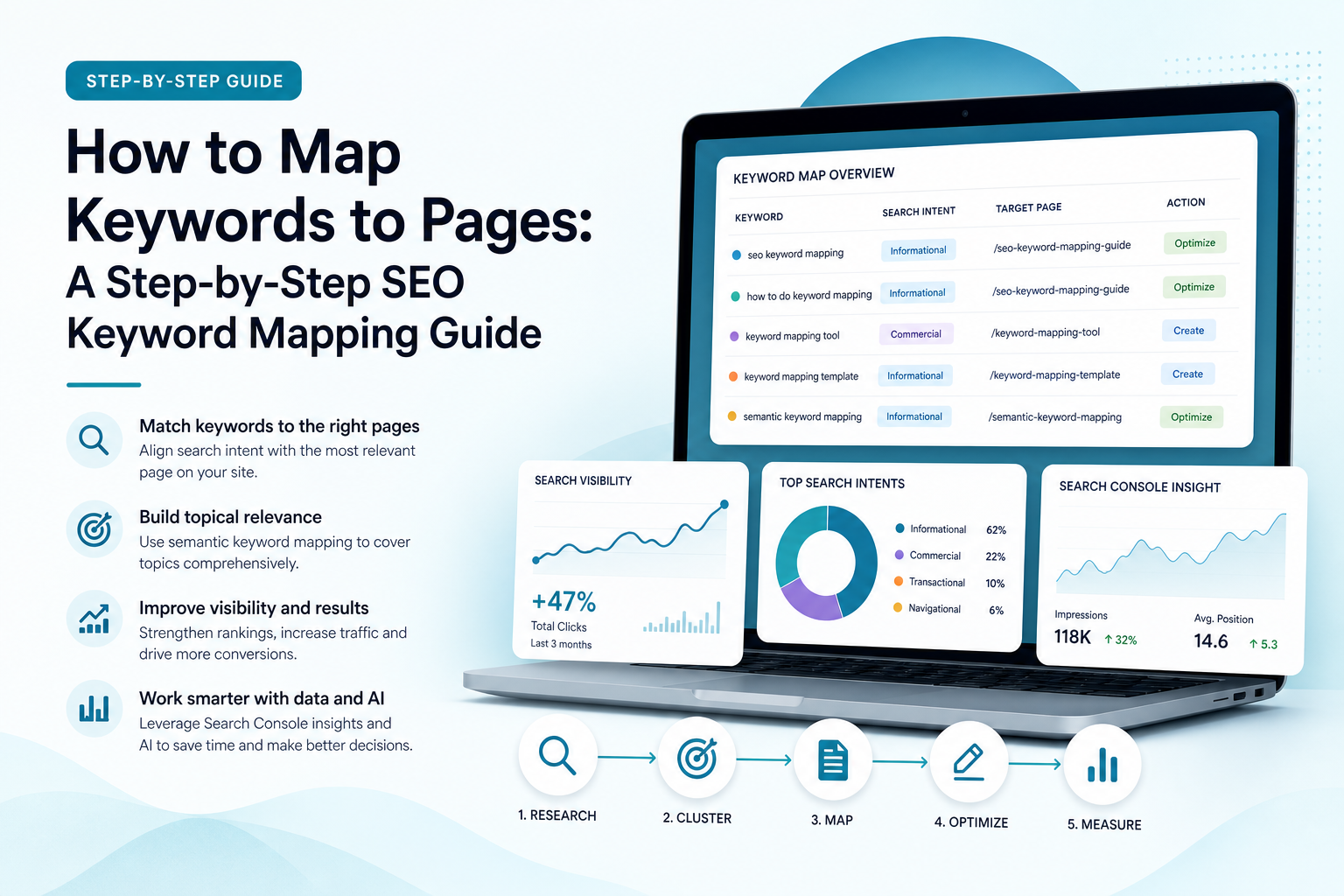
You may already have a long list of keywords, but a spreadsheet full of search terms will not improve your visibility on its own. The real challenge is deciding which keyword belongs on which page, whether an existing page should be updated, and when a new page is justified.
That process is called keyword mapping. It connects search demand with your website structure, page purpose and content plan. For small businesses with limited time and budget, effective keyword mapping helps prevent wasted content, reduces internal competition and creates a clearer route from search visibility to enquiries, sign-ups or sales.
This guide explains how to map keywords to pages step by step, using search intent, semantic keyword mapping, competitor research and Google Search Console data. It also shows how an AI SEO content platform such as Ammpli can reduce the manual work involved.
What is keyword mapping?
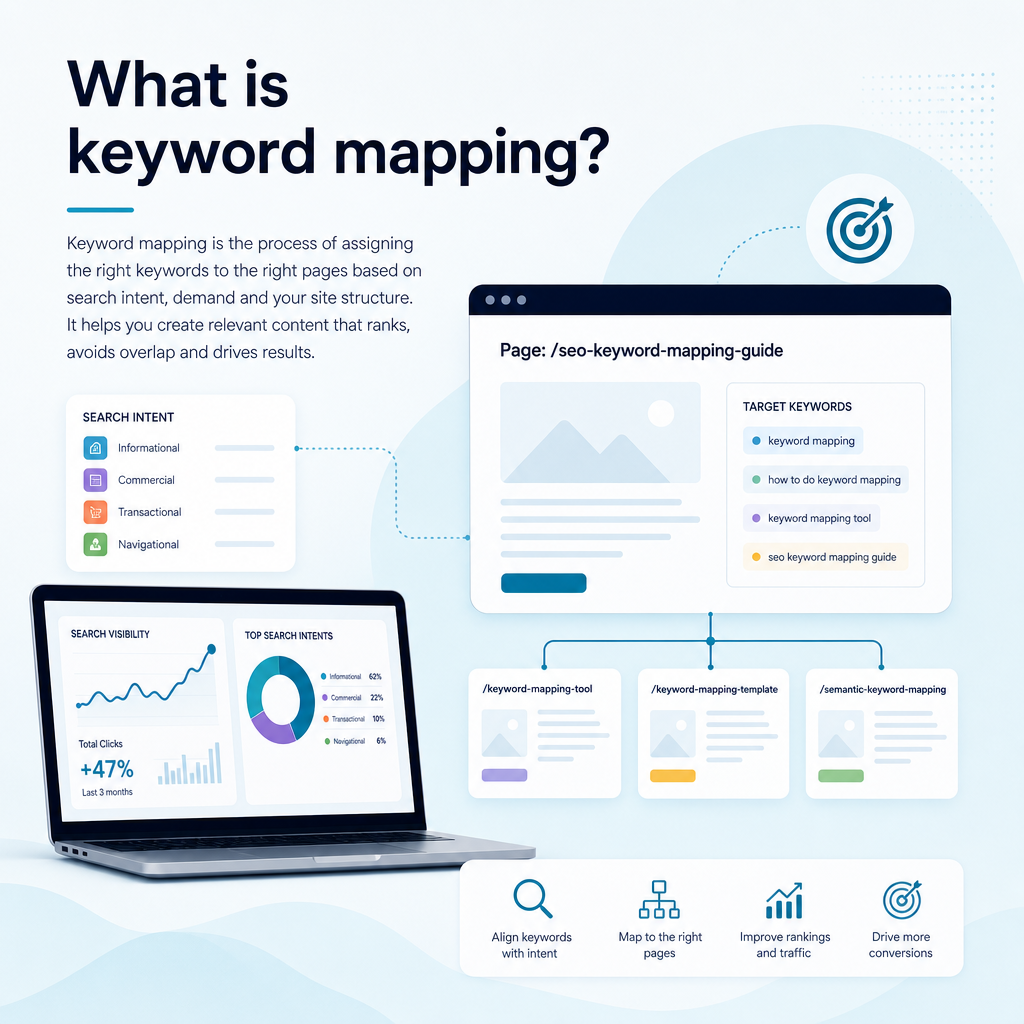
Keyword mapping is the process of assigning relevant keywords to specific pages on a website. Each page receives a clear primary topic and a group of closely related secondary terms that share the same search intent.
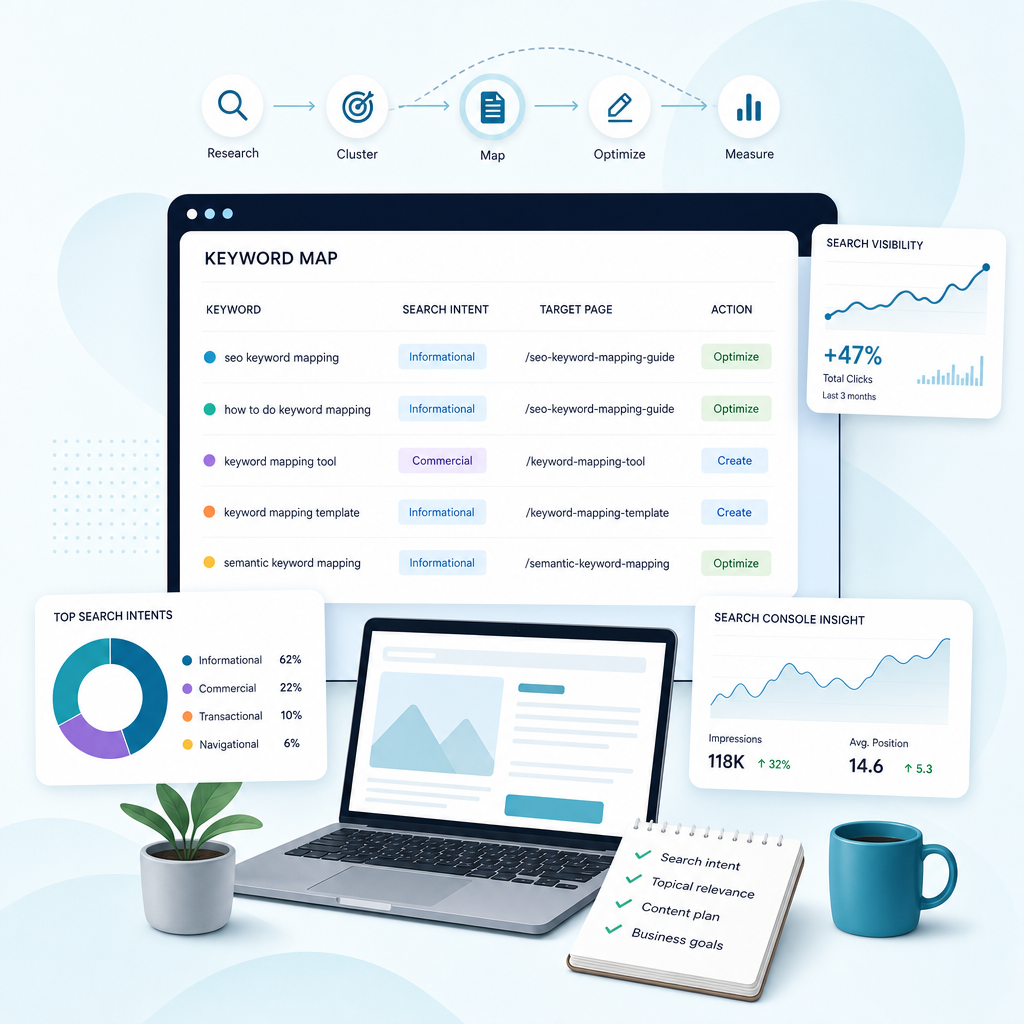
A keyword map usually records the keyword, its topic, search intent, estimated demand, ranking difficulty, target URL and the action required. The action may be to create a new page, optimise an existing page, merge overlapping content or monitor an opportunity later.
The aim is not to place every possible phrase on every page. It is to create a logical relationship between what people search for and the page that best answers their needs.
Why keyword mapping matters for SEO
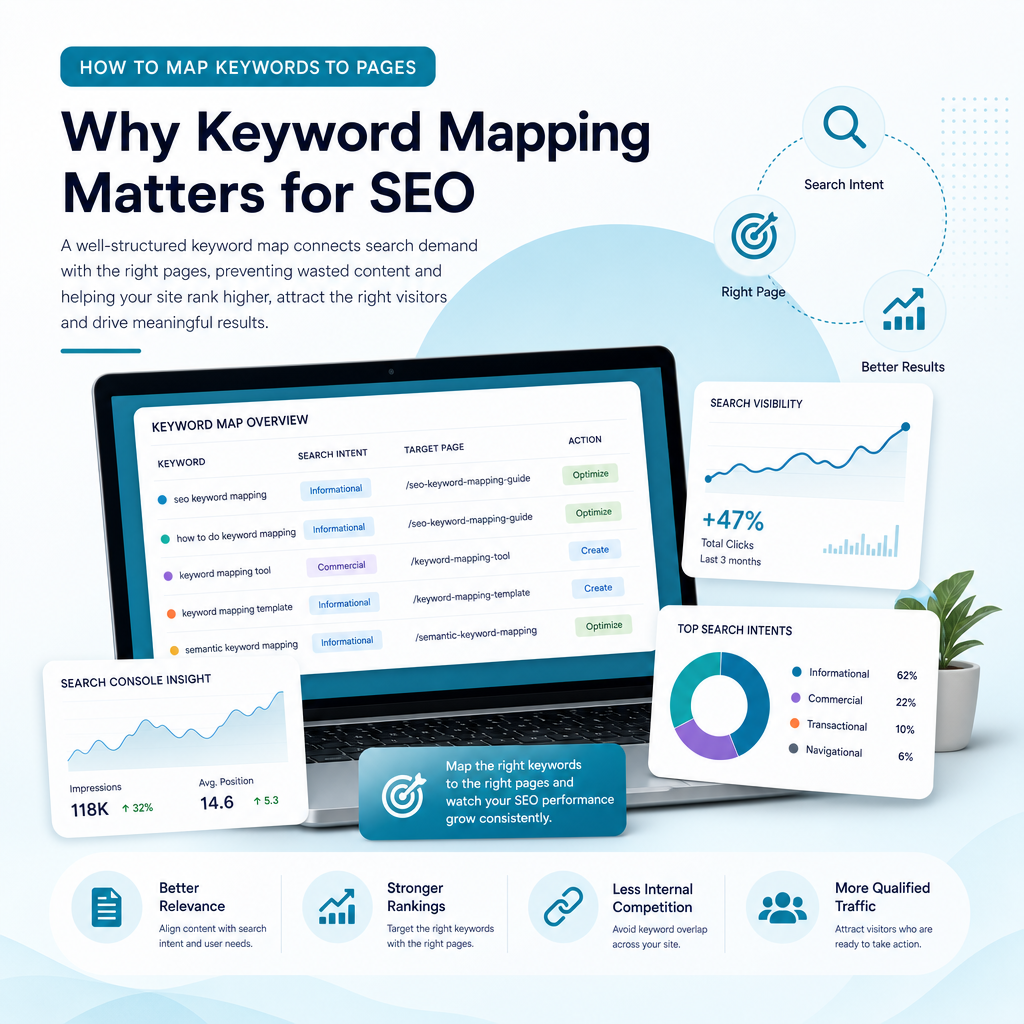
Without a map, content planning often becomes reactive. A business publishes articles based on ideas that sound useful, while important service pages remain poorly targeted or several articles cover almost the same subject.
A structured map gives your SEO activity direction. It helps search engines interpret your website and helps visitors reach the most relevant page without unnecessary clicks.
It prevents keyword cannibalisation
Keyword cannibalisation occurs when several pages target the same topic or search intent. Search engines may struggle to decide which page should appear, while your own pages compete for relevance and links.
For example, a technology consultancy might publish separate pages targeting “SEO content software”, “SEO content platform” and “AI SEO content tool” without differentiating their purpose. If the pages answer the same question, consolidating them or assigning distinct intents may be more effective than publishing more content.
It improves website structure
Keyword mapping reveals how pages should relate to one another. A broad pillar page can introduce a subject, while supporting pages answer narrower questions. Internal links then connect these pages into a meaningful topic cluster. A clear keyword-to-page map makes this process easier because each topic has a defined destination before internal links are added.
This structure supports topical authority and makes it easier for users to move from general information to a relevant service page.
It exposes content gaps
When you compare your keyword map with competitor pages and real search queries, you may find important topics that your website does not cover. These gaps can include service explanations, comparison pages, local variations, cost questions and practical guides.
A gap is not automatically a reason to publish. It still needs to match your audience, business goals and realistic ranking opportunity.
It supports better content decisions
Keyword mapping helps small teams decide whether to create, optimise, merge or leave a page alone. That distinction matters when your resources are limited.
| Situation | Recommended action |
|---|---|
| An existing page ranks for related queries but sits below stronger results | Optimise and expand the existing page |
| Several pages serve the same intent | Differentiate, consolidate or redirect where appropriate |
| A valuable topic has no relevant page | Create a new page or article |
| A keyword has little business relevance | Remove it from the priority list |
| A query has local intent | Map it to a relevant local or service-area page |
Keyword mapping begins with business goals
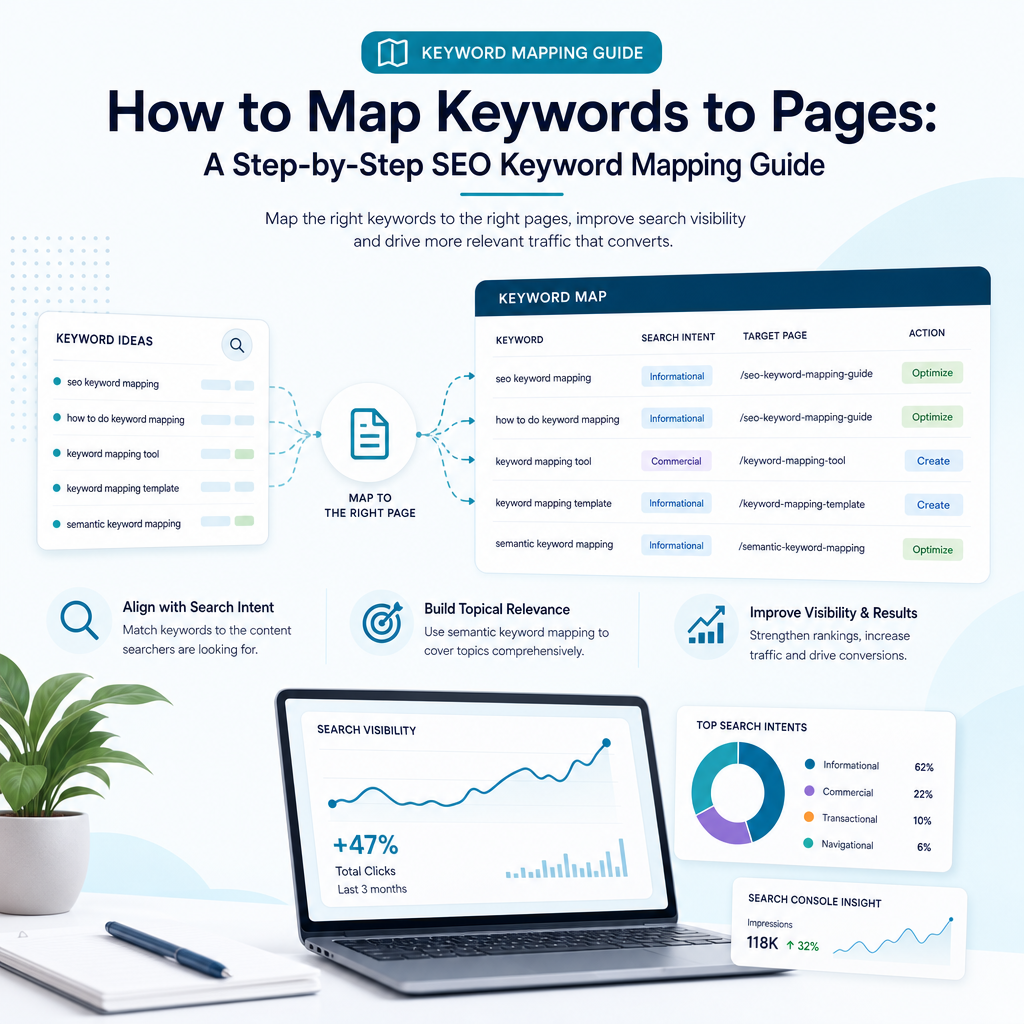
Before collecting keywords, decide what the website needs to achieve. A useful map is not built around search volume alone. It should support the pages, services and audiences that matter to the business.
A small business may want more enquiries for one service, stronger visibility in a particular region, more sign-ups for a software product or better discovery among a specific type of customer. These goals affect which keywords deserve priority.
For Ammpli, the relevant audience includes small-business owners, founders and marketing managers in the United Kingdom and English-speaking international markets. Their needs may include finding realistic ranking opportunities, creating content consistently and improving organic visibility without the cost of a traditional SEO agency.
Set practical mapping priorities
Write down the outcomes you want your content to support. Then divide your potential keywords into useful groups such as:
- Service and product terms that can support enquiries or sign-ups
- Commercial research terms used when comparing solutions
- Informational terms that answer relevant customer questions
- Local terms connected to a town, city, region or service area
- Existing ranking opportunities that may improve through optimisation
This keeps the map connected to business value. A keyword with modest demand but strong relevance may be more useful than a broad term that attracts visitors unlikely to become customers.
Step 1: Create a keyword mapping template
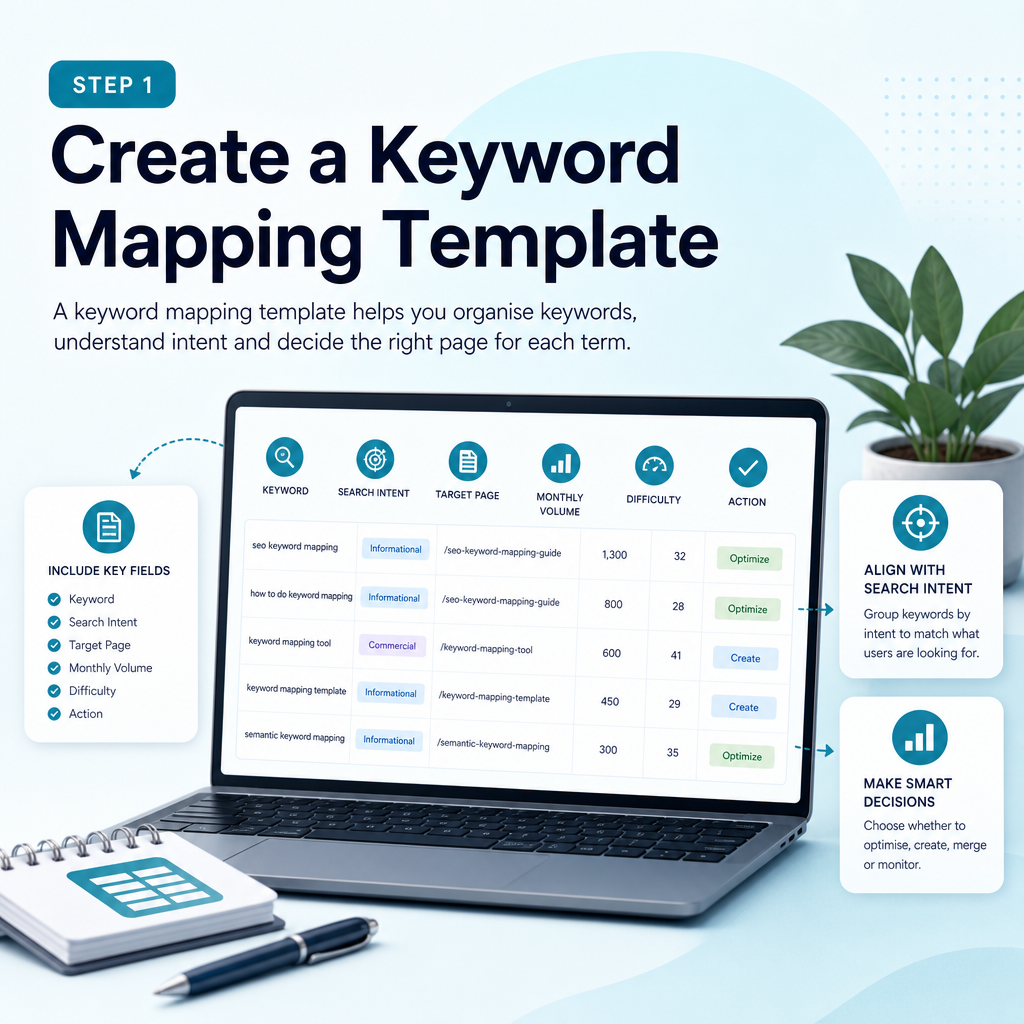
You can build a keyword map in Google Sheets, Microsoft Excel or another spreadsheet tool. The software matters less than the fields you record and the decisions your map supports.
Start with one row per keyword or keyword cluster. Avoid creating a separate row for every minor variation when several phrases clearly represent the same intent.
Recommended keyword map columns
- Primary keyword
- Secondary and related keywords
- Topic or cluster
- Search intent
- Target audience
- Search volume or demand estimate
- Keyword difficulty or competition
- Current ranking URL
- Target URL
- Page type
- Action: create, optimise, merge or monitor
- Priority
- Content owner
- Publication or review date
- Performance notes
The target URL field identifies where the content exists or will exist. The action field prevents uncertainty by making the next step explicit.
Step 2: Find keywords from multiple sources
Effective keyword research combines first-party performance data with customer language, competitor analysis and keyword research tools. Relying on a single source can produce an incomplete picture of what your audience searches for.
Start with terms connected to your services, common customer problems and the language used in sales conversations. Then expand the list with data.
Use Google Search Console
Google Search Console is one of the most useful sources for an established website. It shows the queries that already generate impressions and clicks, even when the site does not rank strongly.
Look for pages that receive impressions for relevant terms but have a low click-through rate or average positions outside the strongest results. These may be optimisation opportunities rather than reasons to create new content.
For example, a small B2B software company may discover that an existing article receives impressions for “SEO content planning tool” and several related phrases. The article might need clearer intent alignment, better coverage or stronger internal links.
Use analytics data carefully
Analytics data can show what visitors do after arriving on a page. Review engagement, conversions and assisted actions alongside search performance. Traffic alone does not tell you whether a keyword attracts the right audience.
A page that receives fewer visits but generates relevant enquiries may deserve more attention than a high-traffic article with no meaningful business outcome.
Study competitors and content gaps
Competitor research can reveal topics that similar businesses cover well and areas where your website is absent. The goal is not to copy another site. It is to identify relevant opportunities, understand the expected content format and find ways to provide a more useful answer.
Compare the pages ranking for your priority topics. Record the subjects they cover, the questions they answer, the page types they use and any important gaps. Ammpli’s competitor content-gap analysis can help organise this research alongside your own search-performance data.
Use keyword tools and customer language
Keyword research tools can provide related phrases, demand estimates and competition indicators. Customer emails, support questions, sales calls, online communities and internal search data can add language that tools may not surface.
AI can help generate initial ideas, but generated suggestions should be checked against real search results and business relevance. Generic AI content writing for SEO is not a substitute for understanding the site, audience and existing performance.
Step 3: Group keywords by topic and search intent
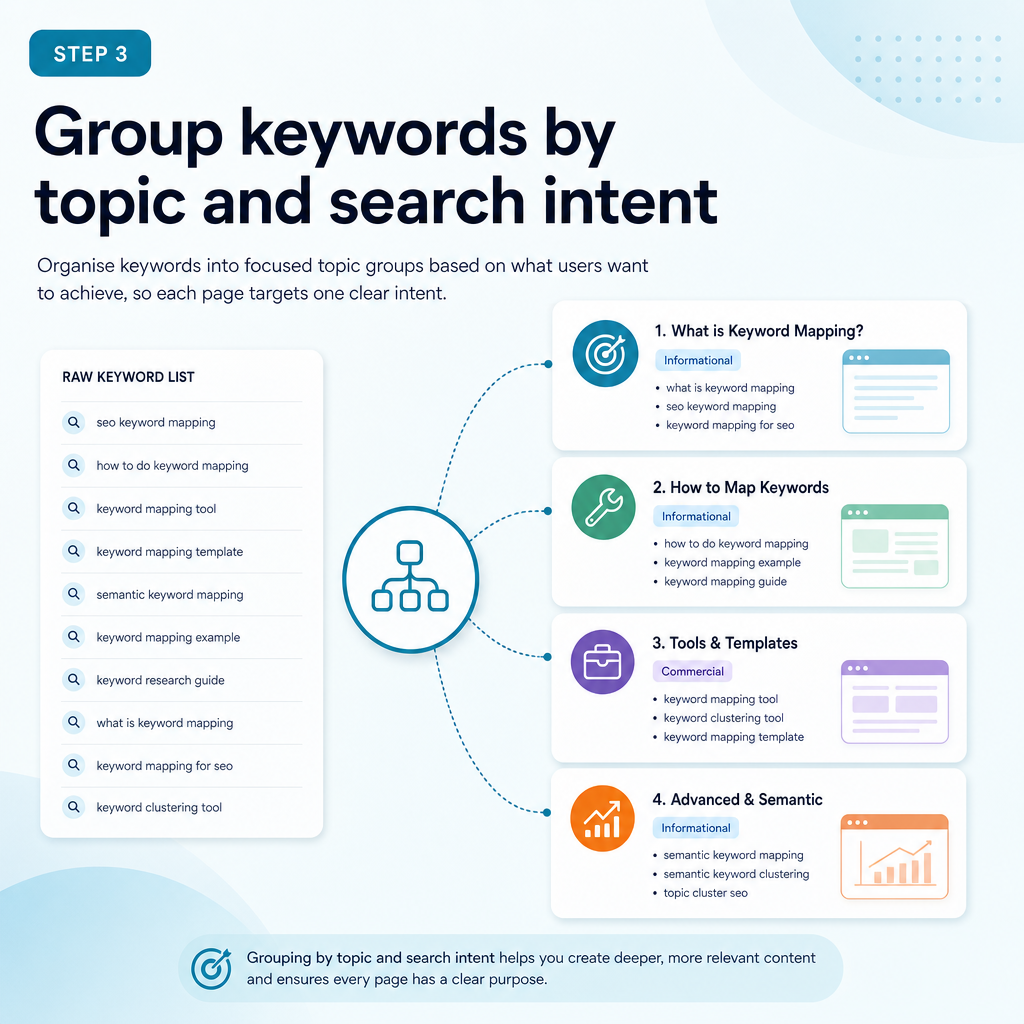
Once you have a working list, group related keywords into clusters. The central question is whether one page could satisfy the intent behind several queries without becoming confusing or unfocused.
Search intent describes the reason behind a query. The main categories are informational, navigational, commercial and transactional, although real searches can overlap.
Informational intent
The searcher wants to learn, solve a problem or understand a concept. Examples include “how to map keywords to pages”, “what is semantic SEO” and “how does Google Search Console work”. These searches usually suit guides, tutorials and explanatory articles.
Commercial intent
The searcher is researching options before making a decision. Examples include “best SEO content software”, “AI SEO tools for small businesses” and “SEO content platform comparison”. These searches may suit comparison guides, feature pages or detailed product explanations.
Transactional intent
The searcher is ready to take action. Examples include “start SEO content trial”, “SEO content platform pricing” or “local SEO content service”. These terms normally belong on service, pricing, sign-up or product pages rather than general blog articles.
Navigational intent
The searcher is trying to reach a particular business, product or page. Branded queries such as “Ammpli SEO platform” should usually map to the brand or product page that provides the clearest destination.
Check the search results
The live search results are often the best practical guide to intent. Search a keyword and review the dominant page types, titles, formats and features. If most results are detailed guides, a short sales page may not match the expectation. If results are service pages, a general article may struggle to satisfy the query.
Step 4: Assign one primary keyword to each page
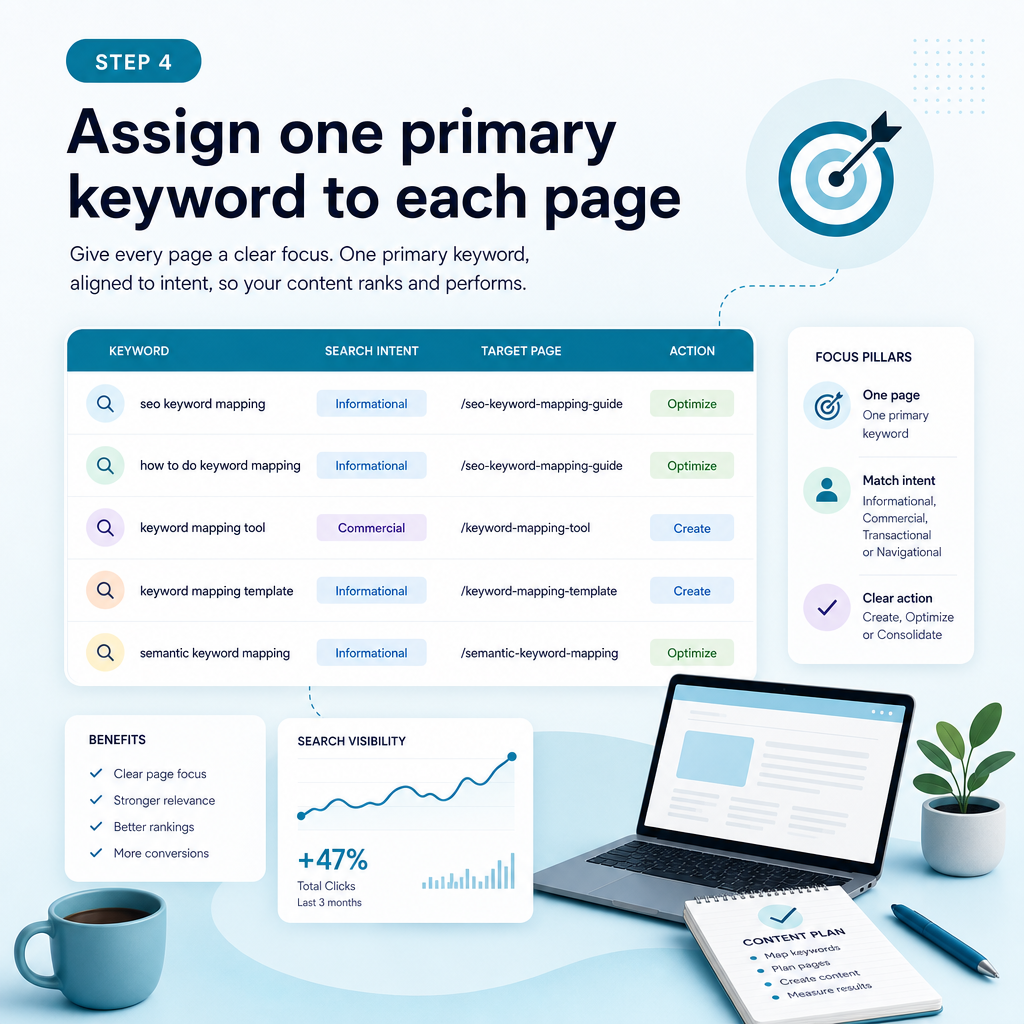
Each important page should have one clear primary keyword or topic. It can rank for many related phrases, but its main purpose should be easy to identify.
Choose the primary keyword by balancing relevance, search intent, demand, competition and business value. Do not automatically select the phrase with the highest search volume.
Secondary keywords should support the main topic naturally. They may become headings, examples, FAQs or internal-link anchor text, but they should not force awkward repetition.
Example of a useful keyword assignment
Suppose a service business offers SEO opportunity analysis, AI-powered SEO content creation and topical authority planning. A sensible structure might include:
- Primary topic: AI SEO content platform — product or service page
- Primary topic: How to map keywords to pages — educational article
- Primary topic: Google Search Console content strategy — educational guide
- Primary topic: Local SEO content creation — service or local landing page
- Primary topic: Semantic keyword mapping — educational article or feature page
The pages are related, but their purposes differ. The educational article explains a process, while the product page explains the platform and the service page addresses a particular commercial need.
Step 5: Match keywords to existing pages or content gaps
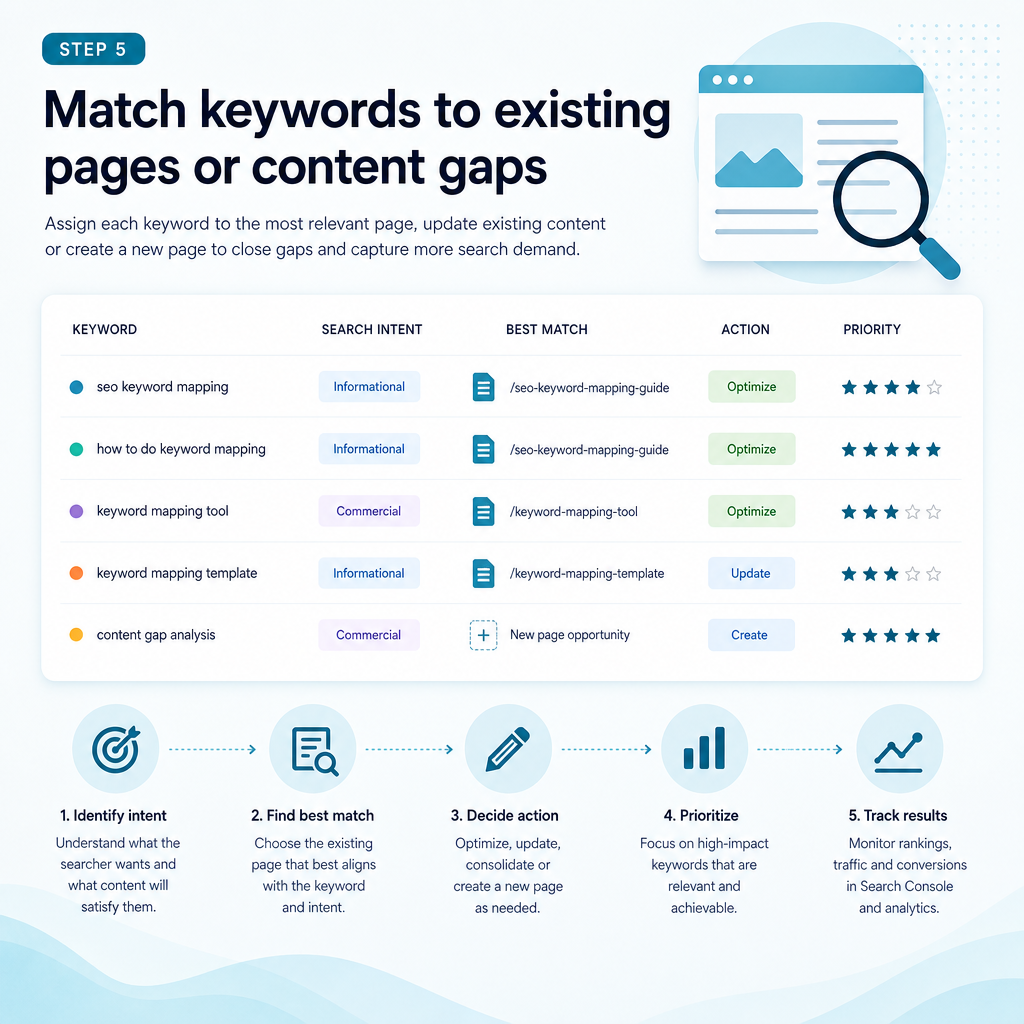
Now compare your keyword clusters with the pages already on your website. For every cluster, decide whether a suitable page exists and whether it genuinely matches the intent.
Do not create a new page simply because a keyword has not yet been assigned. First check whether an existing page can be improved. Creating several pages around similar phrases can create duplication and internal competition.
When to optimise an existing page
Optimisation is usually suitable when the current page already covers the topic, has relevant backlinks or receives impressions for related queries. Improvements may include clearer headings, better examples, stronger internal links, updated information and a more direct answer to the searcher’s question.
When to create a new page
A new page may be appropriate when the keyword represents a distinct intent, audience or service. For example, an article explaining semantic keyword mapping should not be forced into a pricing page if the searcher is looking for an educational explanation.
When to merge pages
If two pages answer the same question and neither has a clear advantage, combining them may create a stronger resource. Review traffic, rankings, links and conversions before making changes, and implement redirects carefully where needed.
When to leave a keyword unmapped
Some keywords are too broad, too competitive, irrelevant to the business or disconnected from the audience. Leaving them out is a valid strategic decision. A useful keyword map is selective rather than exhaustive.
Step 6: Build semantic keyword clusters and topic groups
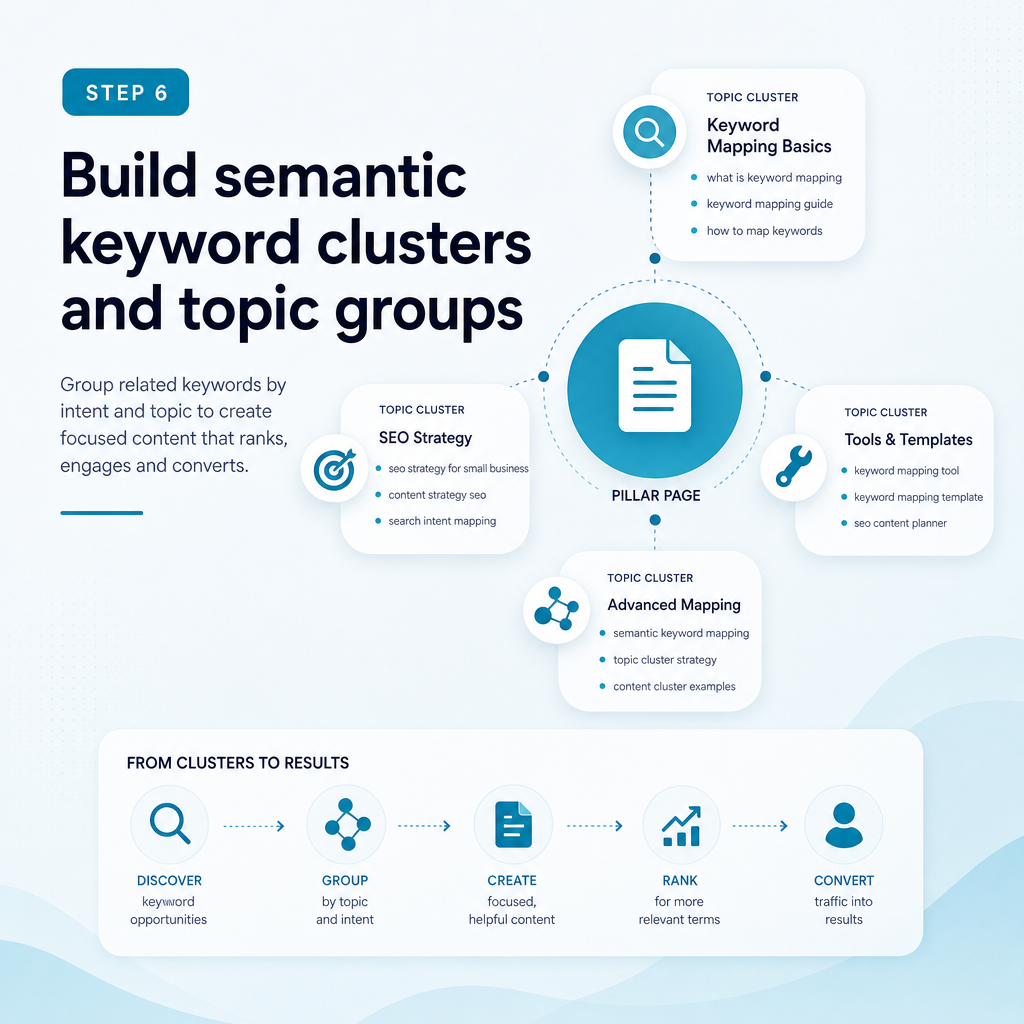
Modern search engines interpret meaning, relationships and context rather than relying only on exact keyword matches. Semantic keyword mapping helps you cover the concepts that make a page genuinely useful.
For the topic “how to map keywords to pages”, related concepts may include search intent, keyword clusters, target URLs, content gaps, internal linking, keyword cannibalisation, Google Search Console, pillar pages and content calendars.
These terms should appear only when they help answer the reader’s question. Semantic SEO is not a reason to add unrelated phrases or repeat variations mechanically.
Use pillar and supporting pages
A pillar page provides a broad overview of a subject. Supporting pages address narrower questions and link back to the main resource. This creates a clear topic hierarchy and gives readers useful next steps.
For a small business, a topical authority plan might include a central guide to SEO content planning, supported by articles on search intent, content gaps, local SEO content creation and Google Search Console analysis.
Step 7: Prioritise opportunities realistically
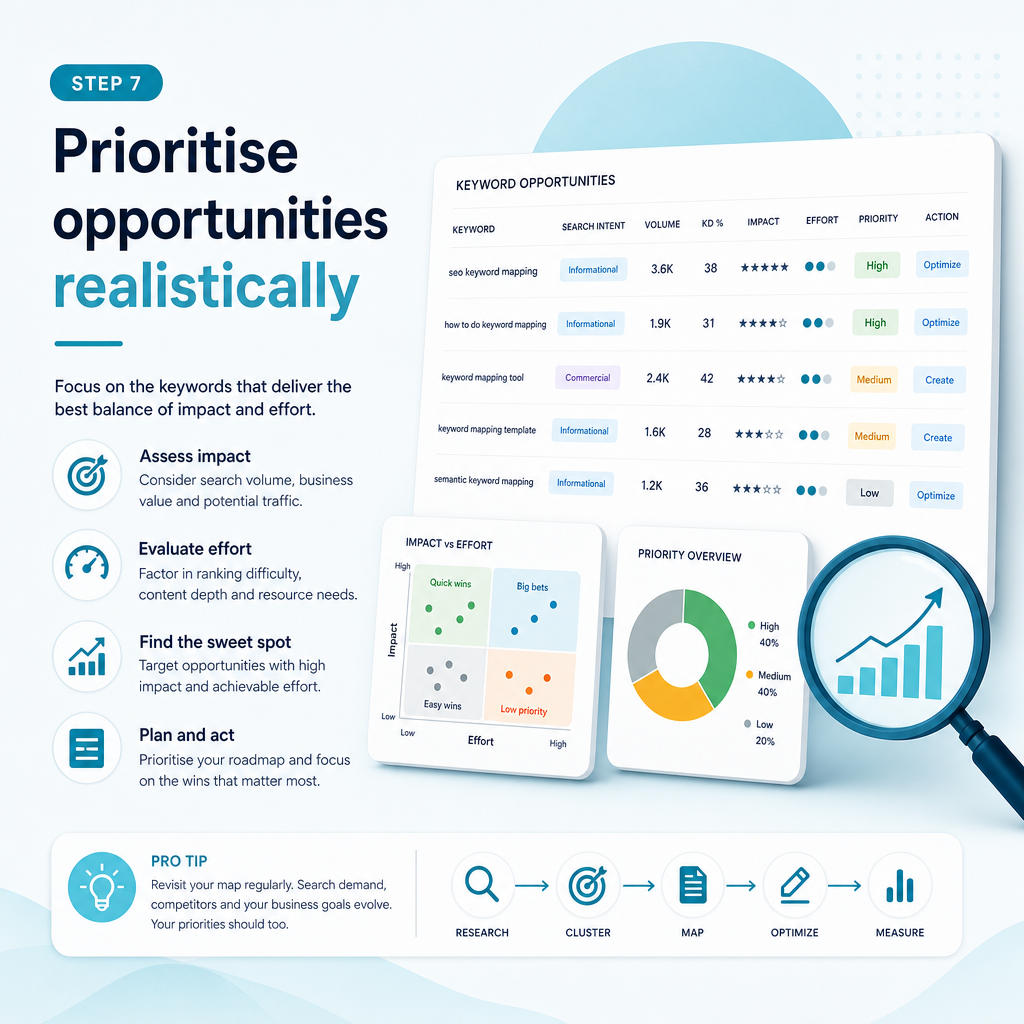
A keyword map can contain more opportunities than your team can action. Prioritisation helps you focus on work that fits your resources and has a credible connection to business value.
Use a simple scoring system based on relevance, intent, potential value, ranking opportunity, effort and existing performance. You can use numerical scores, priority labels or both.
Look for practical quick wins
Pages ranking on the lower half of the first results page or near it may offer optimisation opportunities. A page already receiving impressions can be a more practical starting point than a completely new page targeting a highly competitive topic.
Quick wins should not replace long-term planning, but they can help a small team create momentum while building broader topical authority.
Balance demand with business value
A keyword with high demand may attract a wide audience but have limited relevance. A more specific phrase may attract fewer people yet align closely with a service or buying decision.
For Ammpli’s audience, a phrase such as “Google Search Console content strategy” may be more useful than a broad term because it connects directly with a problem the platform helps businesses solve.
Plan around production capacity
Do not create a content calendar that your team cannot maintain. A smaller number of well-researched, useful pages is usually more practical than a large batch of generic articles.
Step 8: Use the map to brief and create content
A keyword map becomes valuable when it guides production. Each row should provide enough information for the writer or subject-matter expert to understand the page’s purpose.
A useful brief can include the primary keyword, search intent, audience, questions to answer, related terms, recommended format, internal-link targets and conversion path.
AI-powered SEO content creation can speed up drafting, but the content still needs human review for accuracy, usefulness, originality and brand fit. Automated SEO content without context can produce pages that sound plausible but fail to answer the actual customer need.
Keep content aligned with the page purpose
An informational article should educate before presenting a commercial next step. A service page should explain the service, who it suits, what the process involves and what the visitor can do next.
For Ammpli, an educational article may explain keyword mapping in detail before inviting readers to find their next ranking opportunity. This approach supports early-stage research without making the page feel like an advert.
Step 9: Connect mapped pages with internal links
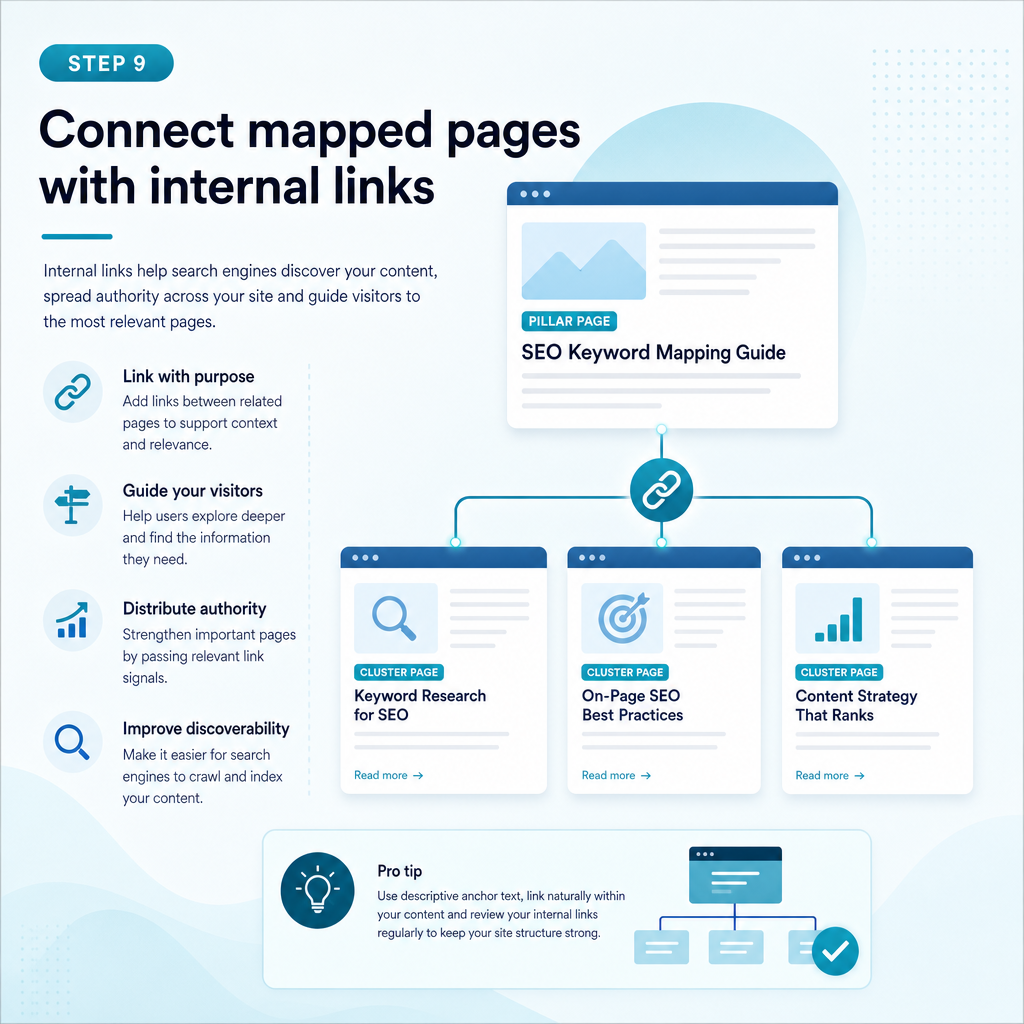
Internal linking helps users and search engines understand how your pages relate. Use descriptive, natural anchor text that reflects the destination page without repeating the same phrase excessively.
Link from broad guides to relevant service pages, from supporting articles to pillar pages and between related resources where the reader benefits. Review orphan pages that have few or no internal links.
Internal links should support navigation, not create a forced network of references. A link is useful when it provides the next piece of information a reader is likely to need.
Step 10: Monitor, update and refine the map
Keyword mapping is an ongoing process. Search behaviour changes, competitors publish new content and pages may begin ranking for queries you did not originally target.
Review your map alongside Google Search Console and analytics data. Look for new queries, changes in impressions, pages gaining or losing visibility, and keywords that attract the wrong audience.
Update the action field when work is complete. Record the date, changes made and performance observations so your next decision is based on evidence rather than memory.
Useful review questions
- Is the current page still the best result for this intent?
- Has another page started competing for the same topic?
- Are impressions increasing without corresponding clicks?
- Does the page answer the questions shown in current search results?
- Is the keyword attracting a relevant audience?
- Would a new supporting page strengthen the topic cluster?
- Is the page connected to an appropriate service or business goal?
Common keyword mapping mistakes
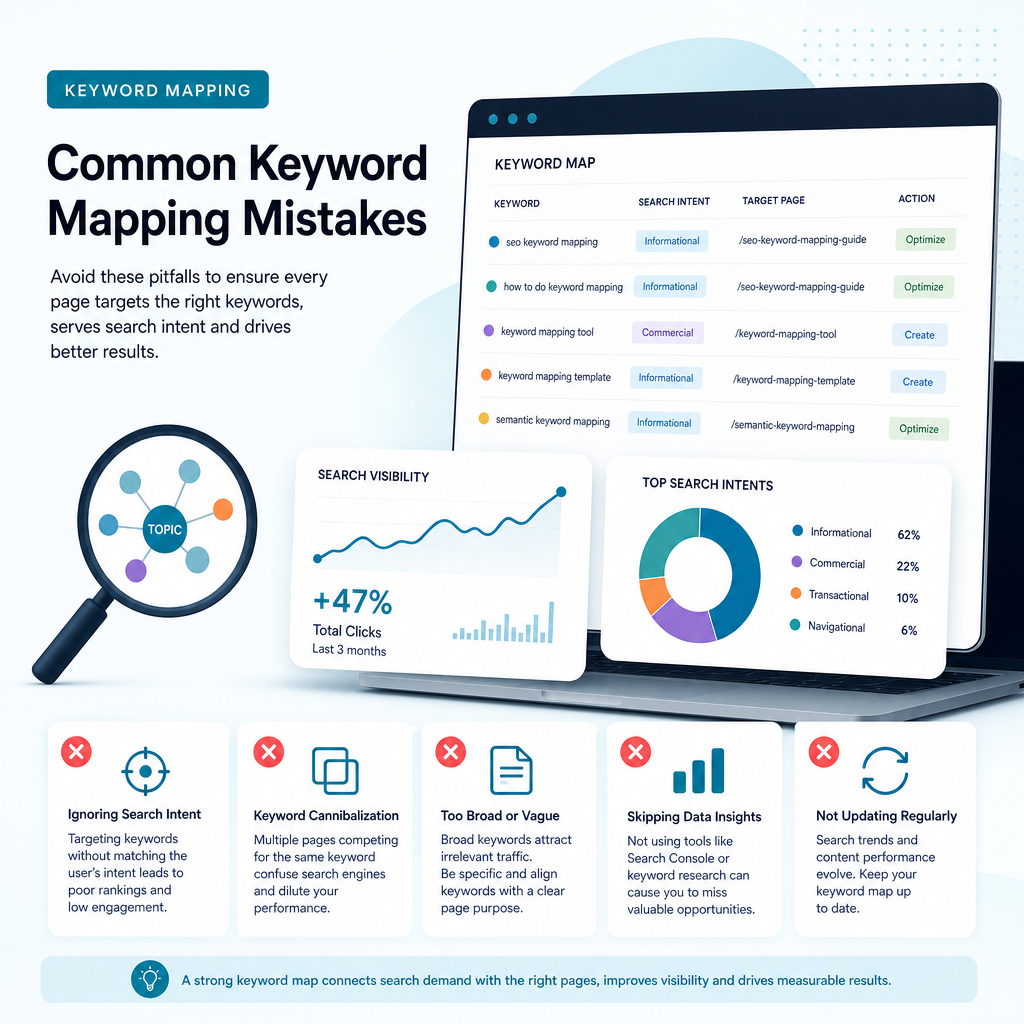
Most mapping problems come from treating keywords as isolated strings instead of signals of customer needs. Avoiding these mistakes can save a small business substantial time.
Choosing search volume over relevance
High-volume terms are attractive, but they may be broad, competitive or unrelated to the services you provide. Relevance and intent should guide the decision.
Mapping different intents to one page
A single page may not satisfy someone looking for a definition, a comparison and a service quote. Separate pages can be appropriate when the searcher’s needs and expected formats differ.
Creating a page for every keyword variation
Close variations often belong in one well-structured page. Creating separate pages for every wording can dilute authority and create internal competition.
Ignoring existing performance data
Starting from a blank keyword list can make you overlook valuable queries where your website already appears. Google Search Console can reveal realistic opportunities that generic keyword tools do not show.
Publishing without a review process
A keyword map should guide ongoing decisions. If nobody checks whether pages were created, optimised or measured, the map becomes another unused spreadsheet.
How Ammpli can support keyword mapping
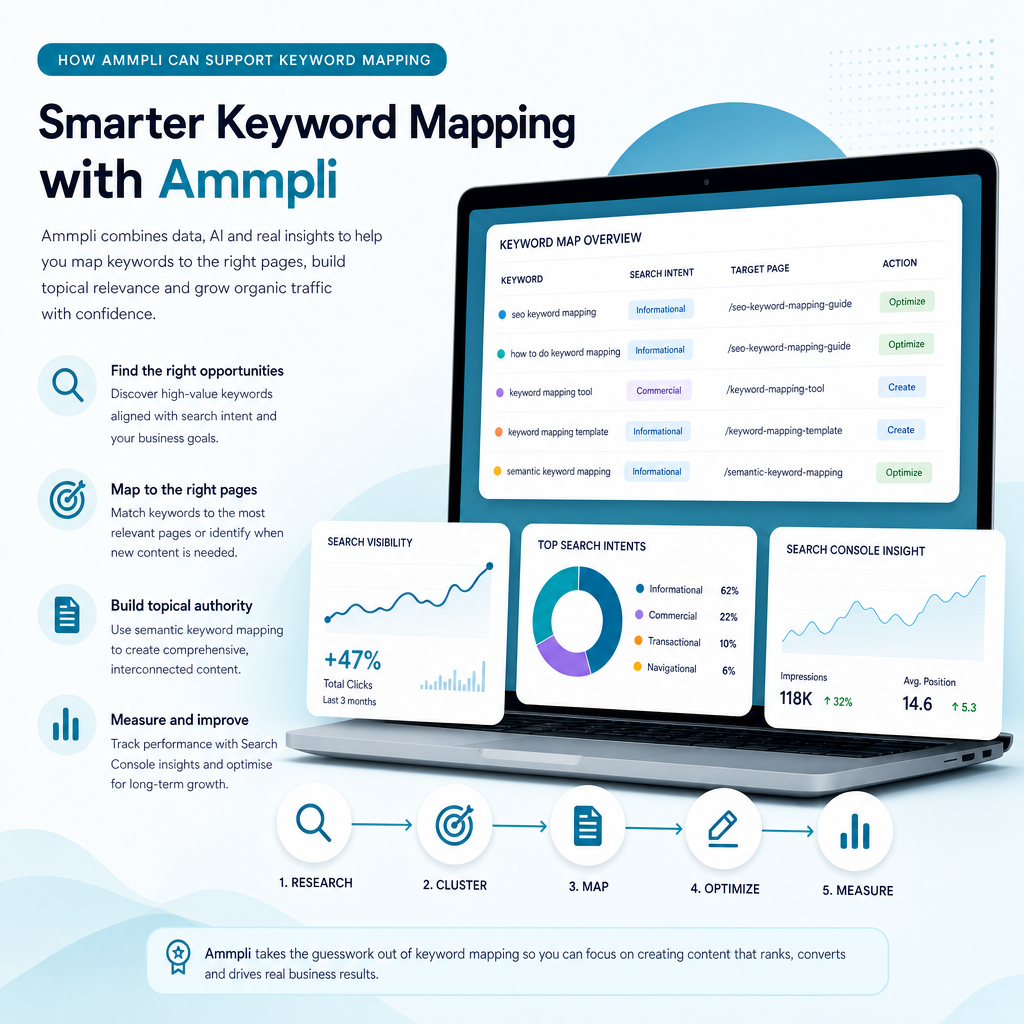
Ammpli is an AI SEO content platform designed for small and growing businesses that need a practical way to plan and create content. It combines Google Search Console and Analytics data with competitor research, search-intent analysis and semantic keyword mapping.
This helps identify relevant searches where a website is already gaining visibility but has not yet reached its strongest positions. Those insights can then inform an SEO content calendar, page optimisation plan or new article brief.
Ammpli also supports SEO opportunity analysis, AI-powered SEO content creation, competitor content-gap analysis, topical authority planning, local SEO content creation, direct CMS publishing and SEO performance reporting. It is intended to reduce guesswork and manual research rather than replace sound editorial judgement.
Whether you manage a B2B SaaS company, ecommerce brand, healthcare practice, education provider, property business or local service company in the United Kingdom or another English-speaking market, the same principle applies: map content to genuine customer needs and realistic opportunities.
Frequently Asked Questions
What is keyword mapping in SEO?
Keyword mapping is the process of assigning keywords and keyword clusters to specific website pages based on search intent, page purpose and business relevance. It helps guide content creation, page optimisation, internal linking and content-gap decisions.
How many keywords should one page target?
There is no fixed number. One page should have a clear primary topic and a reasonable group of closely related terms that share the same intent. Avoid adding keywords that require a different page type or answer a different question.
Should I create a new page for every keyword?
No. Several keyword variations may represent the same search intent and can be addressed by one useful page. Create a separate page when the keyword reflects a distinct audience, purpose, service or content format.
How does Google Search Console help with keyword mapping?
Google Search Console shows the queries that generate impressions and clicks for your website. It can reveal existing pages with ranking potential, unexpected related searches, low-click opportunities and terms that may need a dedicated page.
What is the difference between keyword mapping and keyword research?
Keyword research identifies search terms, demand, competition and intent. Keyword mapping decides which terms belong to which pages and what action should follow. Research supplies the evidence; mapping turns it into an organised content and optimisation plan.
Can AI tools create a keyword map?
AI tools can help organise data, identify semantic relationships, analyse opportunities and generate content briefs. Human review is still needed to confirm business relevance, intent, accuracy and whether a new page is genuinely justified.
Turn your keyword map into a practical SEO plan
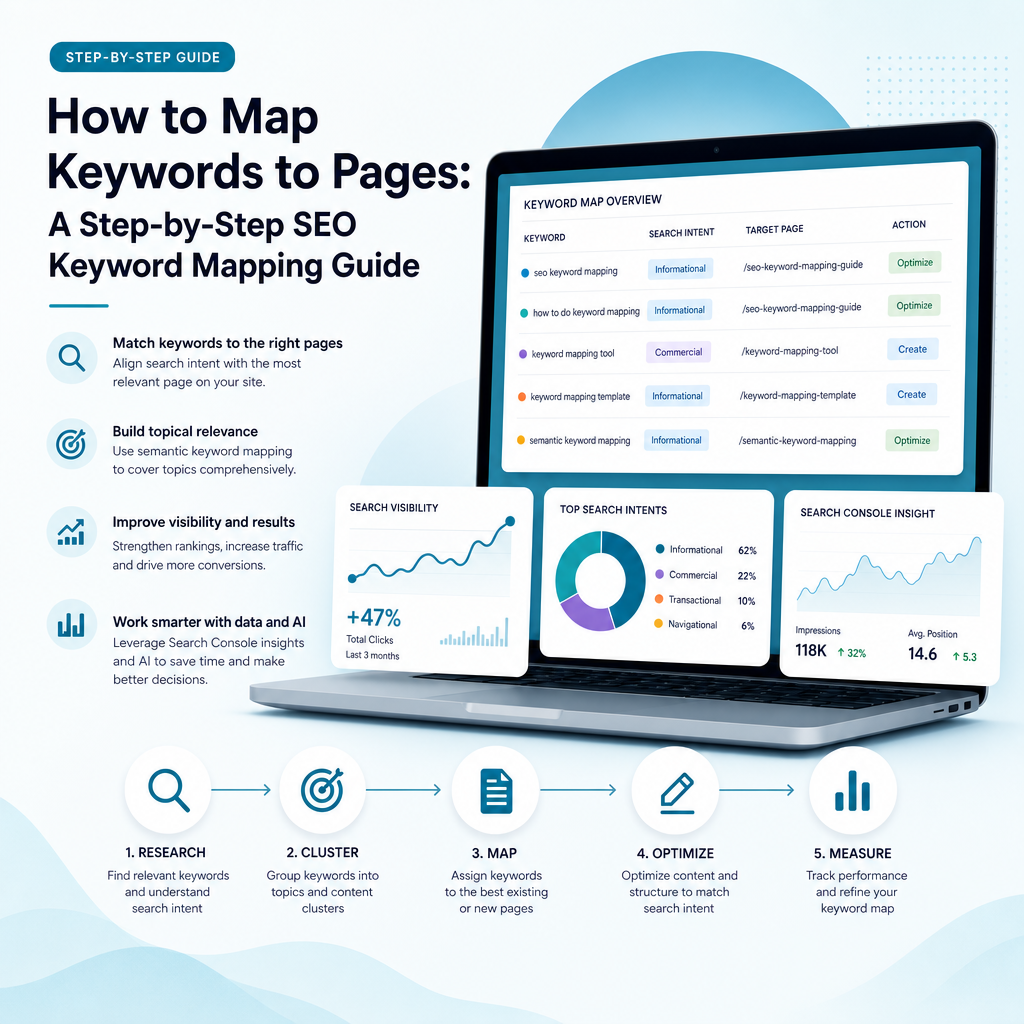
Keyword mapping gives your website a clearer structure and your content programme a stronger focus. By combining search intent, first-party data, competitor gaps and realistic priorities, you can spend less time guessing what to publish.
The process does not require a large marketing department. Start with your most important services, review the queries already generating visibility, assign one clear purpose to each page and build from there.
If you want help turning your search data into better content, start your 14-day free trial with Ammpli. No credit card is required.